Community listing page, reviews here may not be monitored by the author.

Community voices
Reviews
No reviews yet. Be the first to review this project!
Get it on
Available Platforms
About
Project Details
For authors
Embed Badge
If you're the author of this project, you can embed a live badge anywhere that supports HTML or Markdown. It updates automatically whenever ratings change.
Use HTML for any page that supports it, or Markdown for README files and Markdown-based descriptions.
Identifiers
Platform IDs
Resources
External Links
About
Description
WTMC — Build & Battle Vehicles (Fabric 1.21.11)
⚠️ Alpha Version Notice
This mod is currently in its Alpha stage and is actively under development. As a result, it contains many incomplete features, bugs, unimplemented elements, and potential instabilities.
To prevent unexpected issues or world corruption, please always back up your world before installing.
WTMC is a military-craft mod focused on detailed armor, realistic ballistics, and module-based damage models.
🌟 Key Features
1. Hardcore Ballistics & Armor Models
-
WT-Style Damage Simulation: Shells calculate kinetic energy loss over distance, armor thickness, material type, and sloped impact angles in real-time.
-
Internal Module Destruction: Once armor is penetrated, the projectile's raycast path damages internal modules ("Engine", "Ammo Rack", "Fuel Tank", "Crew" (bypassing normal rider invulnerability)) in sequence, leading to combat disablement or catastrophic explosion.
2. Physical Movements & Animations
-
Tanks: Features independently rotating turrets, realistic forward gear ratios, and high-speed reverse capabilities.
-
Aircraft: Offers functional landing gears toggled with the
Bkey, and responsive control surfaces (flaps and tail fins) that react to flight maneuvers.
3. Combat Effects & Mechanics
-
HE (High Explosive): Inflicts massive damage featuring radial drop-off from the center of the blast, with the ability to physically carve craters into the terrain (toggable in config).
-
Ramming & Block Crushing: Heavy tracked vehicles can crash and plow through blocks in their path (fully customizable via JSON config).
-
Tactical Utilities: Screen your movements with Smoke Grenades (
Gkey), and utilize target lock / aim-gate systems to prevent accidental misfires.
🚗 Included Default Vehicles
On the first launch, WTMC automatically extracts the following 4 vehicles. You can instantly spawn them from the Blueprint (blue paper) items found under the "WTMC" creative tab:
-
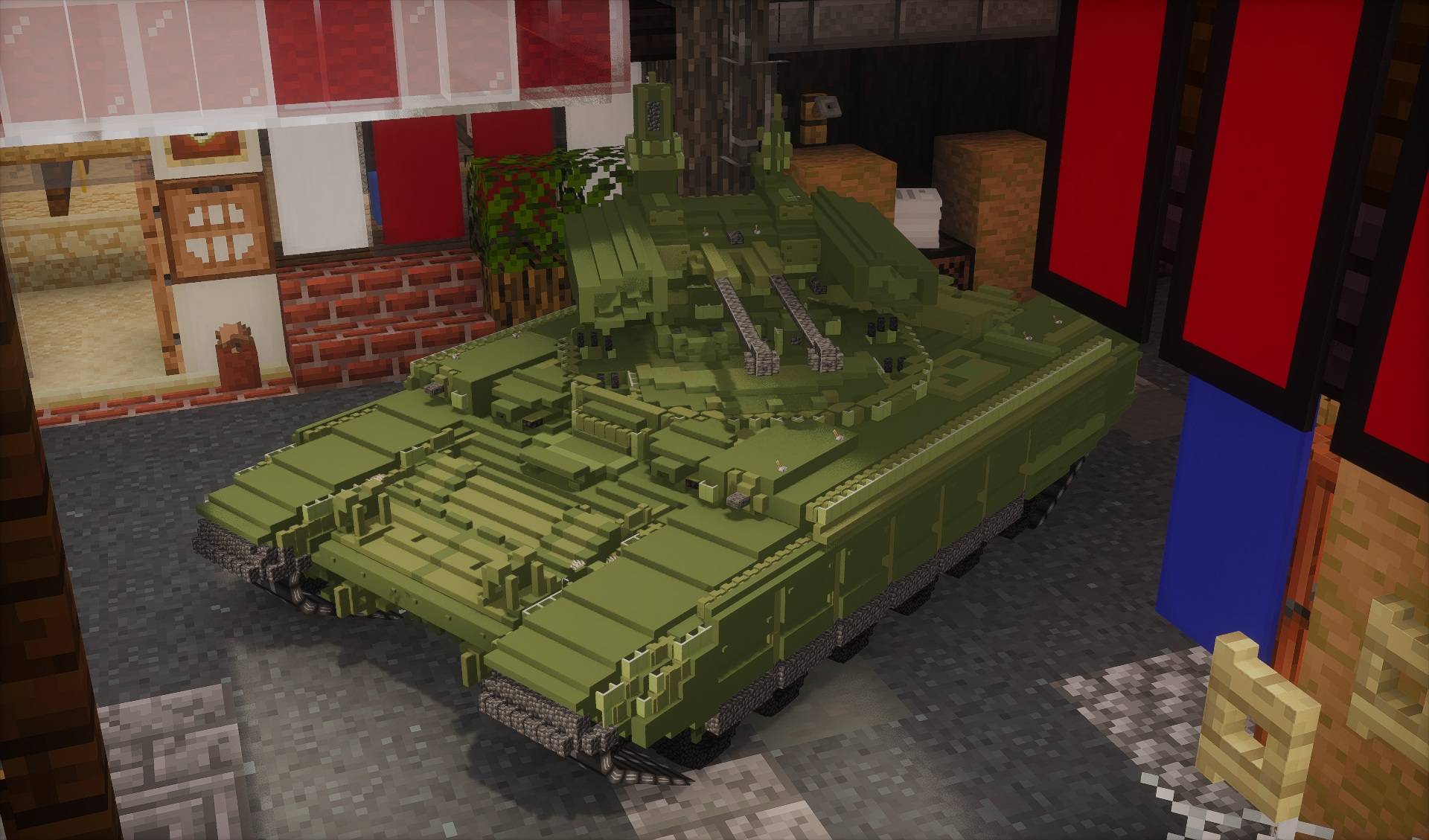
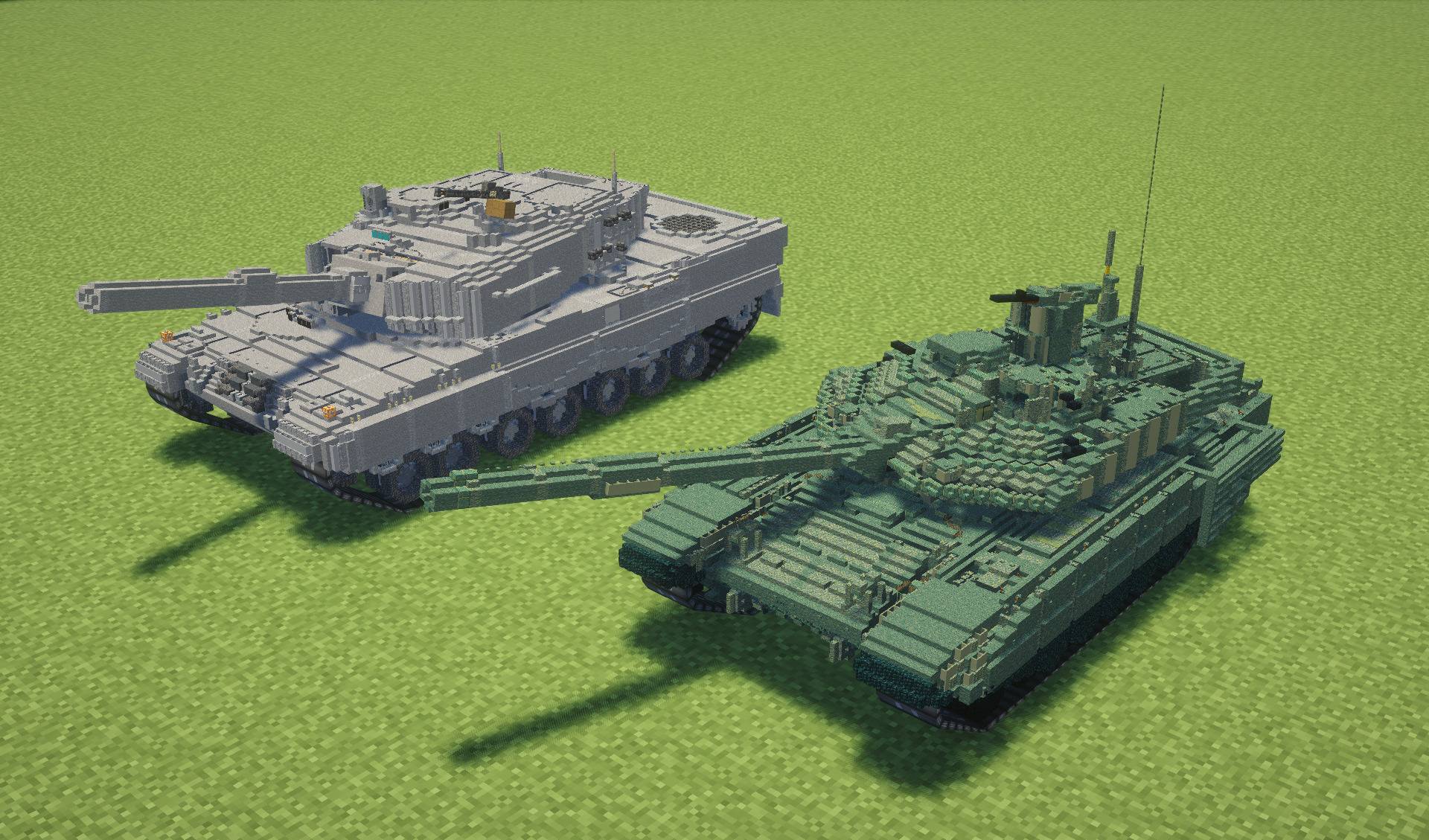
T-90M (Main Battle Tank): Russian MBT.
-
Leopard 2A4 (Main Battle Tank): German MBT.
-
Jean Bart (Battleship): Armed with 380mm main batteries, secondary guns, and AA guns. Use
Alt+Number keysto switch weapon groups. -
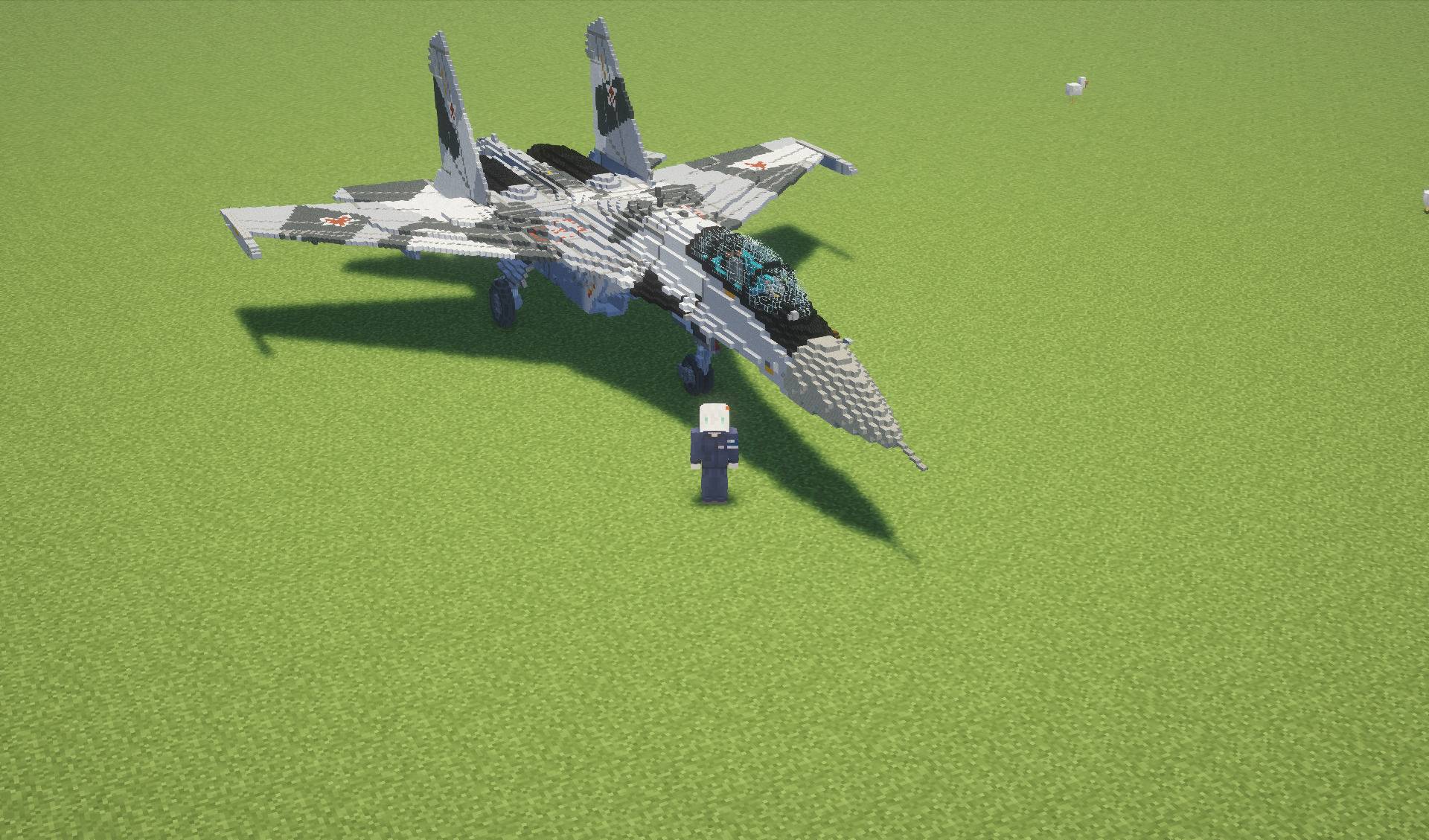
Su-35S: Flight model only.
🎮 Basic Controls
| Keybind | Action |
W A S D |
Movement / Driving (Yaw/Pitch/Roll for aircraft) |
| Mouse movement |
Aiming / Camera Look |
| Right-Click |
Fire Primary Weapon |
| Number Keys (1-9) |
Cycle Shell Types (AP / APFSDS / HE / HEAT, etc.) |
Alt + Number Keys |
Switch Weapon Groups (Main Gun ⇄ Coaxial/Secondaries) |
G |
Deploy Smoke Grenades / Screen |
B |
Toggle Landing Gear (Aircraft) |
F5 |
Third-Person Chase Camera (Scroll wheel to Zoom) |
| Shift + Right-Click |
Click on a vehicle to open the Ammo Loading GUI
|
⚙️ Customization & Extensibility
Every vehicle's stats and meshes are managed in <game_dir>/wtmc/packs/ (JSON + OBJ + Textures) and <game_dir>/wtmc/blueprints/ (.wtbp files). Since these are stored in plain text and JSON-based formats, you can easily create and share your own custom vehicle packs or install blueprints made by the community.
Screenshots
Gallery
-
 2026-07-19_13.14.57.jpg 2026-07-19_13.14.57.jpg
 -
 1000003211.jpg 1000003211.jpg
 -
 1000003212.jpg 1000003212.jpg
 -
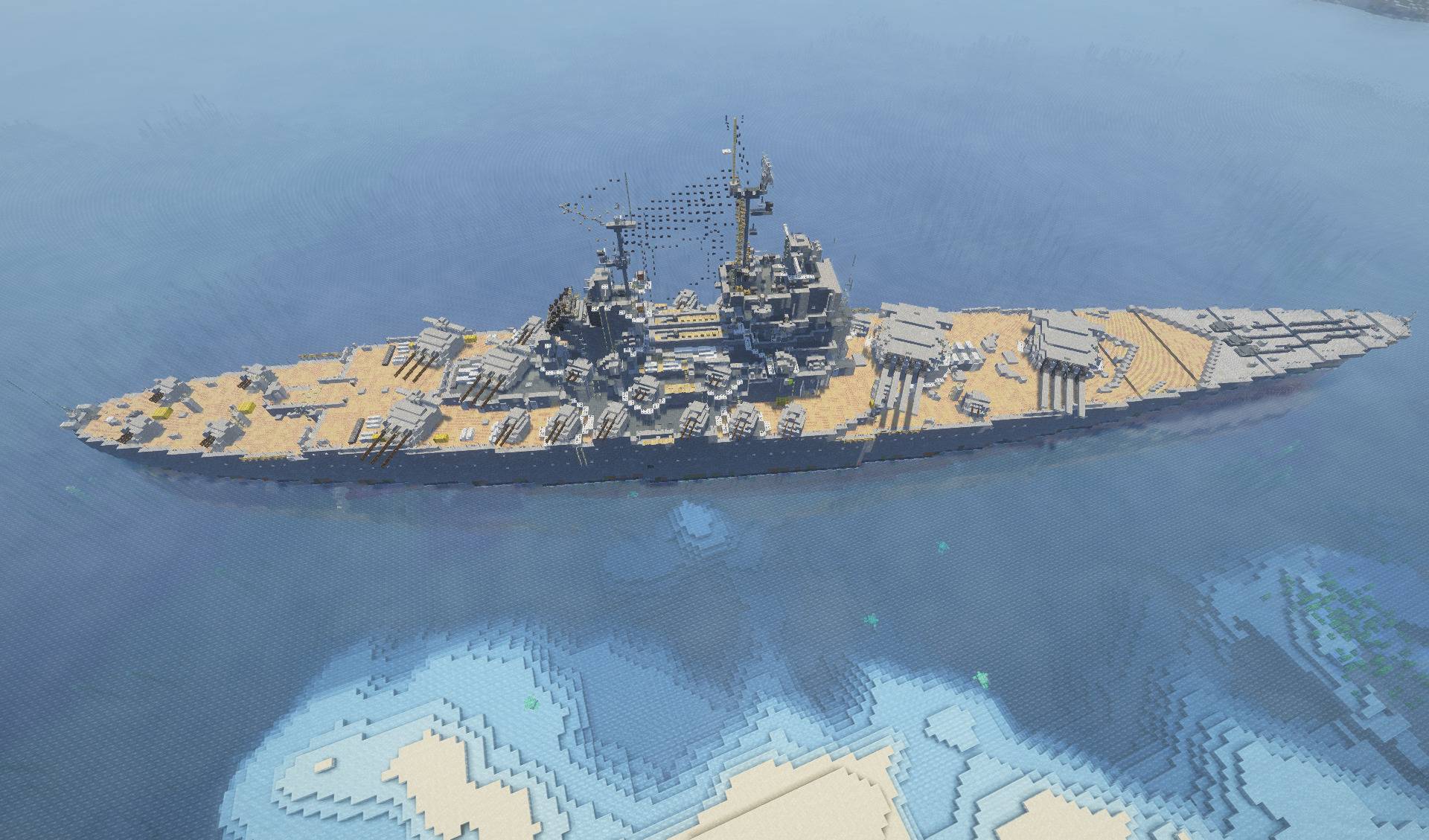 1000003210.jpg 1000003210.jpg
 -
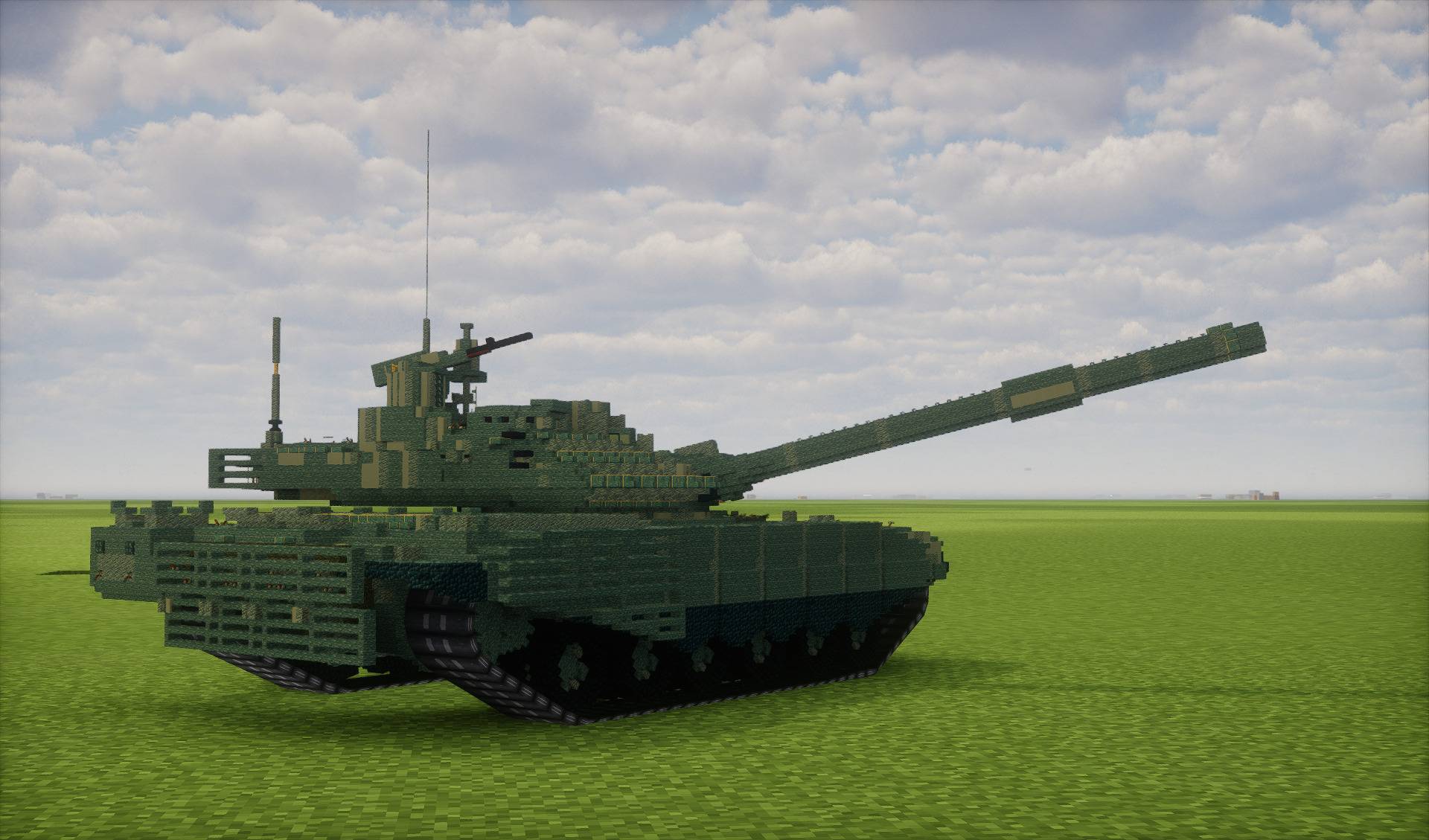 1000003209.jpg 1000003209.jpg
Versions
Files
Relations
Project Relations
More like this
Similar Mods
Suggestions use data such as tags, dependencies, dependents, descriptions, titles, and more to rank how much they overlap with this mod.
On ModDex
Community snapshot
By the numbers
Statistics
Want to reach Minecraft players?
We're looking for a server hosting partner to feature here and other parts of the site. Interested? Send us a message!
Get in touchGet it on
Available Platforms
On ModDex
Community snapshot
By the numbers
Statistics
Resources