
Community listing page, reviews here may not be monitored by the author.
WynnBuild


No reviews yet
A Wynncraft mod for generating WynnBuilder build urls in-game.
Community voices
Reviews
No reviews yet. Be the first to review this project!
Get it on
Available Platforms
Compatibility
Supported Environments
Runs entirely on the client. Works on vanilla servers.
About
Project Details
For authors
Embed Badge
If you're the author of this project, you can embed a live badge anywhere that supports HTML or Markdown. It updates automatically whenever ratings change.
Use HTML for any page that supports it, or Markdown for README files and Markdown-based descriptions.
Identifiers
Platform IDs
About
Description
WynnBuild
A mod for generating WynnBuilder urls in-game.
Usage
Opening your character info gui or ability tree will gather your info for your build. If you make changes to your build, make sure to manually fetch the info again with the Read button on the right bottom side of your screen.
Pressing the BUILD button in the bottom right side of your screen will generate and output your build url to the chat that you can copy and share.
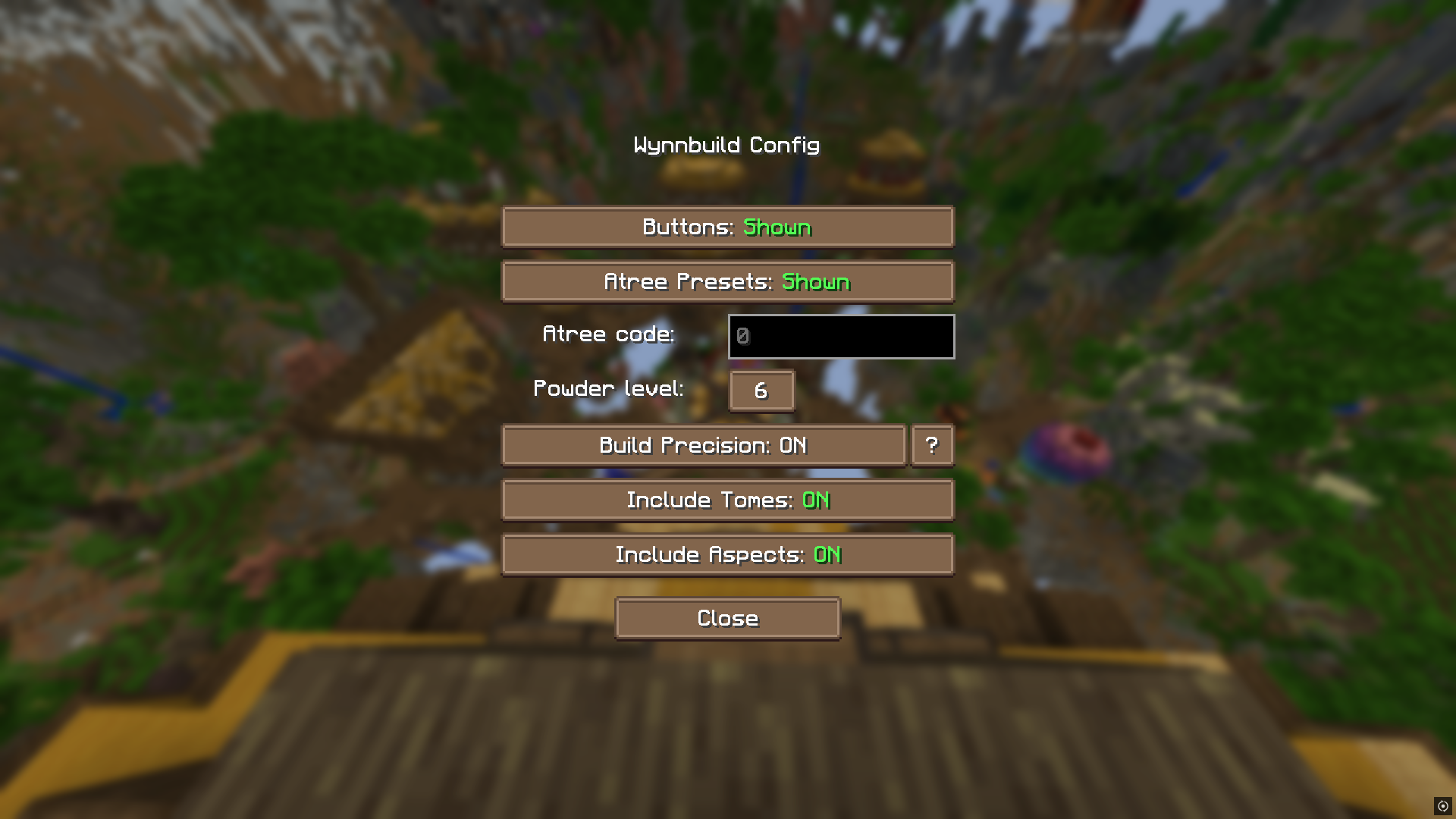
You can customize how precise your stats of your build will be with the Precision option inside the config menu (/build config):
Precision options
- OFF - The item is passed to the builder as a default item (meaning item with average rols)
- NEVER - The item is always passed as a default item unless it's a crafted or custom item (rolls always apply)
- ON - The item is passed as a custom item if the item is saved (not the currently used equipment) (the stats are precise)
- FORCE - The item is always passed as a custom item (even forces the currently used equipments in EMPTY SAFE mode, most precision)
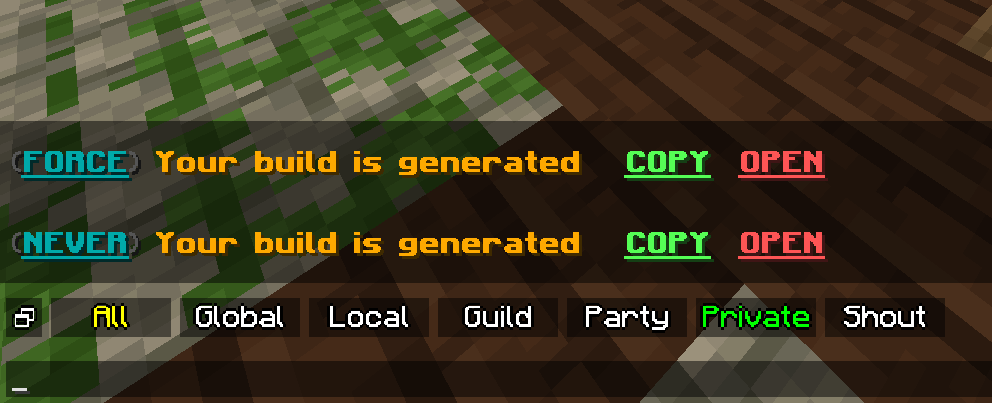
Powders
As it isn't possible to tell what tier is a powder on an item, you can set a default value for it in the config screen. For specifying each powder level, you'll need to do that in the actual builder.
Config
You can configure the mod with /build config command. You can disable all buttons or access the encoded value of your current atree.
Ability tree presets are also configurable (/build saveatree).
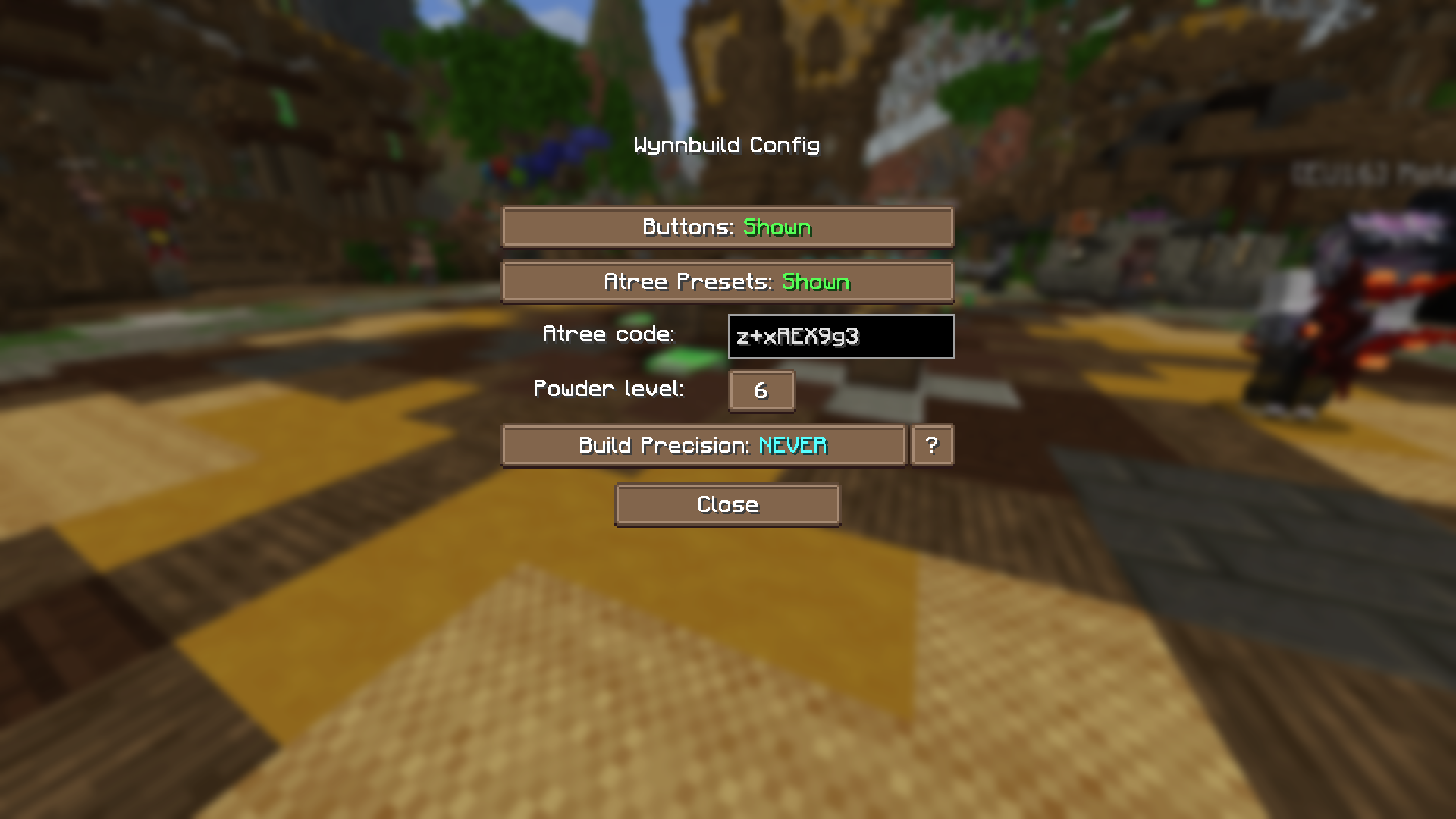
Custom / Crafted Items
You can now use crafted (or custom if you're using the builder) items in your builds. The mod detects crafted items automatically and use them in the build. Custom item are only available in the Builder
Ability Tree Presets
You can create or delete ability tree presets in the new menu opened by /saveatrees or /build saveatrees.
Your current class will be assigned for the saved builds.
You can also access the config in the .minecraft/config/wynnbuild.json file.
After saving your first preset, in the abilty tree menu, the names of your classes' available saves will appear. Clicking the Load {savename} button will set your ability tree to the saved atree. (Make sure to reset your atree before doing this). This may take up to half a minute or more, but don't close the inventory during the process.
You can disable the preset loader buttons in the main config screen (/build config).
Saving items
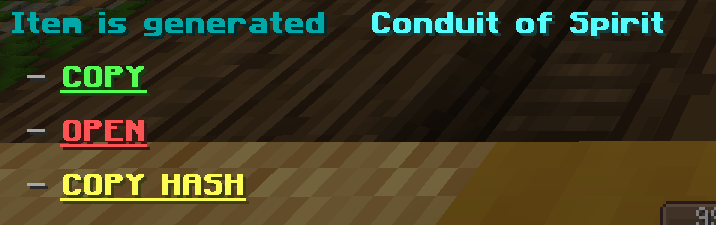
You can save any item from your inventory or with the use of the WynnCustom hash code (COPY HASH). You can use these items in the Builder. You can open this menu with ( /build saveditems ).
You can also save your item in your hand with the /build saveitem command. Crafted accessories or renamed items' item type is not recognised.
This feature is in beta, filters and QoL changes are currently in developement.
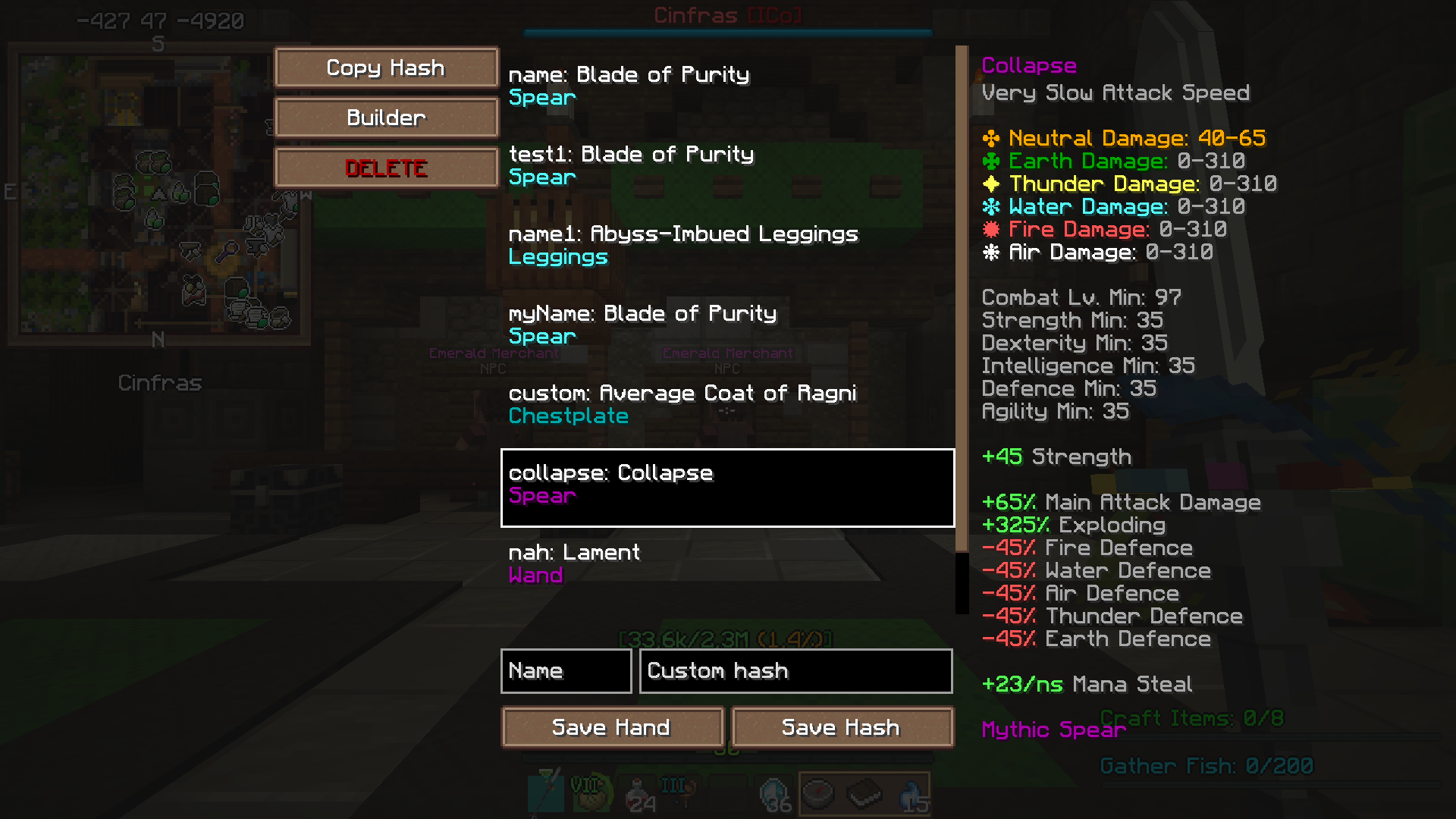
Builder
You can configure your builds even more with the use of the in-game builder (/build builder). You can provide your currently equipped equipment or any saved item. You can calibrate how precise your stats will be by setting the Precision option As default, this is set to always use the default item with average rolls. This builder ignores requirements for more customizability.
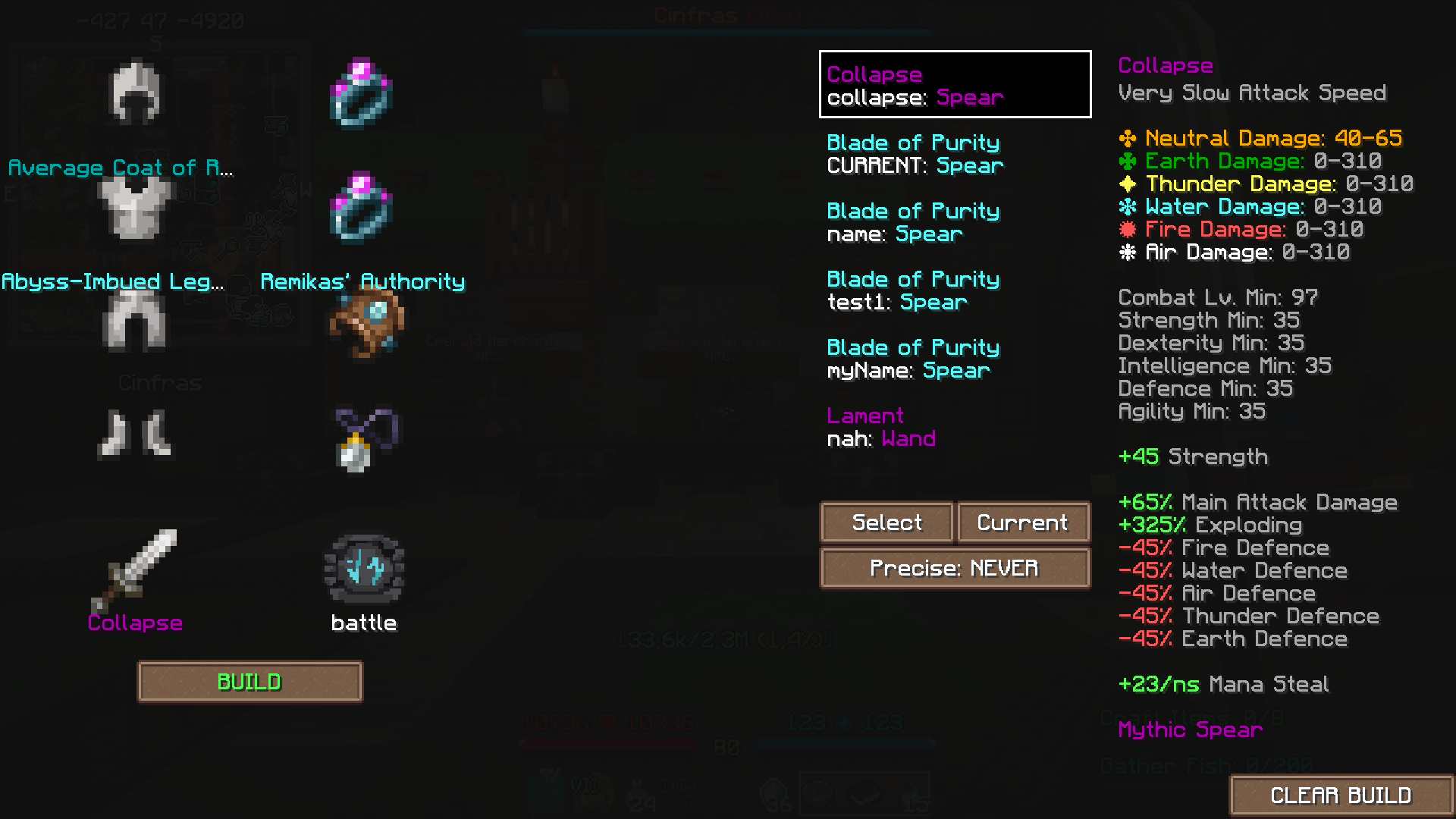
Note: the mod is still under development, more features, easier usage and QoL changes are yet to come.
(BETA) Gallery
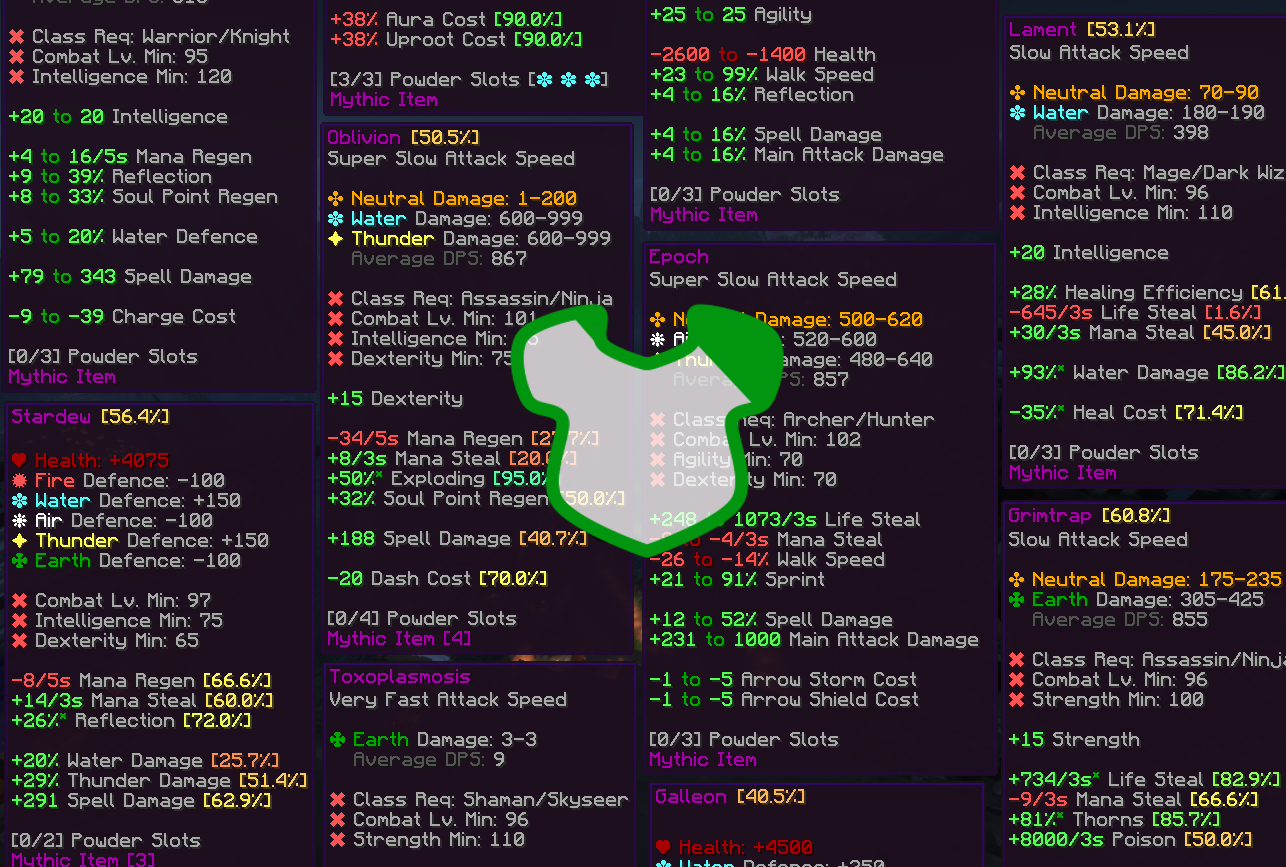
The Item Gallery ( /build beta gallery ) shows all wynncraft items and saved versions of them.
A filter feature is implemented with the wynnbuild id codes (will change, not user friendly), and the character "$" at the start is used to show only the saved items
All the data (items, tomes, etc…) are from hppeng-wynn repo
WynnBuild
A simple mod that lets you generate WynnBuilder links directly in-game.
How to Use
You can quickly create a WynnBuilder link for your build in two ways:
- Press the BUILD button at the bottom-right of your character info screen (you can turn this button off in settings if you want).
- Or, more reliably, just run the /build command.

Precision Settings
You can control how detailed your build stats are through the Precision option in /build config:
- OFF - Items are treated as average (default rolls)
- ON - Items use your exact rolls for maximum accuracy.
Tomes & Aspects
Tomes and aspects are supported. You can choose whether to include them in your builds via the config menu.
Crafted Items
Crafted items are automatically detected and included in your build. However, since WynnBuilder doesn’t support crafted items with custom rolls, they’ll show up as a Normal rarity custom item.
Standalone Items
To share just one item with its exact rolls use the /build buildcustomitem command to generate a WynnCustom link.
Config Options
Open the config with /build config. From here, you can:
- Enable/disable buttons
- Access your encoded ability tree value
- Toggle tomes and aspects
- Set default powder level
All item, tome, and aspect encoding logic comes from the wynnbuilder repo
In-game info gathering is done by Wynntils
Join the discord and share your feature suggestions and issues!
Screenshots
Gallery
-
Config Screen
-
Custom Item Generation
-
 Featured
 -
 Generated Build
Versions
Files
Relations
Project Relations
More like this
Similar Mods
Suggestions use data such as tags, dependencies, dependents, descriptions, titles, and more to rank how much they overlap with this mod.
On ModDex
Community snapshot
By the numbers
Statistics
Want to reach Minecraft players?
We're looking for a server hosting partner to feature here and other parts of the site. Interested? Send us a message!
Get in touchGet it on
Available Platforms
On ModDex
Community snapshot
By the numbers