
Community listing page, reviews here may not be monitored by the author.
Xaero Custom Waypoint Colors


No reviews yet
Adds a color picker option to Xaero's Minimap waypoints, letting them go beyond the preset colors.
Community voices
Reviews
No reviews yet. Be the first to review this project!
Get it on
Available Platforms
Compatibility
Supported Environments
Runs entirely on the client. Works on vanilla servers.
About
Project Details
For authors
Embed Badge
If you're the author of this project, you can embed a live badge anywhere that supports HTML or Markdown. It updates automatically whenever ratings change.
Use HTML for any page that supports it, or Markdown for README files and Markdown-based descriptions.
Identifiers
Platform IDs
About
Description

Xaero Custom Waypoint Colors


XCWC is a mod that adds to xaero96's 'Xaero's Minimap' mod, specifically its waypoint feature.
It allows you to choose a custom color for a waypoint in the waypoint creation menu, giving you more customization of your waypoints, instead of being limited to the boring preset colors.
This mod is NOT a waypoint mod. To create waypoints you need Xaero's Minimap.
How To Use
To use the custom color, you first need to understand how to create a waypoint with Xaero's Minimap. This guide will not cover how to create a waypoint.
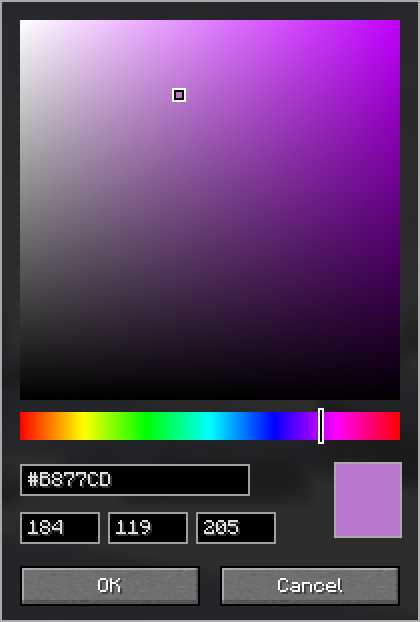
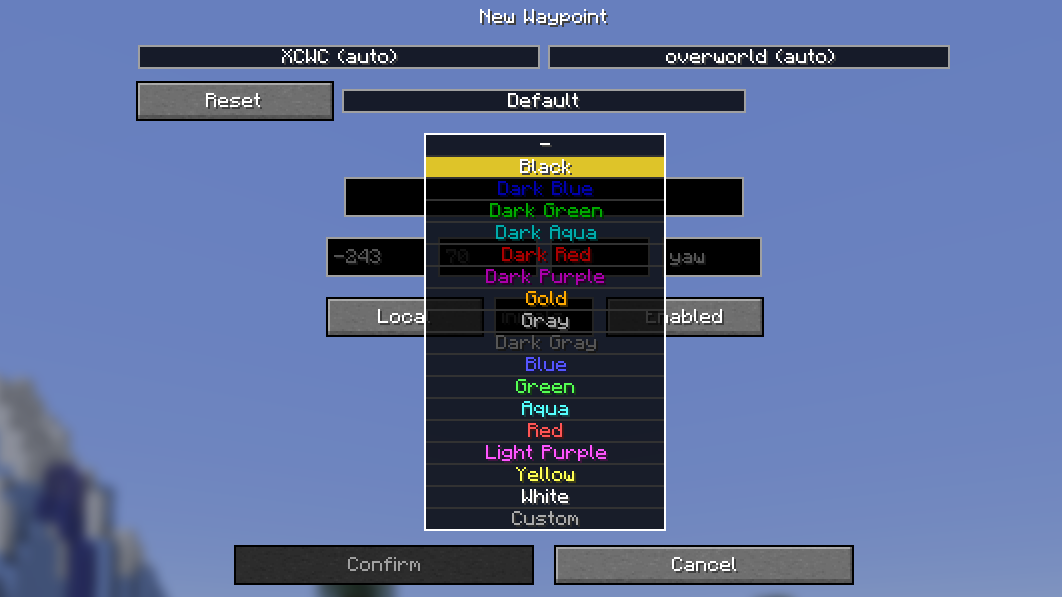
When in the waypoint creation menu, selecting a color in the dropdown box will now show a new 'Custom' option at the bottom. Clicking this option will bring you to a color picker GUI that allows you to select any RGB color.
Once you have found a color you like, simply click 'OK'. The color will be saved and you will be returned to the waypoint creation menu, allowing you to make any changes.
If you have a color already in mind, you can paste its hex code or type its RGB value in the respective box.
After you are happy with your changes, you can create the waypoint like you would normally. You will now be able to see your waypoint with its custom color, in-game and on Xaero's World Map (if installed).
Screenshots
Waypoint Sharing
Xaero's Minimap allows you to share waypoints in chat with other people who also have the mod.
In order to share a custom colored waypoint, the person adding the waypoint via the chat message must also have the mod installed, otherwise their waypoint will have one of the preset colors.
Help
If you experience any bugs or want to request a feature, you can do so via the Issue Tracker.
⚠️This mod is not affiliated with nor endorsed by xaero96
Xaero Custom Waypoint Colors
XCWC is a mod that adds to xaero96's 'Xaero's Minimap' mod, specifically its waypoint feature.
It allows you to choose a custom color for a waypoint in the waypoint creation menu, giving you more customization of your waypoints, instead of being limited to the boring preset colors.
This mod is NOT a waypoint mod. To create waypoints you need Xaero's Minimap.
How To Use
To use the custom color, you first need to understand how to create a waypoint with Xaero's Minimap. This guide will not cover how to create a waypoint.
When in the waypoint creation menu, selecting a color in the dropdown box will now show a new 'Custom' option at the bottom. Clicking this option will bring you to a color picker GUI that allows you to select any RGB color.
Once you have found a color you like, simply click 'OK'. The color will be saved and you will be returned to the waypoint creation menu, allowing you to make any changes.
If you have a color already in mind, you can paste its hex code or type its RGB value in the respective box.
After you are happy with your changes, you can create the waypoint like you would normally. You will now be able to see your waypoint with its custom color, in-game and on Xaero's World Map (if installed).
Screenshots
Waypoint Sharing
Xaero's Minimap allows you to share waypoints in chat with other people who also have the mod.
In order to share a custom colored waypoint, the person adding the waypoint via the chat message must also have the mod installed, otherwise their waypoint will have one of the preset colors.
Help
If you experience any bugs or want to request a feature, you can do so via the Issue Tracker.
⚠️This mod is not affiliated with nor endorsed by xaero96
Screenshots
Gallery
-
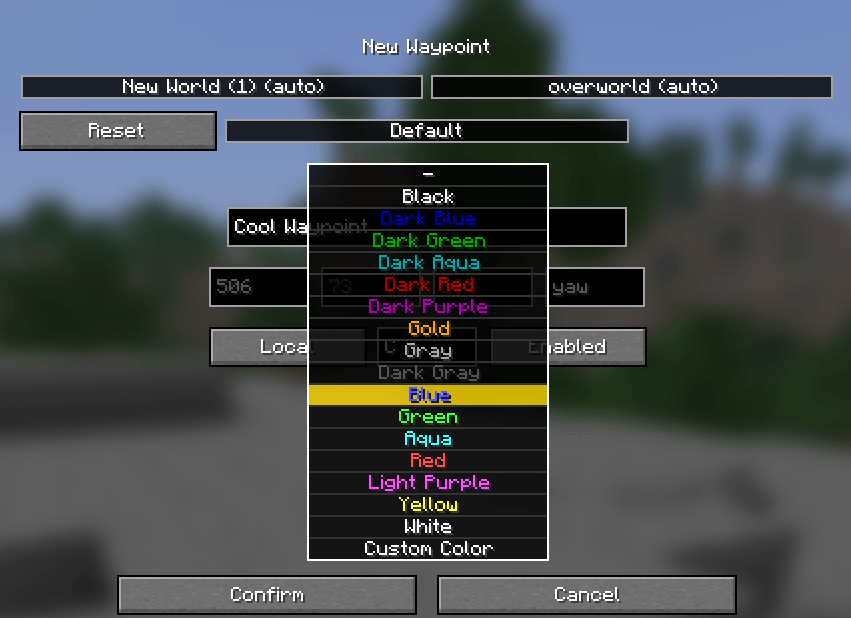 Custom Color Selection
 -
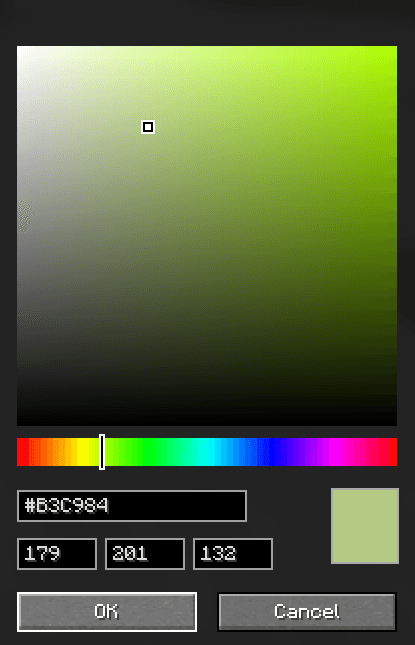 Selecting A Custom Color
 -
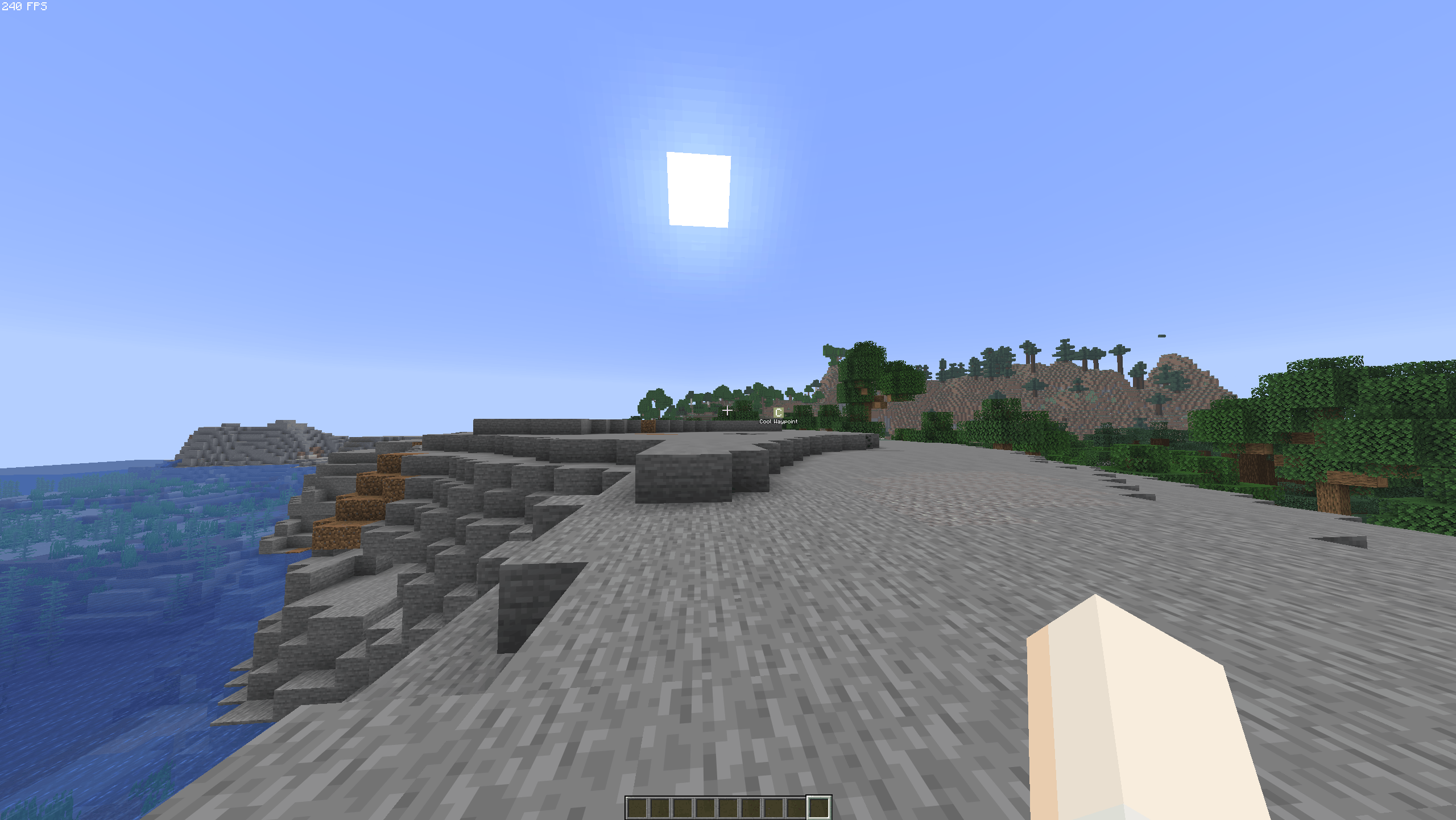 Waypoint In-game
 -
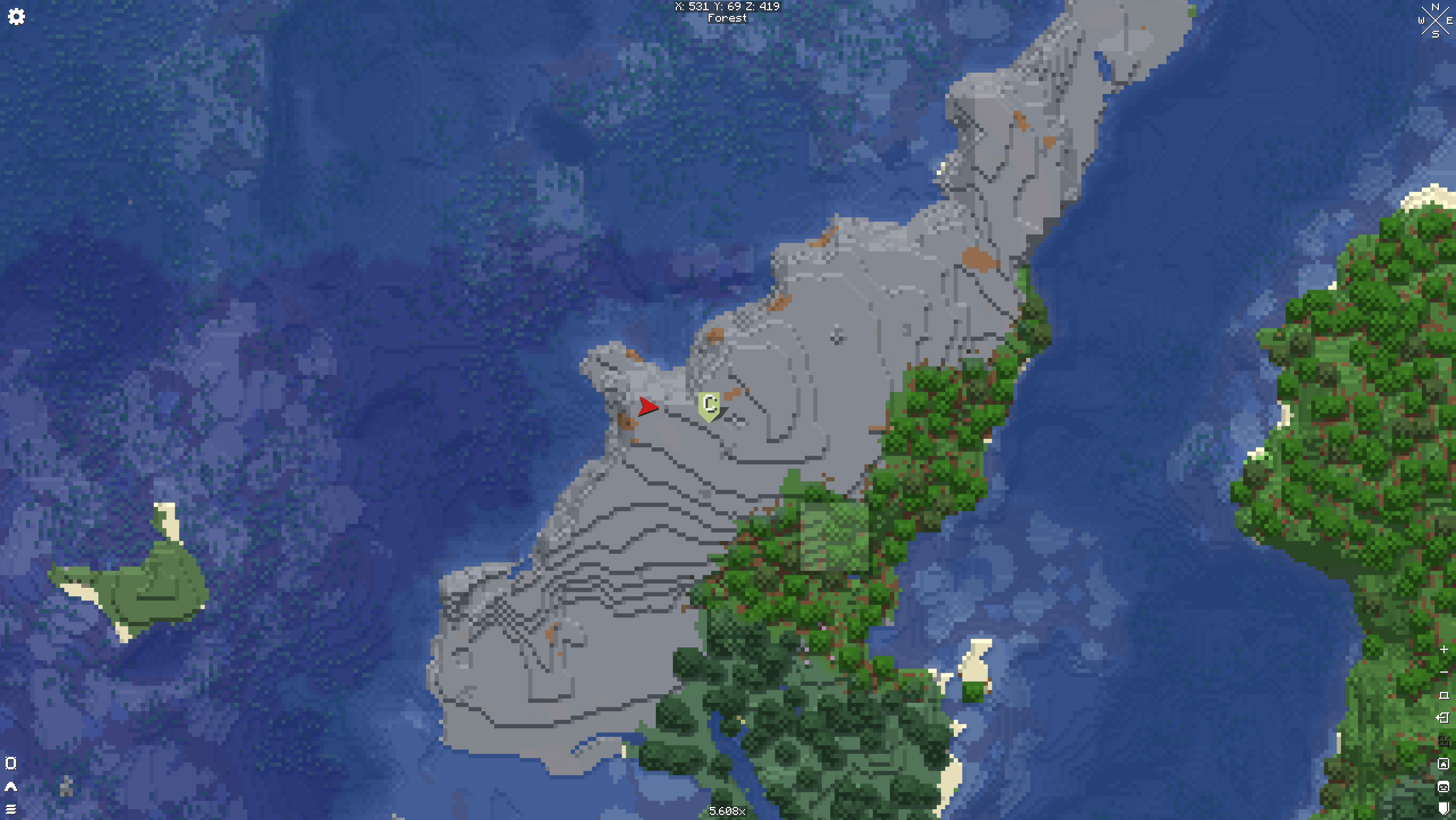 View on Xaero's World Map
-
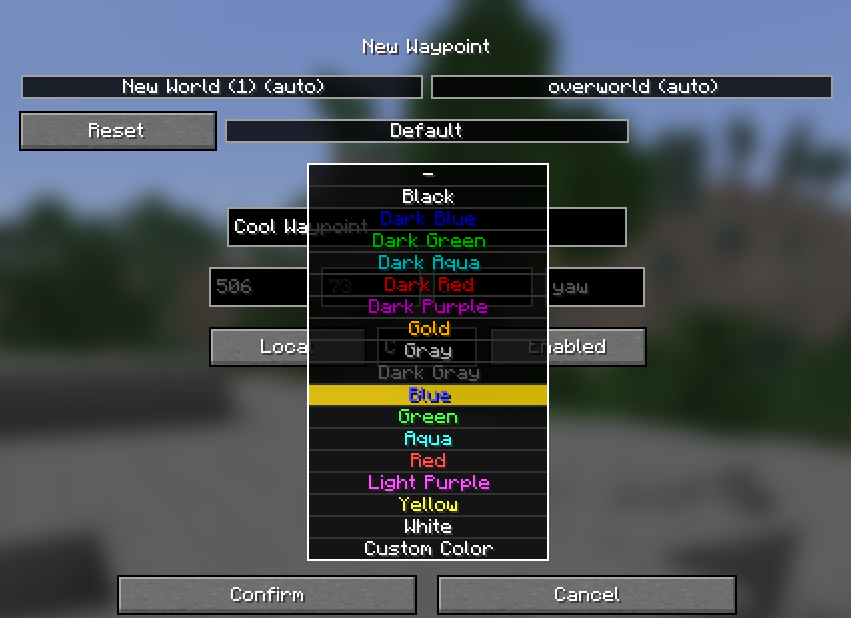 Custom Color Selection
 -
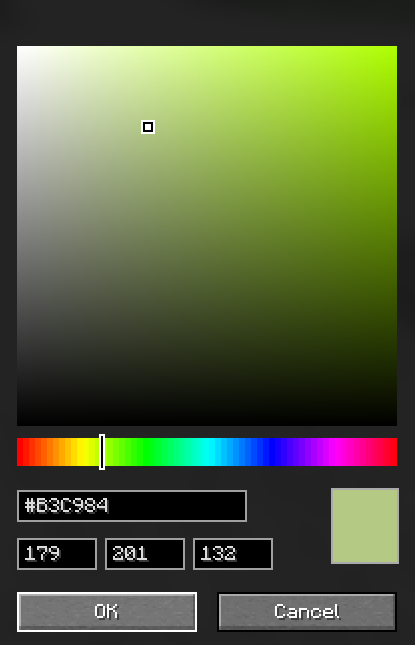 Selecting A Custom Color
 -
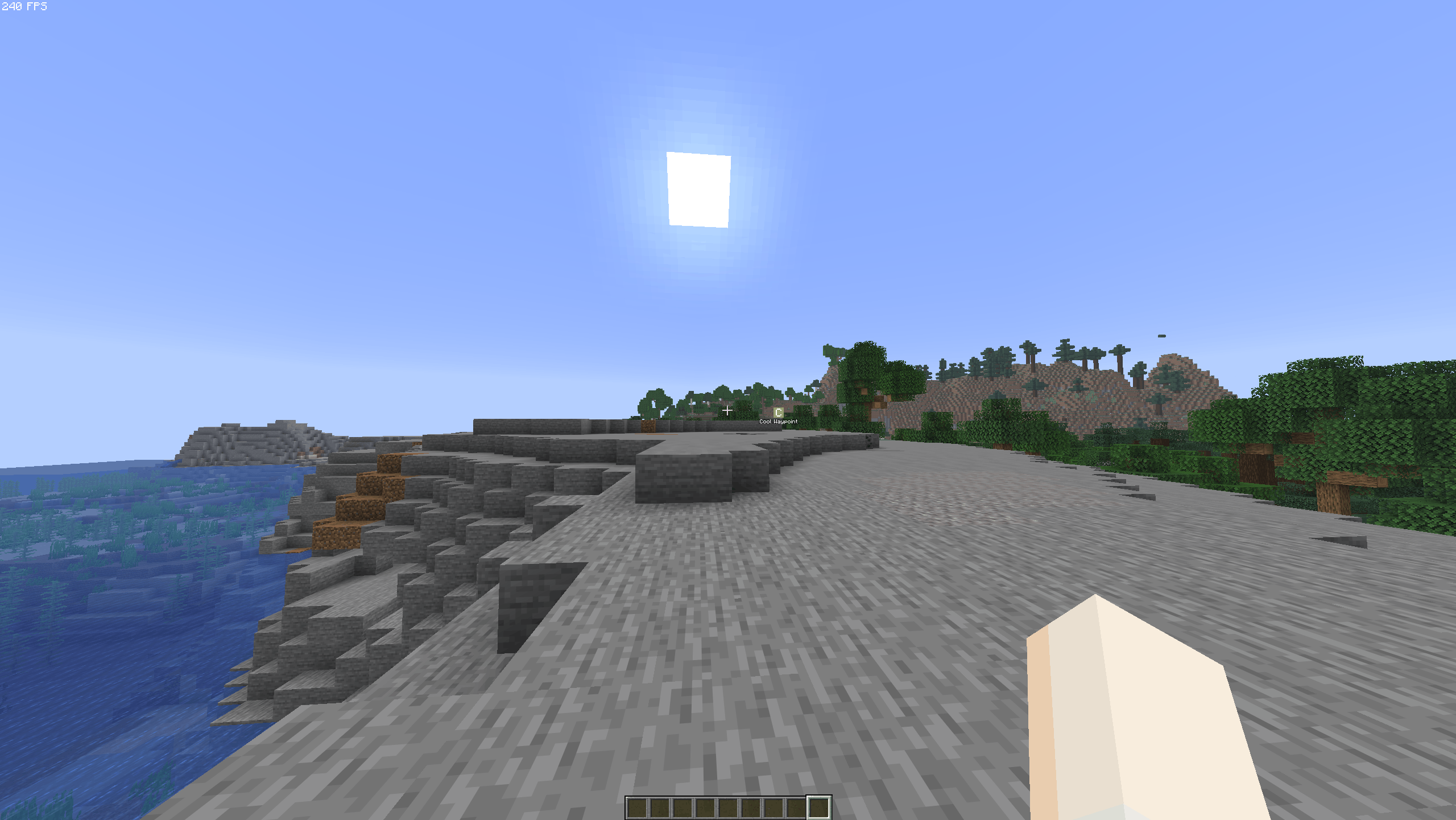 Waypoint In-game
 -
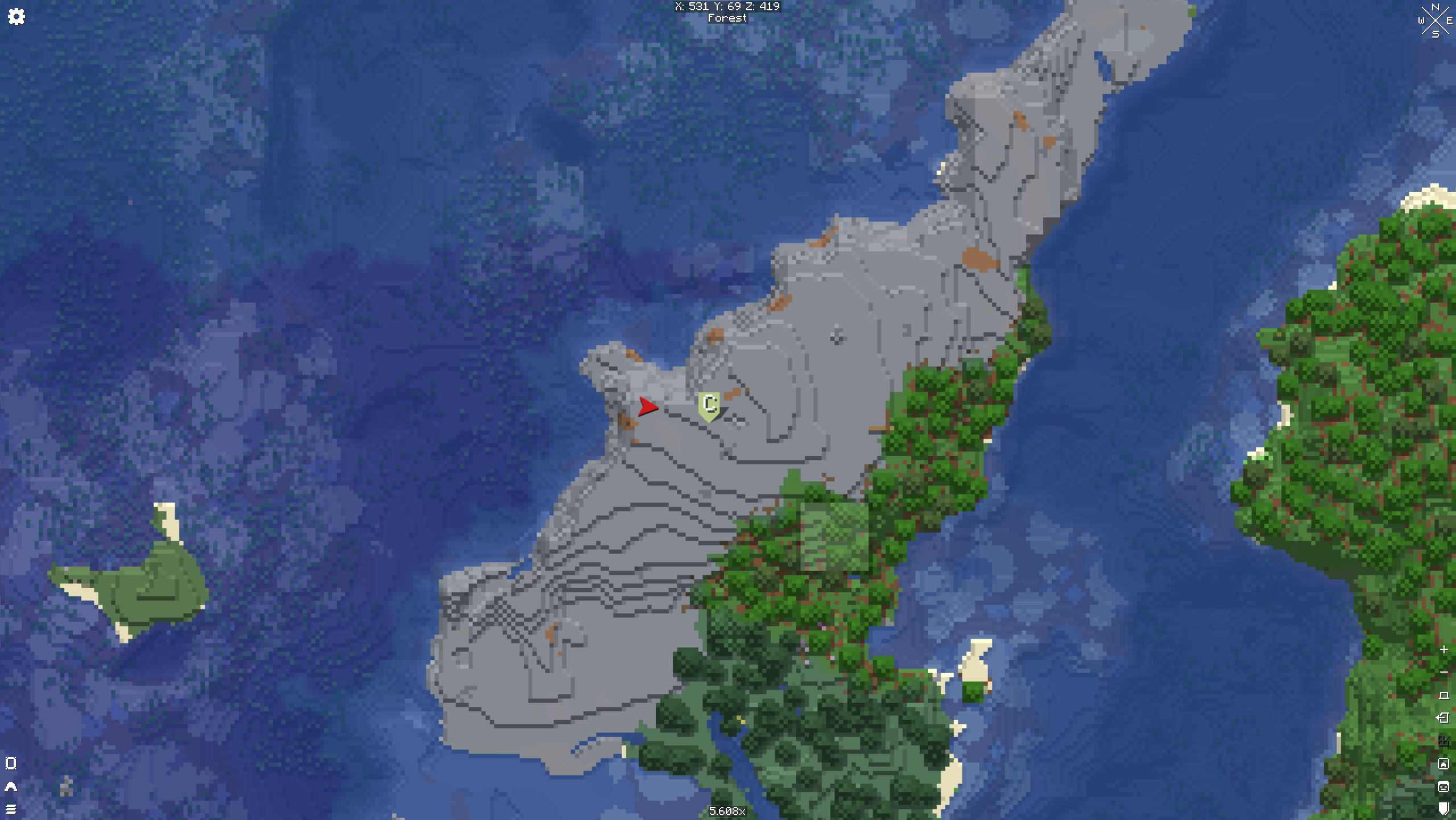 View on Xaero's World Map
Versions
Files
Relations
Project Relations
More like this
Similar Mods
Suggestions use data such as tags, dependencies, dependents, descriptions, titles, and more to rank how much they overlap with this mod.
On ModDex
Community snapshot
By the numbers
Statistics
Want to reach Minecraft players?
We're looking for a server hosting partner to feature here and other parts of the site. Interested? Send us a message!
Get in touchGet it on
Available Platforms
On ModDex
Community snapshot
By the numbers