
Xray -orevision
No reviews yet
A high-performance utility designed to provide block transparency for Fabric.
Fabric is a mod loader for versions 1.14+ of Minecraft, particularly popular for client side and optimization mods.
Community voices
Reviews
Click once to include, again to exclude, again to clear
No reviews yet. Be the first to review this project!
Get it on
Available Platforms
 Modrinth
Compatibility
Supported Environments
About
Project Details
For authors
Embed Badge
If you're the author of this project, you can embed a live badge anywhere that supports HTML or Markdown. It updates automatically whenever ratings change.
Use HTML for any page that supports it, or Markdown for README files and Markdown-based descriptions.
Identifiers
Platform IDs
Resources
External Links
About
Description
Xray -orevision
Xray -orevision Client for Fabric 1.21.1


Disclaimer
Use this mod at your own risk. The developer is not responsible for any server bans or penalties resulting from its use.
Overview
Xray -orevision is a high-performance client utility designed to provide clean visual transparency of subterranean blocks, highlighting valuable ores and resources.
Features
| Feature | Description | Technical Layer |
|---|---|---|
| Dynamic X-ray | Toggleable transparency for all common terrain blocks. | Mixin Injection |
| Integrated Lux | Built-in lightmap override (Fullbright). | Texture Manager Hook |
| Stealth Engine | Tricked resource pack acceptance and silent packets. | Protocol Spoofing |
Getting Started
Installation
If you are new to Minecraft modding, follow these steps to get Xray -orevision running:
- Install Fabric: Download the Fabric Loader and run the installer.
- Add Dependencies: Download the Fabric API and place it in your
.minecraft/modsfolder. - Deploy the Mod: Download the latest Xray -orevision
.jarfile and drop it into the samemodsfolder.
Tutorial: Your First Mine
Once you are in-game, follow this simple workflow to find resources:
- Toggle Vision: Press the X key to activate the X-ray scanner. You will immediately see ores through the ground.
Configuration and Controls
| Input | Action |
|---|---|
| X | Toggle Visual Scanner |
Screenshots
Gallery
-
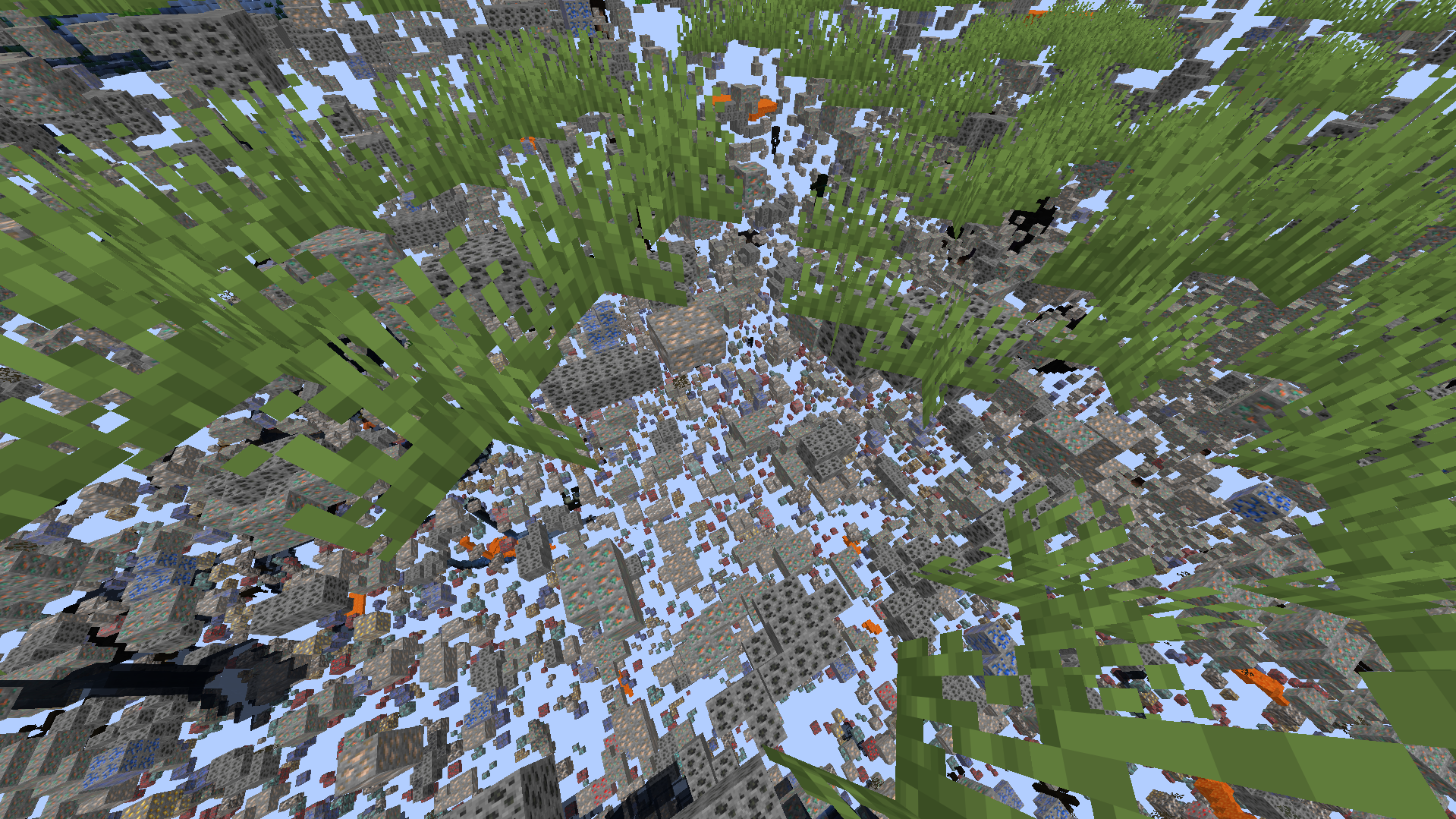 xray Reveals diamond, lapis lazuli, and redstone veins within the deepslate layers and caves.
 -
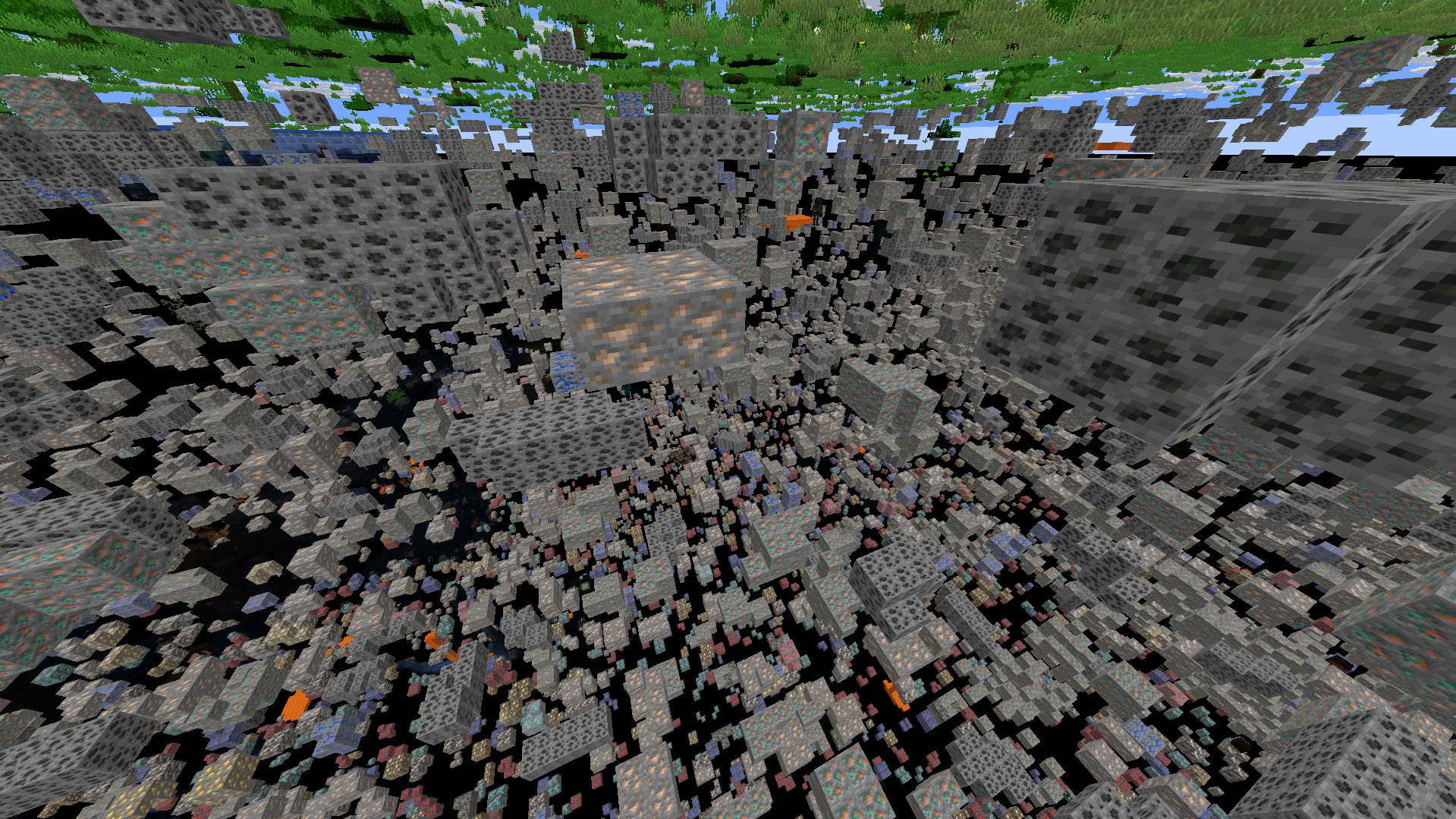 xray -1 Reveals diamond, lapis lazuli, and redstone veins within the deepslate layers and caves.
Versions
Files
Relations
Project Relations
More like this
Similar Mods
Suggestions use data such as tags, dependencies, dependents, descriptions, titles, and more to rank how much they overlap with this mod.
On ModDex
Community snapshot
By the numbers
Statistics

Want to reach Minecraft players?
We're looking for a server hosting partner to feature here and other parts of the site. Interested? Send us a message!
Get in touchGet it on
Available Platforms
On ModDex
Community snapshot
By the numbers
Statistics
Resources