
Community listing page, reviews here may not be monitored by the author.
YetGamer's Custom Fog

No reviews yet
Mod that allows you customize fog, its color and applicability for specific players.

Community voices
Reviews
No reviews yet. Be the first to review this project!
Get it on
Available Platforms
Compatibility
Supported Environments
Must be installed on both the client and the server.
About
Project Details
For authors
Embed Badge
If you're the author of this project, you can embed a live badge anywhere that supports HTML or Markdown. It updates automatically whenever ratings change.
Use HTML for any page that supports it, or Markdown for README files and Markdown-based descriptions.
Identifiers
Platform IDs
Resources
External Links
About
Description
What does this mod do?
The mod adds a new command - /fog. It syntax looks like this:
/fog <Targets> set|reset <MinDistance> <MaxDistance> <ColorRed> <ColorGreen> <ColorBlue> <ColorSaturation> cylinder|sphere
Reset fog to default:
/fog <Targets> reset
If you need to disable command output to chat, execute this:
/gamerule sendCommandFeedback false
This is a vanilla command, and it disables the output to chat for any commands._
The command may look complicated, but here's a detailed explanation if you need it:
- - The purpose for which the fog is applied. Only players are supported
- set|reset - Command execution scenario. Set will require the arguments below, while reset will end the command and reset the user fog.
- - The distance from the player where the fog begins. 0-∞
- - The distance from the player at which the fog becomes opaque. 0-∞
- - RGB value for the RED number. 0-255
- - RGB value for the GREEN number. 0-255
- - RGB value for the BLUE number. 0-255
- - Saturation, where 0 is dim and where 1 is brightest, use fractional values. 0-1
- cylinder|sphere - What shape will the fog be? Cylindrical or spherical
Why do I need this mod?
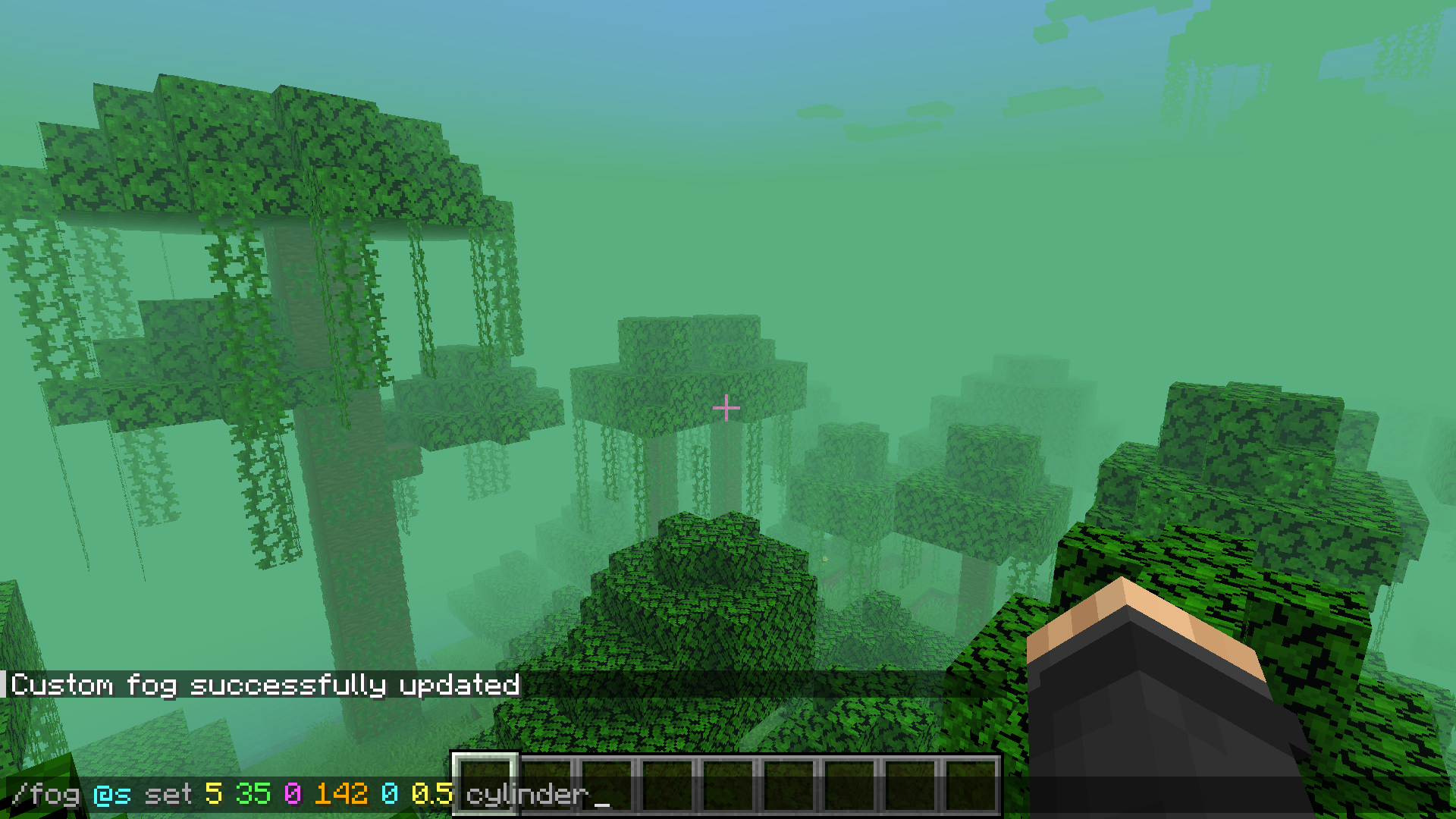
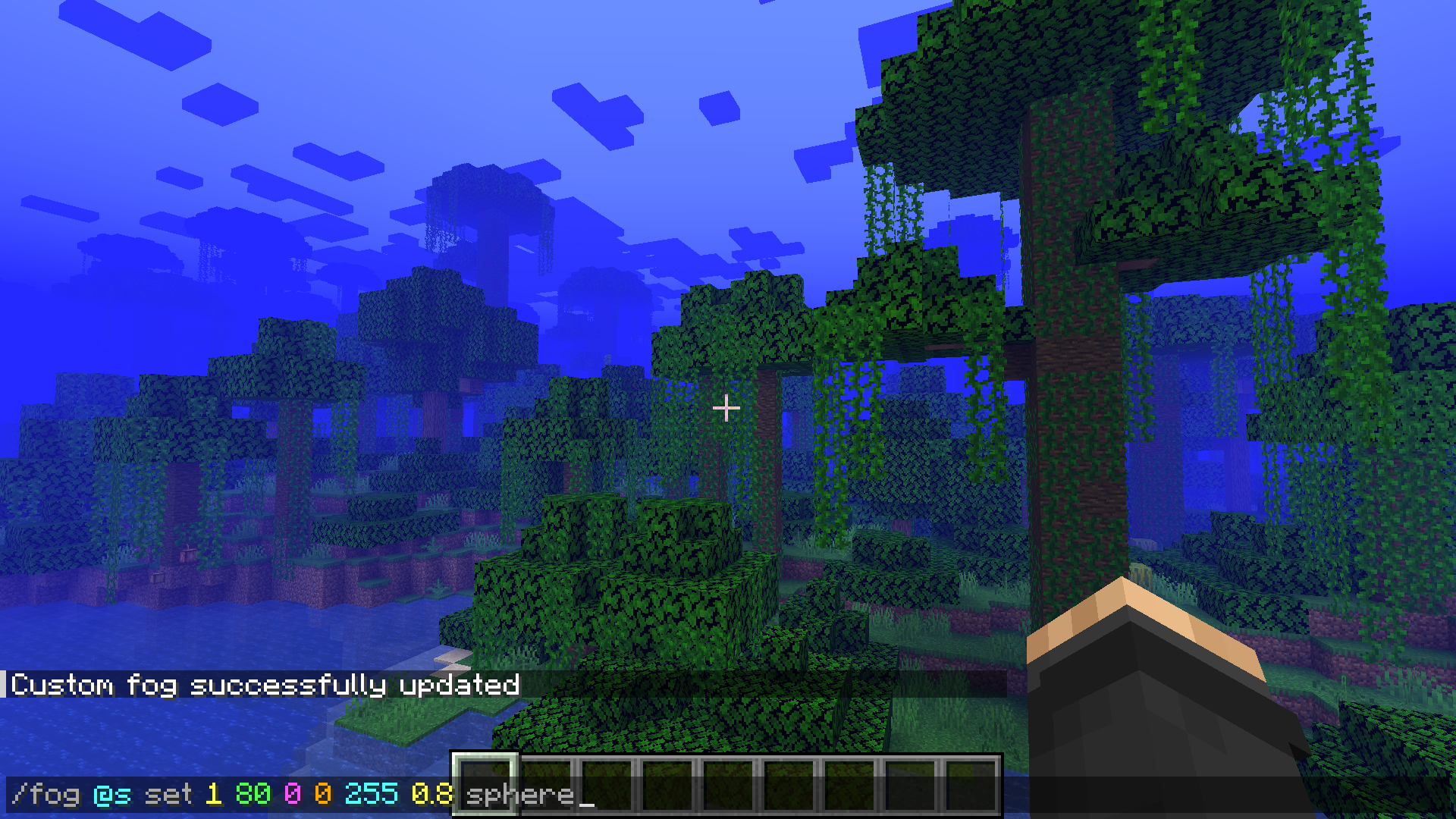
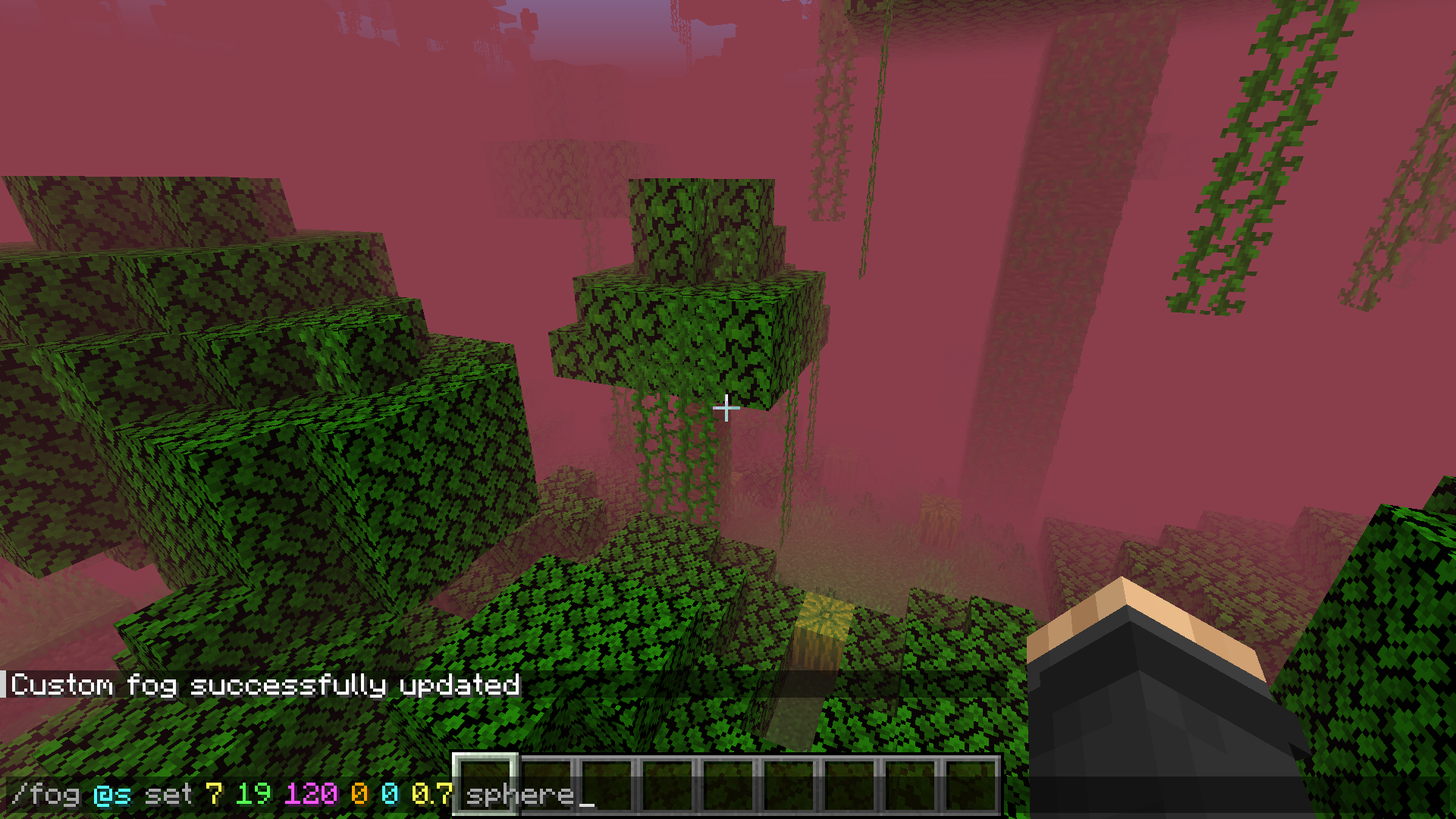
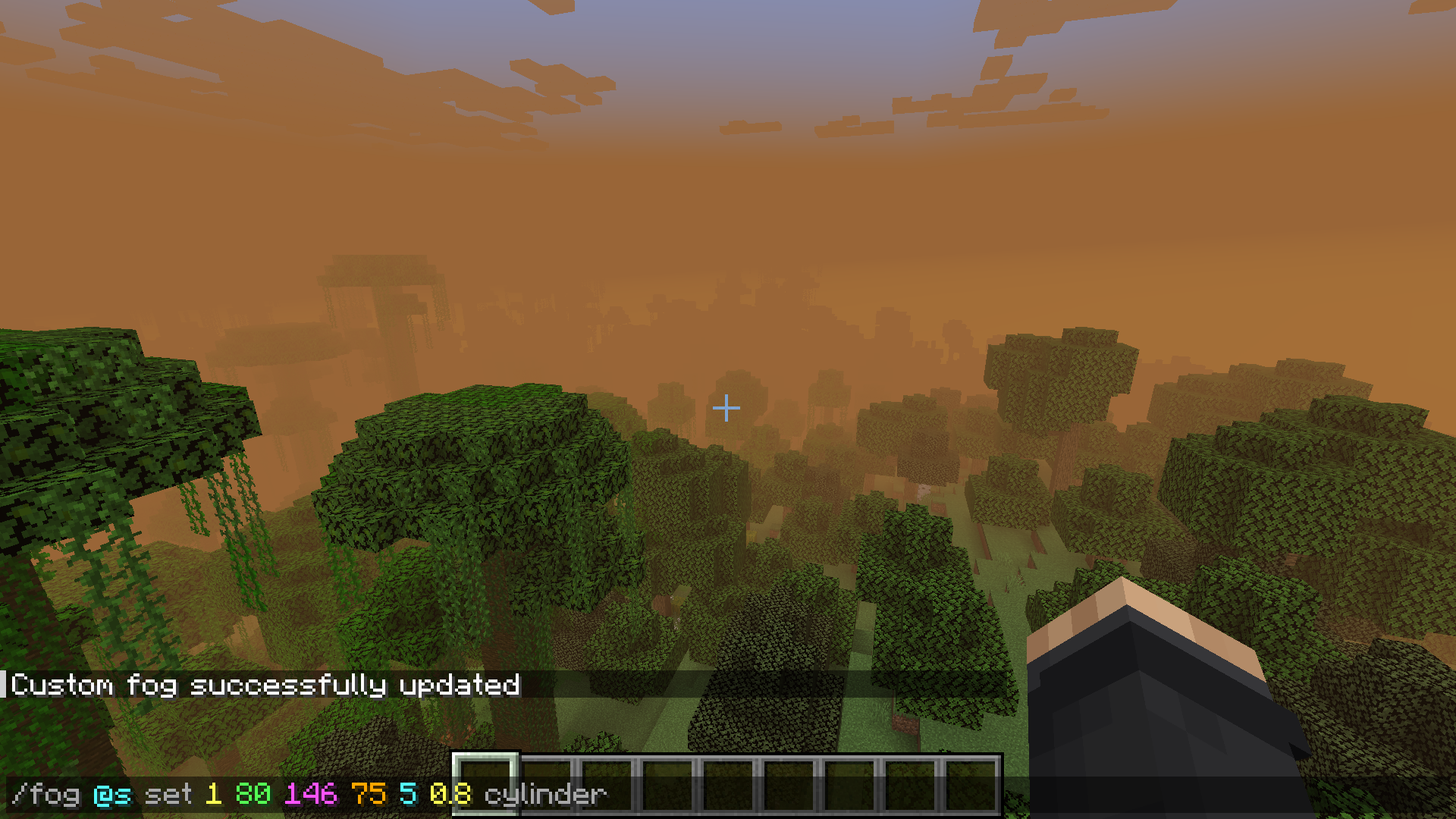
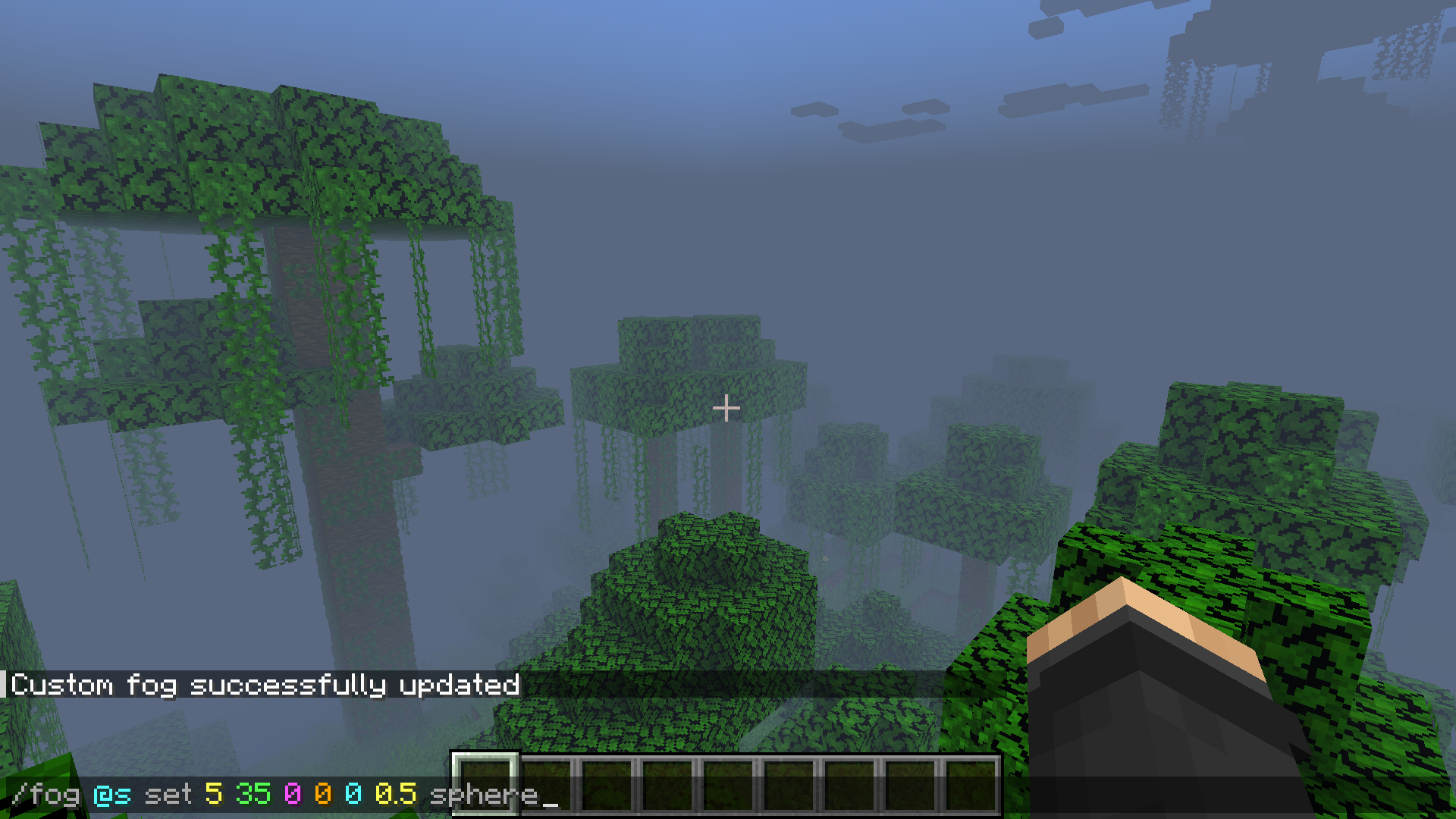
You will be able to customize the fog for your own mod, datapack or map. My mod allows you to customize the fog in detail, its color, as well as the player for whom the fog will be changed. As an example, see the screenshots, there I have shown how the command looks like and the fog it will create!
Screenshots
Gallery
-
-
-
-
-
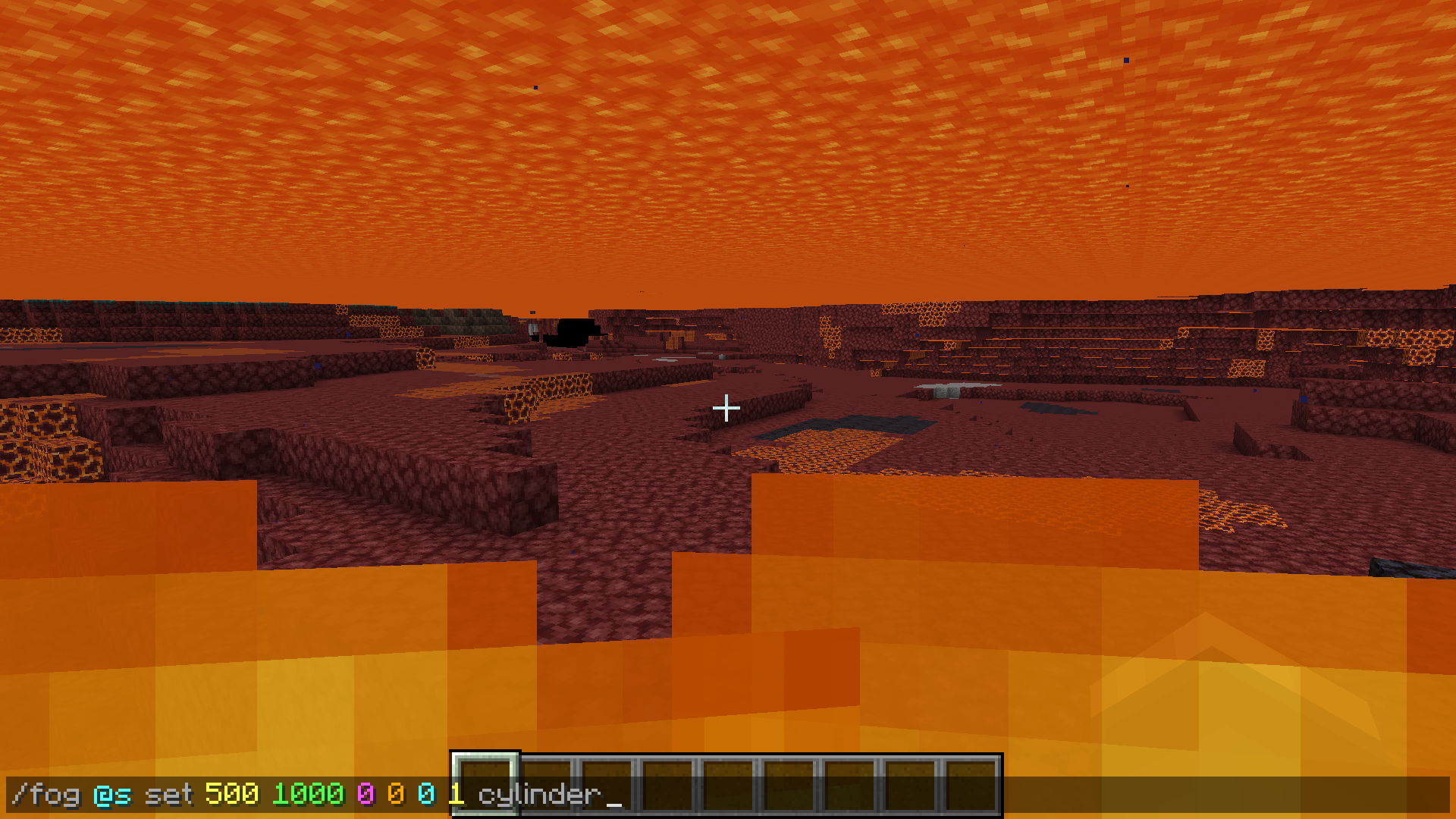 If there is a “set” in the command, this overwrites the existing fog, so the fog under lava, water, in nether and so on will also be changed.
 -
Versions
Files
Relations
Project Relations
More like this
Similar Mods
Suggestions use data such as tags, dependencies, dependents, descriptions, titles, and more to rank how much they overlap with this mod.
On ModDex
Community snapshot
By the numbers
Statistics

 (opens in a new tab)
Get it on
Available Platforms
On ModDex
Community snapshot
By the numbers
Statistics
Resources