
Yiv's Preset
No reviews yet
Lets you cycle Build, Explore, and Combat graphics with one hotkey and remembers the choice per world/server. Client-only; vanilla settings only.
Enhances game performance and optimizes resource usage.
Fabric is a mod loader for versions 1.14+ of Minecraft, particularly popular for client side and optimization mods.
Community voices
Reviews
Click once to include, again to exclude, again to clear
No reviews yet. Be the first to review this project!
Get it on
Available Platforms
 Modrinth
Compatibility
Supported Environments
About
Project Details
For authors
Embed Badge
If you're the author of this project, you can embed a live badge anywhere that supports HTML or Markdown. It updates automatically whenever ratings change.
Use HTML for any page that supports it, or Markdown for README files and Markdown-based descriptions.
Identifiers
Platform IDs
About
Description
Yiv’s Presets




Client-only presets you can cycle with one key. Tune render/FPS options for Build, Explore, and Combat, then swap instantly in-game with a small top-center HUD toast.
- Default keybind:
F9(Cycle Preset) - Presets out of the box: Build → Explore → Combat
- Environment: Client only
✨ Features
- One-key preset cycling with a minimal toast (top-center, 4.5s)
- Per-world/server persistence via JSON config
- Advanced Preset Editor (CRUD, set default)
- Options per preset include:
- Render Distance (chunks)
- Simulation Distance (chunks) [clamped to vanilla-safe min 5]
- Graphics: Fast / Fancy / Fabulous
- Particles: Minimal / Decreased / All
- Clouds: Off / Fast / Fancy
- Smooth Lighting (Ambient Occlusion) On/Off
- Entity Shadows On/Off
- Entity Distance Scaling
- Mipmap Levels
- Biome Blend Radius
- View Bobbing On/Off
- Distortion Effects Scale
- Max FPS (Unlimited at 260)
- VSync On/Off (applied on title screen for stability)

🧩 Requirements
✅ Required
- Fabric Loader:
>= 0.17.2 - Minecraft:
1.21.x(declared as~1.21) - Java:
>= 21 - Fabric API: any 1.21-compatible version
⚙️ Optional
- Mod Menu: Adds a “Settings” button that opens the mod’s settings screen (your mod runs fine without it).
📌 Notes:
- Cloth Config isn’t required; the Advanced Editor is built-in.
- The mod is client-only; no server installation needed.
📸 Screenshots
1) Settings screen (entry)
- Access the Advanced Editor
- Reset to default presets (with confirmation dialog)

2) Advanced Editor hub
- Add, Delete, Edit, and Make Default for your presets.
- The current default preset is labeled.

3) Preset Editor (edit a profile)
- Fields for every supported option (Render/Simulation Distance, Graphics, Particles, Clouds, Smooth Lighting, Entity Shadows, Entity Distance Scaling, Mipmap Levels, Biome Blend, View Bobbing, Distortion, Max FPS, and VSync).
- Save/Cancel buttons at the bottom.

🎮 Usage
- Press
F9in-game to cycle: Build → Explore → Combat. - A toast shows which preset was applied.
- Open the settings (via Mod Menu) to tweak or add new presets.
⚖️ Stability
- Simulation Distance is clamped to a safe minimum (5) to avoid vanilla errors.
- VSync and Fabulous graphics can cause GPU pipeline resets; to stay stable, VSync changes and Fabulous mode are applied on the title screen.
- In-world, Fabulous is mapped to Fancy for safety.
- Mipmap changes don’t force a mid-frame resource reload (avoids crashes). If needed, manually reload via Minecraft’s resource pack reload.
📜 License
This project is licensed under the MIT License.
Screenshots
Gallery
-
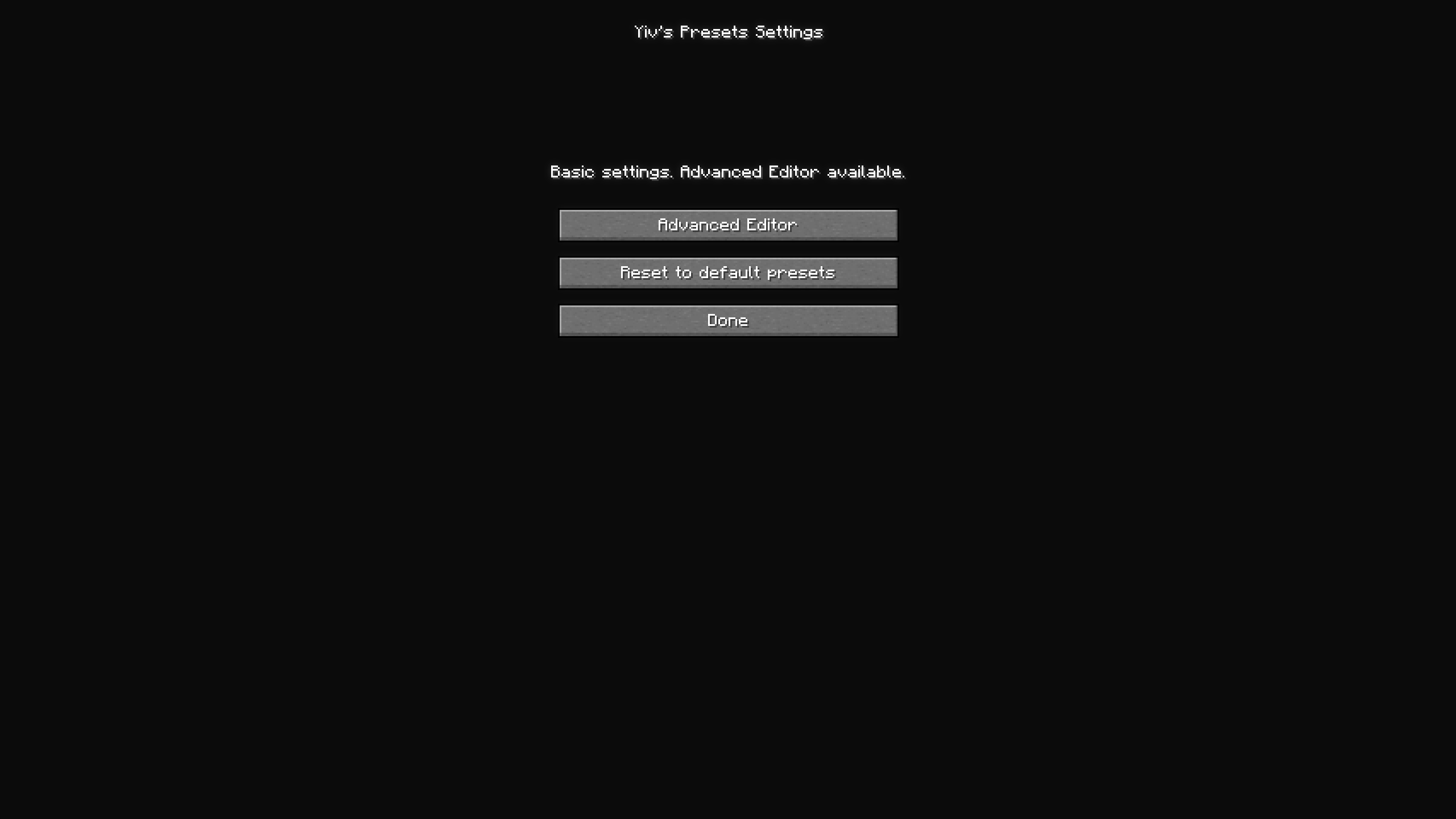 Open Settings
 -
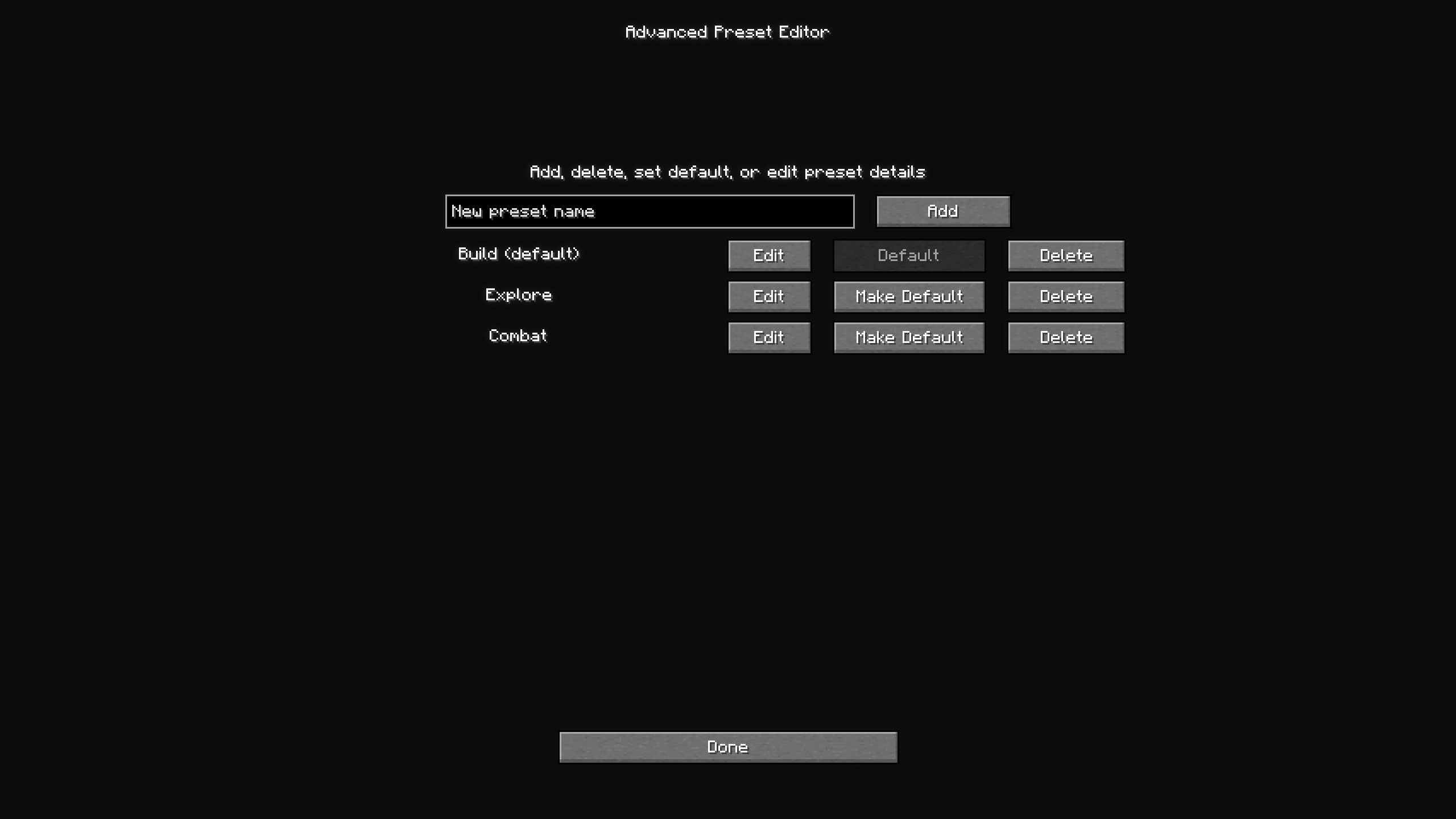 Add or Remove Preset's
 -
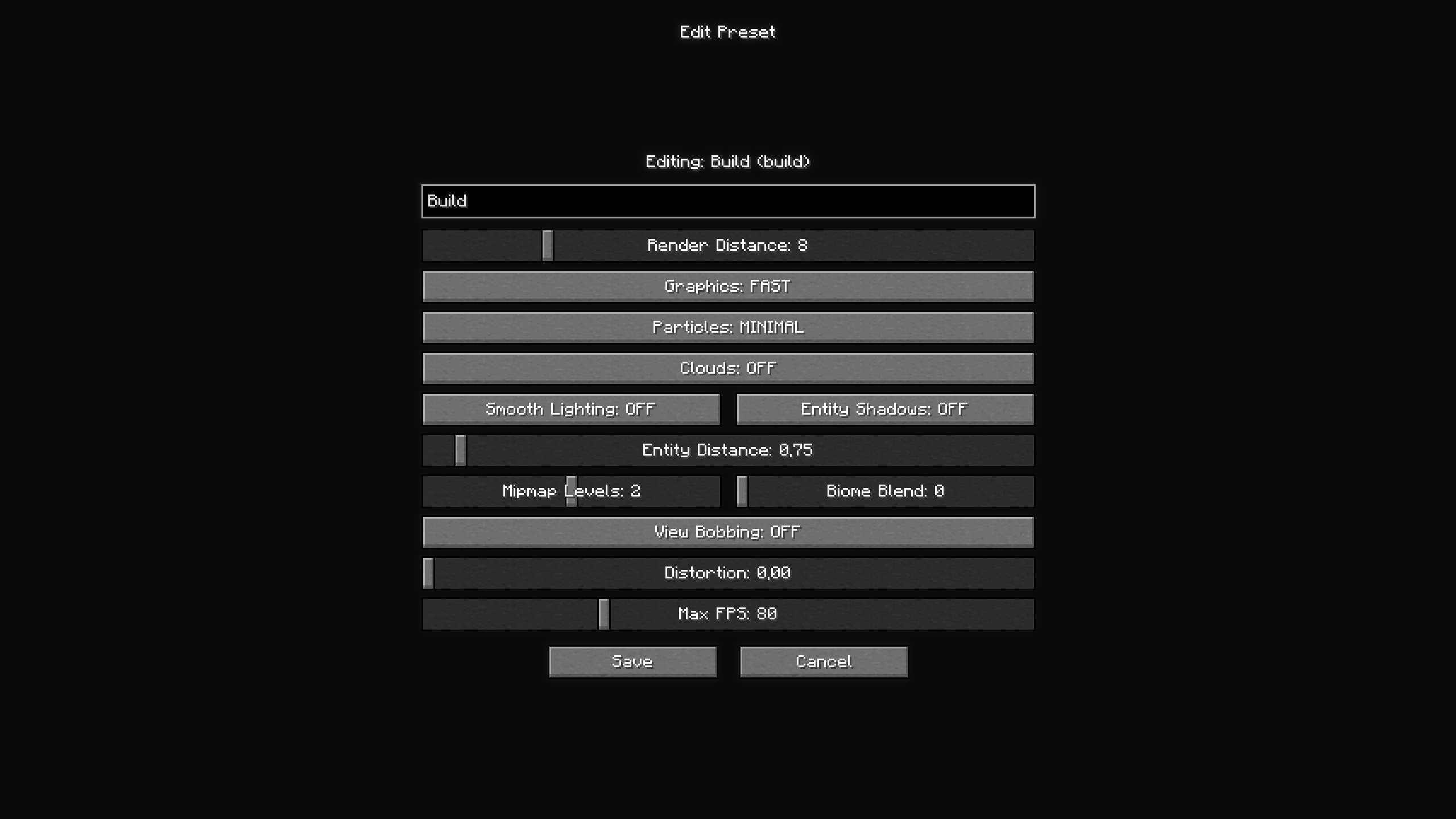 Customize a Preset
 -
 Icon
Icon
Versions
Files
Relations
Project Relations
More like this
Similar Mods
Suggestions use data such as tags, dependencies, dependents, descriptions, titles, and more to rank how much they overlap with this mod.
On ModDex
Community snapshot
By the numbers
Statistics

Want to reach Minecraft players?
We're looking for a server hosting partner to feature here and other parts of the site. Interested? Send us a message!
Get in touchGet it on
Available Platforms
On ModDex
Community snapshot
By the numbers