
YTChatToMinecraft
No reviews yet
A *mostly* simple to use mod that allows you to put any YouTube chat into your in-game Minecraft chat.
Fabric is a mod loader for versions 1.14+ of Minecraft, particularly popular for client side and optimization mods.
Community voices
Reviews
Click once to include, again to exclude, again to clear
No reviews yet. Be the first to review this project!
Get it on
Available Platforms
 Modrinth
Compatibility
Supported Environments
About
Project Details
For authors
Embed Badge
If you're the author of this project, you can embed a live badge anywhere that supports HTML or Markdown. It updates automatically whenever ratings change.
Use HTML for any page that supports it, or Markdown for README files and Markdown-based descriptions.
Identifiers
Platform IDs
About
Description
YT Chat to Minecraft
A mostly simple to use mod that allows you to put any YouTube chat into your in-game Minecraft chat.
How to use
This is a Fabric mod, so you'll need Fabric installed first. Once you have it installed you'll need to place the mod in your mod folder.
This is where it gets kinda hard
A video tutorial on this will be released soon
IMPORTANT: THIS ONLY WORKS ON CHROMIUM BASED BROWSERS (idk why). I also suggest you to have Minecraft open for these steps to make sure that everything is working.
Firstly, open your live stream chat, and pop it out. To do this, open your live stream and click the 3 vertical dots on the chat frame and click the box with the arrow on it. Once it's popped out, you then need to open Dev Tools. You can do this by pressing Ctrl + Shift + I. When Dev Tools open, look for the "Console" tab on there and click it. For this next part you'll need to copy and paste code into the Dev Tools console, so you'll need to allow pasting by typing 'allow pasting' into the console.
Now all you gotta do to copy and paste this code into your console, and check Minecraft to see if you got the "Connection Started" message. If you do, you are ready! Just make sure to keep the browser open.
If you think you messed up any of the steps above, you can just reload the browser window to try again.
Why?
The normal and intended method of getting a live YouTube Chat isn't the best, and you'll hit a limit in the amount of messages you can fetch from your chat. The intended way to fix this is to pay for more API requests. But that isn't ideal for small streamers that do this for fun, so this is a workaround the intended method to help smaller creators that want this.
Screenshots
Gallery
-
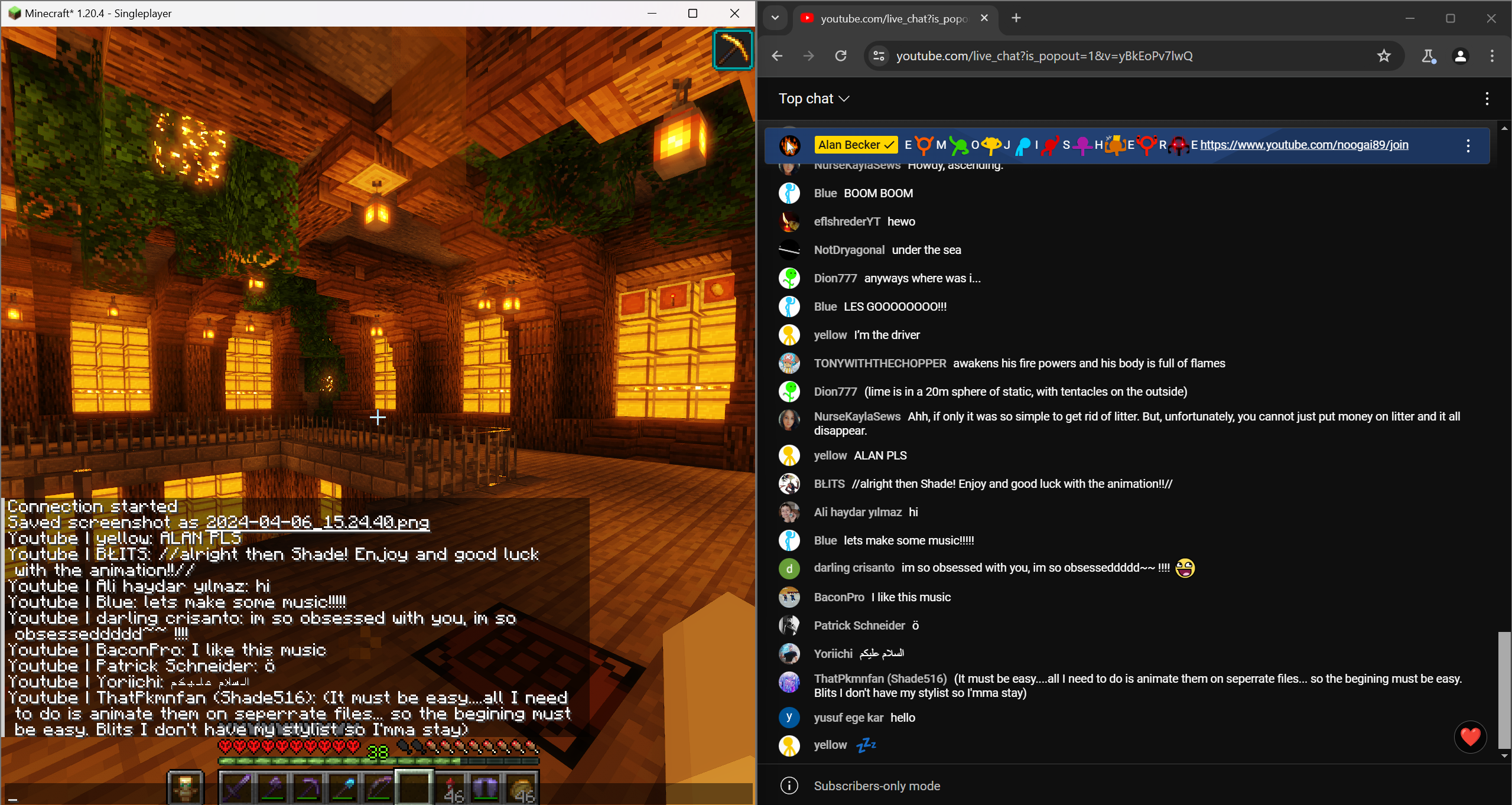 YouTube Chat To Minecraft On the left is Minecraft open with chat messages going through from YouTube chat, which is on the right.
 -
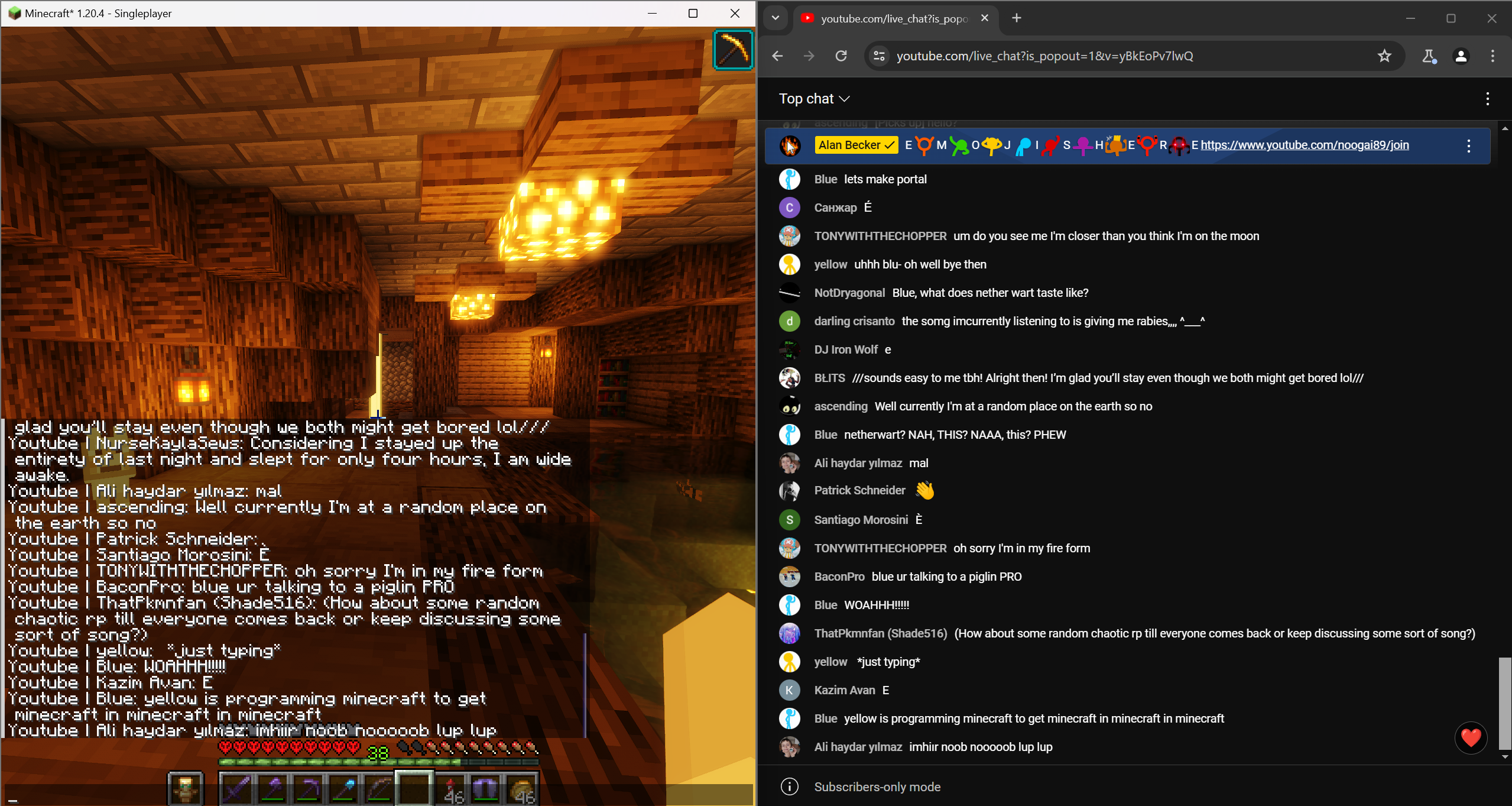 More chats!
Versions
Files
Relations
Project Relations
More like this
Similar Mods
Suggestions use data such as tags, dependencies, dependents, descriptions, titles, and more to rank how much they overlap with this mod.
On ModDex
Community snapshot
By the numbers
Statistics

Want to reach Minecraft players?
We're looking for a server hosting partner to feature here and other parts of the site. Interested? Send us a message!
Get in touchGet it on
Available Platforms
On ModDex
Community snapshot
By the numbers