Community listing page, reviews may not be monitored by the author.
ZC Village Information

No reviews yet
View information about the nearest village. View information about the selected villager, including their inventory, and trades!. View the World Spawn area. Villages and Villagers are much easier to locate Make sure your village is within the World Spawn..

Community voices
Reviews
No reviews yet. Be the first to review this project!
Get it on
Available Platforms
About
Project Details
For authors
Embed Badge
If you're the author of this project, you can embed a live badge anywhere that supports HTML or Markdown. It updates automatically whenever ratings change.
Use HTML for any page that supports it, or Markdown for README files and Markdown-based descriptions.
Identifiers
Platform IDs
Resources
External Links
About
Description
Check out my other mod if you like: ZC Entity Information
Hello everyone,
I wrote this mod so I don't have to keep looking at the villages.dat file to see what is happening to my villages. It has expanded from there.
Features
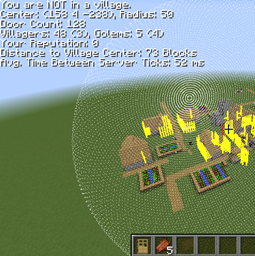
- Village information is displayed when you are near a village. (Image)
- Message from the server indicating you are inside. outside, or not near a village. Calculated on the server side.
- Village center location (X Y Z), Village radius.
- Number of doors in the village.
- Number of villagers in the village. (Villager cap), Number of iron golems. (Golem cap)
- Your reputation in the village.
- Distance to the village center. Calculated on the client side.
- The time between each server tick. The value is in milliseconds.
- Village information text color changes when you are inside the village. (Image)
- When you look at a villager, details about that villager will be displayed. (Image)
- Draws a line at the center of the village.
- Draws a cuboid around the iron golem spawn area.
- Draws a line at each door location. (Image)
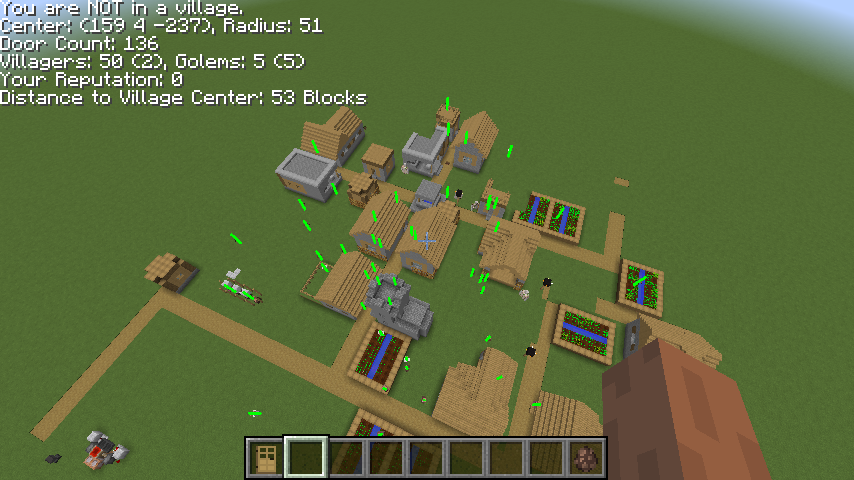
- Draws a line at each villager location. (Image)
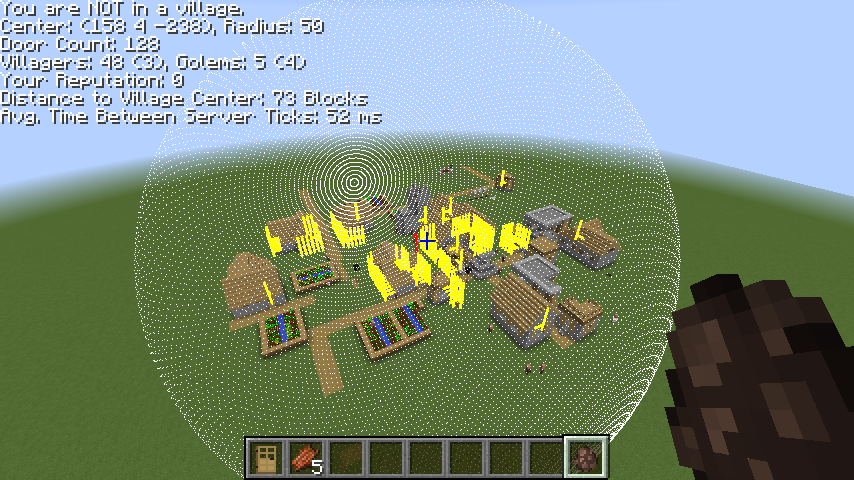
- Draws a sphere of dots around the village border. (Image)
- Draws a cuboid around the World spawn area.
Key Bindings
- O - Toggles Village information text.
- P - Toggles Center Lines and Border Sphere display.
- First press; Village center line and Golem spawn area.
- Second Press; Door center lines.
- Third Press; Border sphere.
- Forth Press; Display all.
- L - Toggles Entity Center Lines
- First press; Villager center lines
- Second press; Golem center lines
- K - Toggle World Spawn box
- First press; World spawn area
- Second press; Redstone stays functional area
- Third press; Entity's do not despawn area
- Forth press; Display All
Commands
- "/villagedistance #" - If you are a level 4 OP you can issue the server command "/villagedistance #" to set the distance from the edge of a village before it is displayed to a player. The default is 128 blocks. Example: /villagedistance 128
Installation
This is BETA. Use at your own risk.
- Copy the .jar file to the mods directory on both the client and server.
Requirements
- 1.10.2 Compiled with Forge version: 1.10.2-12.18.1.2027
- 1.9.4 Compiled with Forge version: 1.9.4-12.17.0.1987
- 1.8.9 Compiled with Forge version: 1.8.9-11.15.1.1902-1.8.9
Images
If you are within "villagedistance" blocks of a village you will see this;
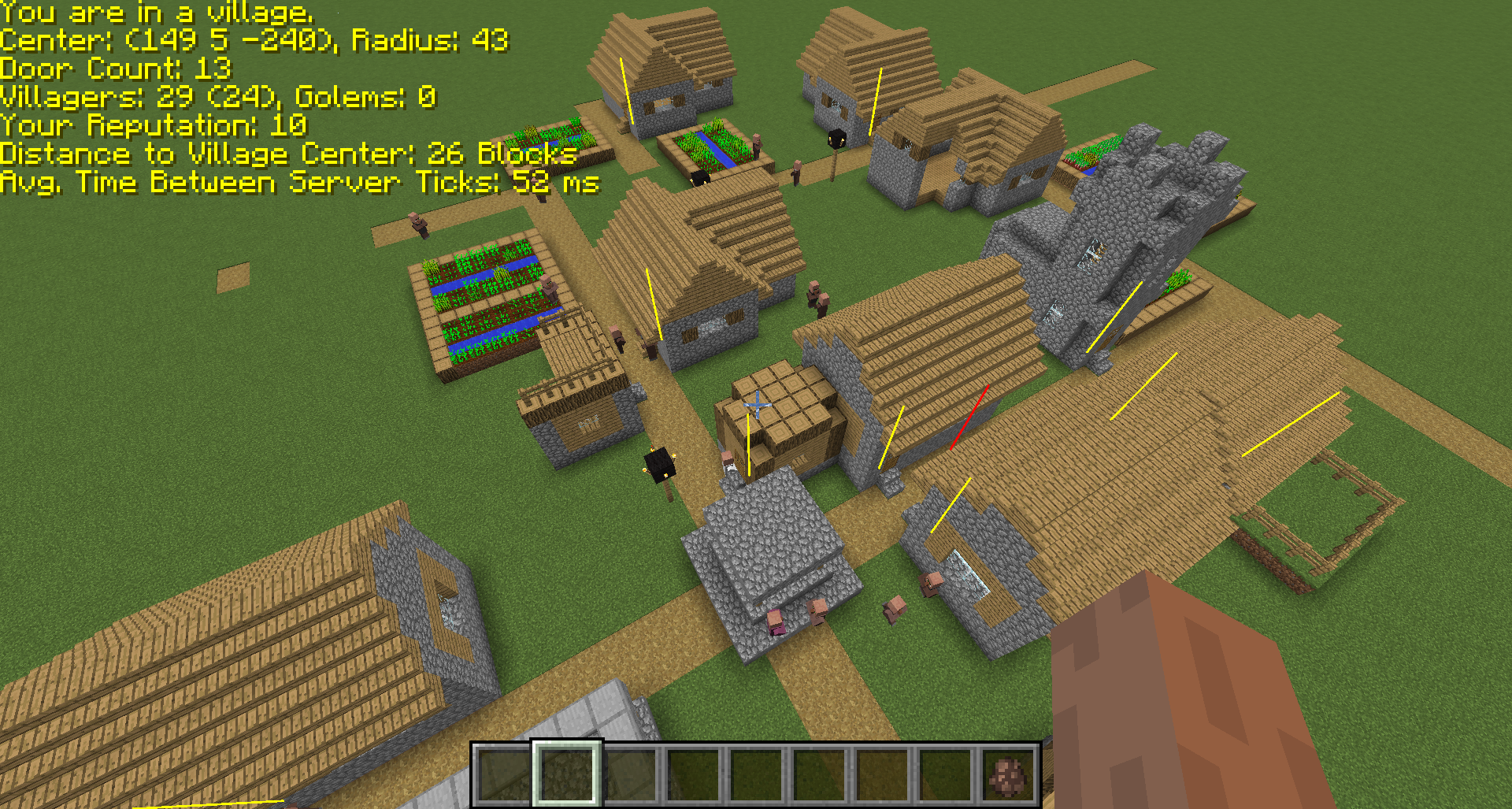
If you are outside the village radius you will see this;
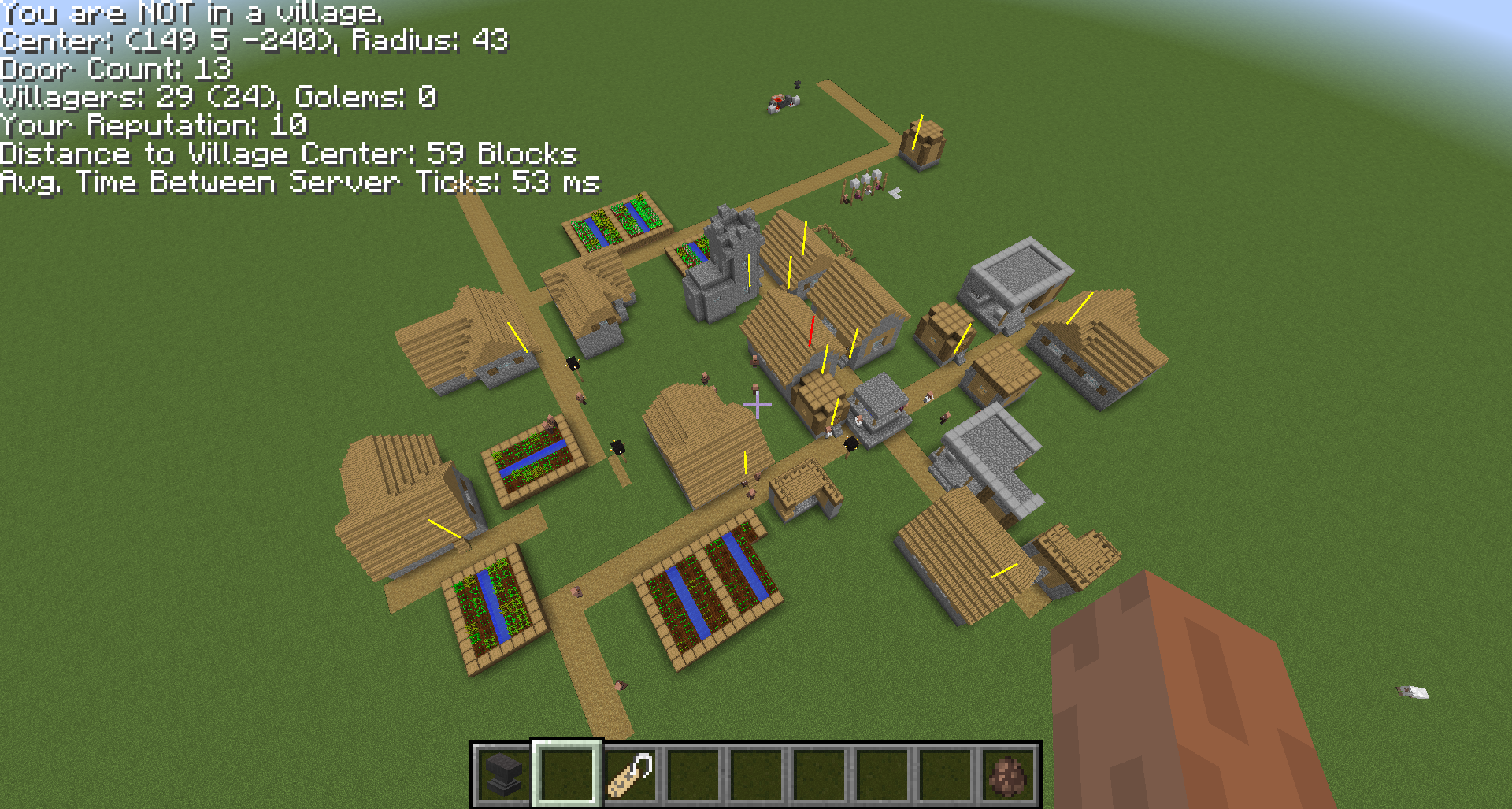
When you look at a villager you will see information about them.
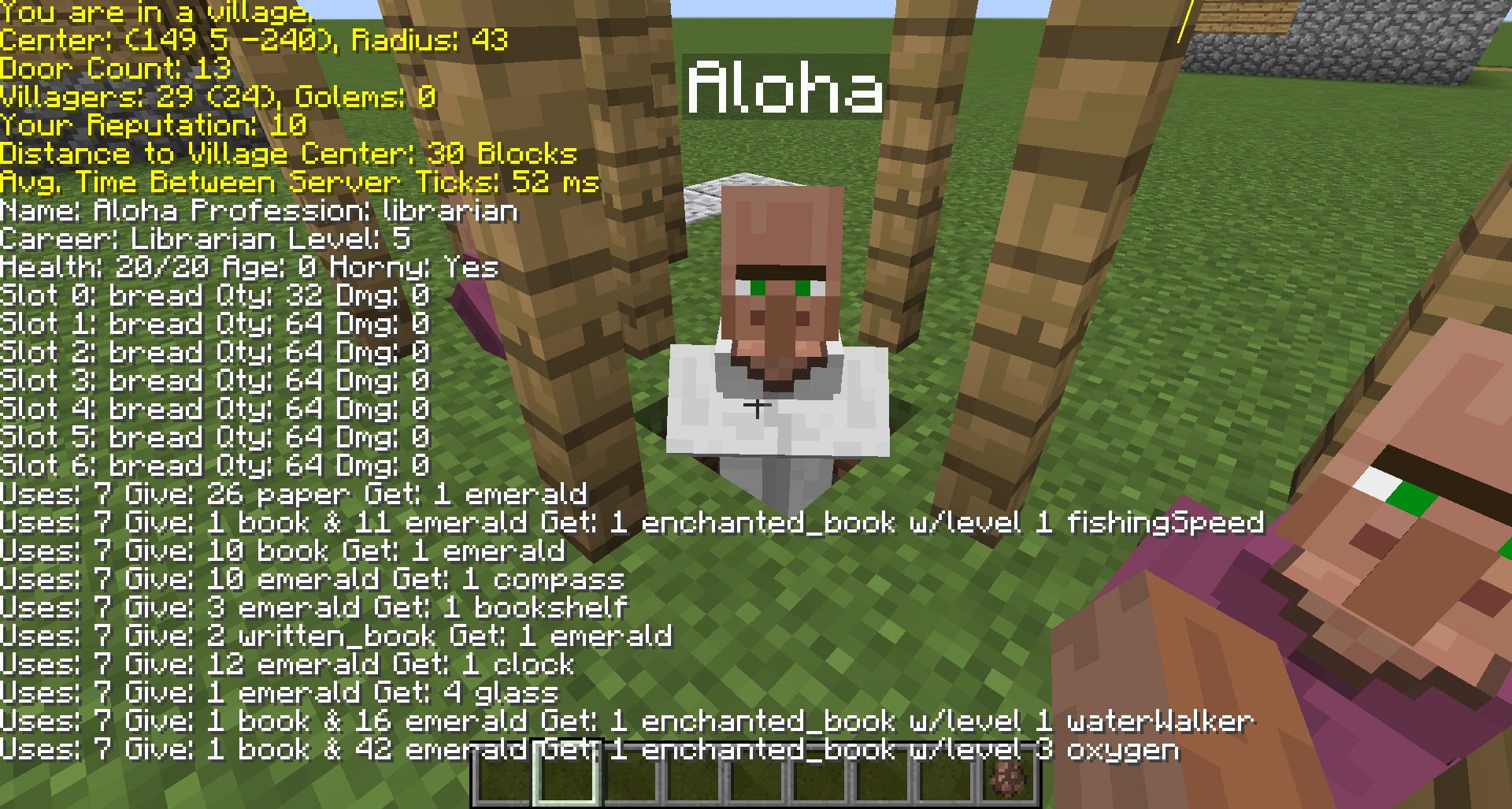
Village center line and door center lines.
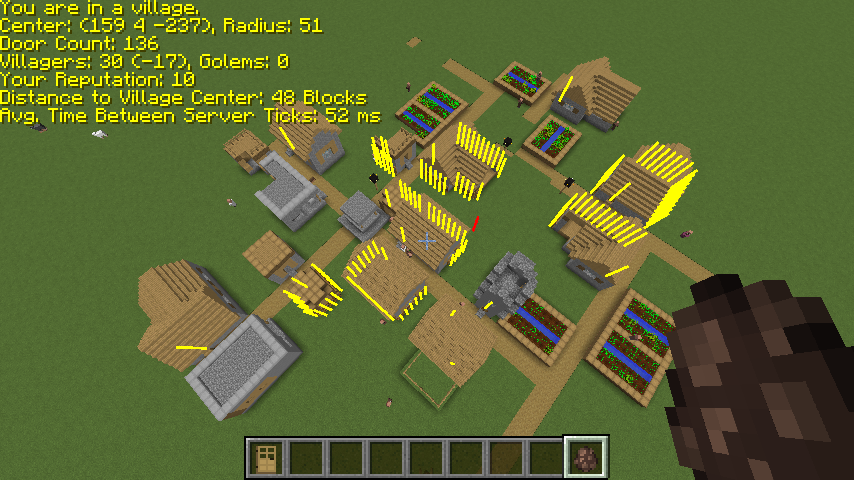
Display village border.
Find your villagers. Press L key.
You can configure the display colors using the mod config screen. You can also change the line lengths.
Let me know if you have any issues or comments.
Thanks, and happy village building.
Screenshots
Gallery
-
Villager Lines
-
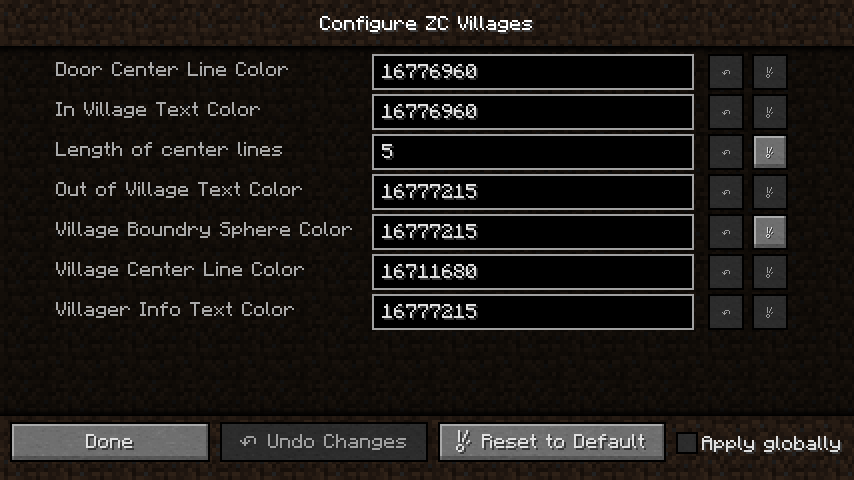 Client Configuration
 -
Village Display All
-
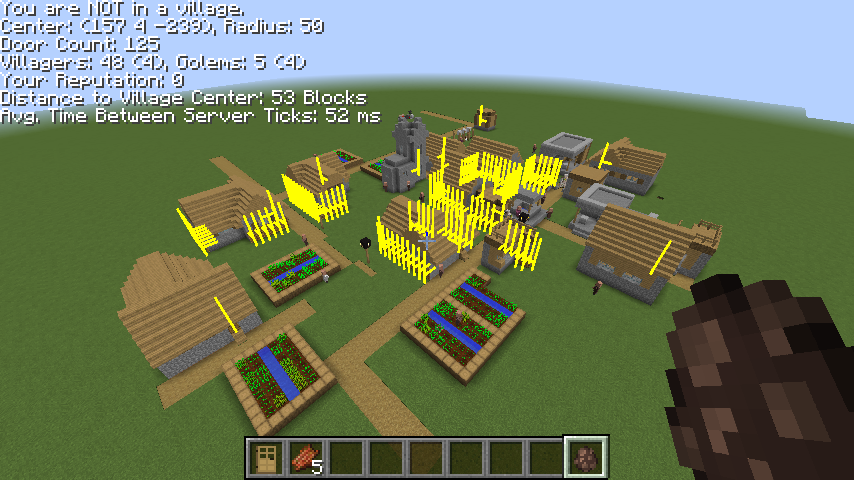 Village Doors Center Lines Only
 -
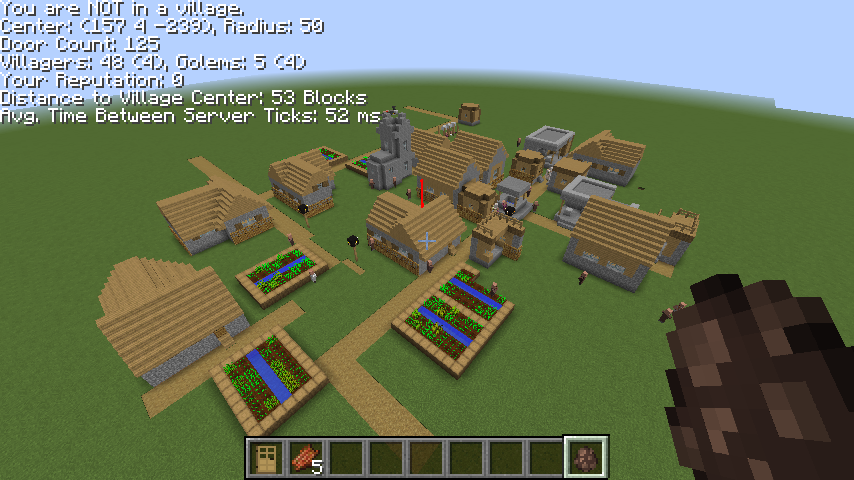 Village Center Line Only
 -
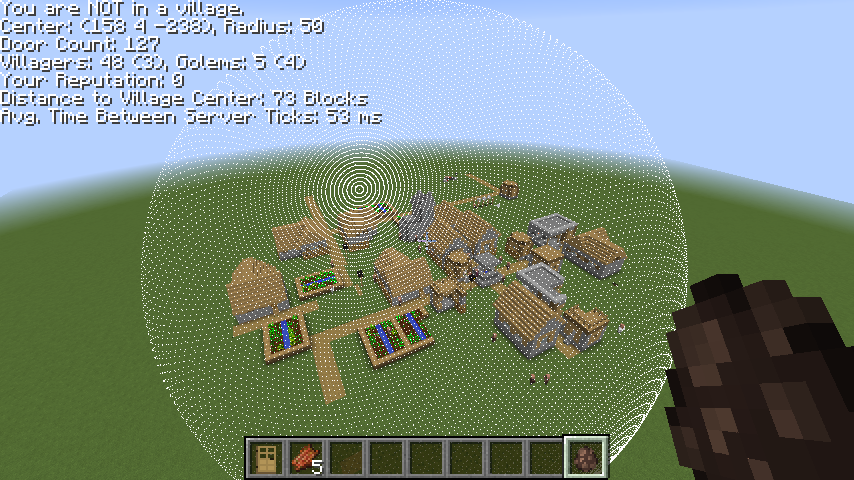 Village Border Sphere Only
 -
Large Village
-
Villager Inventory & Trades
-
Outside Village
-
Inside Village
-
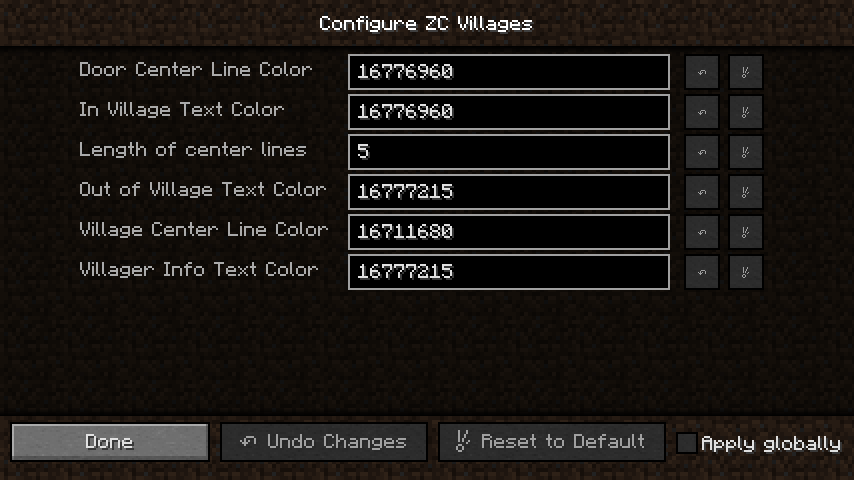 Client Configuration
 -
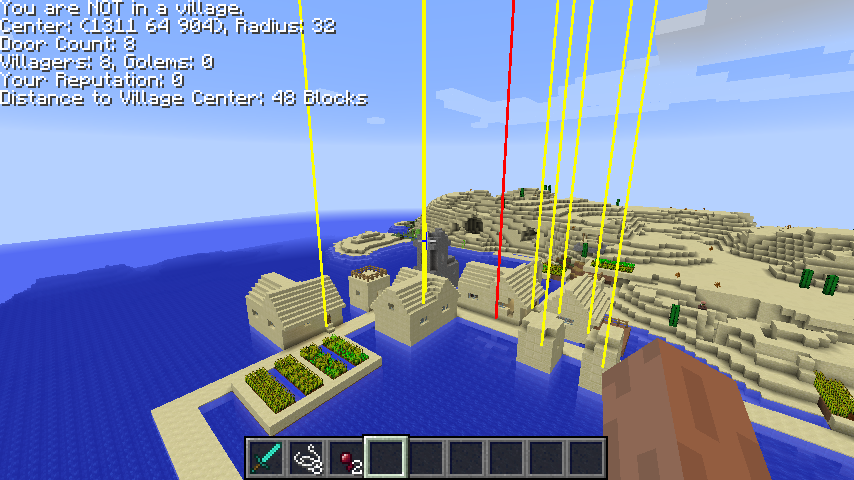 Door Center Lines Shows the doors in a village. The yellow lines.
 -
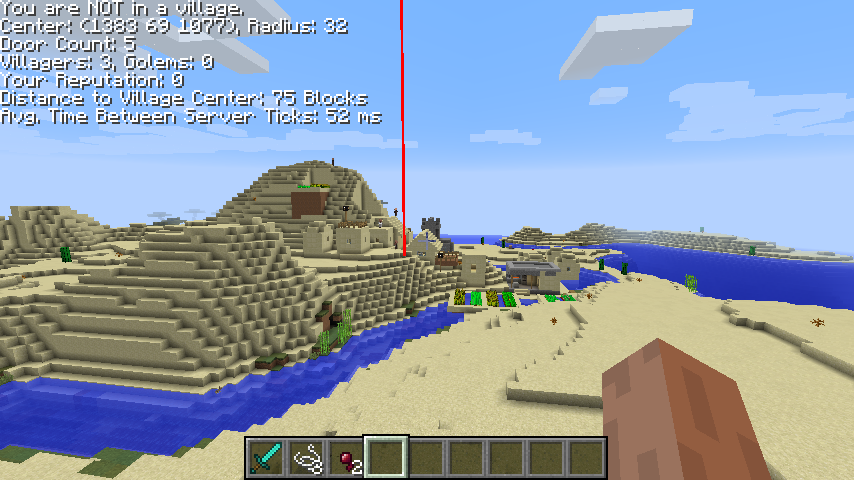 ServerTickTime Display the time between server ticks.
 -
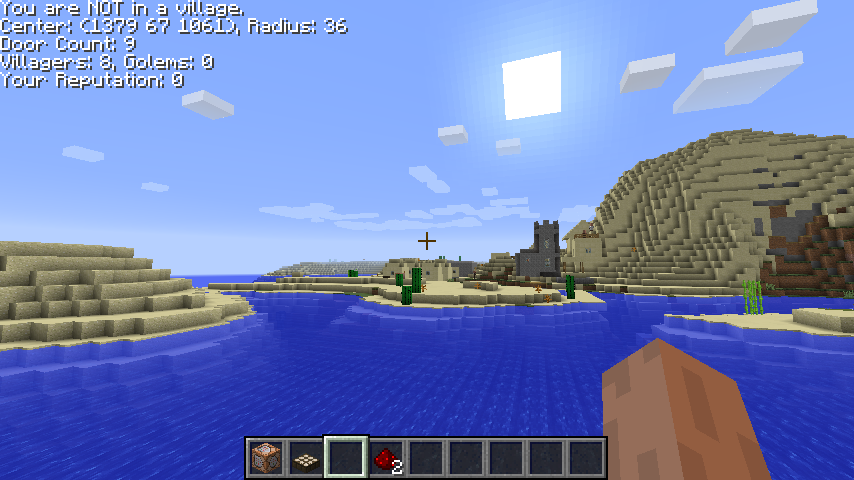 Outside a village. What it looks like when you are not in a village radius.
 -
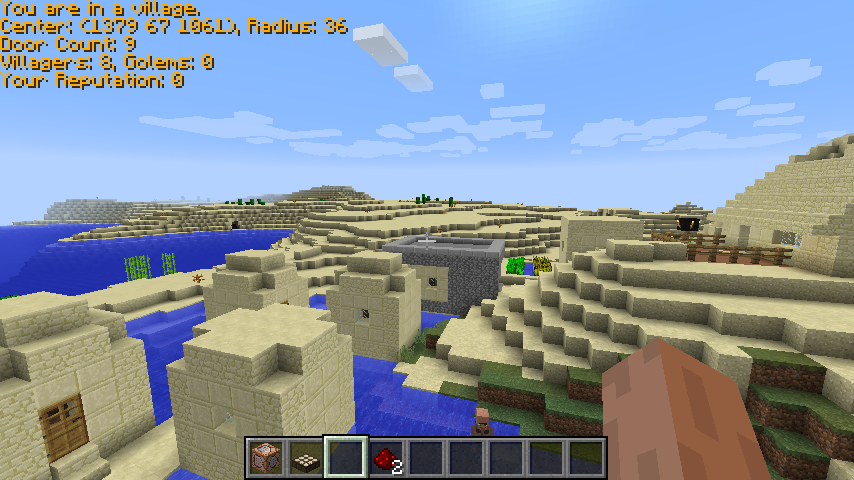 In a village. What it looks like when you are in a village.
Versions
Files
Relations
Project Relations
More like this
Similar Mods
Suggestions use data such as tags, dependencies, dependents, descriptions, titles, and more to rank how much they overlap with this mod.
On ModDex
Community snapshot
By the numbers
Statistics

Get it on
Available Platforms
On ModDex
Community snapshot
By the numbers
Statistics
Resources