Zap's Enhanced Enchantment Glints
No reviews yet
Customizes enchantment glint colors without resource packs.
Fabric is a mod loader for versions 1.14+ of Minecraft, particularly popular for client side and optimization mods.
Community voices
Reviews
Click once to include, again to exclude, again to clear
No reviews yet. Be the first to review this project!
Get it on
Available Platforms
 Modrinth
Compatibility
Supported Environments
About
Project Details
For authors
Embed Badge
If you're the author of this project, you can embed a live badge anywhere that supports HTML or Markdown. It updates automatically whenever ratings change.
Use HTML for any page that supports it, or Markdown for README files and Markdown-based descriptions.
Identifiers
Platform IDs
About
Description
ZEEG — Zap's Enhanced Enchantment Glints
A lightweight client-side Fabric mod that allows you to customize your enchantment glints dynamically without resource packs.
Features
- Color Picker: Set any RGB or Hex Value
- Multiple Cycle Modes:
- Static: Single solid custom color.
- Rainbow: Smooth cycle through the spectrum.
- Duo-Tone: Alternating smooth transition between two custom colors.
- Item-Specific Overrides: Assign unique glint colors to specific items (e.g., green for a Netherite Sword, red for a Bow).
- Custom Name Overrides: Color your glints dynamically based on item names renamed in an anvil.
- Resource Pack Configs: Pack creators can supply default glint configurations via custom resource packs.
- Intuitive GUI: Easy-to-use configuration screen accessible directly via Mod Menu.
- Native Integration: Compatible with the game's built-in glint strength and speed settings.
- Mod Compatibility: Works with any modded item.
- Developer & Datapack Friendly: Exposes the custom
zeeg:glintdata component, allowing other mods, datapacks, and/givecommands to easily set custom glint properties on any item.
Version Support & Branches
ZEEG supports multiple Minecraft versions:
- 1.21.11
- 26.1.x
- 26.2.x
Usage
- Install ZEEG on Fabric (requires Fabric API and Mod Menu).
- Open Mod Menu -> ZEEG -> Configure.
- Customize your colors, speeds, overrides, or cycle modes.
- Click Save & Reload to apply changes instantly in-game.
Resource Pack Usage
Resource pack creators can bundle default configuration presets, item-specific overrides, or named overrides within their packs. ZEEG will automatically detect and load these configs if enabled.
Create a JSON file named config.zg in your resource pack at:
assets/zeeg/config.zg
Example config.zg structure:
{
  "red": 0,
  "green": 255,
  "blue": 128,
  "strength": 255,
  "cycleMode": 1,
  "rainbowSpeed": 25,
  "itemColors": [
    {
      "itemId": "minecraft:netherite_sword",
      "red": 255,
      "green": 0,
      "blue": 0
    }
  ],
  "namedColors": [
    {
      "name": "Excalibur",
      "red": 255,
      "green": 215,
      "blue": 0,
      "strength": 255,
      "cycleMode": 2,
      "red2": 255,
      "green2": 255,
      "blue2": 255
    }
  ]
}
Commands Usage
You can use the /give command to obtain items with pre-configured custom glints by specifying the zeeg:glint data component.
Formats:
- Custom Glint on Enchanting:
/give @s minecraft:diamond_sword[zeeg:glint={r:255,g:255,b:0}] - Rainbow Glint:
/give @s minecraft:diamond_sword[zeeg:glint={cycle_mode:1,speed:50}] - Duo-Tone Glint: Transitions smoothly between red and blue:
/give @s minecraft:diamond_sword[zeeg:glint={cycle_mode:2,r:255,g:0,b:0,r2:0,g2:0,b2:255,speed:30}]
Available Component Fields:
r,g,b(Integer0-255): The primary RGB color (Default:255).strength(Integer0-255): Glint opacity/strength (Default:255).cycle_mode(Integer0-2):0= Static,1= Rainbow,2= Duo-Tone (Default:0).speed(Integer1-100): Shifting cycle speed (Default:25).r2,g2,b2(Integer0-255): Secondary target RGB color for Duo-Tone mode (Default:255).
Datapack Usage
Datapack creators can use the zeeg:glint component in loot tables, custom recipe results, or advancement rewards.
Example Loot Table Item:
{
  "type": "minecraft:item",
  "name": "minecraft:netherite_sword",
  "functions": [
    {
      "function": "minecraft:set_components",
      "components": {
        "minecraft:enchantment_glint_override": true,
        "zeeg:glint": {
          "r": 255,
          "g": 0,
          "b": 0,
          "cycle_mode": 2,
          "r2": 255,
          "g2": 128,
          "b2": 0,
          "speed": 15
        }
      }
    }
  ]
}
Mod Usage
Mod developers can read and modify glint components directly on ItemStack instances using the API.
Retrieve Glint Data:
import com.zapaxe.zeeg.GlintComponent;

GlintComponent glint = stack.get(GlintComponent.TYPE);
if (glint != null) {
    int red = glint.r();
    int green = glint.g();
    int blue = glint.b();
}
Apply Glint Data:
import com.zapaxe.zeeg.GlintComponent;

// Params: r, g, b, strength, cycleMode, speed, r2, g2, b2
GlintComponent customGlint = new GlintComponent(255, 0, 255, 255, 1, 20, 255, 255, 255);
stack.set(GlintComponent.TYPE, customGlint);
Screenshots
Gallery
-
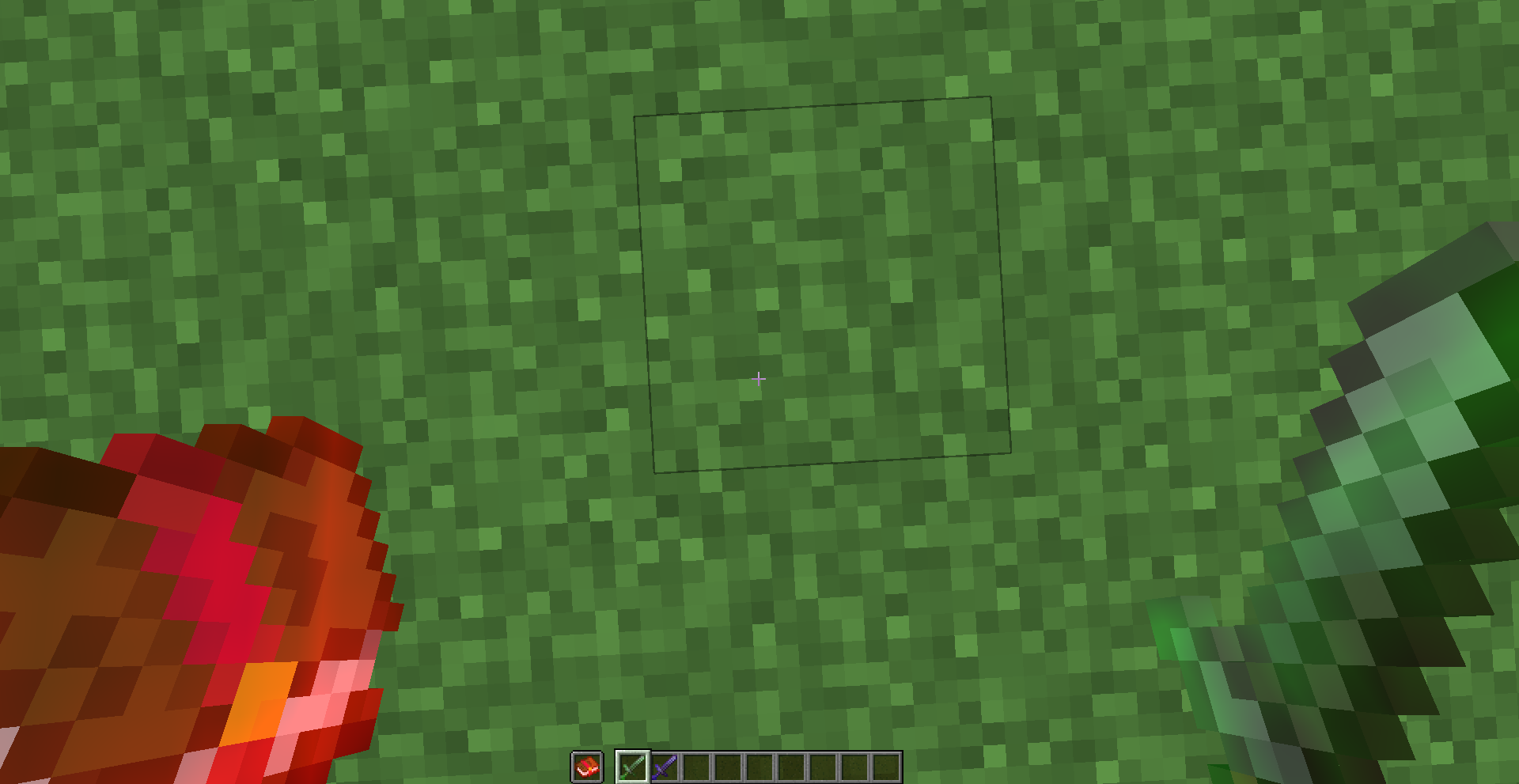 Showcase #1 Different colored Enchantment Glints
 -
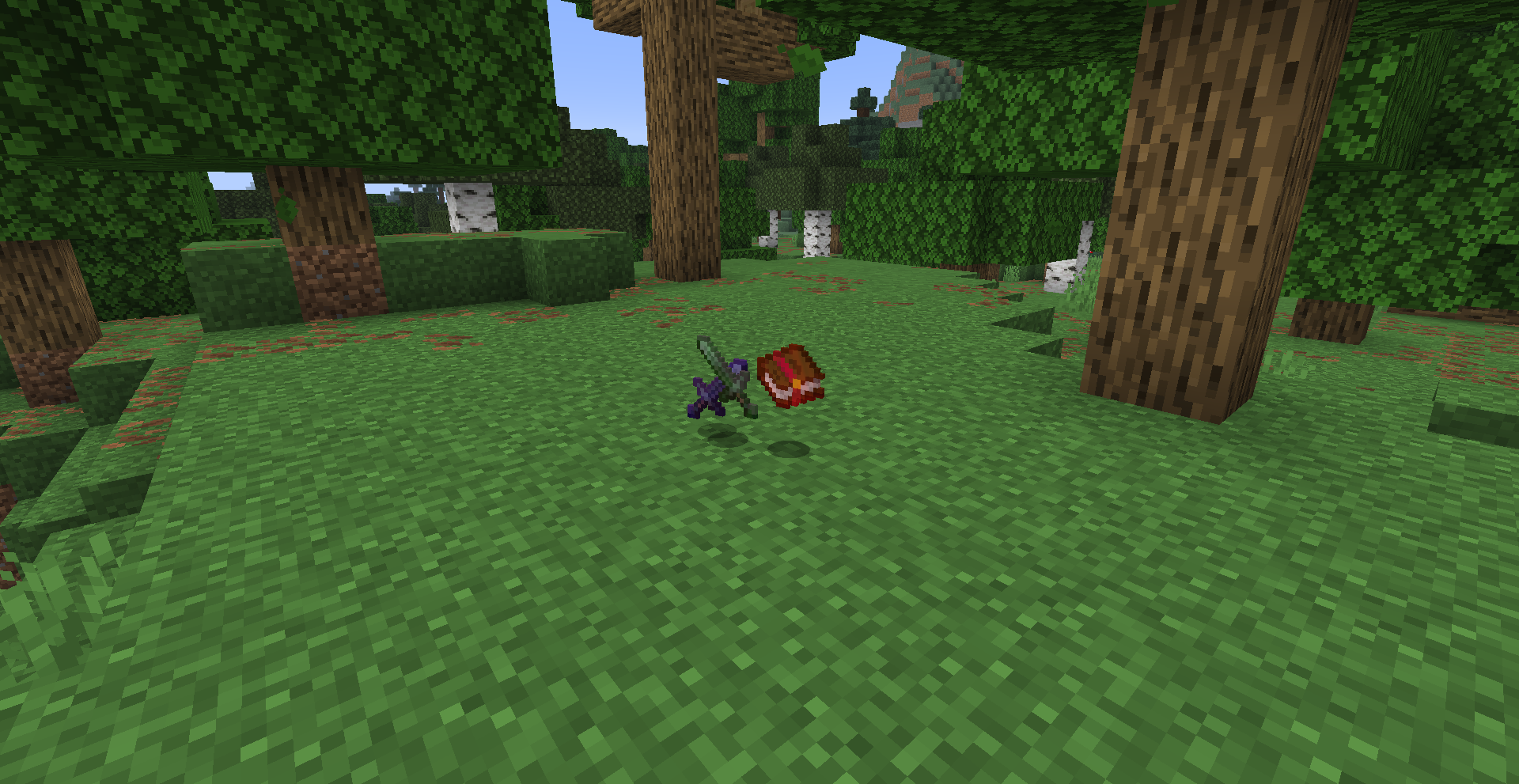 Showcase #2 Dropped Differently Glinted Items
 -
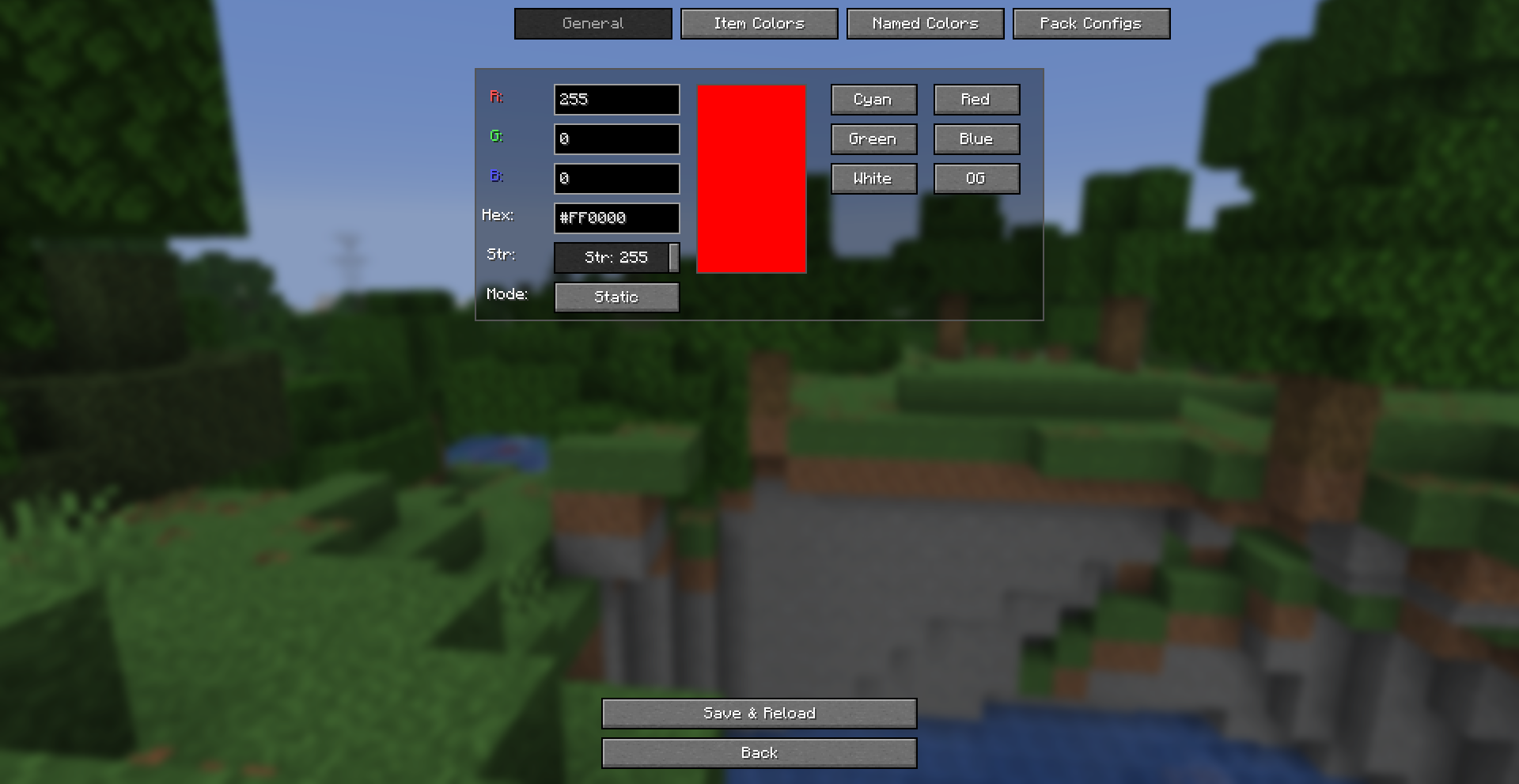 UI #1 Showcase Of ZEEG UI in Mod Menu
 -
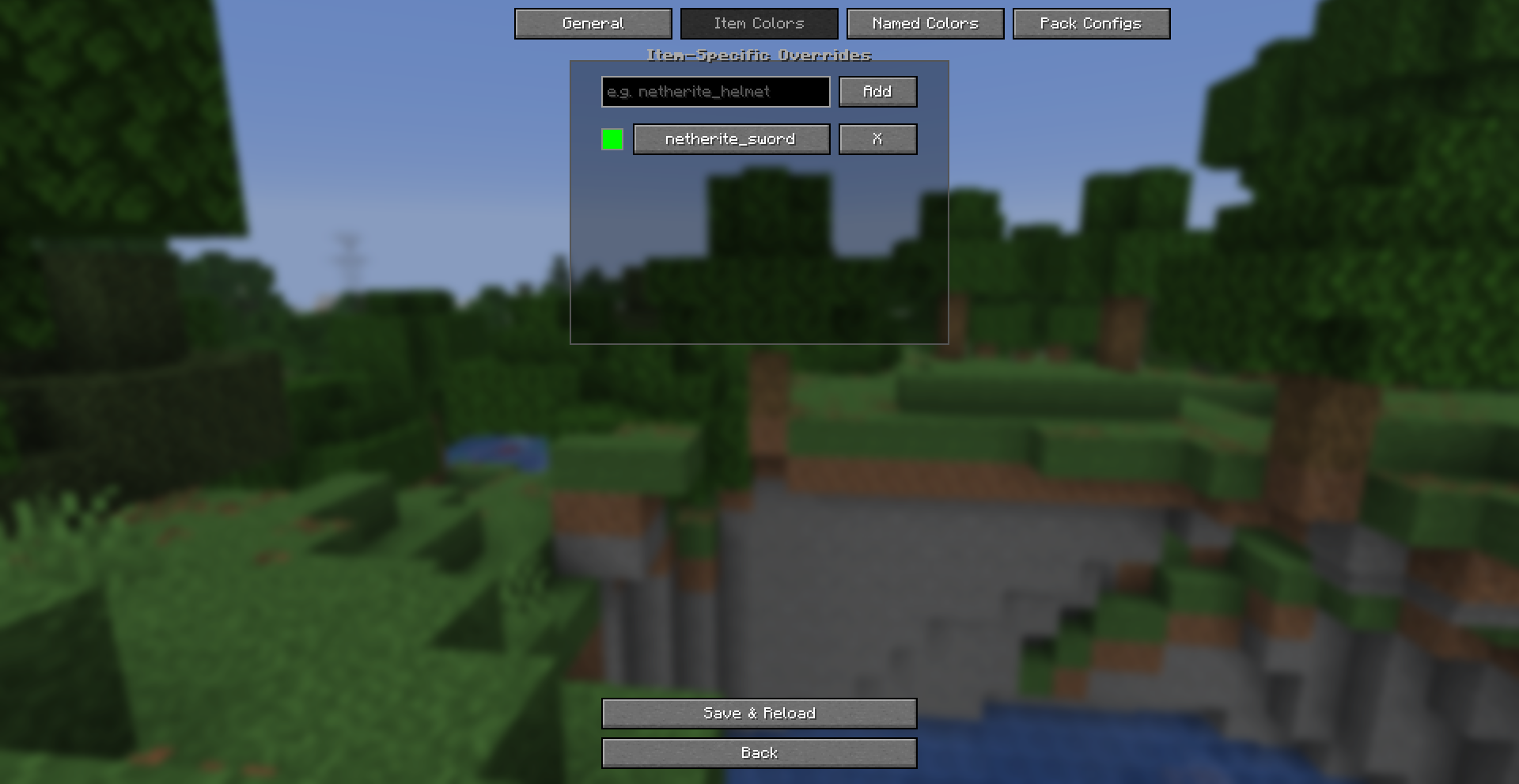 UI #2 Showcase of ZEEG UI
 -
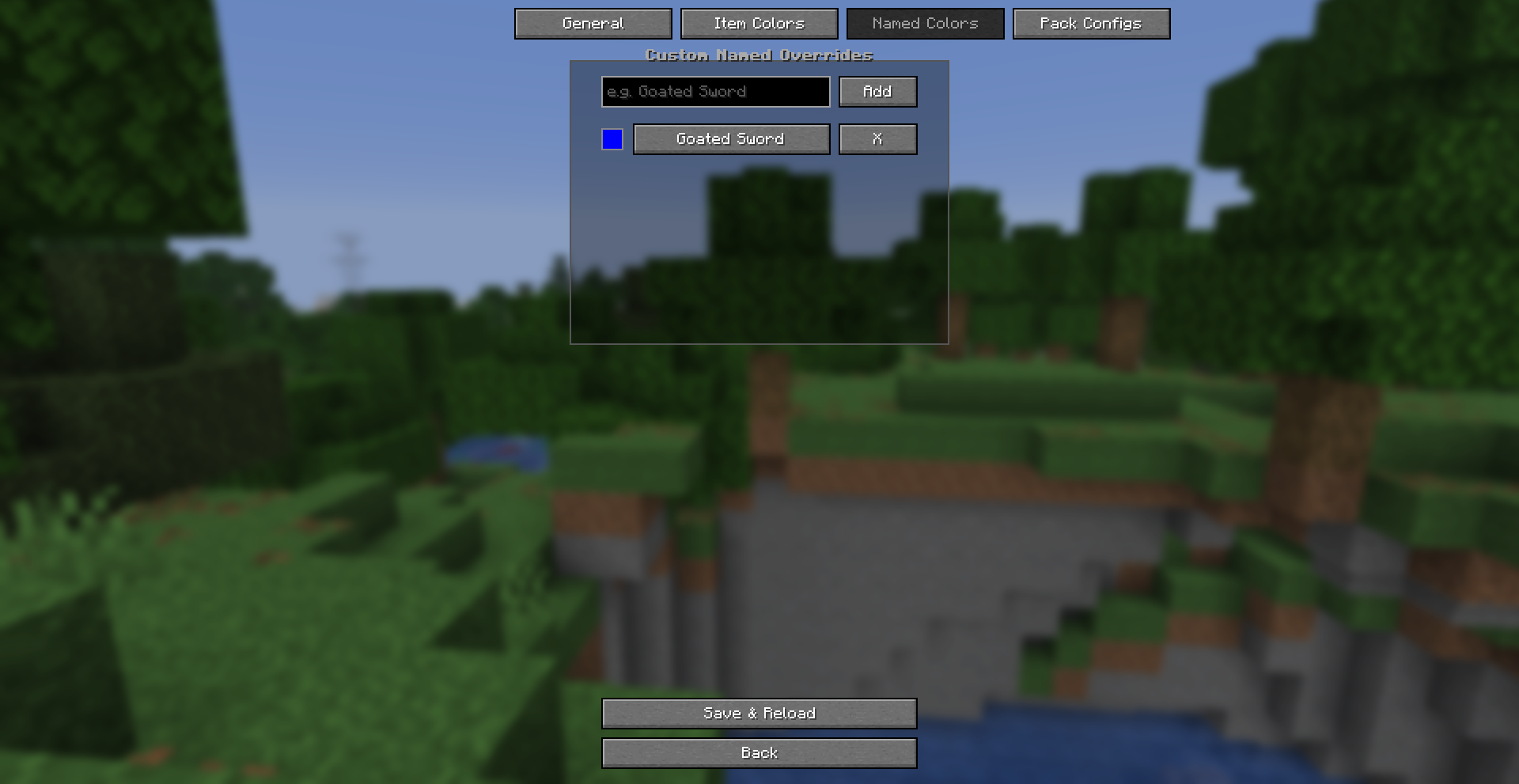 UI #3 Showcase of ZEEG UI #3
Versions
Files
Relations
Project Relations
More like this
Similar Mods
Suggestions use data such as tags, dependencies, dependents, descriptions, titles, and more to rank how much they overlap with this mod.
On ModDex
Community snapshot
By the numbers
Statistics

Want to reach Minecraft players?
We're looking for a server hosting partner to feature here and other parts of the site. Interested? Send us a message!
Get in touchGet it on
Available Platforms
On ModDex
Community snapshot
By the numbers