
Community listing page, reviews may not be monitored by the author.
Zoom Item

No reviews yet
A small client mod that increases the display of items when hovering over slots in the inventory and other GUIs.

Community voices
Reviews
No reviews yet. Be the first to review this project!
Get it on
Available Platforms
About
Project Details
For authors
Embed Badge
If you're the author of this project, you can embed a live badge anywhere that supports HTML or Markdown. It updates automatically whenever ratings change.
Use HTML for any page that supports it, or Markdown for README files and Markdown-based descriptions.
Identifiers
Platform IDs
Resources
External Links
About
Description
A small client mod that increases the display of items when hovering over slots in the inventory and other GUIs.
Features:
🔍 Hover to zoom – place your cursor over any item slot and see an enlarged version
⌨️ Hotkey support – press Z to quickly toggle the mod ON/OFF (fully customizable in settings)
⚙️ Mod Menu integration – configuration screen to change key binding and toggle the mod
🌍 Localization – supports English and Russian (automatic language detection)
📦 Works everywhere – player inventory, chests, crafting tables, furnaces, and any other container
📐 Adaptive size – the zoomed item automatically scales based on your screen resolution
🧠 Smart positioning – appears on the left side of the inventory, or on the right if there's not enough space
⚡ Lightweight & optimized – uses caching for smooth performance, no lag
How to use:
-
Toggle mod – press Z to enable or disable ZoomItem (you'll see a message)
-
Change hotkey – open Mod Menu → ZoomItem → Config → click on "Toggle Key" and press any key
FAQ:
Q: Does this mod work on servers?
A: Yes! It's a client-side mod, so it works on any server without requiring installation on the server side.
Q: How do I change the hotkey?
A: Open Mod Menu → ZoomItem → Config → click on "Toggle Key" and press any key. You can also change it in Minecraft's Controls settings (Options → Controls → ZoomItem category).
Q: Does it work with modded containers?
A: Yes, it should work with any containers.
Supported Languages:
English (US)
Русский (Russian)
Source Code:
https://github.com/Apres21/ZoomItem
License: MIT
If you enjoy this mod, please leave a like and share your feedback!
Screenshots
Gallery
-
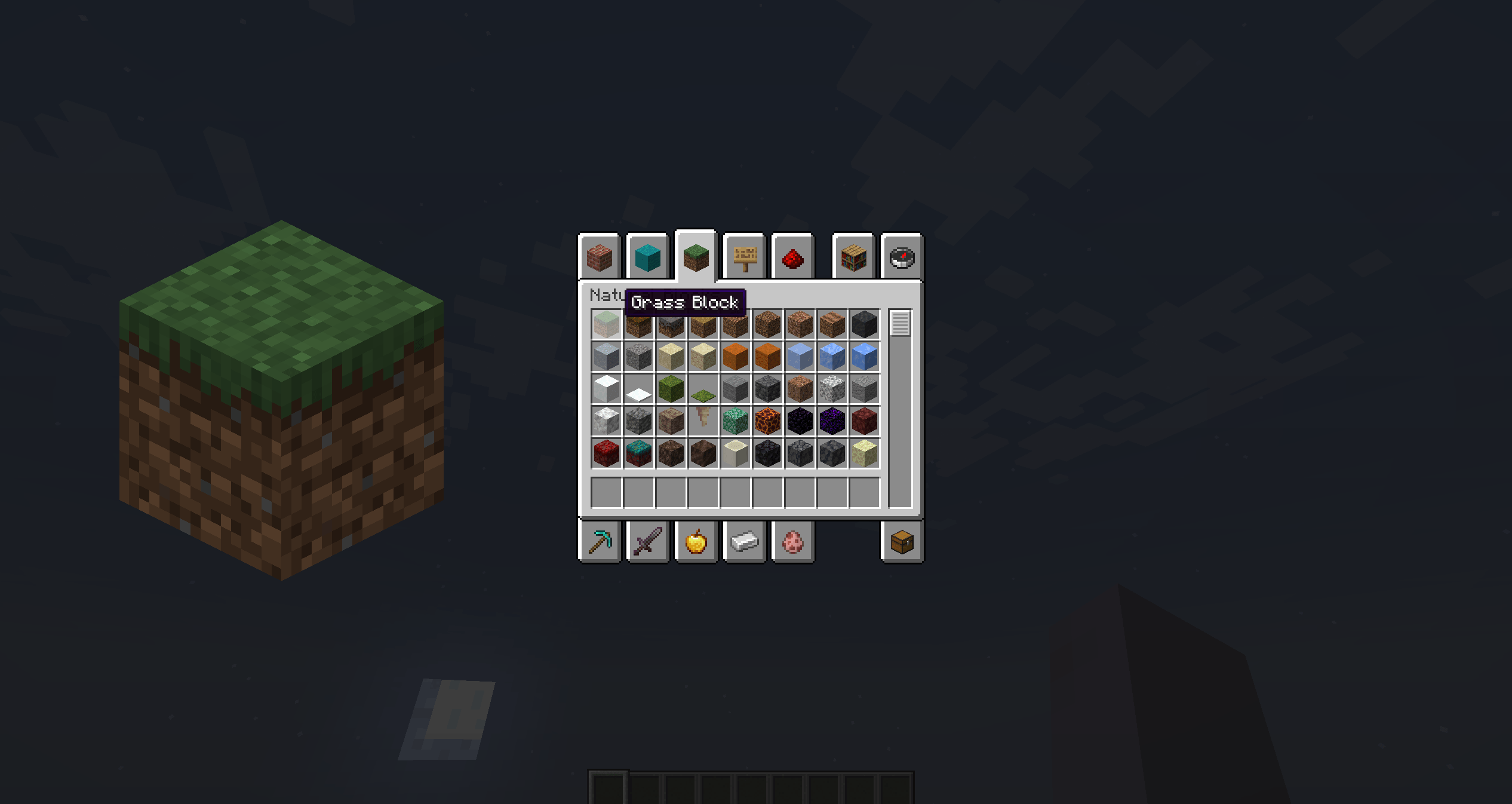 Screen 1 Demonstration ZoomItem
 -
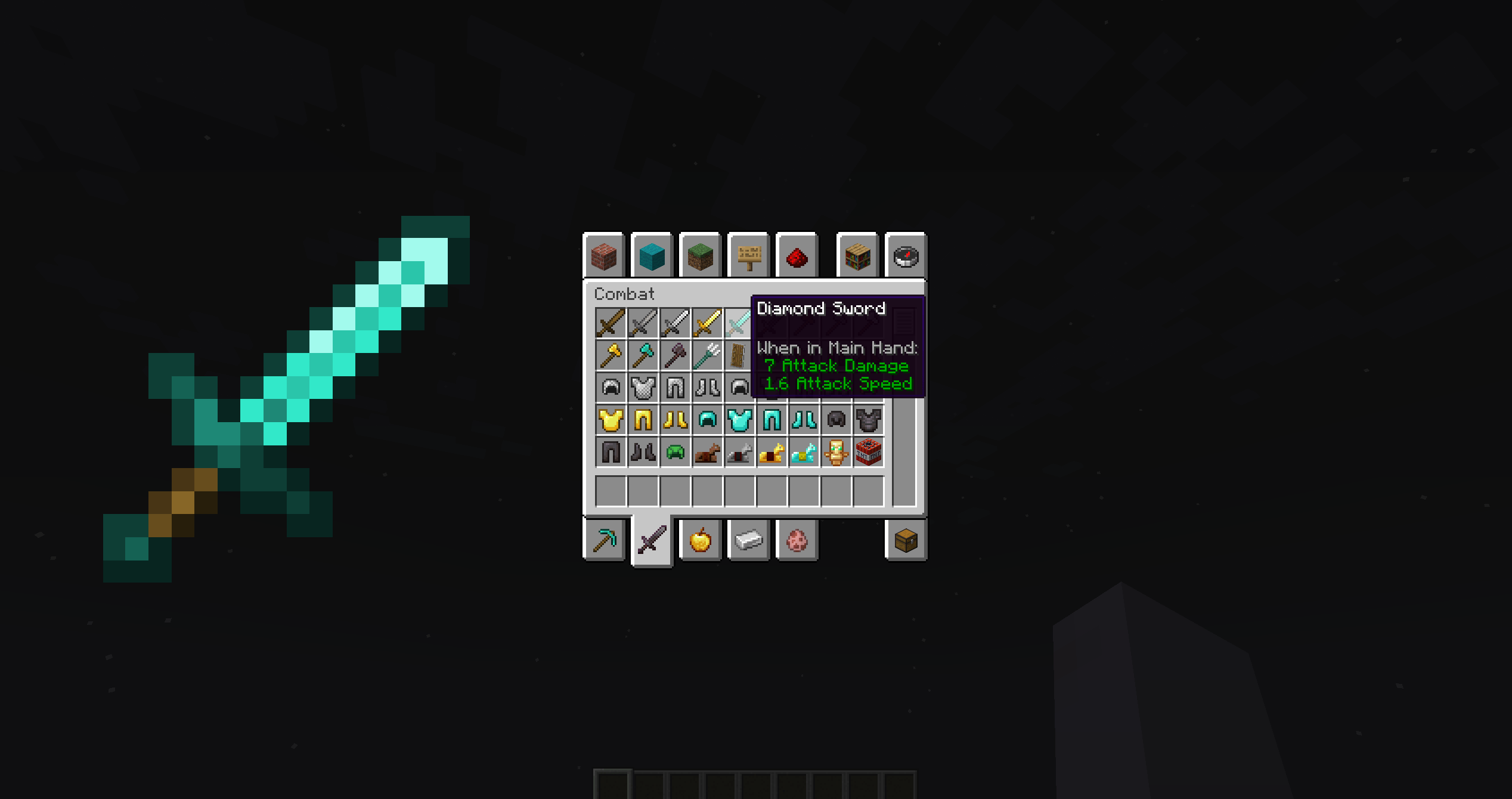 Screen 2 Demonstration ZoomItem
 -
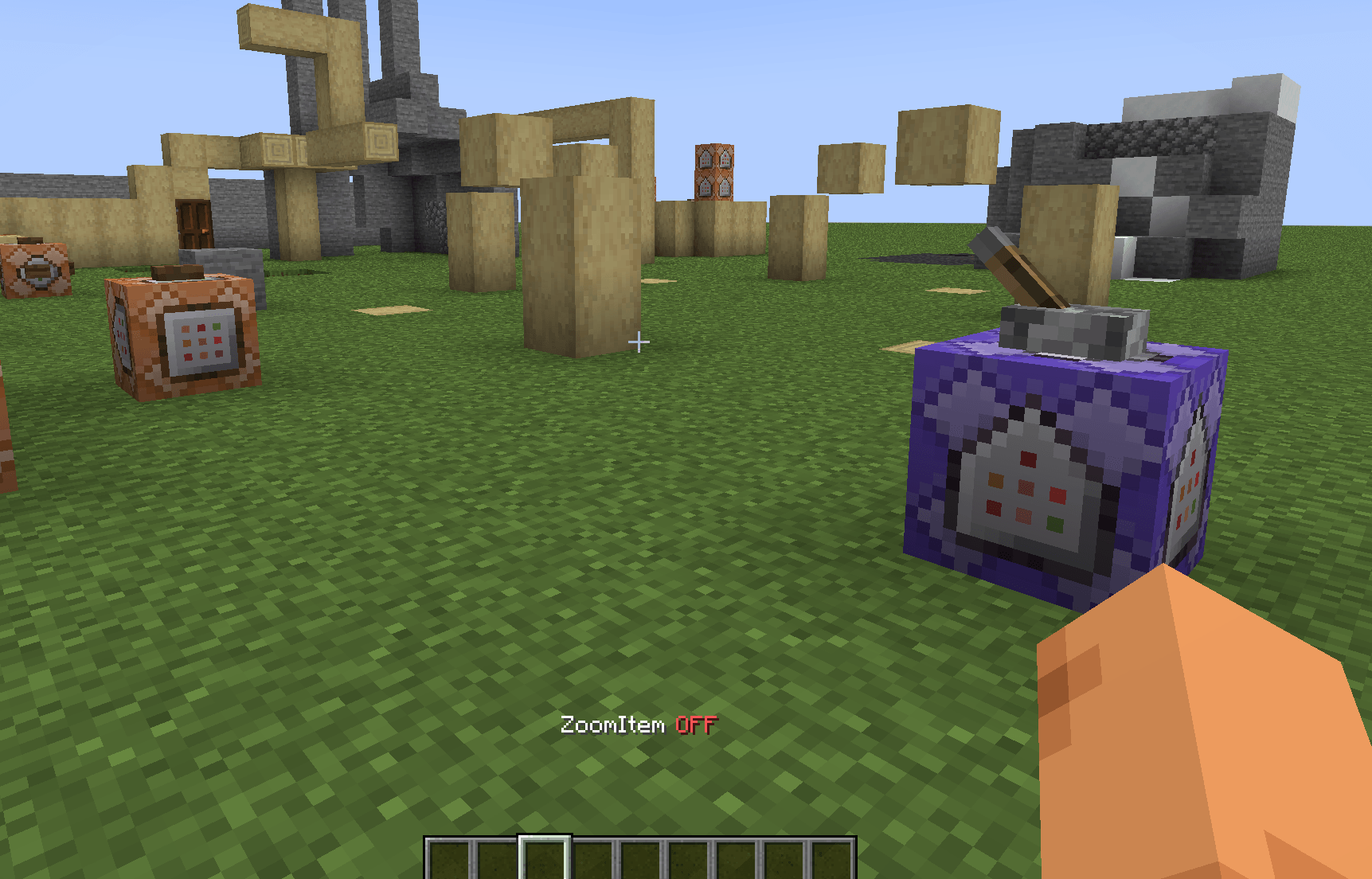 Screen 3 Toggle ZoomItem
 -
 Screen 4 Minecraft settings: key binds
 -
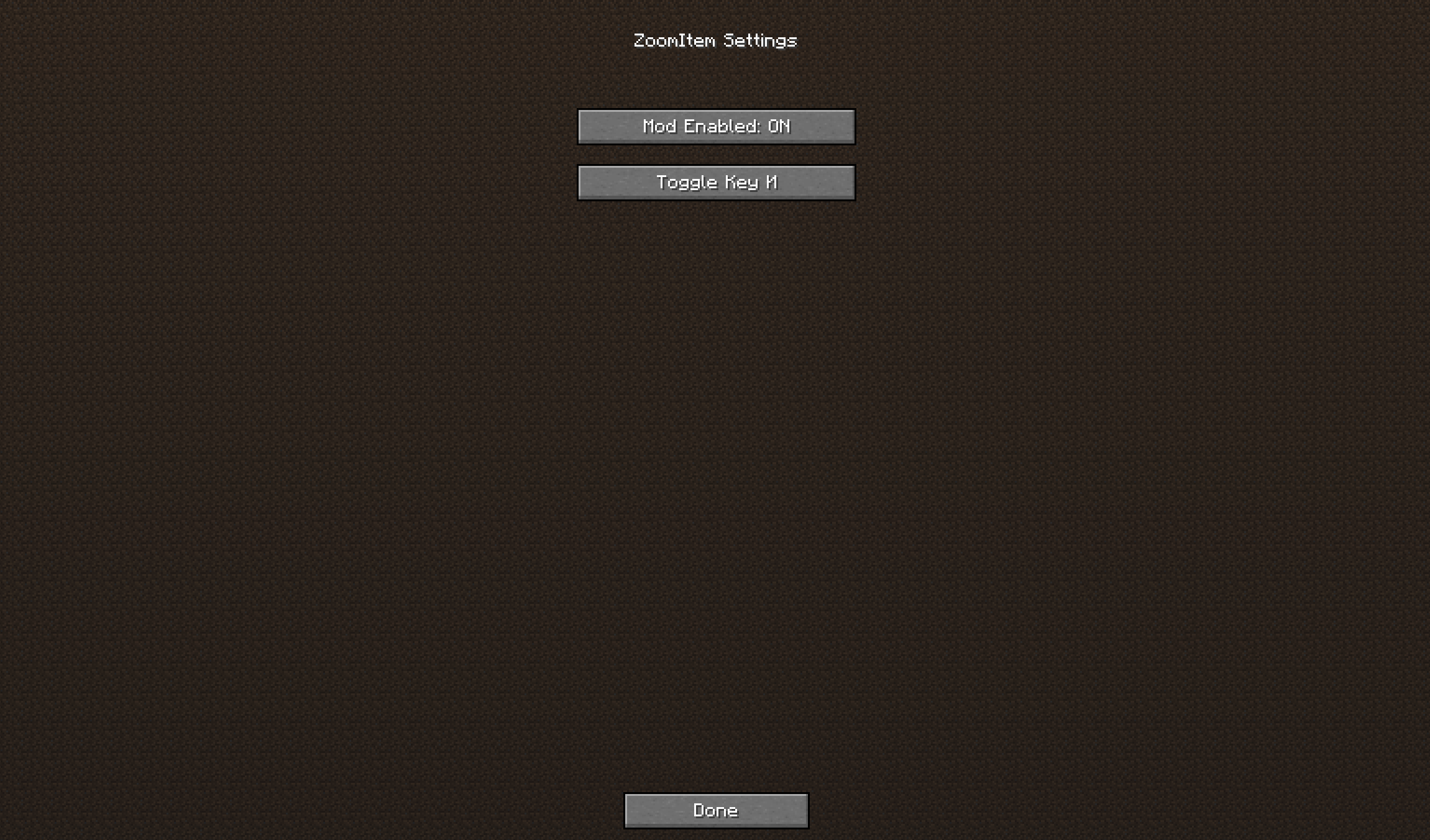 Screen 5 Settings in Mod Menu
Versions
Files
Relations
Project Relations
More like this
Similar Mods
Suggestions use data such as tags, dependencies, dependents, descriptions, titles, and more to rank how much they overlap with this mod.
On ModDex
Community snapshot
By the numbers
Statistics
 (opens in a new tab)
Get it on
Available Platforms
On ModDex
Community snapshot
By the numbers
Statistics
Resources