
Community listing page, reviews may not be monitored by the author.
ZSTDNET

No reviews yet
Use ZSTD to compress and relay traffic between the client and server, aiming to reduce public bandwidth usage in high-redundancy data scenarios.

Community voices
Reviews
No reviews yet. Be the first to review this project!
Get it on
Available Platforms
About
Project Details
For authors
Embed Badge
If you're the author of this project, you can embed a live badge anywhere that supports HTML or Markdown. It updates automatically whenever ratings change.
Use HTML for any page that supports it, or Markdown for README files and Markdown-based descriptions.
Identifiers
Platform IDs
Resources
External Links
About
Description
ZstdNet (v1.5.0)
ZstdNet is a Minecraft Java Edition mod that adds built-in Zstandard compression to Minecraft connections. It reduces public bandwidth usage while keeping the normal Minecraft server address and port.
Highlights
- Uses the Minecraft connection directly; no separate proxy or Zstd port is required.
- Works with both
online-mode=trueand offline servers. Vanilla handles account verification and encryption when enabled. - Supports dedicated servers and singleplayer worlds opened to LAN.
- Batches small packets briefly to reduce compression and framing overhead.
- Includes configurable compression levels, connection limits, real IP support through PROXY Protocol v2, an in-game HUD, and local traffic reports.
- Does not compress or manage UDP. Voice chat and other UDP mods keep using their own ports and settings.
- Detects KryptonFNP and safely leaves its compression active instead of replacing a shared compressor and risking a disconnect.
Installation
Install the matching ZstdNet build on the client and server when possible:
- Forge 1.20.1
- Fabric 1.20.1
- NeoForge 1.20.1
- Fabric 1.21.1
- NeoForge 1.21.1
Each Minecraft version and loader requires its corresponding JAR.
Players connect to the normal Minecraft address and port. For a dedicated server, forward FRP, NAT, or other TCP mappings to the port in server.properties. For a LAN world, friends connect to the actual game port shown by Minecraft.
Configuration
The server configuration is generated at:
config/zstdnet-server.propertiesCommon options include:
enabled=true
level=9
max_conn_per_ip=64
max_req_per_window=50
request_window=10s
ban_duration=1m
trust_proxy_protocol=false
trusted_proxy_ips=127.0.0.1,::1
level controls server-to-client compression and accepts values from 1 to 22. The client compression level is stored in the client configuration. The connection limit settings help reduce connection floods. Old external-proxy options such as auto_takeover, listen, target, and udp_direct_ports are no longer used.
HUD and Reports
Use the following commands in game:
/zstdhud on|off|toggle
/zstdreport today|session|24h|7d|30d
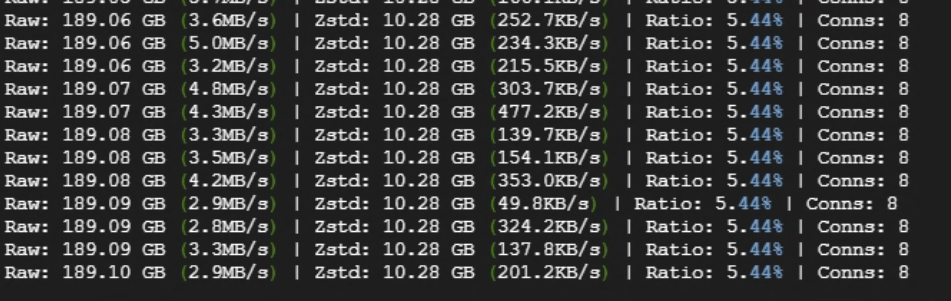
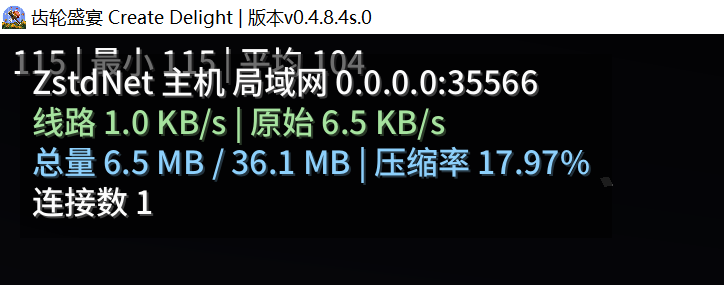
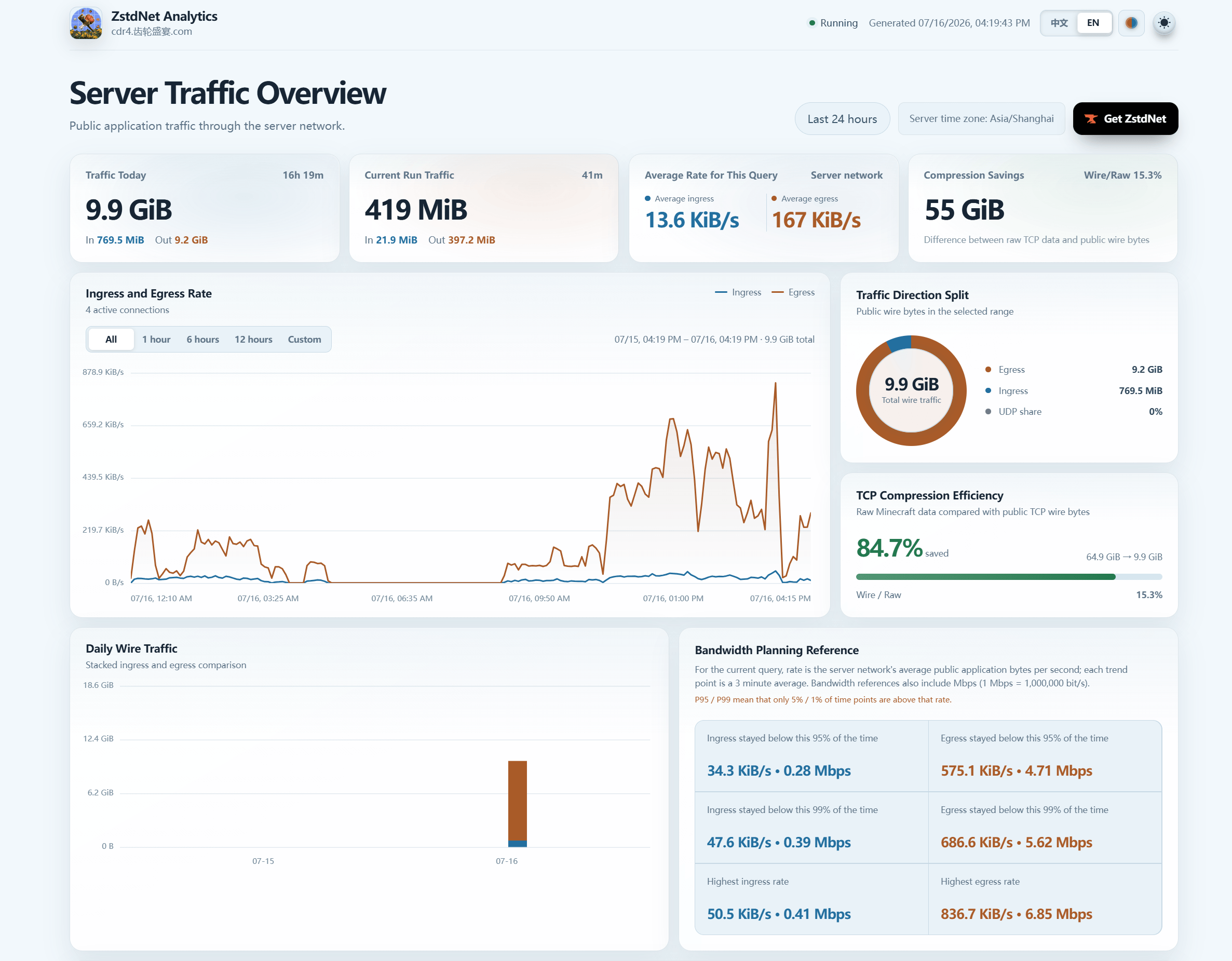
The HUD shows raw traffic, wire traffic, compression ratio, and connection count. Reports are generated locally as self-contained HTML files.
License
MIT License
Screenshots
Gallery
-
 å±å¹æªå¾ 2026-04-06 135837.png å±å¹æªå¾ 2026-04-06 135837.png
-
 å±å¹æªå¾ 2026-04-07 102436.png å±å¹æªå¾ 2026-04-07 102436.png
-
 å±å¹æªå¾ 2026-07-16 162357.png 2026-07-16 162357.png
Versions
Files
Relations
Project Relations
More like this
Similar Mods
Suggestions use data such as tags, dependencies, dependents, descriptions, titles, and more to rank how much they overlap with this mod.
On ModDex
Community snapshot
By the numbers
Statistics

Get it on
Available Platforms
On ModDex
Community snapshot
By the numbers
Statistics
Resources