
A Lot Of FPS
No reviews yet
A lightweight pack that maximizes Minecraft’s performance on any PC. Get higher FPS and a smoother experience while keeping the game looking exactly as it should.
Enhances game performance and optimizes resource usage.
Fabric is a mod loader for versions 1.14+ of Minecraft, particularly popular for client side and optimization mods.
Community voices
Reviews
Click once to include, again to exclude, again to clear
No reviews yet. Be the first to review this project!
Get it on
Available Platforms
 Modrinth
Compatibility
Supported Environments
About
Project Details
For authors
Embed Badge
If you're the author of this project, you can embed a live badge anywhere that supports HTML or Markdown. It updates automatically whenever ratings change.
Use HTML for any page that supports it, or Markdown for README files and Markdown-based descriptions.
Identifiers
Platform IDs
Resources
External Links
About
Description
🚀 A Lot Of FPS
The purest way to play Minecraft at 500+ FPS.
No bloat. No useless features. This pack uses a modern rendering stack and advanced logic optimizations to provide a stutter-free experience. 100% compatible with any server.
🛠️ Performance Stack
To achieve these results, this project focuses on cutting-edge technologies:
- Vulkan Rendering: Powered by VulkanMod to replace the outdated OpenGL, offering superior performance on modern GPUs.
- Multithreading: Utilizes C2ME (Concurrent Chunk Management Engine) to distribute world loading across all your CPU cores.
- Aggressive Culling: Includes Entity Culling and More Culling to stop rendering what you can't see, saving massive GPU resources.
- Memory Optimization: Uses FerriteCore to reduce RAM usage by up to 50%.
- Optimized UI & Logic: BadOptimizations and ImmediatelyFast remove rendering bottlenecks in the UI and entity code.
✨ Quality of Life
- Instant Loading: With Remove Reloading Screen, you'll never have to stare at the red Mojang loading bar when changing resource packs or settings again.
💻 Benchmark
Tested on Minecraft 1.21.11 | Render Distance: 16 Chunks | Simulation: 16 Chunks
| Test | Graphics Settings | Average FPS |
|---|---|---|
| Vanilla | Fancy | ~120 FPS |
| A Lot Of FPS | Fancy | ~420 FPS |
My Test System
Here's the system I used for this benchmark.
| Test | Specification |
|---|---|
| OS | Windows 11 |
| CPU | Intel Core i5-12450H |
| GPU | NVIDIA GeForce RTX 3050 |
| RAM | 24 GB |
⚠️ Known Issues & Debug
- Vulkan Support: Ensure your GPU drivers are up to date to support the Vulkan API.
- Black Textures: If the game displays no textures (completely black screen), simply restart the game client.
⚡ QuickStart
- Download the Modrinth App.
- Install the A Lot Of FPS via "Browse" in the app.
- Play and enjoy a lot of FPS.
Screenshots
Gallery
-
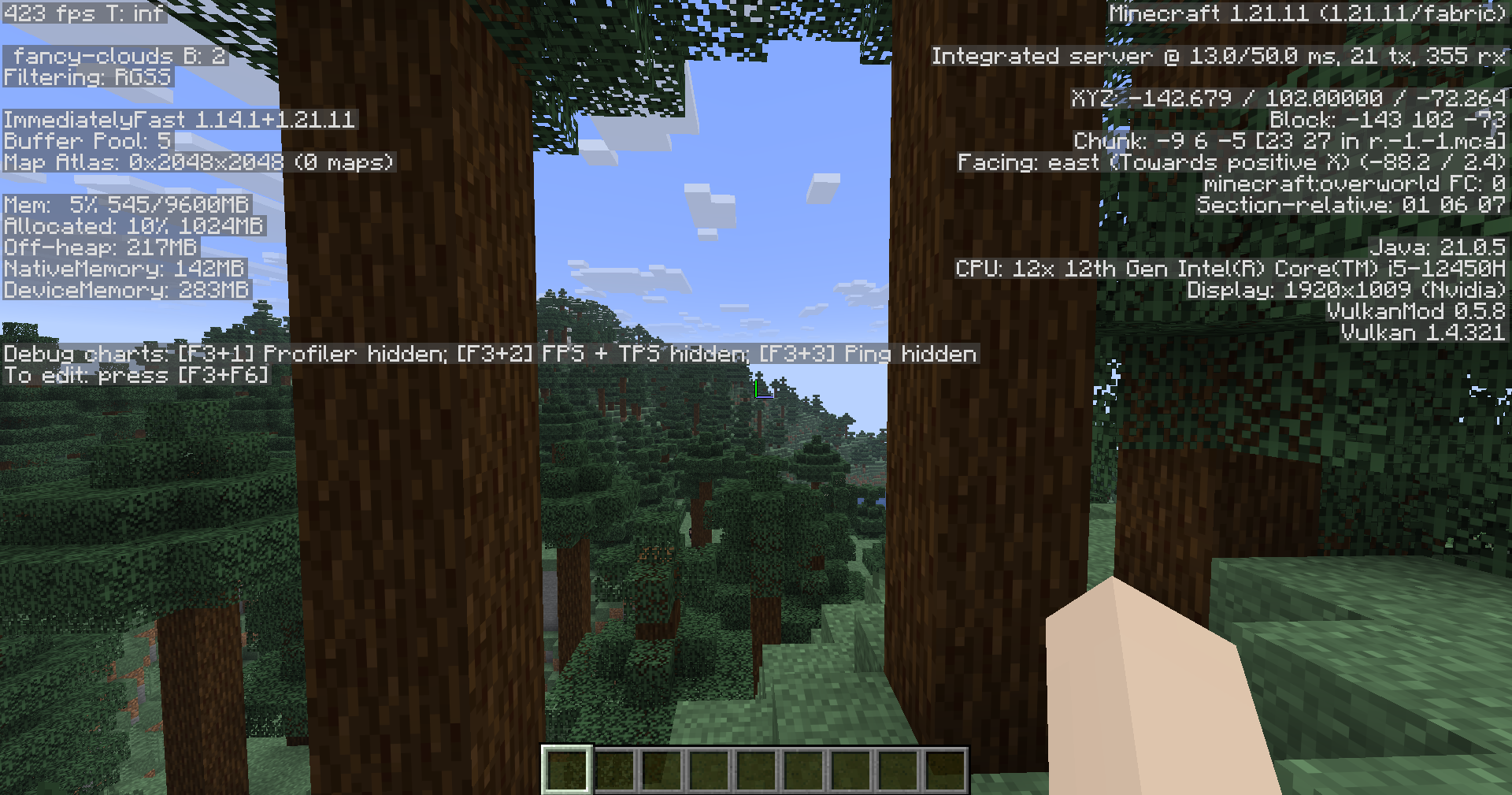 with A Lot Of FPS Modpack
 -
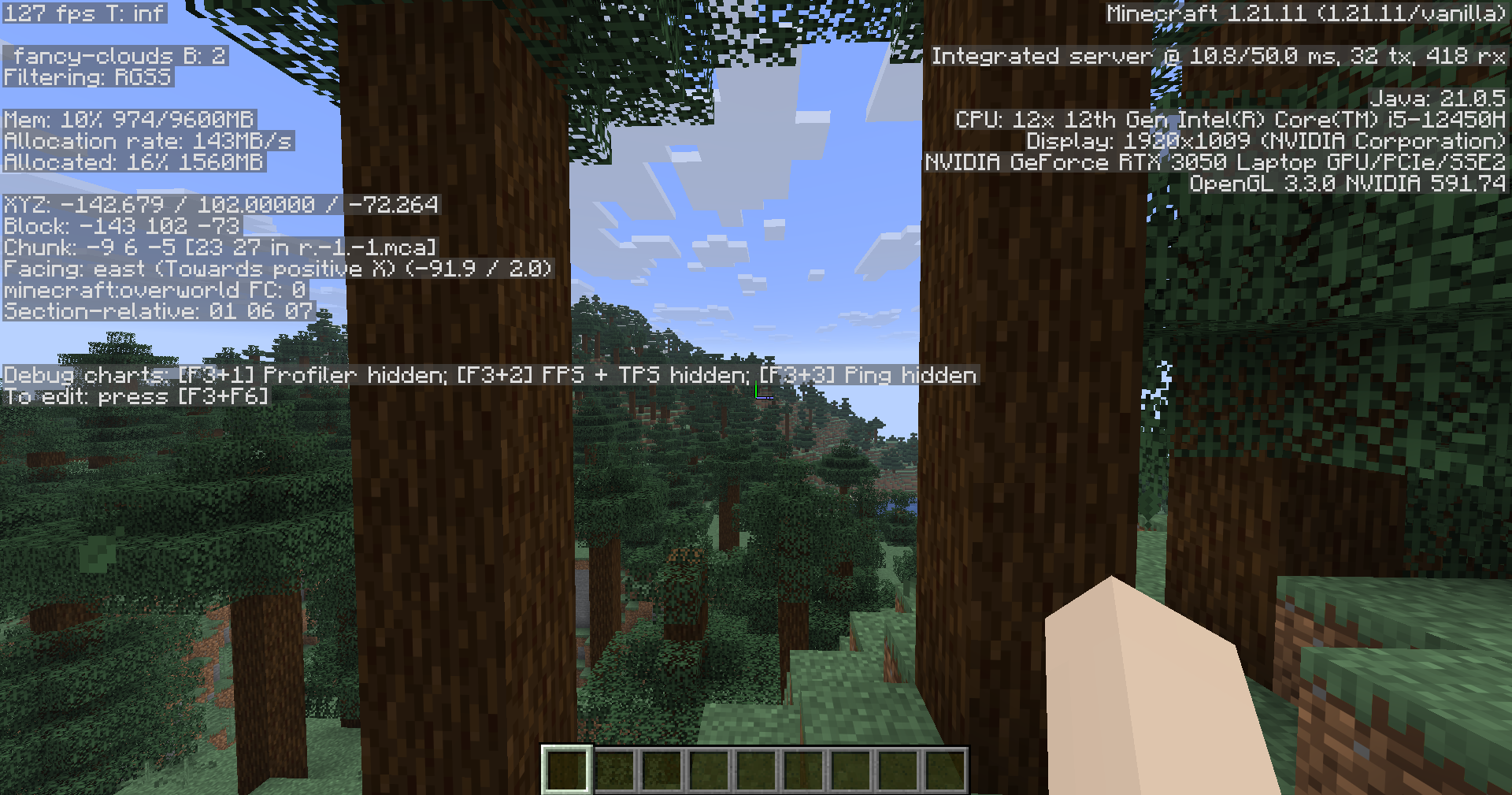 without A Lot Of FPS Modpack
Versions
Files
Relations
Project Relations
More like this
Similar Modpacks
Suggestions use data such as tags, dependencies, dependents, descriptions, titles, and more to rank how much they overlap with this modpack.
On ModDex
Community snapshot
By the numbers
Statistics

Want to reach Minecraft players?
We're looking for a server hosting partner to feature here and other parts of the site. Interested? Send us a message!
Get in touchGet it on
Available Platforms
On ModDex
Community snapshot
By the numbers
Statistics
Resources