
Ainforge
No reviews yet
Ainforge contains pre-configured mods, aiming to provide an improved and seamless experience while playing Cactus Clicker on the PlayLegend (playlegend.net) server network.
Fabric is a mod loader for versions 1.14+ of Minecraft, particularly popular for client side and optimization mods.
Community voices
Reviews
Click once to include, again to exclude, again to clear
No reviews yet. Be the first to review this project!
Get it on
Available Platforms
 Modrinth
Compatibility
Supported Environments
About
Project Details
For authors
Embed Badge
If you're the author of this project, you can embed a live badge anywhere that supports HTML or Markdown. It updates automatically whenever ratings change.
Use HTML for any page that supports it, or Markdown for README files and Markdown-based descriptions.
Identifiers
Platform IDs
About
Description


Ainforge
Ainforge is a Minecraft Fabric modpack for Minecraft 1.21.8 (Fabric Loader 0.18.2) tailored for playing Cactus Clicker on the PlayLegend server network (playlegend.net). It bundles pre-configured client-side mods to improve performance and provide a more seamless, PlayLegend-themed experience.
Download
- Modrinth: https://modrinth.com/modpack/ainforge
- Source / pack maintenance repo: https://github.com/Trojan-V/Ainforge
Goals
- Smooth, stable gameplay on PlayLegend (playlegend.net), especially for the Cactus Clicker mode.
- A seamless look & feel (including a custom title screen).
- Convenience features and client-side improvements that make the Cactus Clicker experience better.
What’s inside
This modpack focuses on:
- Performance/optimization mods (FPS improvements, reduced stutter, faster loading).
- A custom title screen themed after PlayLegend.
- Cactus-Clicker-specific helper mods that add/enable features relevant to that mode.
Installation
- Install the Prism Launcher (recommended) or a launcher that supports Modrinth modpacks.
- Create a new instance, select Modrinth and install the pack by searching for "Ainforge".
- Start Minecraft and join
playlegend.net.
Compatibility
- Minecraft: 1.21.8
- Mod loader: Fabric (Loader 0.18.2)
- Intended usage: Client-side on the PlayLegend network (playlegend.net).
Keybindings
Below are all keybindings that are pre-configured in Ainforge and differ from Minecraft defaults, grouped by mod.
CCLive-Utilities
- F6: Open Overlay Editor
- F7: Toggle Material Tracker
- F8: Toggle Cards & Statues
- F9: Toggle Kill Tracker
- F10: Toggle Blueprint Tracker
- F12: Toggle Smithing State Frames
Fabrishot
- CTRL + SHIFT + F2: Take large screenshot
GammaUtils
- Down Arrow: Decrease Gamma
- Up Arrow: Increase Gamma
- G: Toggle Gamma
Iris
- K: Toggle Shaders
- O: Shaderpack Selection Screen
ModMenu
- Right Shift (RSHIFT): Open Mod Menu
Notes
- N: Open Notes
Other (CommandKeys)
- B: Execute command
/cc shards WEAPON - CTRL + B: Execute command
/cc shards TOOL - SHIFT + B: Execute command
/cc shards ARMOR - X: Execute command
/cc moblexicon - Y: Execute command
/cc attributes
Xaero's Minimap
- +: Zoom In Minimap
- -: Zoom Out Minimap
- R: Enlarge Minimap
- U: Open Waypoint Screen
- ALT + U: Toggle On-Map Waypoints
- CTRL + M: Toggle Minimap
- CTRL + U: Toggle In-World Waypoints
Xaero's World Map
- M: Open World Map
Zoomify
- C: Zoom (Hold)
Performance notes
The “Entity Radar” feature is disabled by default because it caused strong framerate drops on some devices.
If you want to enable it manually, open: Mod Menu -> Xaero's Minimap -> Entity Radar Settings -> Display Radar.
When enabled, players and NPCs will be shown on the minimap.
Issues / Support
If something breaks (e.g., after a server update), please open an issue in the GitHub repository and include:
- Minecraft version, loader version, launcher
- Latest log (
latest.log) and crash report (if any) - Steps to reproduce
GitHub: https://github.com/Trojan-V/Ainforge/issues
License / Disclaimer
No license is granted for this repository unless explicitly stated otherwise. All rights reserved. “Minecraft” is a trademark of Mojang Synergies AB and/or Microsoft. This modpack is a third-party project and is not an official Minecraft product.
Screenshots
Gallery
-
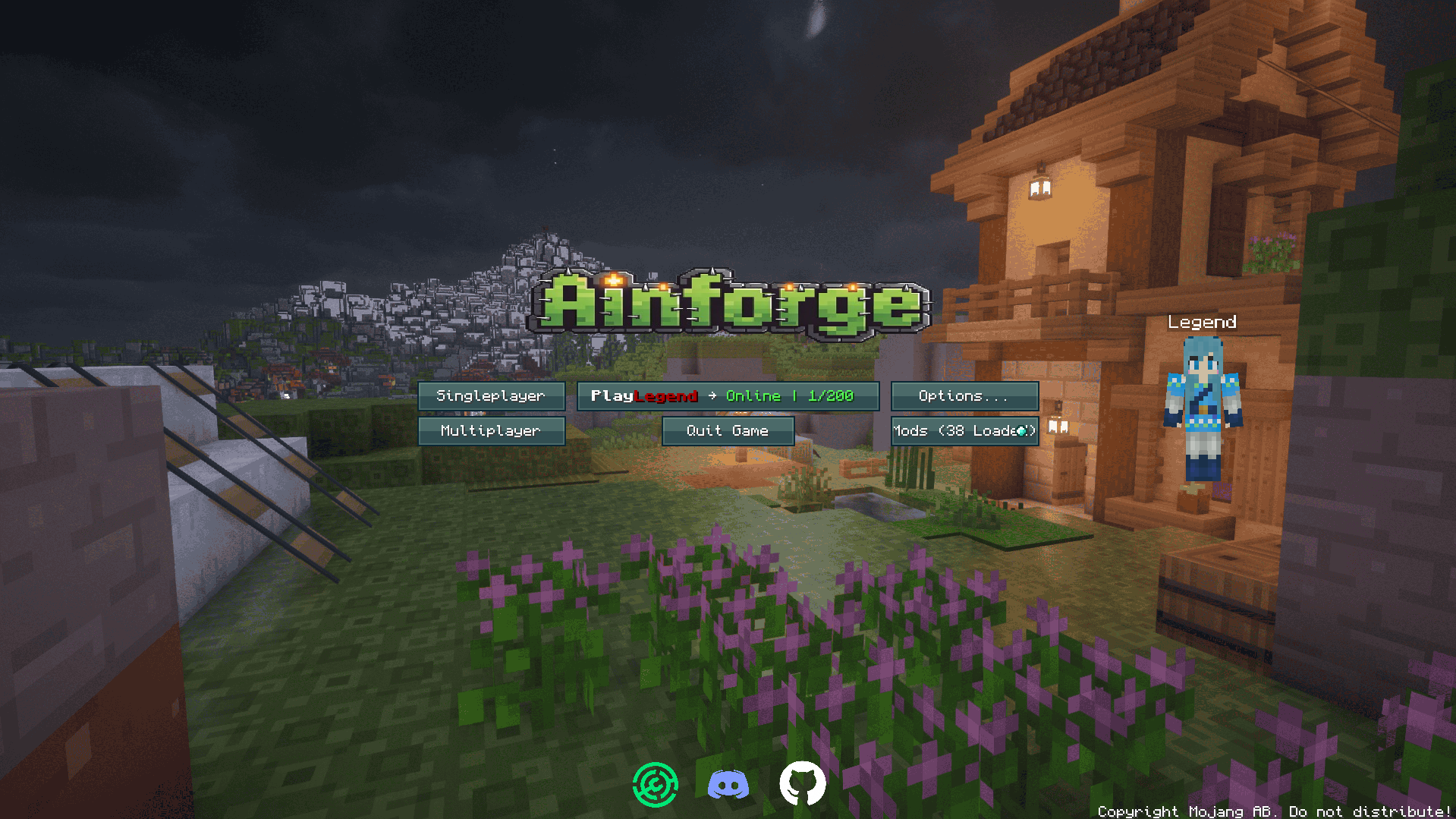 Custom Title Screen The title screen has been heavily customized, with a slideshow in the background, displaying different 4K screenshots of places in CactusClicker.
 -
 Custom UIs Custom UIs provided by the CCLive-Utilities mod, displaying various statistics. Check the CCLive-Utilities page on Modrinth for a comprevensive over everything this great mod has to offer.
 -
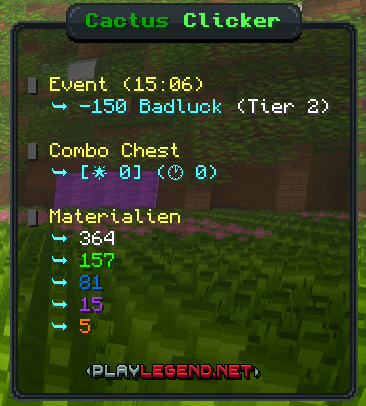 Custom Scoreboard Beautiful scoreboard design, contributing to the immersion.
 -
 Kit Notes Notes for all kits that are listed in the tutorial section of the CactusClicker wiki are included in the modpack. They are rendered directly in the GUI, so you always know which blueprints you need in order to complete your next equipment set.
 -
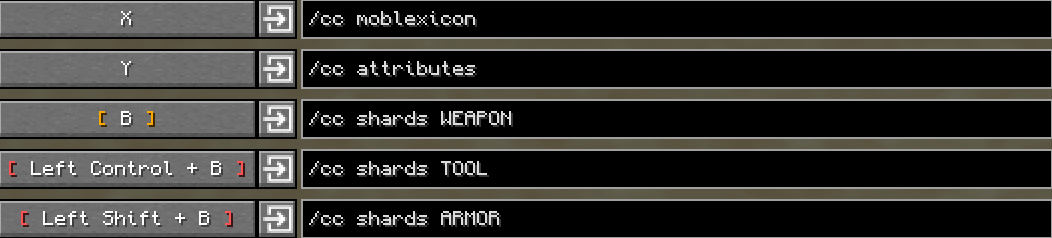 Chat Command Keybinds This modpack grants easy access to the most important chat commands by providing a keybinding that can be easily pressed. Most notably, the moblexicon command, which grants direct access to the Aincraft layer teleporting menu if you have the Legend+ rank.
 -
 Minimap A minimap, showing useful information such as coordinates, real time and the direction the player is currently facing, so you'll always know where you have to move in order to defeat that mob wave in the factory that is coming closer and closer.
 -
 Sound Muffler A highly configurable sound muffler that comes preconfigured with the annoying explosive arrow sound muffled that the defense towers in the factory constantly emit.
 -
 Armor HUD An armor HUD next to the hotbar, so you'll always see which equipment set is currently equipped.
 -
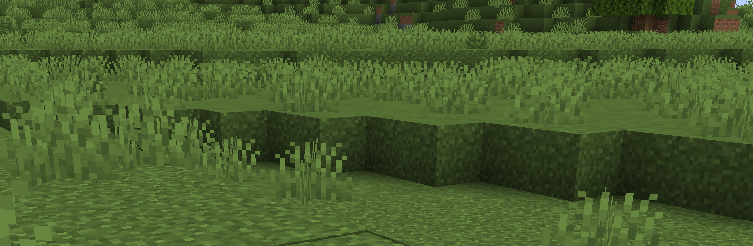 Beautiful Grass Textures
Versions
Files
Relations
Project Relations
More like this
Similar Modpacks
Suggestions use data such as tags, dependencies, dependents, descriptions, titles, and more to rank how much they overlap with this modpack.
On ModDex
Community snapshot
By the numbers
Statistics

Want to reach Minecraft players?
We're looking for a server hosting partner to feature here and other parts of the site. Interested? Send us a message!
Get in touchGet it on
Available Platforms
On ModDex
Community snapshot
By the numbers