Community listing page, reviews may not be monitored by the author.
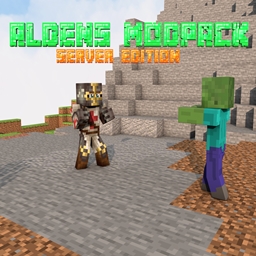
Aldens Modpack: server edition

No reviews yet
This is the server edition of the modpack "Aldens Modpack"

Community voices
Reviews
No reviews yet. Be the first to review this project!
Get it on
Available Platforms
About
Project Details
For authors
Embed Badge
If you're the author of this project, you can embed a live badge anywhere that supports HTML or Markdown. It updates automatically whenever ratings change.
Use HTML for any page that supports it, or Markdown for README files and Markdown-based descriptions.
Identifiers
Platform IDs
Resources
External Links
About
Description
This is the lighter version of the modpack "Aldens Modpack" it is intended for use on your servers. It has mods that I hand picked for use on a server (fake names, world edit etc.), you could play it normally though, I would suggest the original "Aldens Modpack" for single-player usage. For multiplayer (which I highly suggest doing). if you would like to know how to set up a server using the modpack just follow these instructions:
----------------------------------------------------------------------------------------------------------------------------------------------------------------------------------------------------------------------------------------------------------------------------------------------------------
1. First download forge 14.23.5.2847 or whichever version the modpack says its using. (it may update in the future)
2. Open the forge installer select Install server then let it do its installation thingy.
3. Once its done navigate to the place you've chosen to install you server to. and run the file that says minecraft_server.jar (this is not the exact name) it should make some files. then run the forge.jar file (that is not the exact file name).
4. Open CurseForge>My Modpacks>Aldens Modpack: server edition>Open Folder. once you're in the folder, copy the mods folder and paste it into you're server folder.
5. make a new text document in your server folder, name it whatever you want, open it and paste this in (it gives the server extra ram): ( java -Xmx4096M -Xms4096M -jar minecraft_server.jar ) change the minecraft_server to whatever your forge.jar file is called save. then change the extension from .txt to .bat you will use this file when you want to run the server (I suggest a minimum of 4gb of ram 4gb its also the default when you copy and paste the code thingy).
6. open up a port (i dont know how lol) and give your friends the ip. If you need more help than that, theres plenty of youtube videos to help you out ; )
----------------------------------------------------------------------------------------------------------------------------------------------------------------------------------------------------------------------------------------------------------------------------------------------------------
PS: if you want to you could use these instructions and make a server with any modpack. I suggest trying it out with my regular modpack "Aldens Modpack" for i really cool co-op experience.
Screenshots
Gallery
Versions
Files
Relations
Project Relations
More like this
Similar Modpacks
Suggestions use data such as tags, dependencies, dependents, descriptions, titles, and more to rank how much they overlap with this modpack.
On ModDex
Community snapshot
By the numbers
Statistics

Get it on
Available Platforms
On ModDex
Community snapshot
By the numbers
Statistics
Resources