
Community listing page, reviews here may not be monitored by the author.
ALL-PVP-IN-ONCE

No reviews yet
more fps to ur game with a old computer(even better for new fresh computers)
Community voices
Reviews
No reviews yet. Be the first to review this project!
Get it on
Available Platforms
Compatibility
Supported Environments
Runs entirely on the client. Works on vanilla servers.
About
Project Details
For authors
Embed Badge
If you're the author of this project, you can embed a live badge anywhere that supports HTML or Markdown. It updates automatically whenever ratings change.
Use HTML for any page that supports it, or Markdown for README files and Markdown-based descriptions.
Identifiers
Platform IDs
Resources
External Links
About
Description
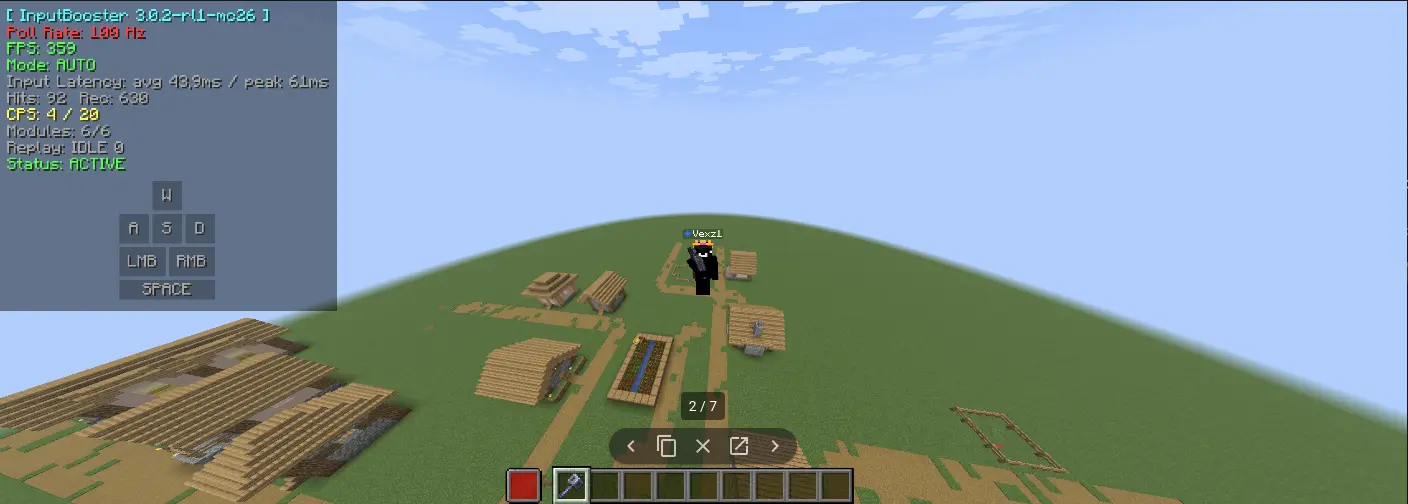
This is the pvp hud as you can see these mods are not made by me btw im using mods in this modpack for the best smooth gameplay and pvp gameplay!.
This pvp hud is supposed to make you better at pvp and have a great experience this mod is name ALL-PVP-IN-ONCE and wanna know why its named like that because this modpack has evrything needed for sword,axe,mace,crystal, almost evry gamemode.
This pvp hud will make your friends jealous:D
(Fps settings or guide:
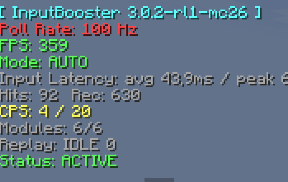
*How to make sure that it works:
-
Click videosettings sodium, sodium extra should pop up.
-
When entering a server you should see a hud displaying the picture. And down in the hotbar a red cube shows a missing totem.
*Best settings for sodium and sodium extra (Best gameplay and better fps):
-
Graphics: Set to Fast. It prioritizes performance by reducing complex textures and lighting. Render Distance: Set between 8 to 12 chunks. (Lower to 4-6 if you have a lower-end PC).
-
Simulation Distance: Set to 6 to 8 chunks.
-
Smooth Lighting: Set to Maximum. The performance impact is low, but visually, it makes a massive difference.
-
Clouds: Set to Fast or Off.
-
Particles: Set to Decreased or Minimal
Sodium extra:
-
Animations: Turn off water, lava, and fire animations if you are hunting for extra FPS, or leave them on if you have a decent GPU.
-
Fog: Turn off Fog (under Render Settings) for clearer vision and a slight FPS boost.
-
Advanced/Extra: Toggle the built-in FPS display or Coordinates display on if you prefer to monitor performance while playing.
If you dont know exactly how and dont understand paste this link down there into chromes tab (google)!
https://www.youtube.com/watch?v=DIC0EYdtXwc
Screenshots
Gallery
Versions
Files
Relations
Project Relations
More like this
Similar Modpacks
Suggestions use data such as tags, dependencies, dependents, descriptions, titles, and more to rank how much they overlap with this modpack.
On ModDex
Community snapshot
By the numbers
Statistics

Want to reach Minecraft players?
We're looking for a server hosting partner to feature here and other parts of the site. Interested? Send us a message!
Get in touchGet it on
Available Platforms
On ModDex
Community snapshot
By the numbers
Statistics
Resources