
Amazingly Optimized
No reviews yet
Minecraft, but fast! That's it, nothing more, and nothing less!
Enhances game performance and optimizes resource usage.
Quilt is a fork of the Fabric mod loader. Many Fabric mods are compatible with Quilt and vice versa.
Community voices
Reviews
Click once to include, again to exclude, again to clear
No reviews yet. Be the first to review this project!
Get it on
Available Platforms
 Modrinth
Compatibility
Supported Environments
About
Project Details
For authors
Embed Badge
If you're the author of this project, you can embed a live badge anywhere that supports HTML or Markdown. It updates automatically whenever ratings change.
Use HTML for any page that supports it, or Markdown for README files and Markdown-based descriptions.
Identifiers
Platform IDs
About
Description
About
This pack is made so that people with lower end computers can play minecraft without it looking like Microsoft Powerpoint!
The Wiki is still in progress but you can take a look here: https://github.com/TryhardDoge/Amazingly-Optimized/wiki
The github is purely for a wiki or website, but I might take a look at the issue tracker from time to time!
Contact Me
If you have any issues with the pack contact me on discord at: tryhard#7933
Important Information
When you launch the game you might be prompted to install Reeses' Sodium Options, which helps reduce the clutter in Sodium's options that was caused by adding Sodium Extra to the modpack. This is your personal choice, since some people like it while others don't. I personally don't use it but you can choose which is best for you!
One important thing about the Sodium options menu is that if you have your GUI scale too high you won't see all the tabs in the settings menu. I'll list the tabs you should see below so you can make sure you have them visible; General, Quality, Performance, Advanced, Animations, Particles, Details, Render, Extras
Screenshots
Gallery
-
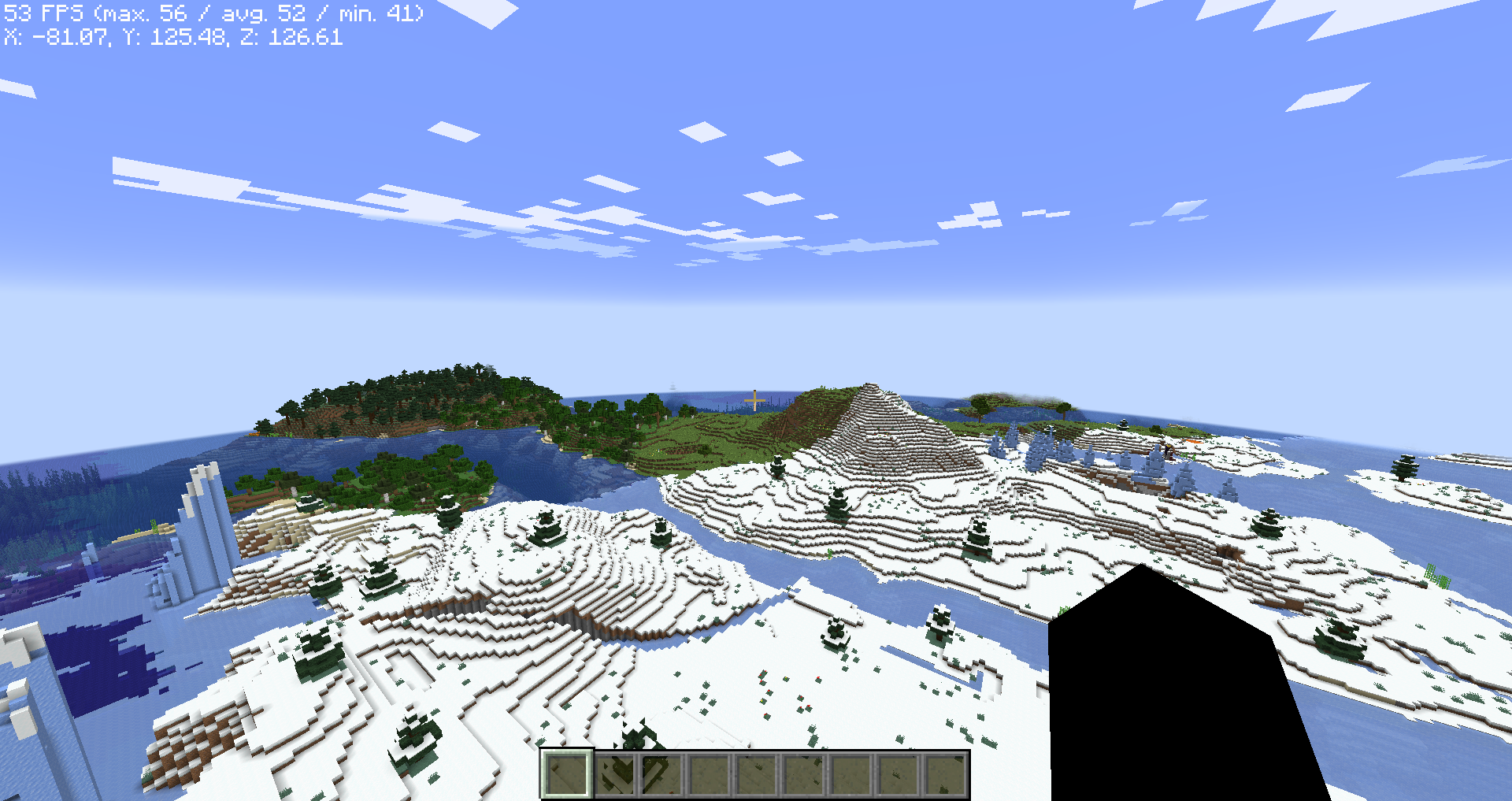 Even performs well with extremely old devices Shot on my potato PC from 2009 at a render distance of 32 chunks It has 8GB of RAM and a NVIDIA GTS 240, and its 12 years old! Pretty Impressive Performance on this old boi!
Versions
Files
Relations
Project Relations
More like this
Similar Modpacks
Suggestions use data such as tags, dependencies, dependents, descriptions, titles, and more to rank how much they overlap with this modpack.
On ModDex
Community snapshot
By the numbers
Statistics

Want to reach Minecraft players?
We're looking for a server hosting partner to feature here and other parts of the site. Interested? Send us a message!
Get in touchGet it on
Available Platforms
On ModDex
Community snapshot
By the numbers