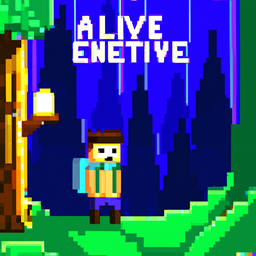
Community listing page, reviews here may not be monitored by the author.
Basic VR Immersion

No reviews yet
A VR modpack build around Vivecraft including some of the best tech, quality of life and wildlife mod`s. For an awesome virtual reality experiance.

Community voices
Reviews
No reviews yet. Be the first to review this project!
Get it on
Available Platforms
About
Project Details
For authors
Embed Badge
If you're the author of this project, you can embed a live badge anywhere that supports HTML or Markdown. It updates automatically whenever ratings change.
Use HTML for any page that supports it, or Markdown for README files and Markdown-based descriptions.
Identifiers
Platform IDs
Resources
External Links
About
Description
A Modpack made to give you an easy to use VR experience.
This mod pack is designed around Vivecraft and strikes a balance between visuals and performance. For those with a penchant for tech mods, this pack offers a wealth of content while also catering to players seeking an all-around experience. The pack includes a variety of challenges to explore and new mobs to encounter, without forcing players into any specific gameplay style.
For those new to mods or who prefer vanilla-style gameplay, you can still play through the game and defeat the Ender Dragon. However, for those seeking more challenges and rewards, there are plenty to be found, including a chestplate with an inbuilt elytra that requires players to overcome obstacles to obtain.
The mod pack also includes a variety of new blocks and decorative options for players interested in building and design. There are many new structures to explore, and players can discover a range of loot through smaller boss battles and chests. For those seeking greater challenges, there are objectives such as completing the Twilight Forest, building an Inferium Farm, starting a colony, building a zoo, or even constructing a rollercoaster or theme park.
If you have any recommendations, advice, or suggestions for the mod pack, feel free to leave a comment.
Installations Guide:
Step 1: Put on your wizard robe.
Step 2: Download Curseforge https://download.curseforge.com/ and install. (or any other Launcher you like)
Step 3: Download the modpack via the cursforge installer button or for other Launchers download the zip and import that to a new instance.
Step 4: Go to Settings and give at least 6 GB memory better 8 GB.
Step 5: Start Steam VR and then your Minecraft Instance. If no Vr Headset is found it will start without VR
Step 6: Have fun!!!
Set up a Server
Step 0: Grab a Cup of Tea
Before you start setting up your server, grab yourself a nice cup of tea or your favorite beverage to help you relax and focus.
Step 1: Download Forge
To set up a server for Minecraft mods, you will first need to download Forge. Head to the Forge website at https://files.minecraftforge.net/net/minecraftforge/forge/ and download the recommended version of Forge for your Minecraft version.
Step 2: Create a Server Folder
Next, create a folder for your server where you can store all the necessary files. You can name this folder whatever you like, but make sure you can easily access it.
Step 3: Install Forge Server
Run the Forge installer, choose "Install Server," and select the server folder you just created. This will install the necessary server files.
Step 4: Start the Server
Locate the run file in your server folder, and double-click on it to start the server.
Step 5: Accept EULA
Open the "eula.txt" file in your server folder, and change the "eula=false" line to "eula=true." This will indicate that you agree to the Minecraft End User License Agreement.
Step 6: Copy Config and Mods Folders
Navigate to the "config" and "mods" folders in your Minecraft installation directory. Copy these folders and paste them into your server folder.
Step 7: Remove Client Mods
In the mods folder, remove the client-side mods, Lootbeams,oculus and vivecraft (not the ForgeExtension). These will cause issues when used on a server.
Step 8: Start the Server
Start the server again by double-clicking on the run file. This will load all the necessary server files, including the Vivecraft Forge Extension Mod.
Step 9: Connect to Server
Finally, to connect to the server, open Minecraft and click on "Multiplayer." Click on "Add Server," and enter the IP address of the server along with the port number (usually 25565). For example, if your server IP address is 192.168.1.1, you would enter "192.168.1.1:25565" in the server address field.
Congratulations! You have now set up a server for Minecraft mods and can start playing with friends.
Screenshots
Gallery
Versions
Files
Relations
Project Relations
More like this
Similar Modpacks
Suggestions use data such as tags, dependencies, dependents, descriptions, titles, and more to rank how much they overlap with this modpack.
On ModDex
Community snapshot
By the numbers
Statistics
 (opens in a new tab)
Get it on
Available Platforms
On ModDex
Community snapshot
By the numbers
Statistics
Resources