
BioTechnica Challenge
No reviews yet
BioTechnica Challenge is a Minecraft event like a Terminator (the opposite of the Manhunt). This modpack was made to simplify the setup of this type of event.
Does not follow a specific thematic focus apart from vanilla Minecraft.
Features role-playing elements like character progression, quests, and story-driven gameplay.
Centers on surviving in harsh conditions, managing resources, and fending off PvE threats.
Focuses on or is balanced for player versus player combat and competition.
Emphasizes combat mechanics and fighting gameplay.
Ideal for small groups of players or cooperative gameplay.
Enhances social interactions and roleplaying elements, ideal for servers and communities.
Designed to be difficult and challenging for experienced players, often with many hours of gameplay.
Quilt is a fork of the Fabric mod loader. Many Fabric mods are compatible with Quilt and vice versa.
Community voices
Reviews
Click once to include, again to exclude, again to clear
No reviews yet. Be the first to review this project!
Get it on
Available Platforms
 Modrinth
Compatibility
Supported Environments
About
Project Details
For authors
Embed Badge
If you're the author of this project, you can embed a live badge anywhere that supports HTML or Markdown. It updates automatically whenever ratings change.
Use HTML for any page that supports it, or Markdown for README files and Markdown-based descriptions.
Identifiers
Platform IDs
About
Description
Presentation
BioTechnica Challenge is a Minecraft event like a Terminator (the opposite of the Manhunt).
This event can be streamed or recorded and uploaded to a streaming plateform: it's pretty fun to watch this type of content.
You can also add semi-rp to take away some of the boring aspects of survival on Minecraft.
The rules of this event
- Several players (the heros) with one life against one speedrunner (the hunter) with multiple life
- The goal of the heros is to kill the Ender Dragon and to build a house with farms and redstone systems
- The goal of the hunter is to kill the heros
Play
To play with this modpack, you must install it on the server-side and on the client-side.
Client Side
To install it on the client-side, install it as a normal Modrinth modpack.
Follow these instructions if you don't know how to install it.
If you don't know wich launcher used, I recommend you to use the PrismLauncher.
Server Side
There are two ways to install the modpack on the server side: Docker and mrpack-install.
After installing the server, don't forget to setup Simple Voice Chat by editing the file config/voicechat/voicechat-server.properties (necessary if you are using Docker or a custom setup) and to look at the Player Tracking Compass mod.
Docker
Follow these steps to install it with Docker:
- Install Docker
- Clone the repo
git clone https://github.com/anhgelus/biotechnica-challenge.git - Go into the folder called "docker" inside the cloned repo
cd biotechnica-challenge/docker - Rename the
.env.exampleinto.envmv .env.example .env - Setup the environment variables inside the
.envMODPACK_LINK- Direct link to download the modpack (get it from Modrinth). It should look like thishttps://cdn.modrinth.com/data/t8UHSB82/versions/IDTqzFur/BioTechnica-Challenge-0.6.0.mrpack(outdated link here but the latest should look very similar to this)EULA- Accept the Minecraft's EULAMEMORY- The memory used by the server (at least 2G)
- And start the container !
docker compose up -d --build
mrpack-install
Follow these steps to install the modpack with mrpack-install:
- Install mrpack-install
- Get a direct link to download the modpack. It should look like this
https://cdn.modrinth.com/data/t8UHSB82/versions/IDTqzFur/BioTechnica-Challenge-0.6.0.mrpack. - Run
mrpack-install LINK_TO_THE_MODPACK. It will create a folder calledmc - Go into this folder
cd mc - Start the server with
java -jar quilt-server-launch.jar nogui.
Generating the server with Docker but running it outside of Docker
You don't want to install mrpack-install?
Just follow the steps to install it with Docker and stop it when Minecraft server start (you can see when it starts with docker compose logs).
It will create a folder called minecraft-data and follow these steps:
- Give you the own of the folder
chown -R user:user minecraft-data - Go into this folder
cd minecraft-data - Start the server with
java -jar quilt-server-launch.jar nogui.
Credits
Thanks to
- @SuperNoobYT for the configuration of CraftPresence!
- @aypierre42 for the configuration of the Complementary Shader
Screenshots
Gallery
-
 Logo The first version of the BioTechnica Challenge
 -
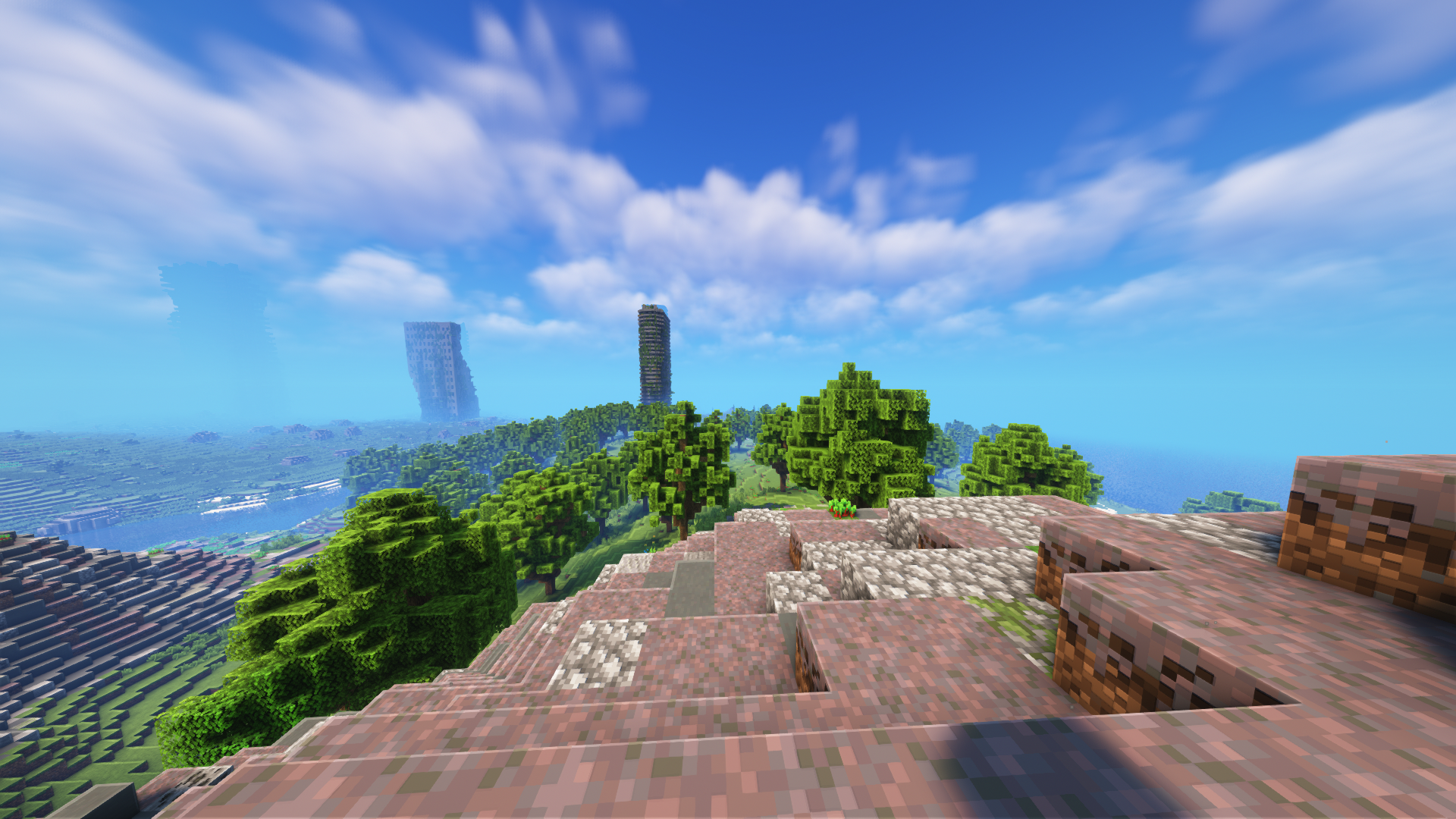 Nature - 0.5.1 Screenshot with the Complementary Shader enabled
 -
 Nature 2 - 0.5.1 Screenshot with the Complementary shader enabled
Versions
Files
Relations
Project Relations
More like this
Similar Modpacks
Suggestions use data such as tags, dependencies, dependents, descriptions, titles, and more to rank how much they overlap with this modpack.
On ModDex
Community snapshot
By the numbers
Statistics

Want to reach Minecraft players?
We're looking for a server hosting partner to feature here and other parts of the site. Interested? Send us a message!
Get in touchGet it on
Available Platforms
On ModDex
Community snapshot
By the numbers