
Commanders Utilities
No reviews yet
Modpack for command users. Included optimizing mods and utilities.
Does not follow a specific thematic focus apart from vanilla Minecraft.
Features content that solely expands on Vanilla mechanics and gameplay.
Includes quality of life improvements and small tweaks to enhance and customize gameplay.
Enhances game performance and optimizes resource usage.
Fabric is a mod loader for versions 1.14+ of Minecraft, particularly popular for client side and optimization mods.
Community voices
Reviews
Click once to include, again to exclude, again to clear
No reviews yet. Be the first to review this project!
Get it on
Available Platforms
 Modrinth
Compatibility
Supported Environments
About
Project Details
For authors
Embed Badge
If you're the author of this project, you can embed a live badge anywhere that supports HTML or Markdown. It updates automatically whenever ratings change.
Use HTML for any page that supports it, or Markdown for README files and Markdown-based descriptions.
Identifiers
Platform IDs
Resources
External Links
About
Description
Commanders Utilities
아래로 스크롤하면 한국어 설명이 있습니다.
A modpack for command, datapack and map developers.
This aims to provide enhanced development environment with fps boosts.
Features
- FPS boost
- Multiple command lines in command block
- Fix minecraft's bugs
- Enhanced entity UUID autocomplete
- NBT/JSON autocomplete
- NBT editor
- Multi-version connecting
- Enhanced debug features
- Smooth UI
- Carpet mod
and more...
How to Install
Modrinth App
Just click Install button!
MultiMC, Prism Launcher
You need Java 21 to play the game.
- Click Add Instance
- Select Modrinth tab from the left
- Select "Commanders Utilities"
- Click OK
Minecraft Launcher (vanilla)
- Download and install Fabric Loader latest version.
- Open this site and enter
commanders-utilitiesin the input box labeled 'Modrinth Project ID'. - Press the Download button below.
- Extract the zip and put them into
.minecraftfolder. (Overwrite if it already exists) - Launch the installed Fabric profile.
How to Update
Modrinth App
- Select existig instance
- Click
🔄 Update modpackon top right - Click
⇆
Commanders Utilities (KR)
이 모드팩은 커맨드, 데이터팩 및 맵 개발자를 위한 것으로,
최적화 및 더 편한 개발 환경을 제공하는 것을 목표로 합니다.
기능
- FPS 향상 및 기타 최적화
- 커맨드 블록 UI 변경
- 마인크래프트 버그 수정
- 엔티티 UUID 자동완성 강화
- NBT/JSON 자동완성
- NBT 편집기
- 상위 버전에서 하위 버전의 서버 접속
- 디버그 기능 추가
- 부드러운 UI
- Carpet 모드
기타 등등...
설치 방법
Modrinth App
설치 버튼을 클릭하기만 하면 됩니다!
MultiMC, Prism Launcher
게임을 플레이하려면 Java 21이 필요합니다.
- 인스턴스 추가 클릭
- 왼쪽에서 Modrinth 탭 선택
- "Commanders Utilities" 선택
- 확인 클릭
마인크래프트 런처 (바닐라)
- [Fabric Loader](최신 버전)를 다운로드하고 설치합니다.
- 이 사이트를 열고 'Modrinth Project ID'라는 입력란에
commanders-utilities를 입력하세요. - 아래의 다운로드 버튼을 클릭합니다.
- zip 파일을 추출하고
.minecraft폴더에 넣습니다. (이미 존재하는 경우 덮어쓰기) - 설치된 Fabric 프로필을 실행합니다.
업데이트 방법
Modrinth App
- 기존 인스턴스 선택
- 오른쪽 상단의
🔄 모드팩 업데이트클릭 ⇆클릭
Screenshots
Gallery
-
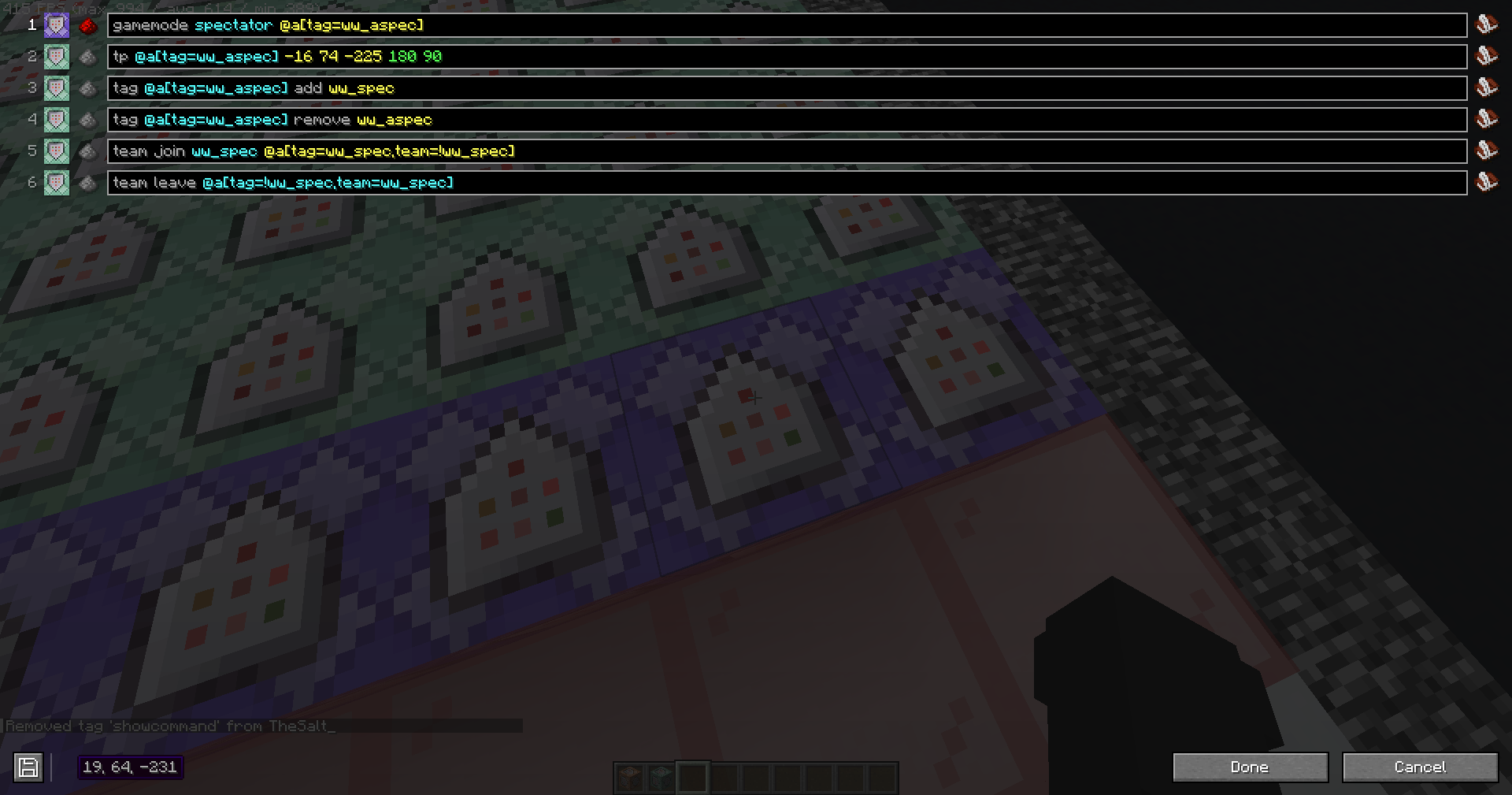 command block
 -
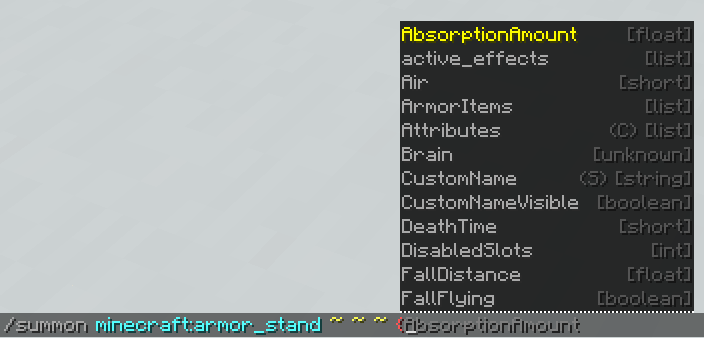 NBT Autocomplete
 -
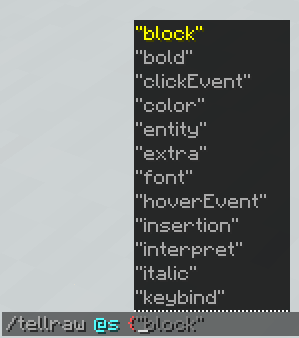 JSON Autocomplete
 -
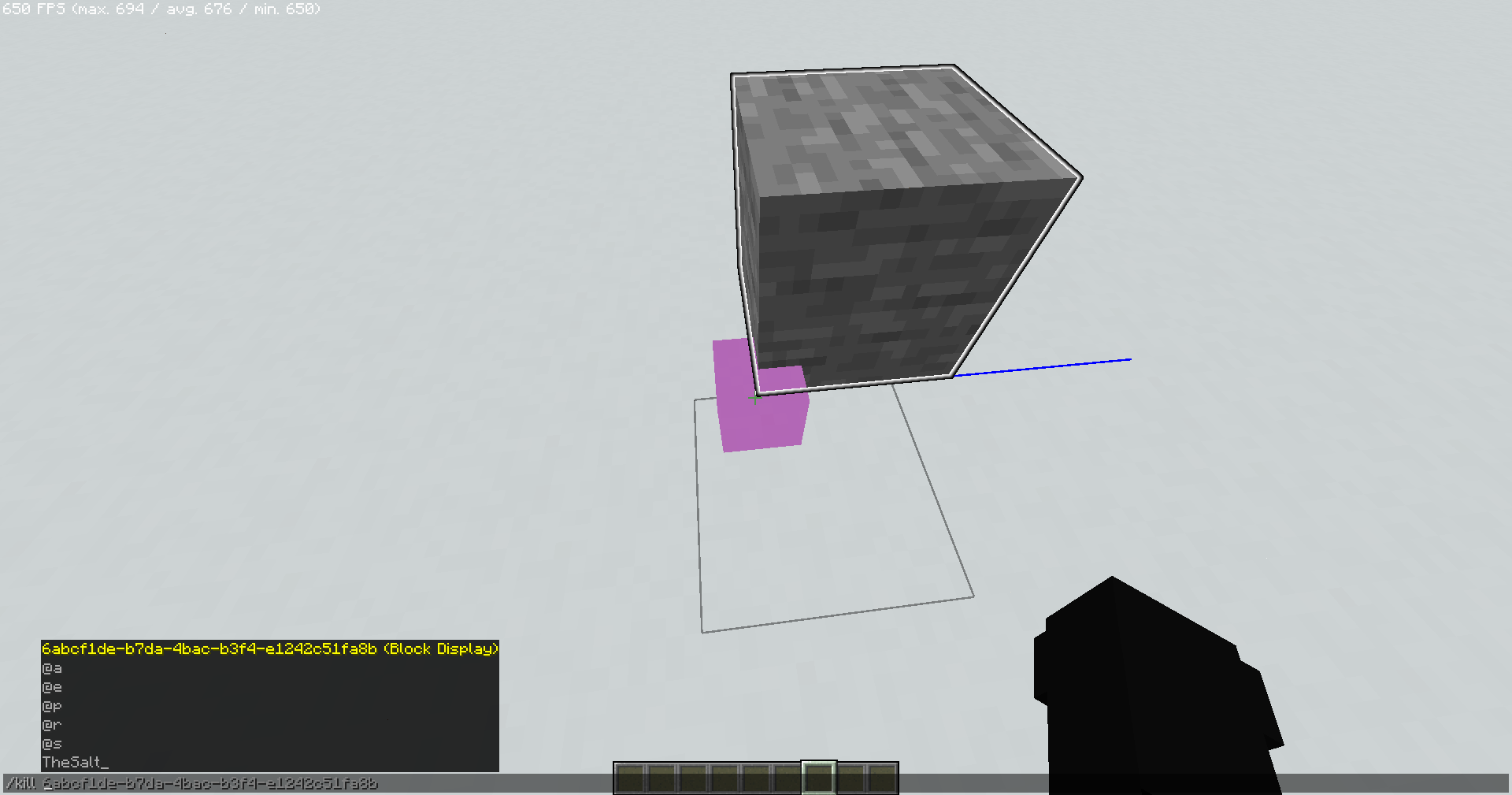 Enhanced entity selection
Versions
Files
Relations
Project Relations
More like this
Similar Modpacks
Suggestions use data such as tags, dependencies, dependents, descriptions, titles, and more to rank how much they overlap with this modpack.
On ModDex
Community snapshot
By the numbers
Statistics

Want to reach Minecraft players?
We're looking for a server hosting partner to feature here and other parts of the site. Interested? Send us a message!
Get in touchGet it on
Available Platforms
On ModDex
Community snapshot
By the numbers
Statistics
Resources