
Community listing page, reviews here may not be monitored by the author.
Create- Adventure Begins


No reviews yet
A modpack to make the create mod less of a hustle and more of a adventure!

Community voices
Reviews
No reviews yet. Be the first to review this project!
Get it on
Available Platforms
Compatibility
Supported Environments
Works in singleplayer only; does not function in multiplayer.
Must be installed on both the client and the server.
Varies by version.
About
Project Details
For authors
Embed Badge
If you're the author of this project, you can embed a live badge anywhere that supports HTML or Markdown. It updates automatically whenever ratings change.
Use HTML for any page that supports it, or Markdown for README files and Markdown-based descriptions.
Identifiers
Platform IDs
Resources
External Links
About
Description
Create: Adventure Begins!
Welcome to a world where engineering meets exploration. Create: Adventure Begins! is designed to be a balanced experience that enhances the core charm of Minecraft without making it feel like a completely different game. Whether you want to build a massive automated factory, trek through overhauled dungeons, or simply enjoy a more vibrant world, this pack is built to provide a stable and immersive journey.
Features
- Mechanical Mastery: Build intricate moving contraptions and automated systems using the Create mod. This version expands your engineering toolkit with The Factory Must Grow, Dreams n' Desires, and Power Loader.
- A Living World: Encounter a massive variety of wildlife with Alex's Mobs. Explore beautifully enhanced biomes from Geophilic.
- Total Dungeon Overhaul: Discover completely redesigned caves, mineshafts, and strongholds thanks to the full YUNG’s Better series and Explorify.
- Homesteading & Storage: Master the culinary arts with Farmer’s Delight and Ratatouille. Keep your items organized with Sophisticated Backpacks, Tom’s Simple Storage, and Lootr.
- The Stars Above: Journey beyond the world with the Northstar Redux space expansion.
- Atmospheric Detail: Experience the world through AmbientSounds, Presence Footsteps, and Sound Physics Remastered.
Performance First
This pack is built on a high-performance foundation. By utilizing Sodium, Lithium, Ferrite Core, and ModernFix, we ensure the game runs as smoothly as possible even with complex machinery.
PC Specification Settings (Recommended)
Low-End PCs (Integrated Graphics / 4GB RAM)
- Video Settings: Set Render Distance to 6-8 chunks.
- Graphics: Set to 'Fast'.
- Clouds: Set to 'Fast' or 'Off'.
- Shaders: Keep disabled for best performance.
- Resource Packs: Disable "Stay True" to save memory.
Mid-Range PCs (Dedicated GPU / 8GB RAM)
- Video Settings: Set Render Distance to 10-12 chunks.
- Graphics: Set to 'Fancy'.
- Shaders: Complementary or BSL (Medium settings).
- Resource Packs: All enabled.
High-End PCs (Modern GPU / 12GB+ RAM)
- Video Settings: Set Render Distance to 16+ chunks.
- Graphics: Set to 'Fabulous!'.
- Shaders: Bliss or Photon (Ultra settings).
- Resource Packs: All enabled.
Setup & Launch Guide
How to Launch
- Download the pack via the Modrinth App.
- Ensure you have allocated at least 4GB to 6GB of RAM in the profile settings.
- Hit Play and wait for the Seamless Loading Screen to finish.
Shaders Setup (Optional)
The pack includes Iris for shader support. To use them:
- Go to Options > Video Settings > Shader Packs.
- Select your preferred shader from the list:
- Bliss: For a realistic, atmospheric look.
- BSL: The classic, high-performance standard.
- Complementary: A perfect balance of visuals and performance.
- Photon: Lightweight and modern.
Resource Packs Setup (Optional)
To enable the custom look of the pack, go to Options > Resource Packs and move these to the right side:
- Fresh Animations: (Classic horses, Creepers, Details, Emissive, Objects, and Quivers).
- Lower utilities and eating animations: For a cleaner first-person view.
- Mandala's GUI: For a polished, themed interface.
- Stay True: For enhanced vanilla-style textures.
Create: Adventure Begins!
Welcome to a world where engineering meets exploration. Create: Adventure Begins! is designed to be a balanced experience that enhances the core charm of Minecraft without making it feel like a completely different game. Whether you want to build a massive automated factory, trek through overhauled dungeons, or simply enjoy a more vibrant world, this pack is built to provide a stable and immersive journey.
Features
- Mechanical Mastery: Build intricate moving contraptions and automated systems using the Create mod. This version expands your engineering toolkit with The Factory Must Grow, Dreams n' Desires, and Power Loader.
- A Living World: Encounter a massive variety of wildlife with Alex's Mobs. Explore beautifully enhanced biomes from Geophilic.
- Total Dungeon Overhaul: Discover completely redesigned caves, mineshafts, and strongholds thanks to the full YUNG’s Better series and Explorify.
- Homesteading & Storage: Master the culinary arts with Farmer’s Delight and Ratatouille. Keep your items organized with Sophisticated Backpacks, Tom’s Simple Storage, and Lootr.
- The Stars Above: Journey beyond the world with the Northstar Redux space expansion.
- Atmospheric Detail: Experience the world through AmbientSounds, Presence Footsteps, and Sound Physics Remastered.
Performance First
This pack is built on a high-performance foundation. By utilizing Sodium, Lithium, Ferrite Core, and ModernFix, we ensure the game runs as smoothly as possible even with complex machinery.
PC Specification Settings (Recommended)
Low-End PCs (Integrated Graphics / 4GB RAM)
- Video Settings: Set Render Distance to 6-8 chunks.
- Graphics: Set to 'Fast'.
- Clouds: Set to 'Fast' or 'Off'.
- Shaders: Keep disabled for best performance.
- Resource Packs: Disable "Stay True" to save memory.
Mid-Range PCs (Dedicated GPU / 8GB RAM)
- Video Settings: Set Render Distance to 10-12 chunks.
- Graphics: Set to 'Fancy'.
- Shaders: Complementary or BSL (Medium settings).
- Resource Packs: All enabled.
High-End PCs (Modern GPU / 12GB+ RAM)
- Video Settings: Set Render Distance to 16+ chunks.
- Graphics: Set to 'Fabulous!'.
- Shaders: Bliss or Photon (Ultra settings).
- Resource Packs: All enabled.
Setup & Launch Guide
How to Launch
- Download the pack via the Modrinth App.
- Ensure you have allocated at least 4GB to 6GB of RAM in the profile settings.
- Hit Play and wait for the Seamless Loading Screen to finish.
Shaders Setup (Optional)
The pack includes Iris for shader support. To use them:
- Go to Options > Video Settings > Shader Packs.
- Select your preferred shader from the list:
- Bliss: For a realistic, atmospheric look.
- BSL: The classic, high-performance standard.
- Complementary: A perfect balance of visuals and performance.
- Photon: Lightweight and modern.
Resource Packs Setup (Optional)
To enable the custom look of the pack, go to Options > Resource Packs and move these to the right side:
- Fresh Animations: (Classic horses, Creepers, Details, Emissive, Objects, and Quivers).
- Lower utilities and eating animations: For a cleaner first-person view.
- Mandala's GUI: For a polished, themed interface.
- Stay True: For enhanced vanilla-style textures.
Screenshots
Gallery
-
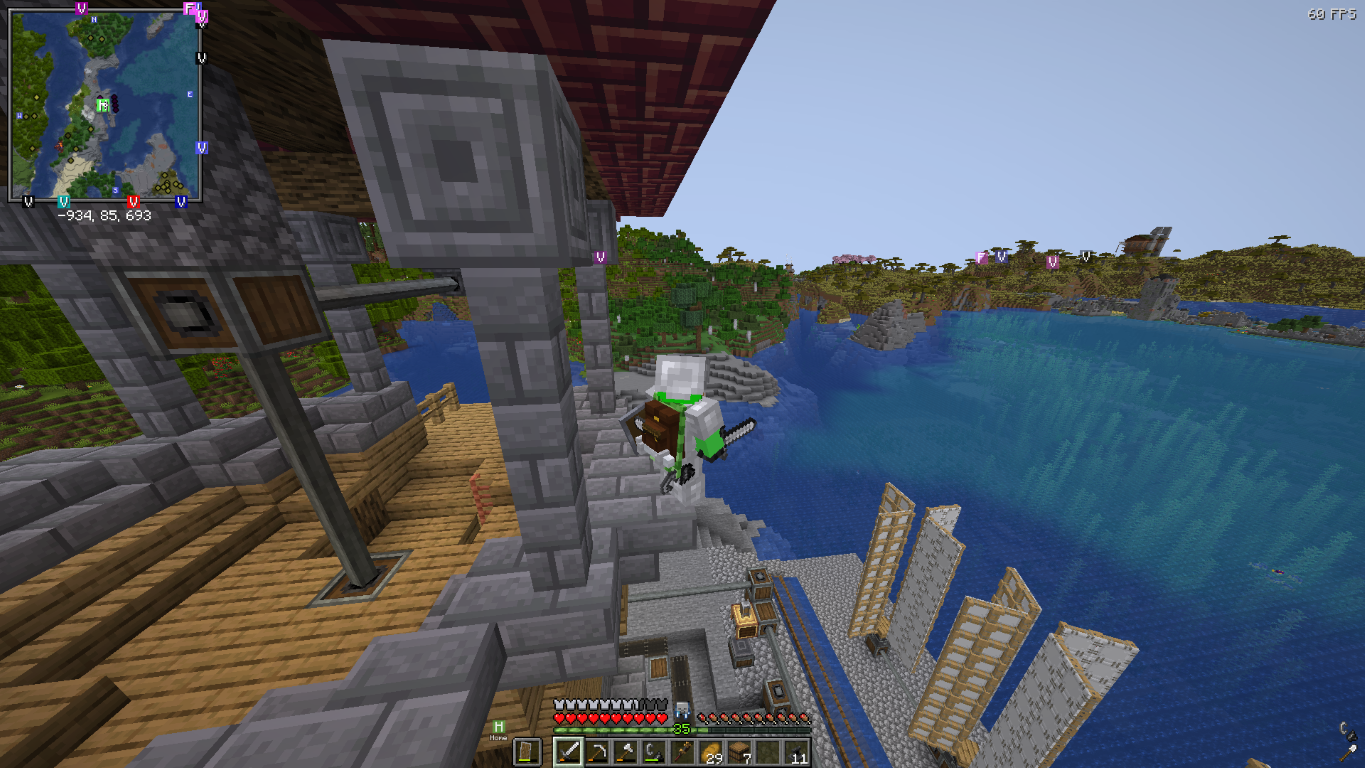 My survival world ^^ Streaming on this world too!
Versions
Files
Relations
Project Relations
More like this
Similar Modpacks
Suggestions use data such as tags, dependencies, dependents, descriptions, titles, and more to rank how much they overlap with this modpack.
On ModDex
Community snapshot
By the numbers
Statistics
 (opens in a new tab)
Get it on
Available Platforms
On ModDex
Community snapshot
By the numbers
Statistics
Resources