Community listing page, reviews here may not be monitored by the author.
Create: Timeworks

No reviews yet
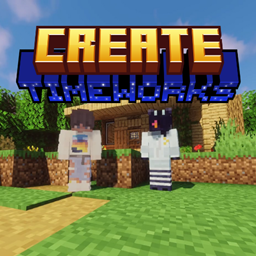
Create: Timeworks is a Minecraft Series, featuring the "Create" Mod, revolutionizing Minecraft, and changing many other aspects. Automate items, blocks, and even building! So in this series we're gonna do basically everything the Create mod has to offer.
Community voices
Reviews
No reviews yet. Be the first to review this project!
Get it on
Available Platforms
About
Project Details
For authors
Embed Badge
If you're the author of this project, you can embed a live badge anywhere that supports HTML or Markdown. It updates automatically whenever ratings change.
Use HTML for any page that supports it, or Markdown for README files and Markdown-based descriptions.
Identifiers
Platform IDs
Resources
External Links
About
Description
This Modpack features a huge variety of different mods, ranging from the classic "Create" mod, to the simple "Farmer's delight" mod!
We've included a .zip File for players, that don't have the Curseforge launcher, or are using a Client which is not the Official Minecraft Launcher
Primary Mods used in this Pack:
-Create
-Create: Steam 'n' rails
-Create: New Age
-Create: The factory must grow
-Applied Energistics
-Farmer's delight
-Voicechat
-Xaero's Maps
-Macaw's Fences, Bridges etc.
-Better Villages
And a few other Performance and Optimizer mods, so basically every Computer and Laptop can handle it!
V.1.0 Log:
- Modpack has been Created!
Installation Instructions:
Option 1:
Step 1. Download curseforge, press Minecraft Mods and then press the Browse bar at the top.
Step 2. Look for "Create: Timeworks" And press "Install"
Step 3. That's all! Just wait for it to finish, then launch and play!
Option 2: (WINDOWS & LINUX ONLY)
(Make sure you have Forge/Neoforge installed already)
Step 1. Download the .zip file
Step 2. Press "Windows Key + R".
Step 3. In the new pop-up, type %appdata%
Step 4. Go to Roaming -> .minecraft -> mods
Step 5. Keep that window open. Now open another window in file explorer
Step 6. Look for where the zip file is, and drag it to the mods folder
Step 7. Now right click the zip file in the mods folder, and press "Extract here"
Step 8. Open the Minecraft Launcher or a different one
Step 9. Select the Forge version that's compatible with the modpack and play!
Screenshots
Gallery
Versions
Files
Relations
Project Relations
More like this
Similar Modpacks
Suggestions use data such as tags, dependencies, dependents, descriptions, titles, and more to rank how much they overlap with this modpack.
On ModDex
Community snapshot
By the numbers
Statistics
Want to reach Minecraft players?
We're looking for a server hosting partner to feature here and other parts of the site. Interested? Send us a message!
Get in touchGet it on
Available Platforms
On ModDex
Community snapshot
By the numbers
Statistics
Resources