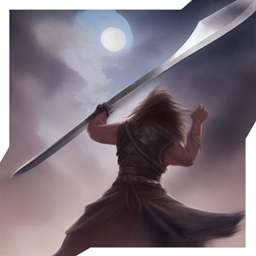
Community listing page, reviews may not be monitored by the author.
Dark's Gameplay Overhaul

No reviews yet
Completely redoes combat and movement with enhanced visuals and 16x style

Community voices
Reviews
No reviews yet. Be the first to review this project!
Get it on
Available Platforms
About
Project Details
For authors
Embed Badge
If you're the author of this project, you can embed a live badge anywhere that supports HTML or Markdown. It updates automatically whenever ratings change.
Use HTML for any page that supports it, or Markdown for README files and Markdown-based descriptions.
Identifiers
Platform IDs
Resources
External Links
About
Description
Dark's Gameplay Overhaul
Immerse yourself in a fresh new gameplay style with fluid, easy to control parkour, climbing, and advanced combat mechanics coupled with enhanced 16x visuals, improved survival progression and tech, and pre-configured for Complementary Shaders. There's also a plethora of fixes, tweaks, furniture, biomes, and creatures to top it all off!
(Complementary Shaders) (MANUALLY DOWNLOAD!!!)
(Stay True Resourcepack) (Included)
(Tetra_GUI Resourcepack) (Included)
(OG Panorama but Fancy Resourcepack) (Included)
Map and Trailer
While I can't provide a timeframe, I am also working on a bundled map to showcase the mods within and eventually a trailer for Youtube as well. So enjoy the pack for now but know that there is much to come. :)
Mod Setup
While this pack DOES run perfectly fine out-of-the-box, there are a couple things you can do to improve your experience:
- Repositioning the Combat Roll indicator. This is an issue with the Combat Roll mod having a HUD disparity when changing resolutions. To resolve go to the pause screen > Mods > Combat Roll and edit the config. This will allow you to reposition the indicator, though you may have to click the Corner button to make it appear again if it's off screen.
- I highly recommend downloading the Complementary shaderpack linked above! The pack is pre-configured for said shaders, so if you download v4.6 and place it inside your modpack directory > shaderpacks everything will look like fab-tastic right out of the box. :)
Screenshots
Gallery
Versions
Files
Relations
Project Relations
More like this
Similar Modpacks
Suggestions use data such as tags, dependencies, dependents, descriptions, titles, and more to rank how much they overlap with this modpack.
On ModDex
Community snapshot
By the numbers
Statistics

Get it on
Available Platforms
On ModDex
Community snapshot
By the numbers
Statistics
Resources