
Community listing page, reviews here may not be monitored by the author.
Detailed Optimized

No reviews yet
Client-side optimisation modpack with a few additional tweaks.
Community voices
Reviews
No reviews yet. Be the first to review this project!
Get it on
Available Platforms
Compatibility
Supported Environments
Runs entirely on the client. Works on vanilla servers.
About
Project Details
For authors
Embed Badge
If you're the author of this project, you can embed a live badge anywhere that supports HTML or Markdown. It updates automatically whenever ratings change.
Use HTML for any page that supports it, or Markdown for README files and Markdown-based descriptions.
Identifiers
Platform IDs
About
Description
A simple Fabric-based Minecraft modpack focusing on performance, smooth framerates, and OptiFine feature parity.
Features
- Performance. Detailed Optimized is significantly faster than vanilla Minecraft and traditional OptiFine setups, thanks to modern performance mods like Sodium, Lithium, and others. The bundled mods are carefully selected to ensure world safety and provide noticeable speedups on both low-end and high-end PCs.
- OptiFine parity. Detailed Optimized supports most OptiFine features out of the box, including custom shaders, connected textures, dynamic lights, and zoom. If a resource pack states "OptiFine required", it will work here without issues.
- Multiplayer security. Detailed Optimized includes No Chat Reports to protect player accounts and chat privacy across all compatible multiplayer servers.
- Works everywhere. Detailed Optimized does not add any gameplay or content-altering mods. You can safely join any vanilla, multiplayer, or SMP server without getting banned.
- Up to date. Detailed Optimized is actively maintained and quickly updated to support new Minecraft releases and snapshots.
- Built on Fabric. Powered by the lightweight and modular Fabric mod loader. You can easily use this modpack as a clean base to add your own favorite mods.
- Open development. Detailed Optimized is open-source. Community feedback, suggestions, and contributions are always welcome.
- Helpful community. Have questions or need help setting up? Join our Discord server to get support and chat with other users.
Frequently Asked Questions (FAQ)
Q: How do I install or update the modpack?
A: The easiest way is via the Modrinth App or Prism Launcher — simply search for Detailed Optimized and click Install. You can also download the .mrpack file from the Versions tab and import it manually.
Q: Do I need this modpack installed on the server?
A: No. Detailed Optimized is completely client-side. It works on all vanilla, Paper, Purpur, Fabric, and Forge servers that allow vanilla connections.
Q: What mods are included?
A: Click on any release in the Versions tab and scroll down to view the full, interactive list of included mods and libraries.
Q: How do I use shaders?
A: Go to Options → Video Settings → Shader Packs, open the shader pack folder or drag and drop any compatible shader .zip file into the window.
Q: Something is broken, or I have a suggestion!
A: Please open an issue on our GitHub repository or report it on our Discord.
Q: I have more questions!
A: Come and chat with us on Discord!
Links
- 💬 Discord: discord.gg/rtsd9m7Qqa
- 🐙 GitHub: touchfalls/Detailed-Optimized
Screenshots
Gallery
-
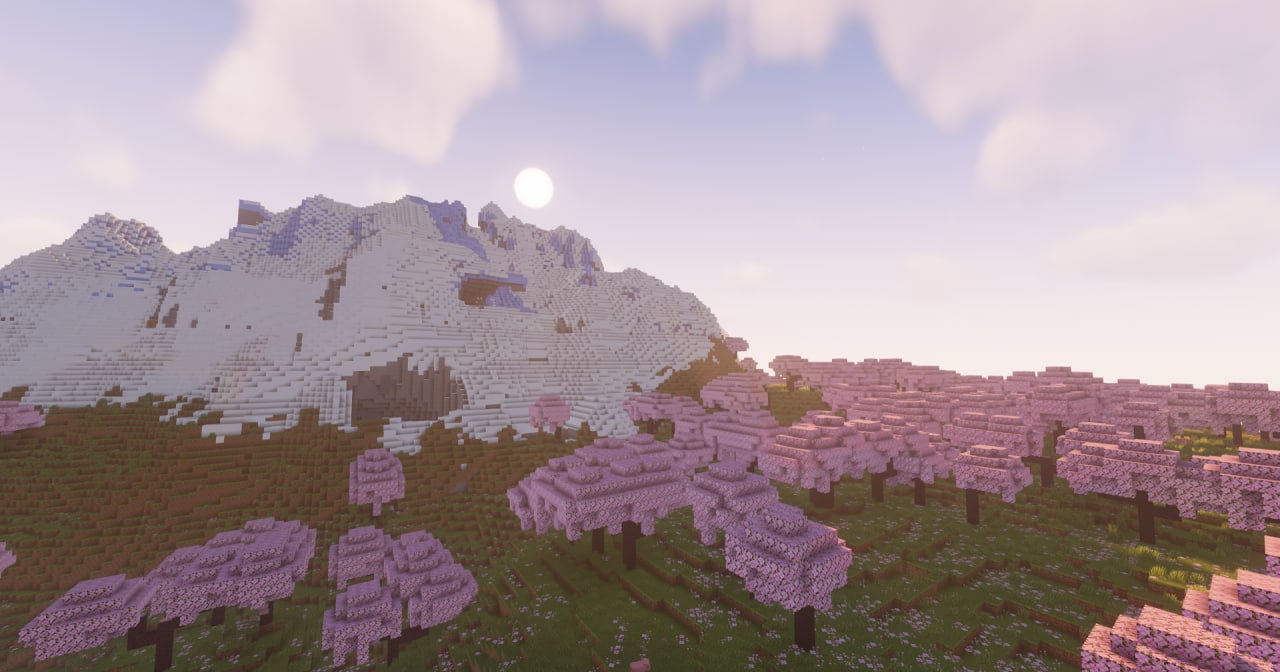 yes
yes
Versions
Files
Relations
Project Relations
More like this
Similar Modpacks
Suggestions use data such as tags, dependencies, dependents, descriptions, titles, and more to rank how much they overlap with this modpack.
On ModDex
Community snapshot
By the numbers
Statistics

Want to reach Minecraft players?
We're looking for a server hosting partner to feature here and other parts of the site. Interested? Send us a message!
Get in touchGet it on
Available Platforms
On ModDex
Community snapshot
By the numbers