
Community listing page, reviews here may not be monitored by the author.
Diamond Ages

This modpack is designed to recreate the feeling of Minecraft before version 1.8, bringing back the simplicity and nostalgic charm of the early days.
Community voices
Reviews
No reviews yet. Be the first to review this project!
Get it on
Available Platforms
Compatibility
Supported Environments
Runs entirely on the client. Works on vanilla servers.
Required on the client. Installing it on the server adds functionality.
Varies by version.
About
Project Details
For authors
Embed Badge
If you're the author of this project, you can embed a live badge anywhere that supports HTML or Markdown. It updates automatically whenever ratings change.
Use HTML for any page that supports it, or Markdown for README files and Markdown-based descriptions.
Identifiers
Platform IDs
Resources
External Links
About
Description
Diamond Ages
Diamond Ages is a modpack designed to bring back the feeling of old-school Minecraft. Inspired by the classic eras of the game, it focuses on simplicity, adventure, and the charm that made Minecraft special in its early days.
How to contact me or make a review of the modpack?
You can let me a comment on the Diamond Ages's Curseforge page
Tips
If it is the first time that you are installing Diamond Ages, I suggest you to read all the main page of the modpack first to understand how it is working and how to changes minecraft in your advantage.
Textures
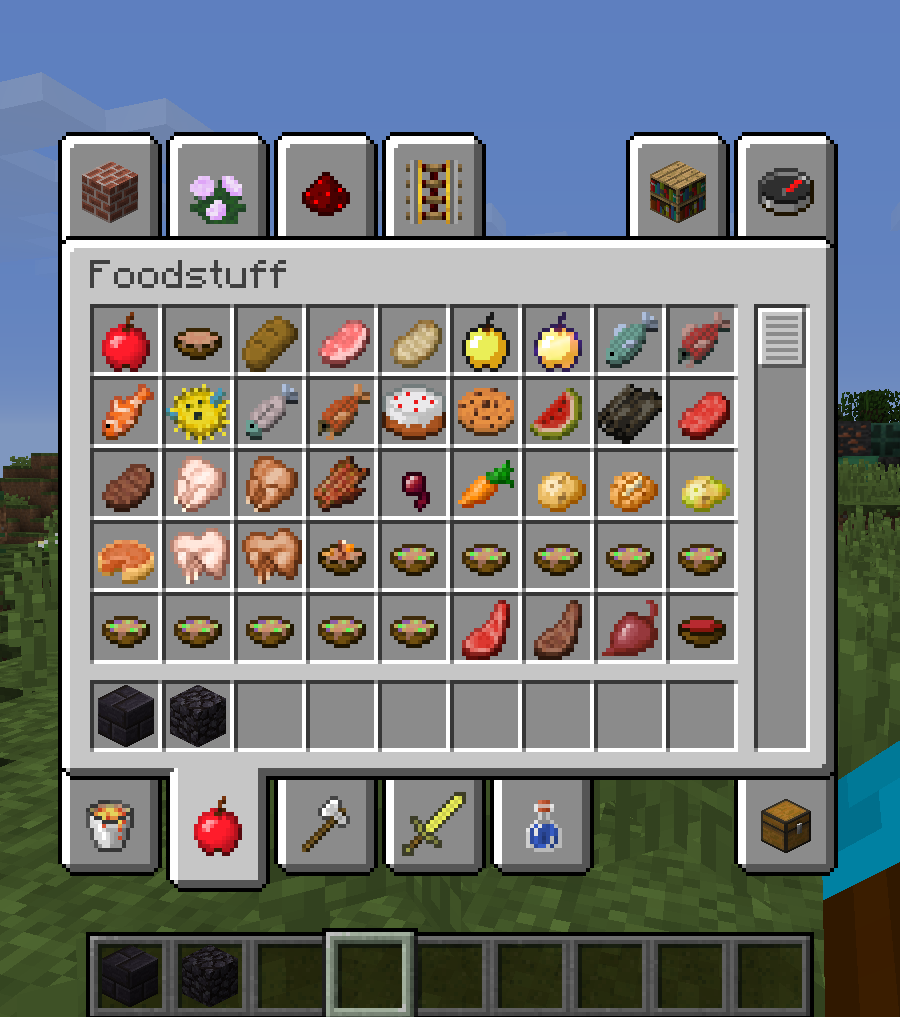
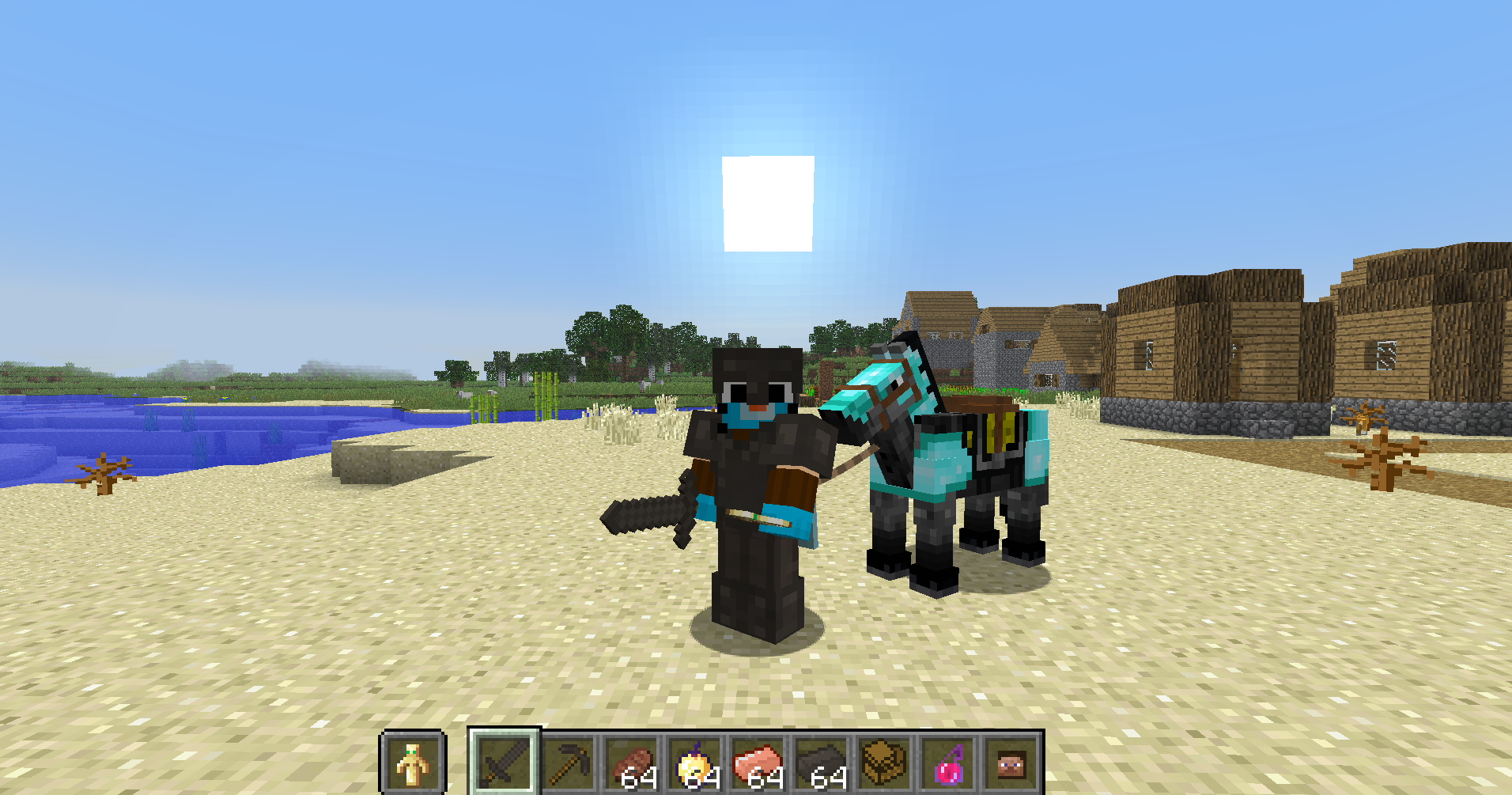
This modpack is modifying most of the minecraft textures. If, for example, a block was implemented into minecraft before the 1.14 texture changes, the modpack will put the <1.14 texture back but if this block is a "modern" one (like the copper or amethyst block), Diamond Ages will give it a texture that fits the old theme.
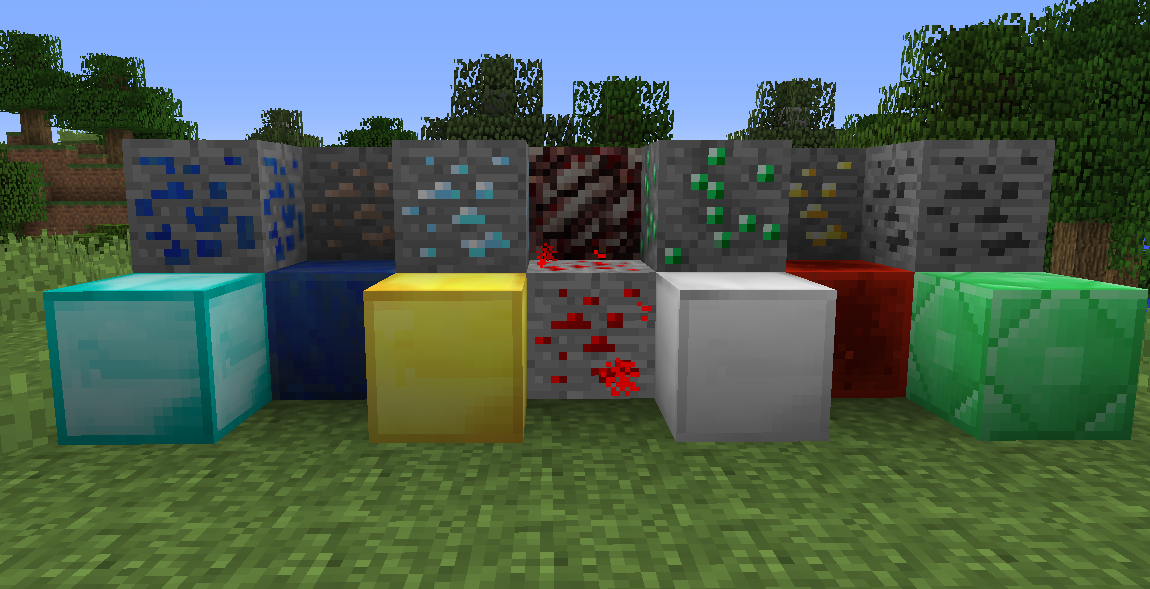
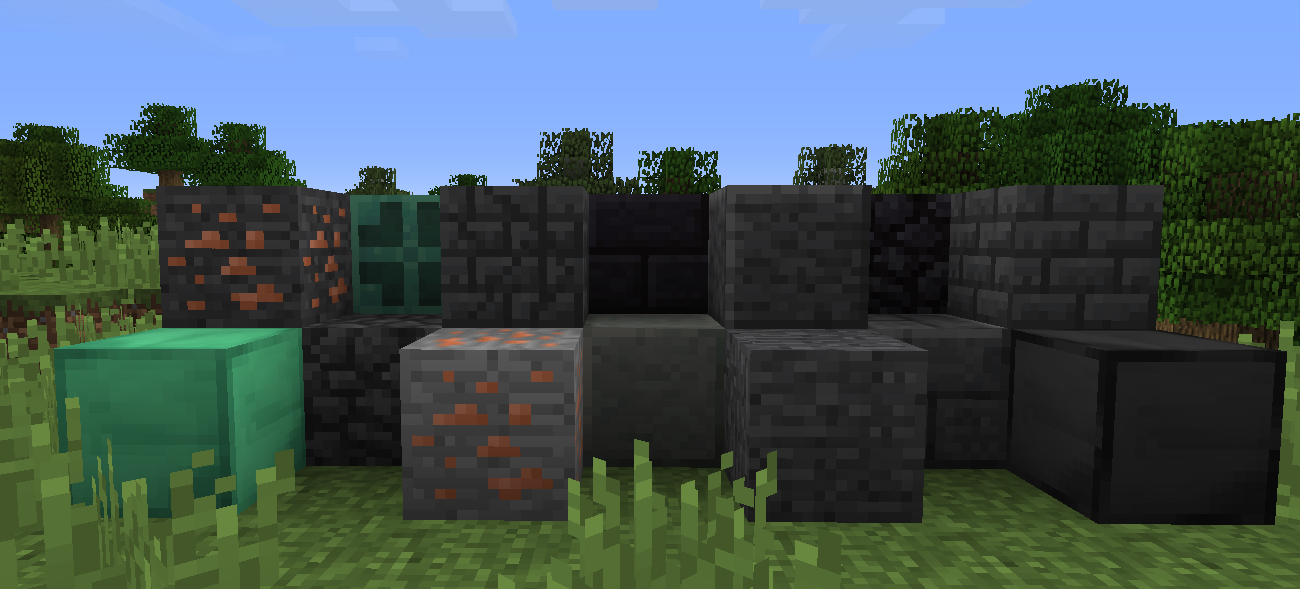
In the first image at the top, the ore and blocks has now their older textures before 1.14 but in the second picture, the block doesn't have older version of them so they have an "fan made" texture to fits the theme.
There isn't only the block but all the things in minecraft like the natural blocks, items, entities and the UI.
More examples:
Sounds and music
As you know, the most popular producer of music for minecraft was C418 but unfortunately, he stopped doing music for the game and was replaced by some other great producer like Lena Raine.The modpack is replacing all the newer ambient music with the old one only. Also, for the music disc, they are replaced by unused C418 music and some legacy edition music. For example, the creator_music_box is replaced by Flake, a song from the festive world from the old minecraft console edition.
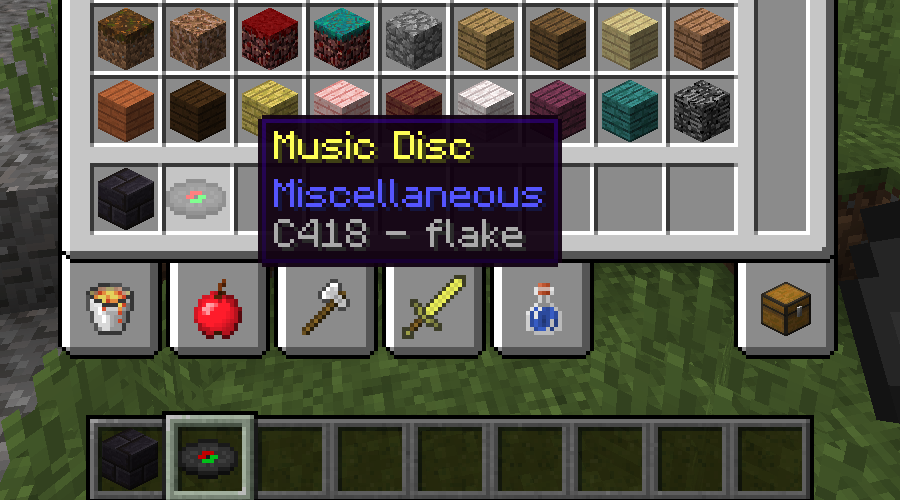
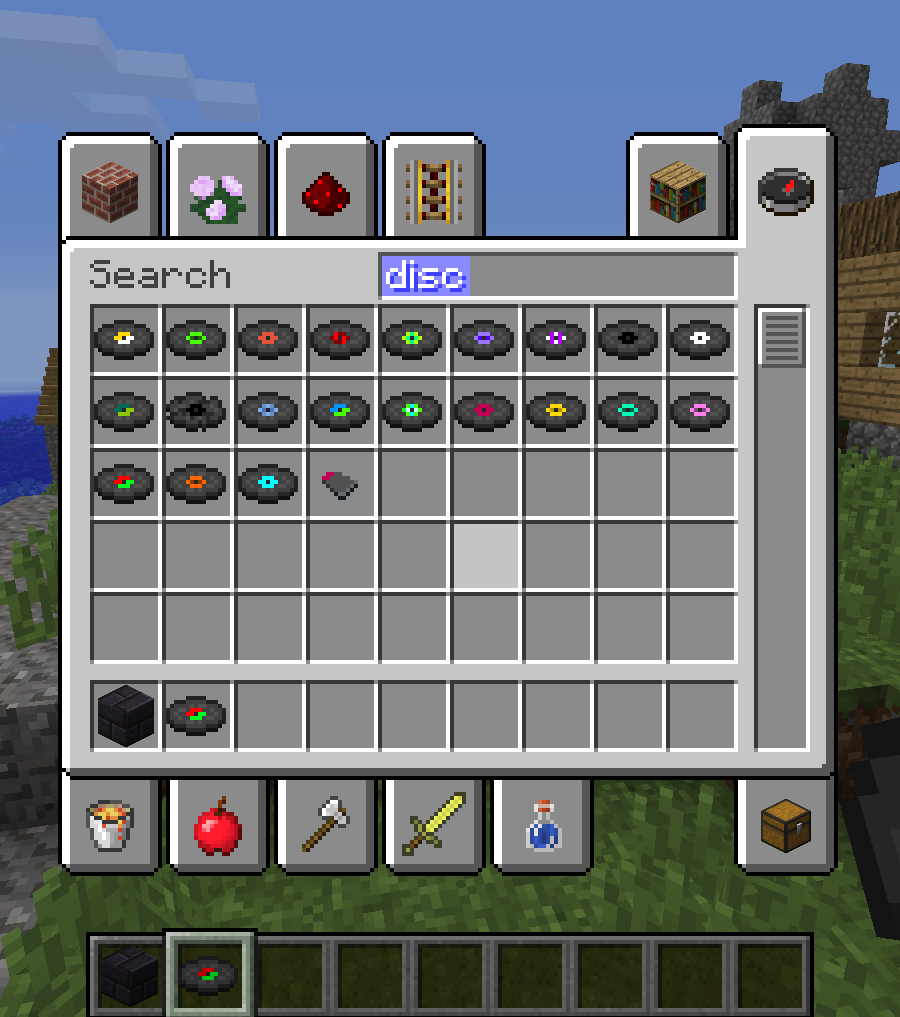
Here is the list of all the music discs added:
-
C418 - droppy
-
C418 - moog city
-
C418 - death
-
C418 - equinoxe
-
C418 - chris
-
C418 - excuse
-
C418 - flake
-
C418 - door
-
C418 - peanuts
This modpack also replace most of the newer sounds with old one.
Structures
Most of the structures are controlled by Datapacks and a mod called Structurify. This mod is disabling all the newer structures and keep all the old one. You can disable or enable any structures you want with it. If you want to enabling back all the newer structures, you can either do /structure dump or configurate the mod in the mod menu (the two options needs to recreate a world so that changes can take place).There is also a datapack called Classic Villages that transform the modern villages into the old ones.
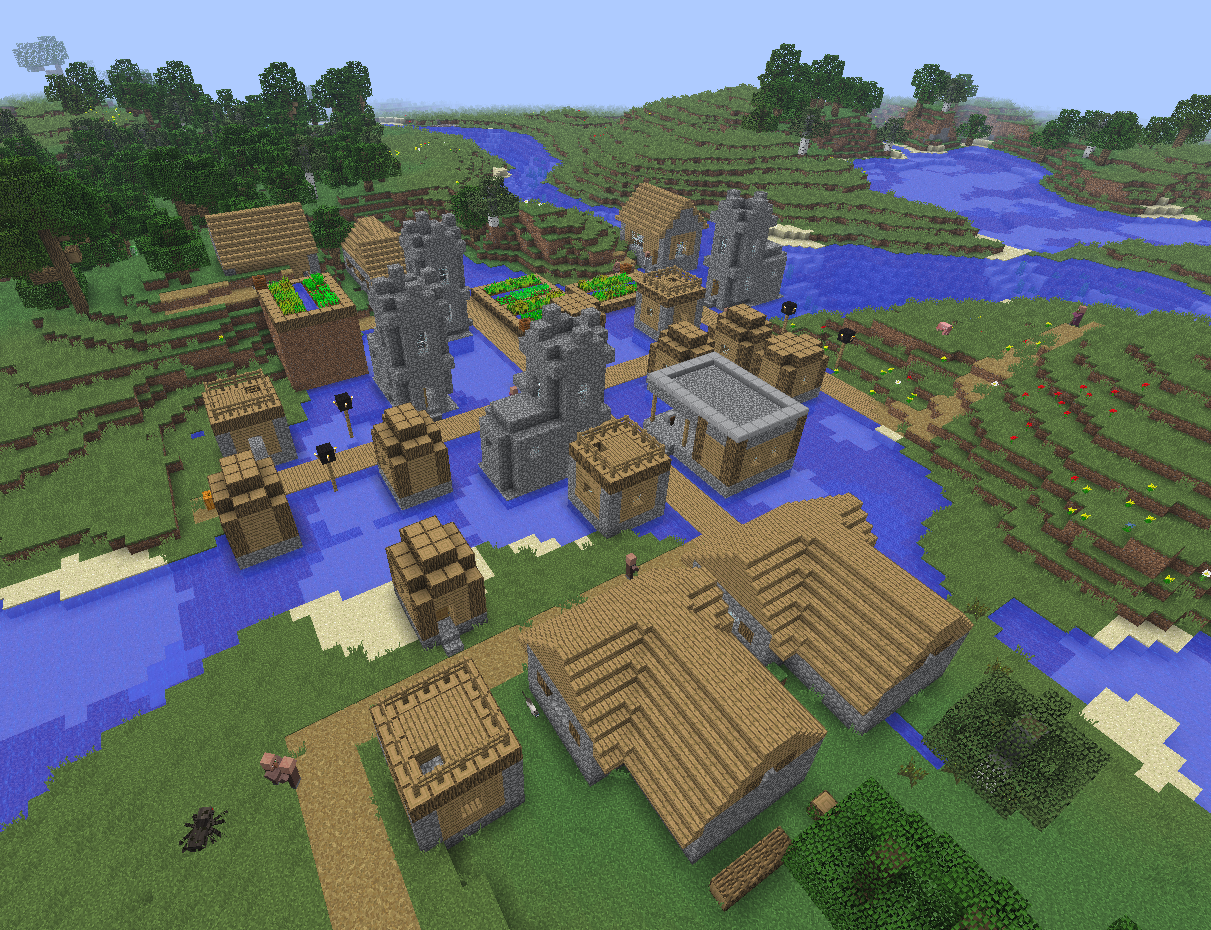
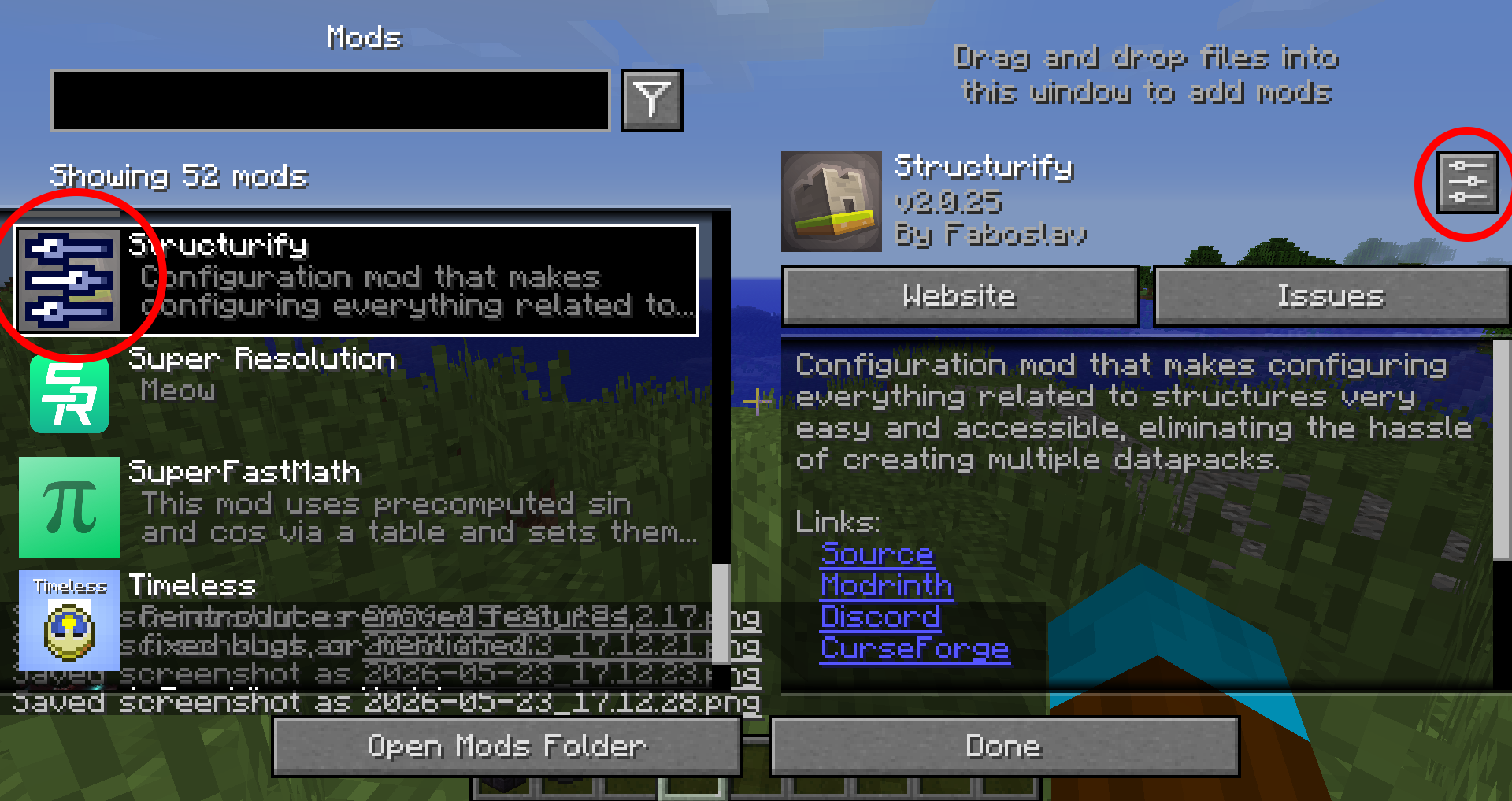
The Mod Menu
The modpack come with a mod menu so that you can modify the functionality without necessarily delete mod.To access the menu, you need to go to the ressources packs and click the Mods button next the "Open pack folder". If you want to modify a compatible mod with a config screen, you need to hover it and click it or click directly on the configure button, then you will access the config screen.This menu is essential and important if there is any problems in the modpack or if you want to changes something precisely.
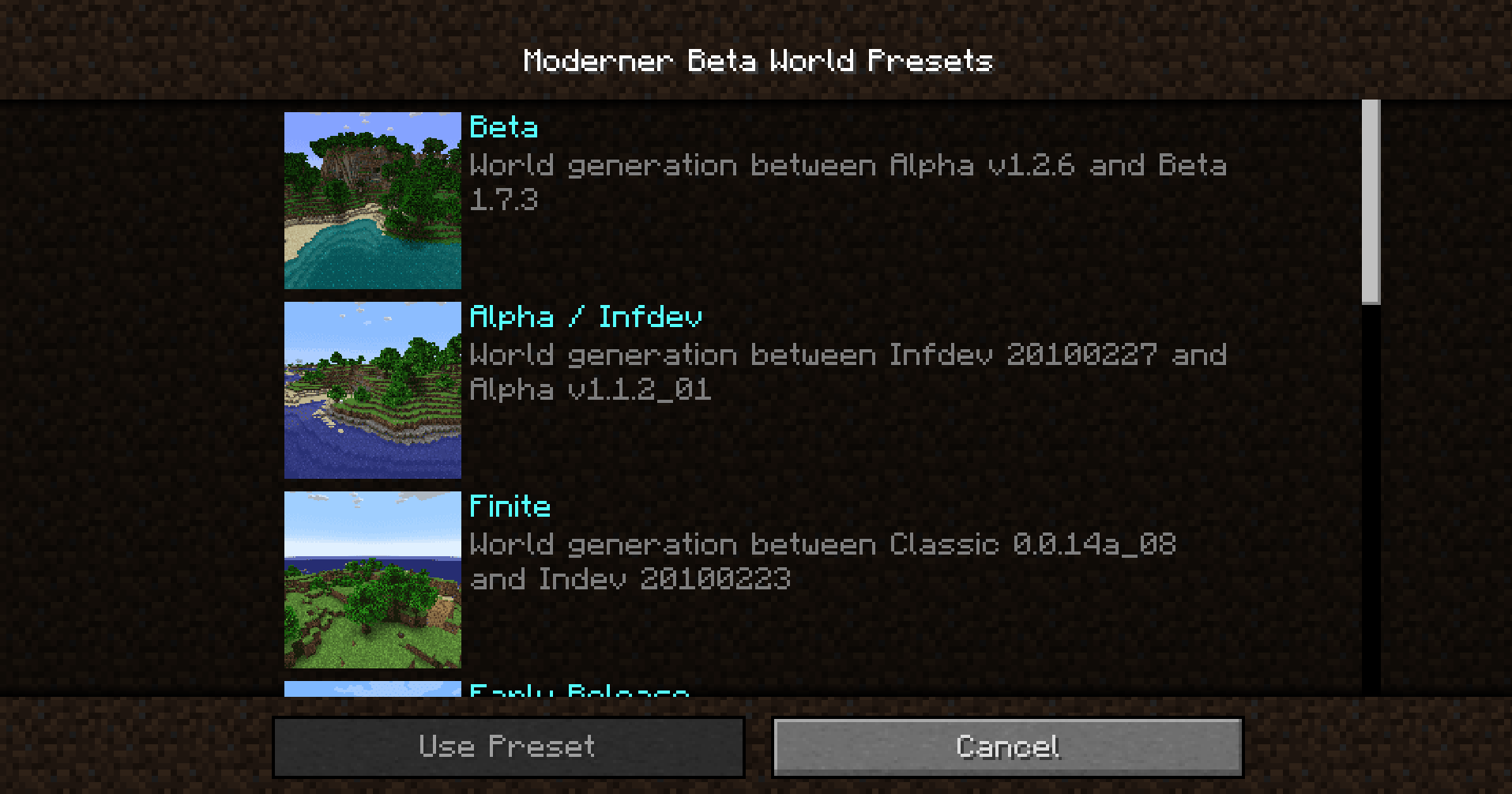
The World Generation
The world generation is mostly managed by the mod Moderner Beta.With this mod, you can revert the world generation to most of the old one like Beta 1.7.3 for example.To do that, you need to create a world and to put in the world type Moderner Beta. By Default, the generation is put as Beta 1.7.3 but you can modify it by clicking customise down the world type button and click World Preset in the World Customization menu.Then you will see a lot of presets with old and new versions, finite and infinite one.

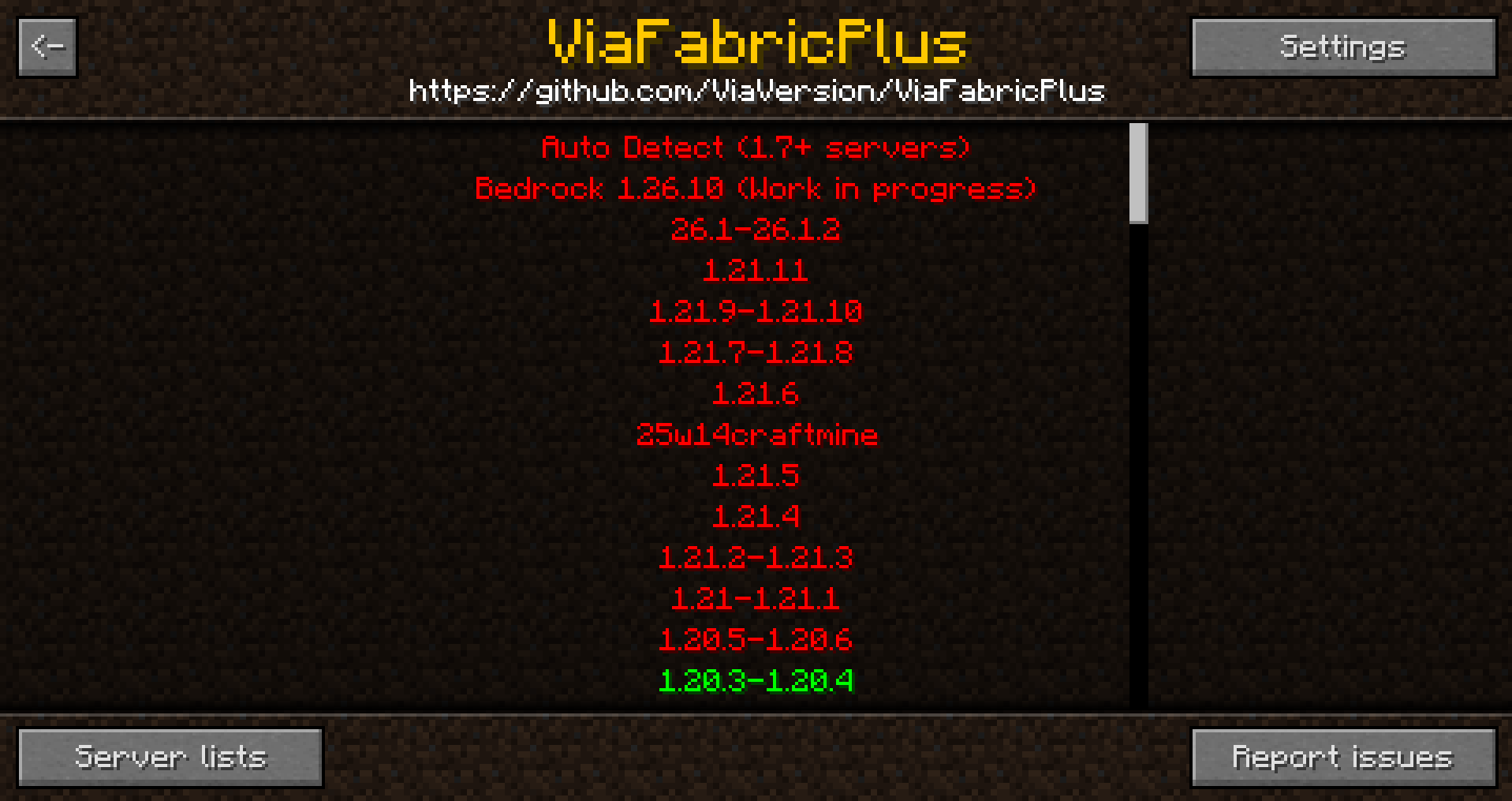
Old Server
With a mod called Via Fabric Plus, you can join most of the minecraft server even if it isn't the right version. It support classic, indev, infdev, alpha, beta and release server.There is two method to join a server with Via Fabric Plus:You can click on add server on the multiplayer menu , click on the button set version in the top right and choose the right version for the server or directly go to the ViaFabric Plus button on the top right in the multiplayer menu.
How to change the sounds and/or textures of the game?
If you want to change any of the assets of Minecraft, you need to go to the ressources/common folder in the modpack and either go to required or optional (it depend of the version of the modpack), if you see a folder called Diamond Age Lang, it is only the english language file of the game but if you see a folder called Diamond Age Ressources, it is the folder that contains every assets of the game and then you can modify the texture and the sounds with whatever you want.
Known Error
There are some minor known errors in the modpack.I'm working on removing them but that can take some time. Here are some with fixes:
- No Block placing sounds | you need to delete viafabricplus config files
- Shader lightning lag | you need to disable and enable back the shader
Screenshots
Gallery
-
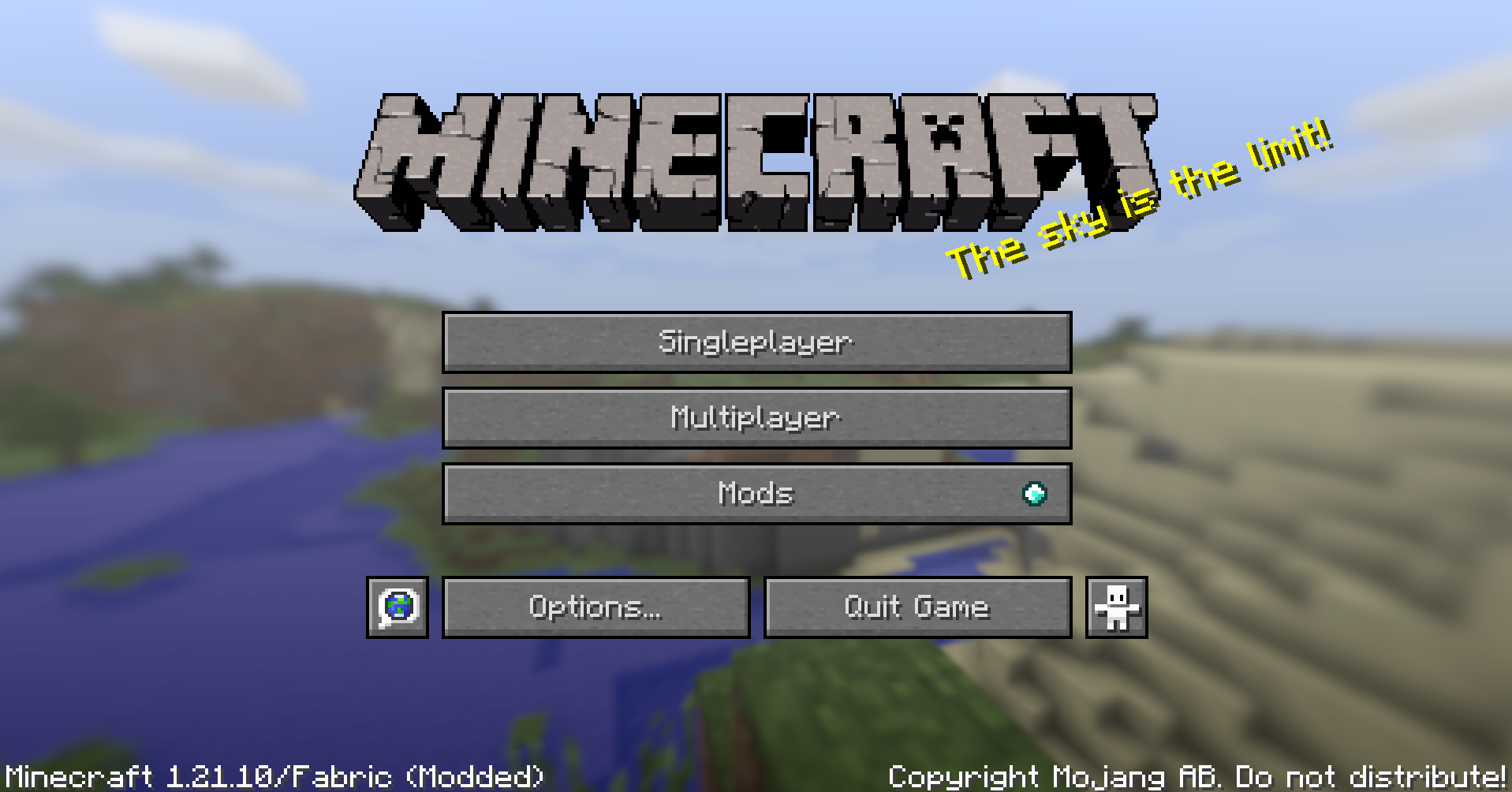 Old menu replacement of the new menu with the old one
 -
Moderner Beta's World Type Moderner Beta is a mod that add a new world type. It adds a whole NEW world customization that adds most of the old minecraft world generation
-
Some legacy world generation presets .
-
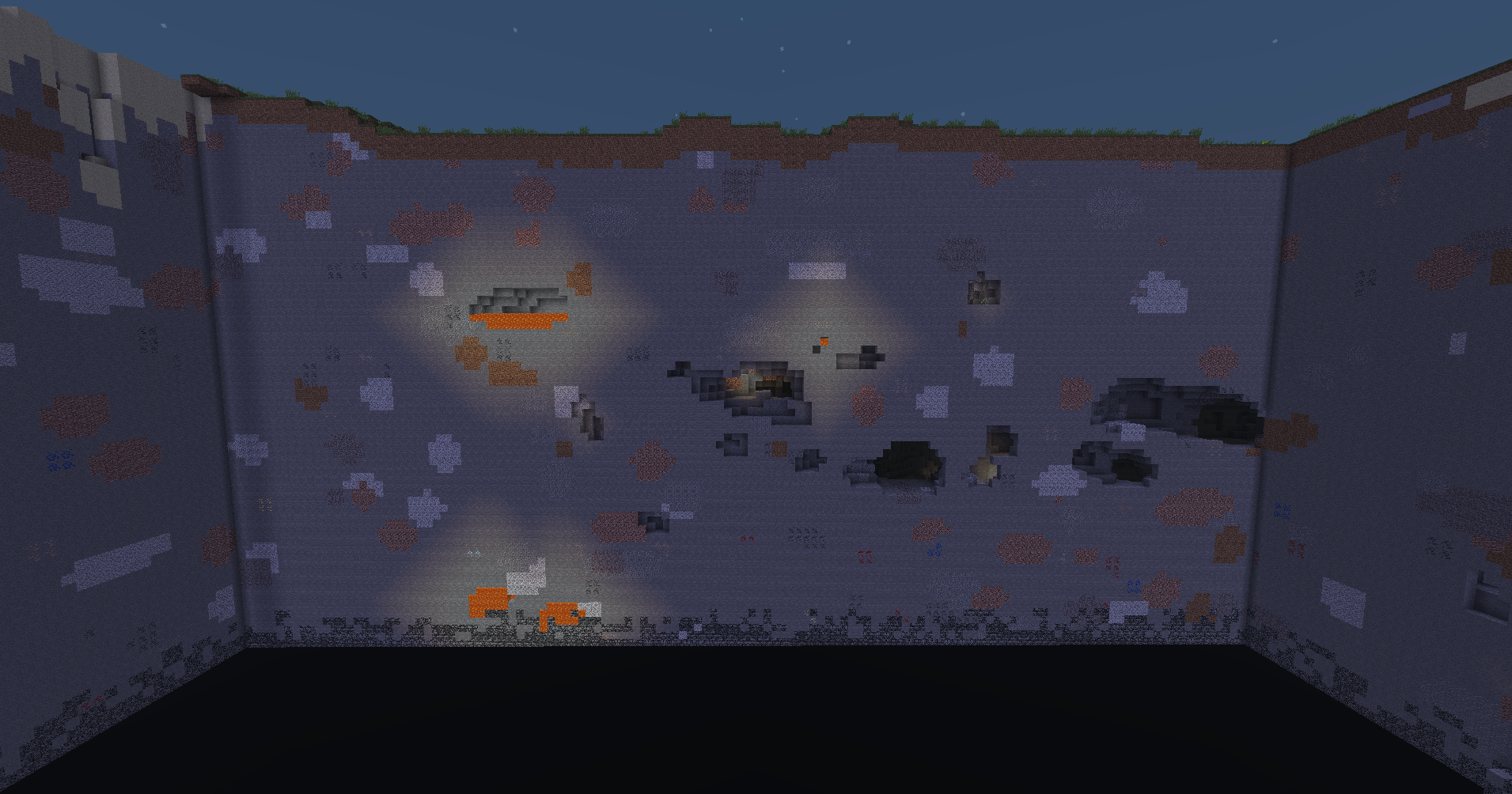 Layer y0 The layer can be limited to the layer y0 like the version before 1.17
 -
Texture overhaul .
-
Old structures .
Versions
Files
Relations
Project Relations
More like this
Similar Modpacks
Suggestions use data such as tags, dependencies, dependents, descriptions, titles, and more to rank how much they overlap with this modpack.
On ModDex
Community snapshot
By the numbers
Statistics

Want to reach Minecraft players?
We're looking for a server hosting partner to feature here and other parts of the site. Interested? Send us a message!
Get in touchGet it on
Available Platforms
On ModDex
Community snapshot
By the numbers
Statistics
Resources