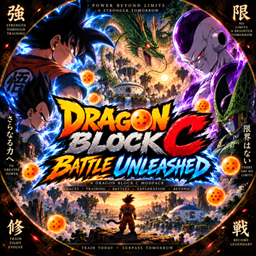
Community listing page, reviews may not be monitored by the author.
Dragon Block C Battle Unleashed

No reviews yet
Dragon Block C: Battle Unleashed — Train, grow stronger, take on powerful enemies, and unleash your full potential in a Dragon Ball-inspired Minecraft adventure.

Community voices
Reviews
No reviews yet. Be the first to review this project!
Get it on
Available Platforms
About
Project Details
For authors
Embed Badge
If you're the author of this project, you can embed a live badge anywhere that supports HTML or Markdown. It updates automatically whenever ratings change.
Use HTML for any page that supports it, or Markdown for README files and Markdown-based descriptions.
Identifiers
Platform IDs
Resources
External Links
About
Description
🐉 Dragon Block C: Battle Unleashed
Train. Fight. Grow stronger. Unleash your power.
Dragon Block C: Battle Unleashed is a Dragon Ball-inspired Minecraft modpack built around Dragon Block C, combining intense combat, character progression, exploration and survival into one adventure.
Begin your journey, develop your fighter and keep pushing yourself as you take on increasingly difficult challenges.
⚔️ Battle Unleashed
Your journey is all about becoming stronger.
Train your character, improve your abilities, explore the world and put your power to the test in battle.
🔥 What to Expect
-
🐉 Dragon Block C gameplay
-
⚔️ Fast-paced combat
-
📈 Character progression
-
💥 Training and increasing your power
-
🌎 Exploration and adventure
-
🏠 Survival and building
-
🎒 Quality-of-life additions
-
👥 Singleplayer and multiplayer
💥 Push Your Power Further
Every fight is another chance to improve.
Start your adventure, develop your character and continue pushing yourself against greater challenges as you progress through the world.
How powerful you become is up to you.
👥 Battle With Friends
Bring your friends into the world and create your own Dragon Ball-inspired adventure.
Train together, explore, fight powerful opponents—or battle each other to find out who's strongest.
🐲 Unleash the Battle
Your journey starts here.
Train harder. Fight stronger. Unleash your power.
Play this pack with friends
-
Choose your server: Visit Apex Hosting, select Minecraft hosting, and choose a plan suitable for this modpack.
-
Complete checkout: Create your account and follow the payment steps.
-
Install the modpack: Open your server panel and select this pack if it’s available in the installer. If it isn’t listed, follow Apex’s custom modpack instructions or contact support.
-
Start playing: Start the server, copy its address, and share it with your friends. Everyone needs the same modpack version installed.
Unsure which plan to choose? Ask Apex support before buying and tell them the pack name and how many people will play.
Screenshots
Gallery
Versions
Files
Relations
Project Relations
More like this
Similar Modpacks
Suggestions use data such as tags, dependencies, dependents, descriptions, titles, and more to rank how much they overlap with this modpack.
On ModDex
Community snapshot
By the numbers
Statistics

Get it on
Available Platforms
On ModDex
Community snapshot
By the numbers
Statistics
Resources