
D's Trailer Style
No reviews yet
A near-comprehensive recreation of the Minecraft Trailers
Includes a large focus on traversing worlds with enhanced world generation, structures, dungeons, and more for players to find unique loot.
Fabric is a mod loader for versions 1.14+ of Minecraft, particularly popular for client side and optimization mods.
Community voices
Reviews
Click once to include, again to exclude, again to clear
No reviews yet. Be the first to review this project!
Get it on
Available Platforms
 Modrinth
Compatibility
Supported Environments
About
Project Details
For authors
Embed Badge
If you're the author of this project, you can embed a live badge anywhere that supports HTML or Markdown. It updates automatically whenever ratings change.
Use HTML for any page that supports it, or Markdown for README files and Markdown-based descriptions.
Identifiers
Platform IDs
About
Description
We've all seen the vibrant cinematic visuals of the Minecraft trailers created by Element Animations and Brikk Studio. In comparison, the base game's visuals might seem a little... underwhelming. This modpack solves that.
Based on the Fabulously Optimized modpack (check them out here), this winning combination of resource packs, shaders, and mods near-perfectly recreates the aesthetics of the Minecraft cinematic trailers. Here are a few examples:
Thanks to RobotPants's Bare Bones resource pack, all blocks and entities now have the minimalist, few-colored style of the official trailers and promotional art.
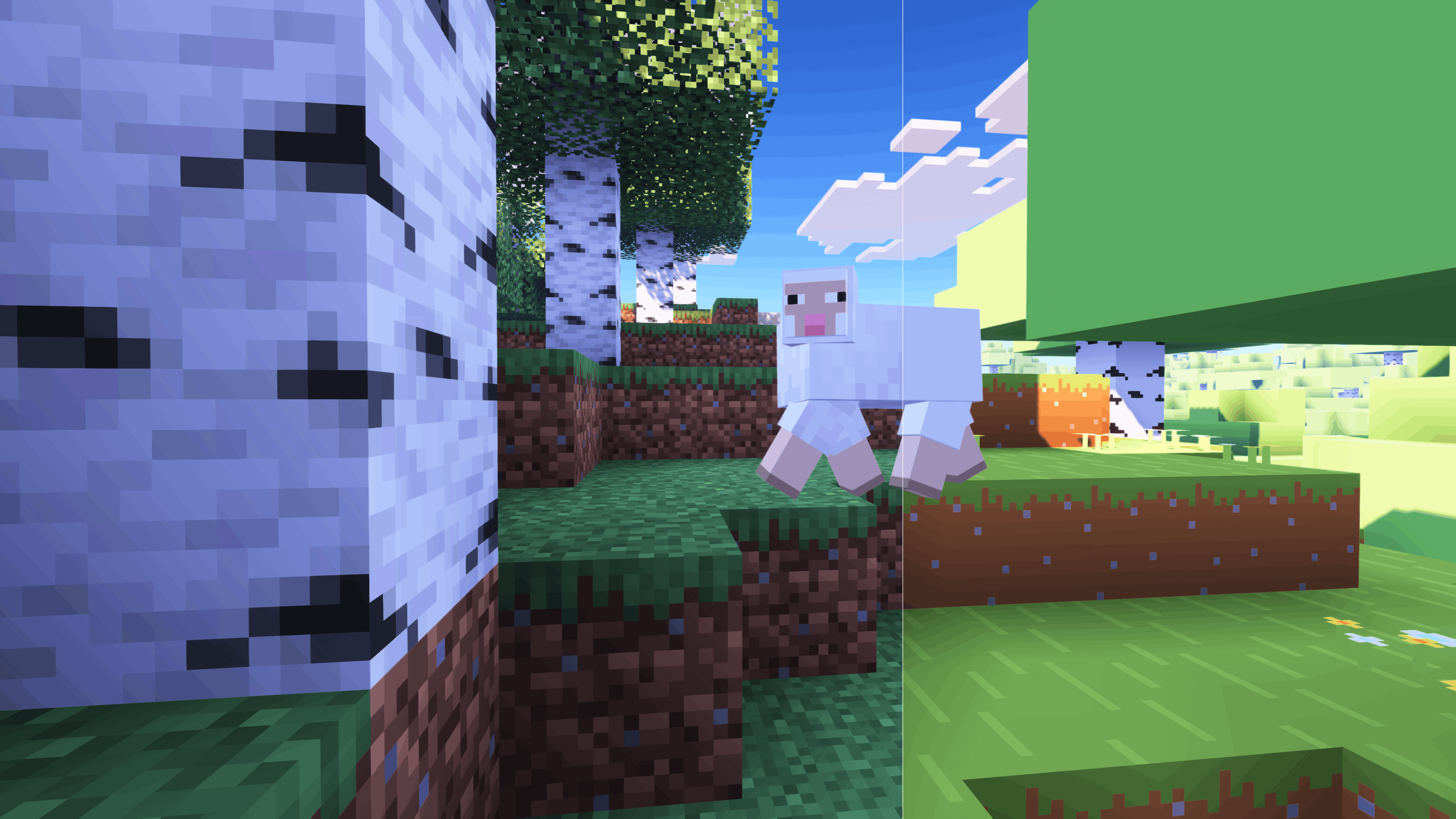
FreshLX's Fresh Animations family of resource packs enhances the movements of mobs, objects, and players.
CaptTatsu's BSL Shaders brings realistic lighting and color to the game.
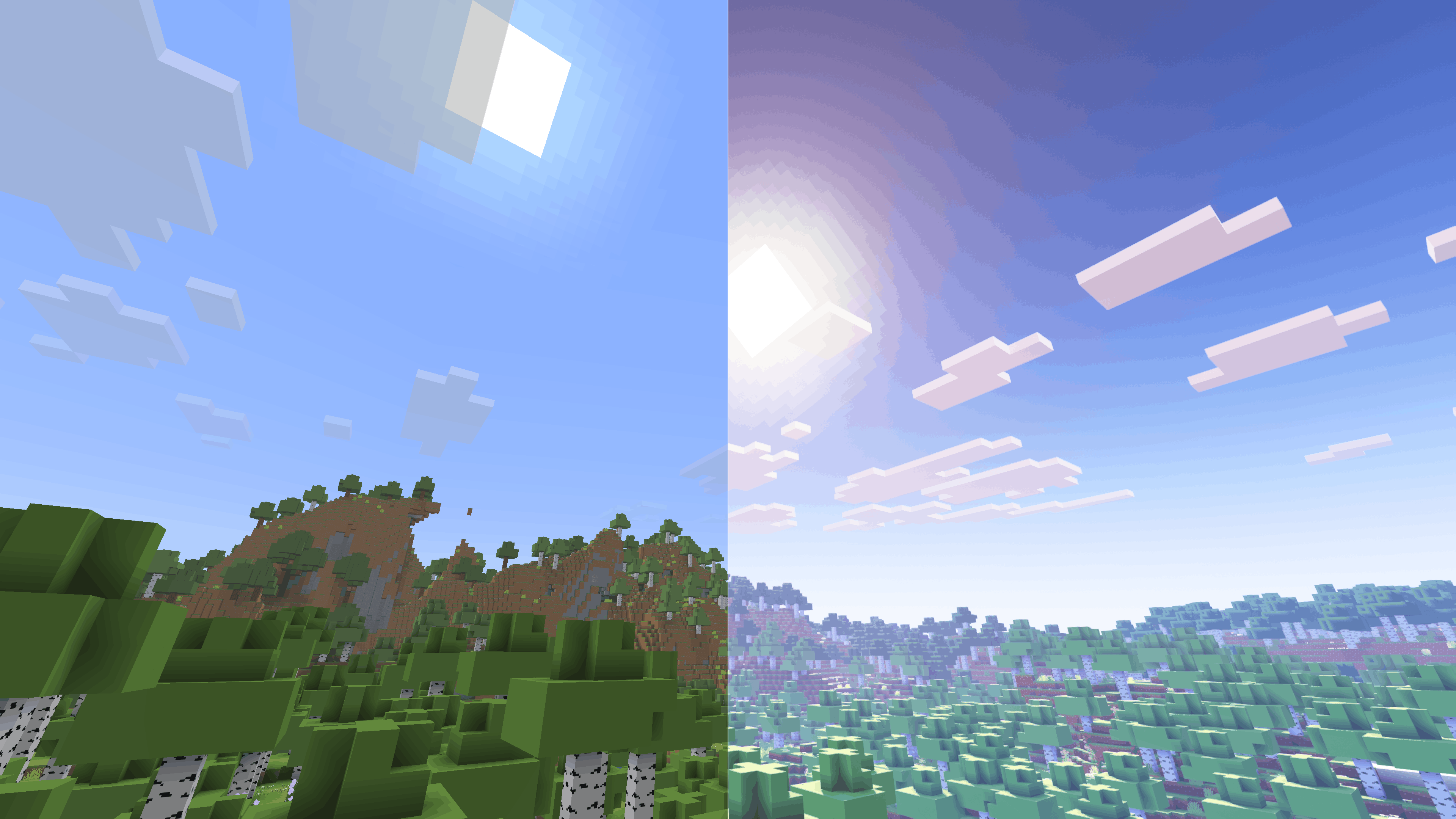
It is heartbreaking that this description is too short to fit all the mods and resource packs I have included, all of which, no matter how small, make an important contribution to this modpack's experience. Instead, check out the modlist, which you can access under the Versions tab.
Control Mapping Chart (100% Layout)
This lists the finalized keybinds for the D's Trailer Style modpack. From verson 1.0.9 and onwards
1. Core Gameplay
| Action | Key |
|---|---|
| Movement | W A S D |
| Jump | Space |
| Sneak | Left Shift |
| Sprint | Left Control |
| Crawl | C |
| Zoom (Zoomify) | Z |
| Inventory | E |
| Pick Item | Middle Mouse |
| Drop Item | Q |
| Hand Swap | F |
| Chat / Command | T / / |
| Advancements | L |
| Social Menu | P |
| Player List | Tab |
2. Visuals & Shaders
| Action | Key |
|---|---|
| Toggle Shaders | O |
| Reload Shaders | R |
| Shader Menu | Y |
| Toggle Perspective | F5 |
| Toggle GUI | F1 |
| Screenshot | F2 |
| Fullscreen | F11 |
| First Person Toggle | F6 |
| View Model GUI | V |
3. Modded Utilities
| Action | Key |
|---|---|
| Jade WAILA | Numpad 0-5 (Profiles 6-9) |
| BetterTab Config | N |
| FancyToasts Config | K |
| Mod Menu | M |
| Zoom Secondary | Numpad - |
| Secondary Footsteps Toggle | U |
| Footsteps Settings | F10 |
| Entity Culling Toggle | F12 |
4. Minecraft F3 Debug Sub-Keys
The following keys correctly trigger their F3 shortcuts
- F3+A: Reload Chunks
- F3+B: Show Hitboxes
- F3+D: Clear Chat
- F3+G: Show Chunk Borders
- F3+H: Show Advanced Tooltips
- F3+P: Toggle Focus Pause
- F3+T: Reload Resource Packs
- F3+L: profiling
- F3+C: Copy Location
- F3+V: Dump Version
5. Intentional Unmapped Keys
The following have been unmapped in the game to remove overlaps:
- Save/Load Toolbar Activators (X and C)
- FBP (Fancy Block Particles): All mod settings/toggles are in pause menu
- Dynamic FPS: All toggles
- ModMenu: Open Menu (Access through pause/main menu)
- LambDynamicLights: Toggle
- OptiGUI: Inspect
- BedrockIfy Settings (Access through options)
- FPS Reducer: GUI
- Spark: All (Use Commands)
Screenshots
Gallery
-
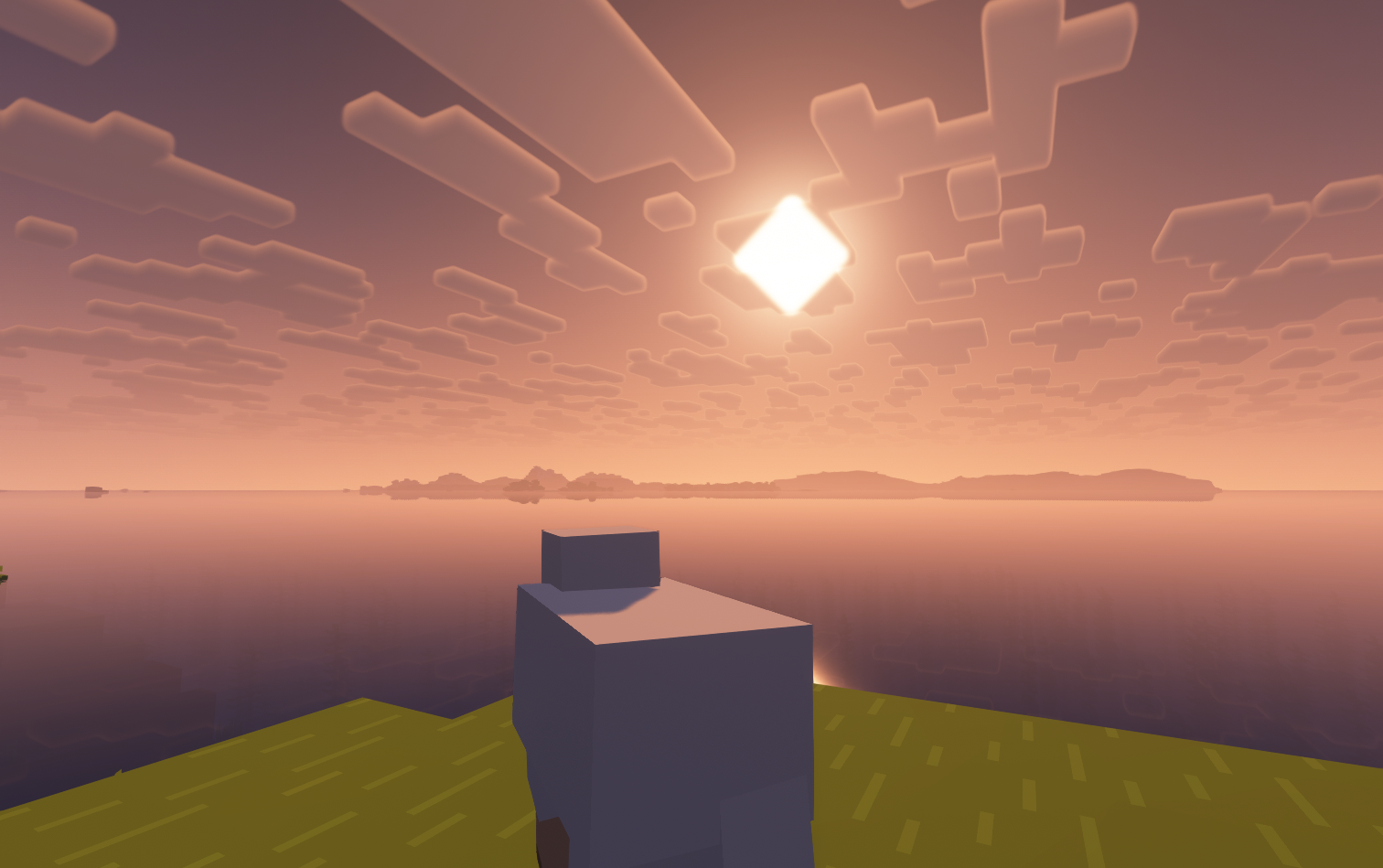 Onward Sheep Version 1.0.9f3
 -
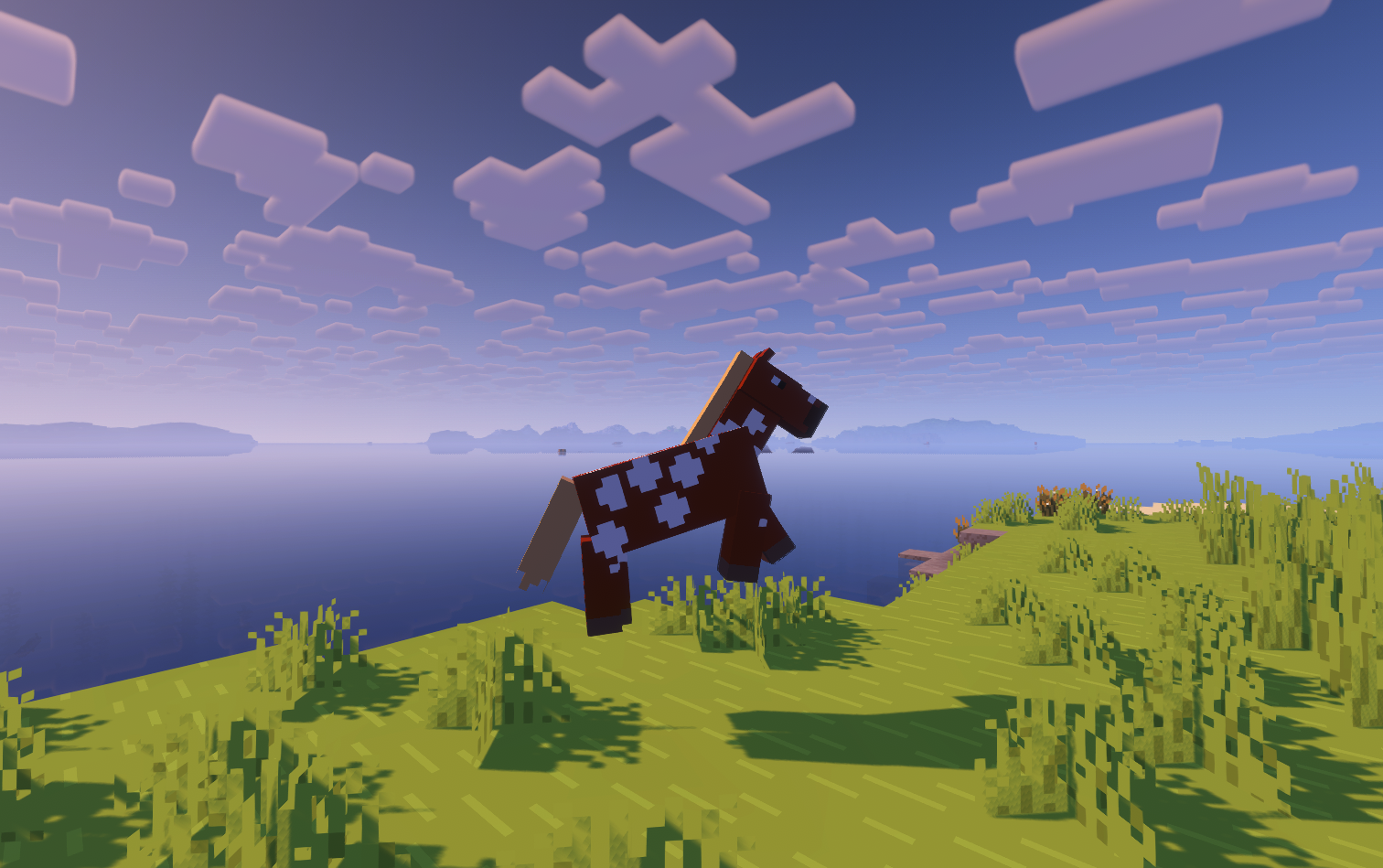 Flying Horse Version 1.0.9f3
 -
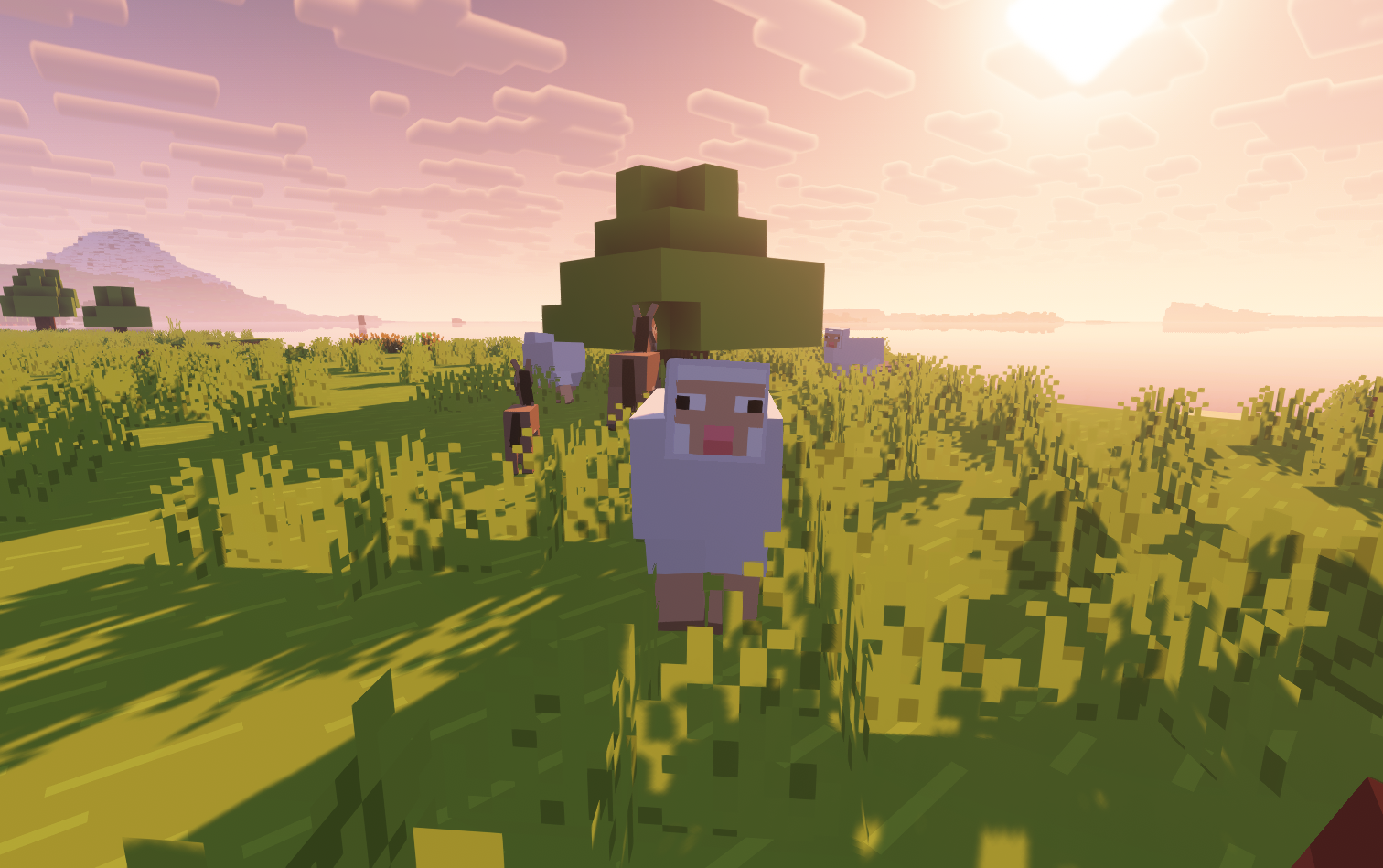 Version 1.0.9f3 Cursed sheep Seed: 6350992123140951635
 -
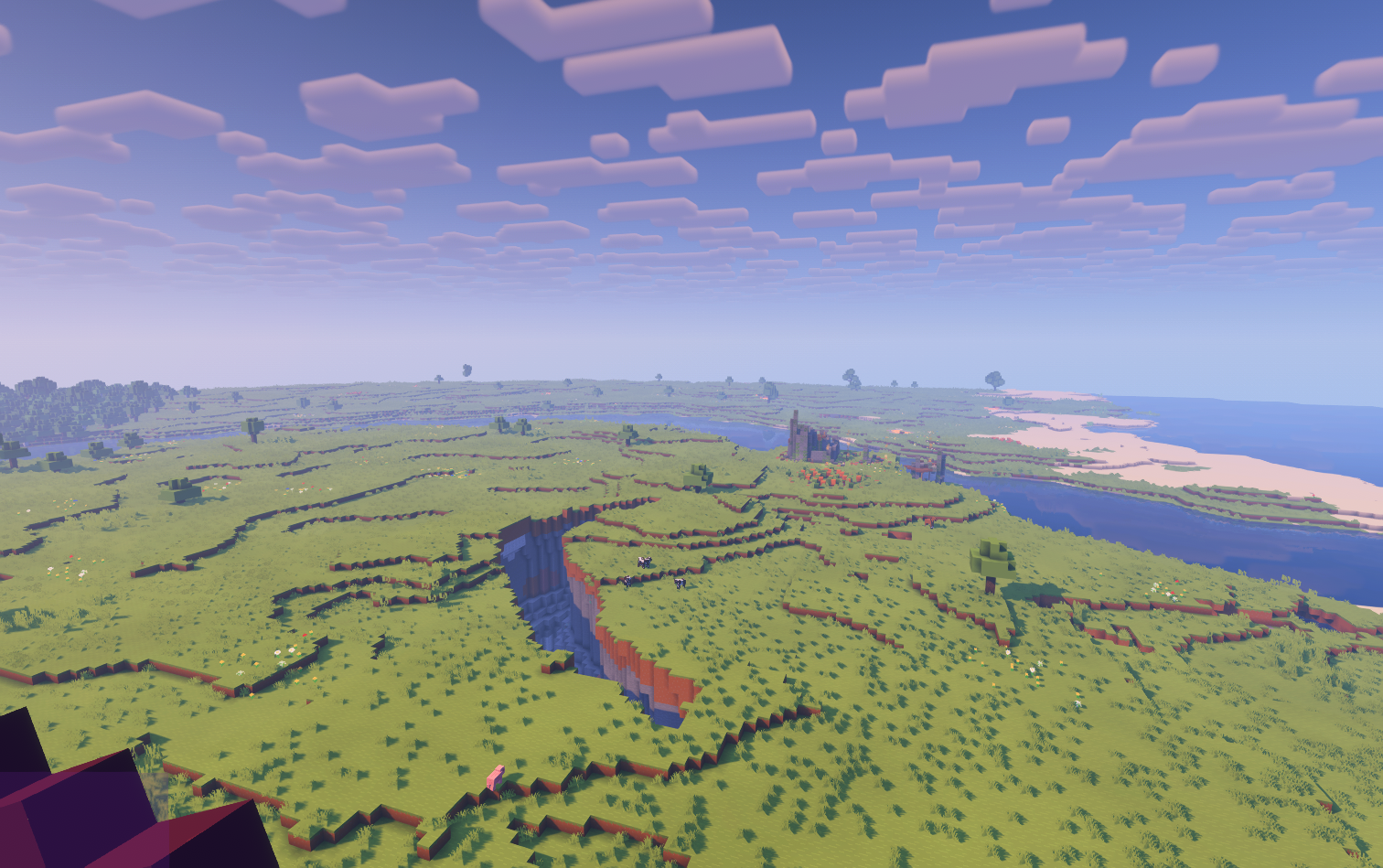 A hilltop view Version 1.0.9f3
 -
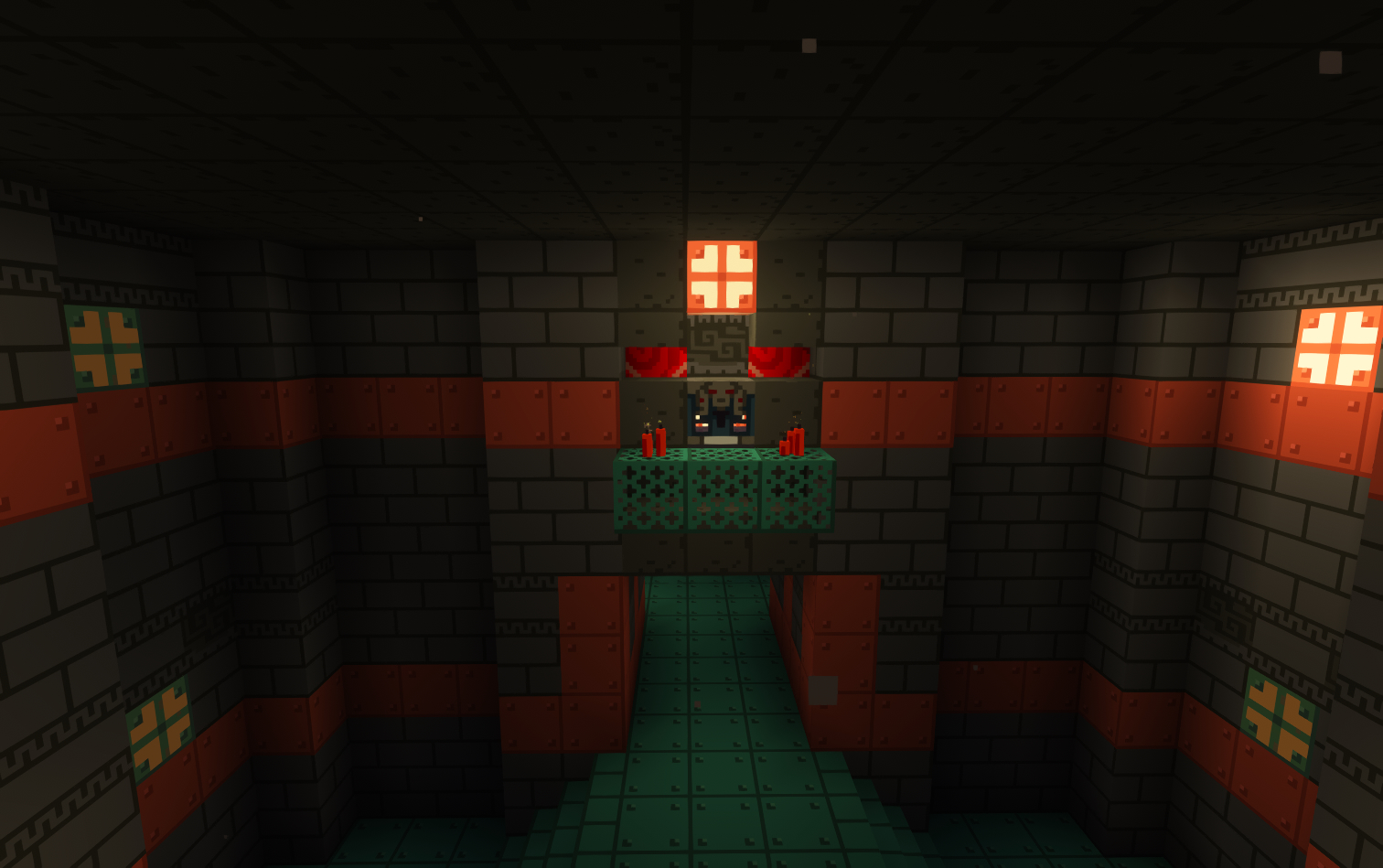 Trial Chambers Version 1.0.9f3
 -
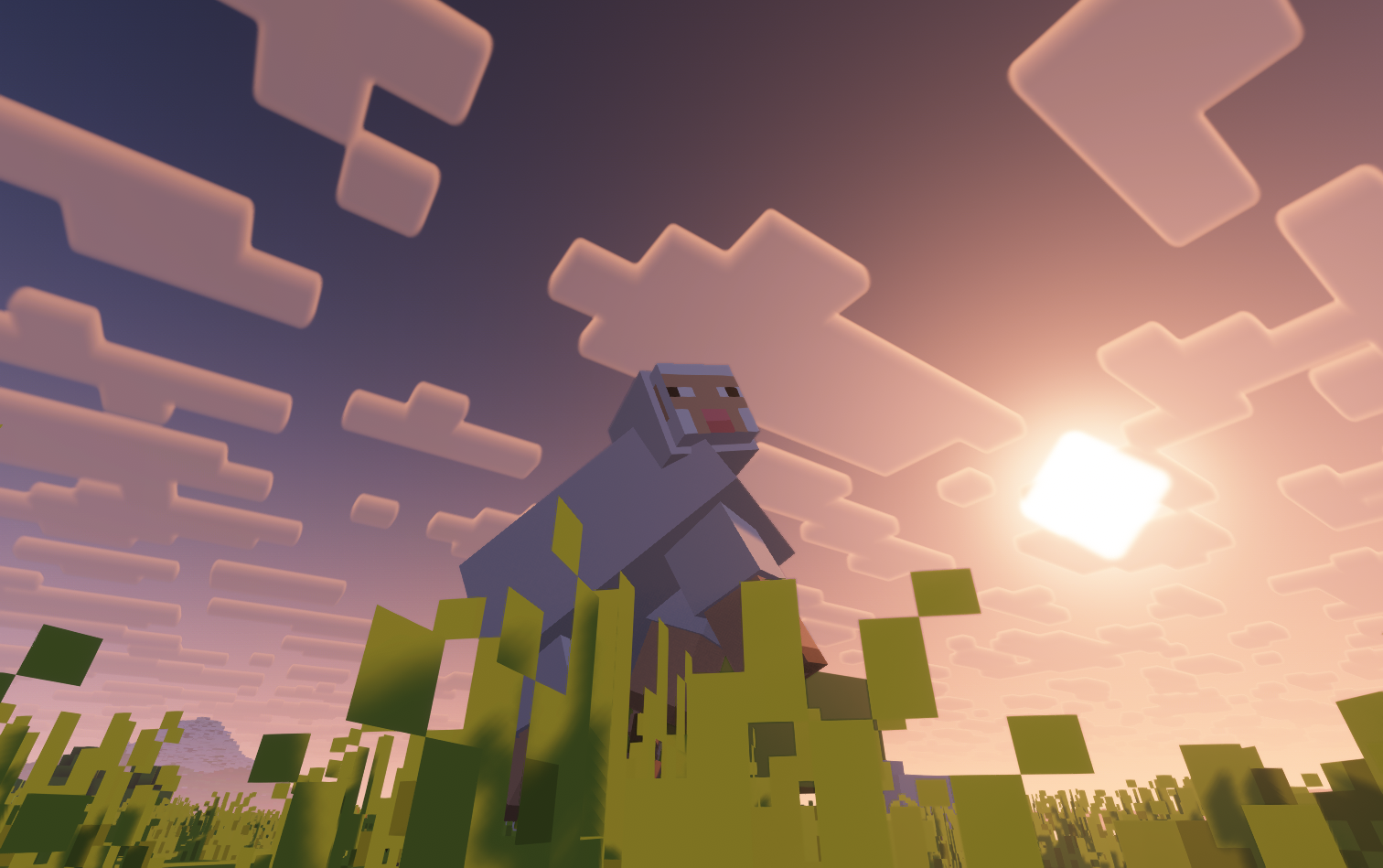 Version 1.0.9.f3 Flying Sheep Seed: 6350992123140951635
 -
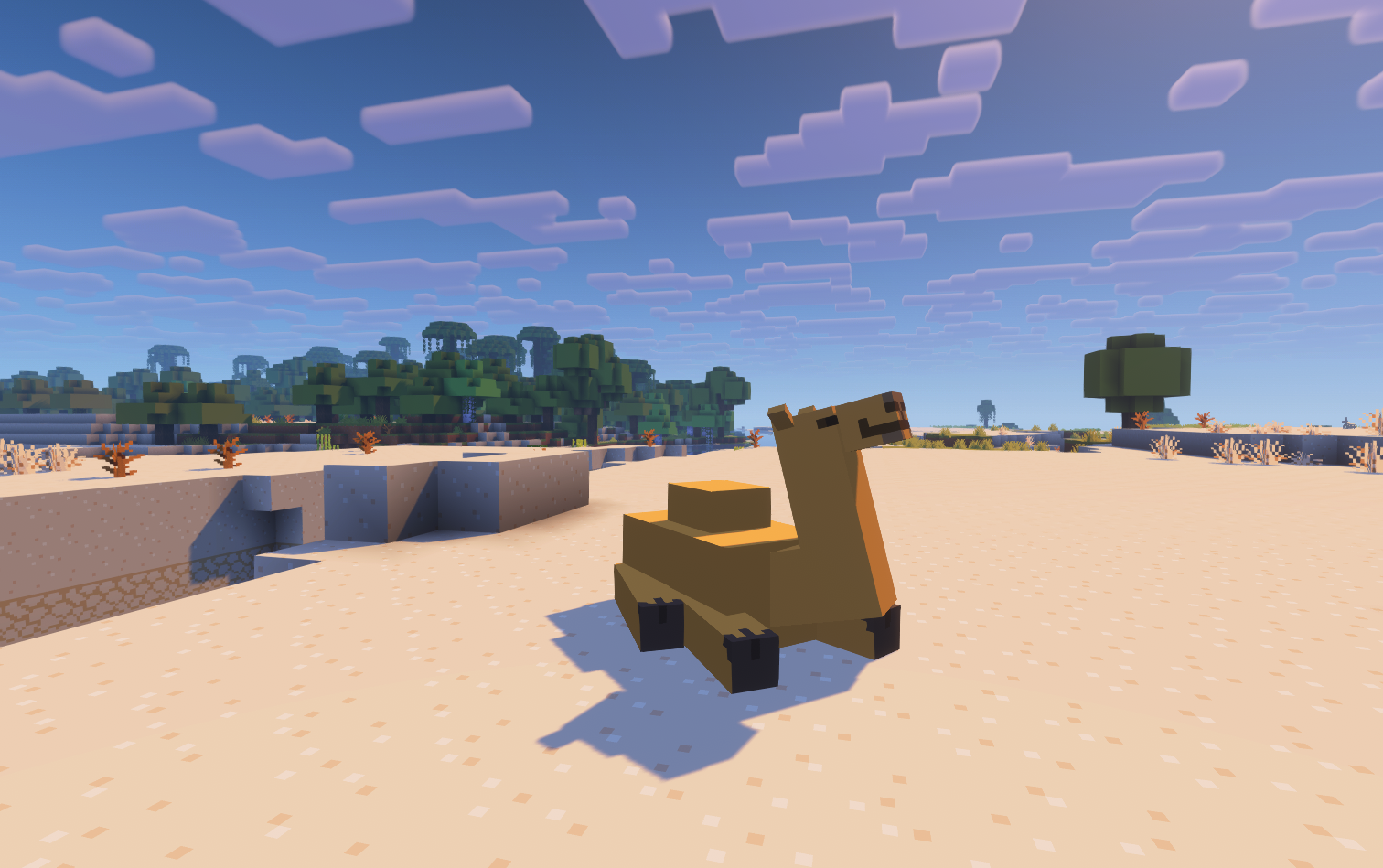 Camel Version 1.0.9f3
 -
 Snowy Plains on verson 1.0.8 Seed: 1208065371451915047 Coords: -1205, 2981646
 -
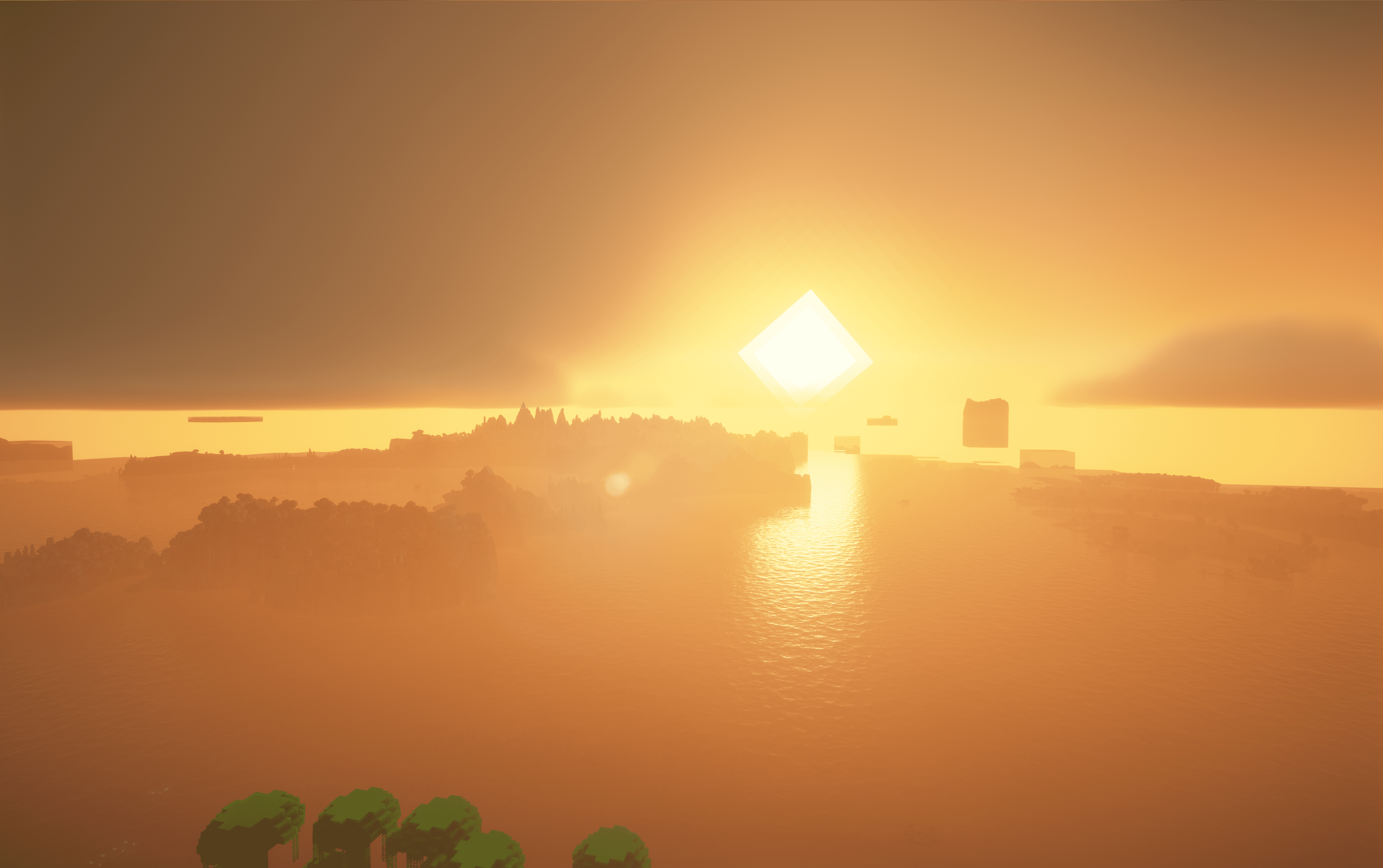 Sunset on verson 1.0.8
 -
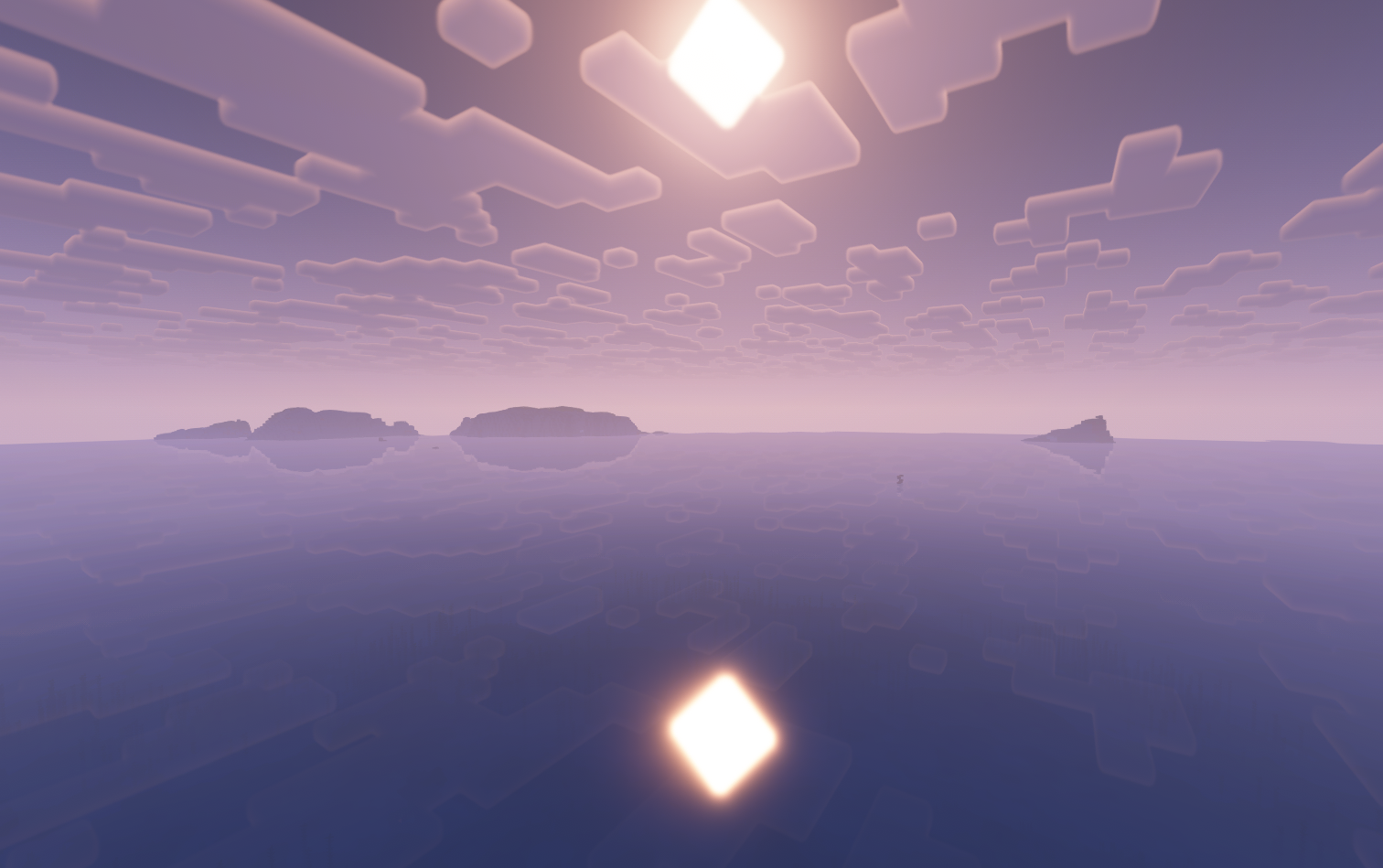 Verson 1.0.9f1 Seed: 1208065371451915047 Coords: -207.549, 109.12607, 261.723 Time: 2063 Facing: East
 -
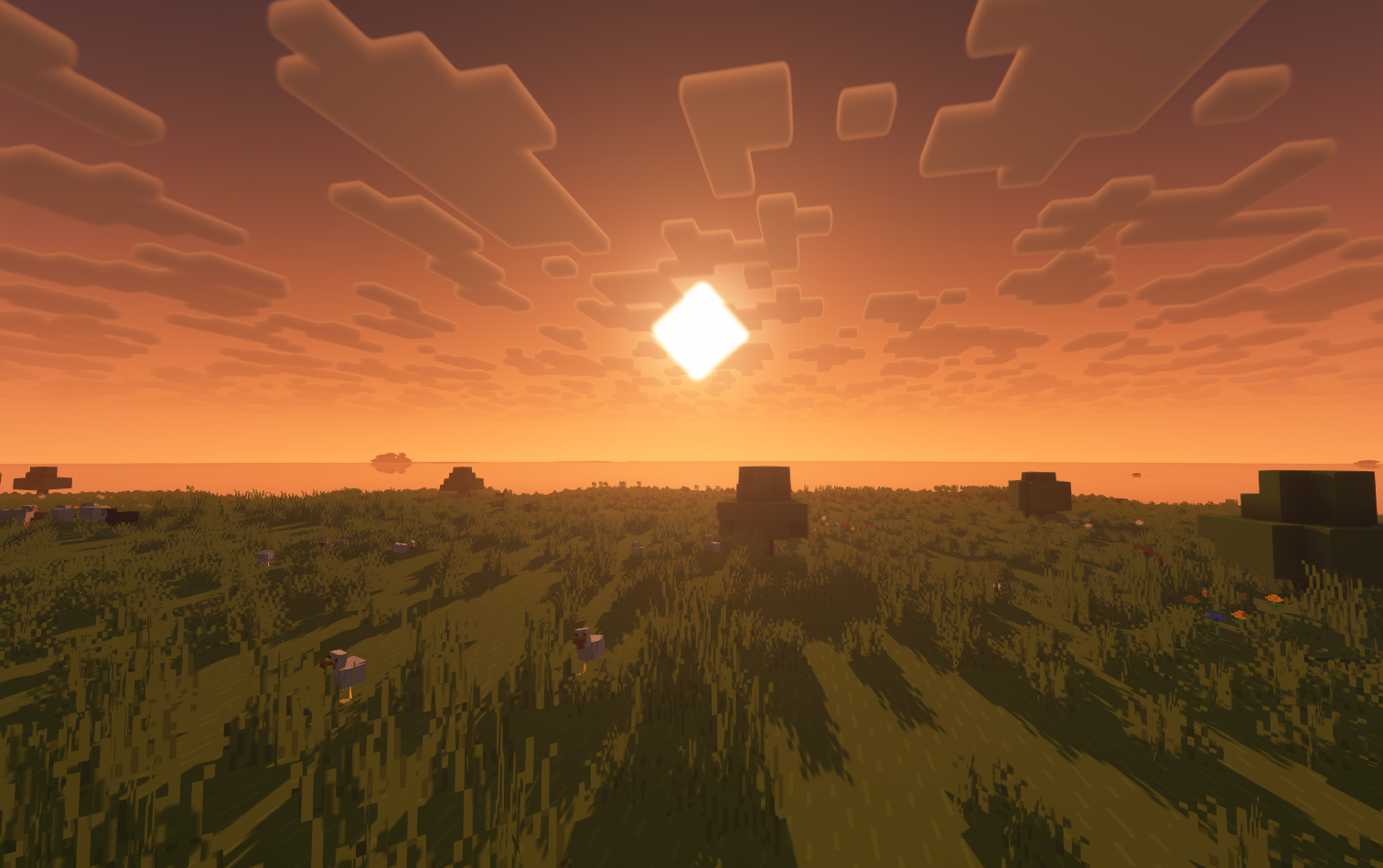 Verson 1.0.9f2 Sunset Seed: 6350992123140951635 Cords: -776607 68.86860 -1000866 Facing: East (Towards positive X) Time: 308
Versions
Files
Relations
Project Relations
More like this
Similar Modpacks
Suggestions use data such as tags, dependencies, dependents, descriptions, titles, and more to rank how much they overlap with this modpack.
On ModDex
Community snapshot
By the numbers
Statistics

Want to reach Minecraft players?
We're looking for a server hosting partner to feature here and other parts of the site. Interested? Send us a message!
Get in touchGet it on
Available Platforms
On ModDex
Community snapshot
By the numbers