Community listing page, reviews here may not be monitored by the author.
Emotecraft+

No reviews yet
This Modpack ads more Emotes to Emotecraft mod to make it more fun!

Community voices
Reviews
No reviews yet. Be the first to review this project!
Get it on
Available Platforms
About
Project Details
For authors
Embed Badge
If you're the author of this project, you can embed a live badge anywhere that supports HTML or Markdown. It updates automatically whenever ratings change.
Use HTML for any page that supports it, or Markdown for README files and Markdown-based descriptions.
Identifiers
Platform IDs
Resources
External Links
About
Description
Emotecraft+
Thanks to everyone that Downloaded my modpack Emotecraft+ because we just HIT 12,000 downloads!!!!
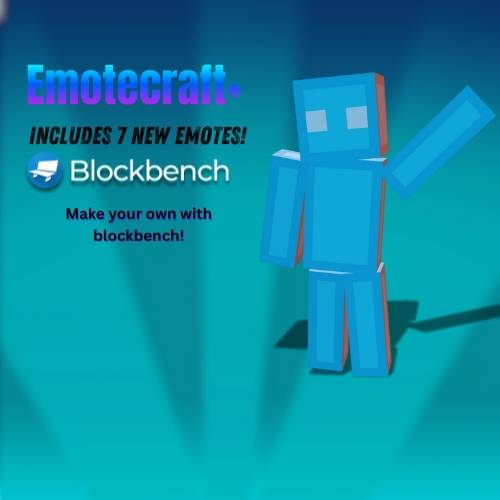 What the modpack offers!
"Bored of the same old emotes? This modpack upgrades Emotecraft by adding a fresh set of expressive, fun, and sometimes hilarious emotes. Whether you're celebrating a victory, throwing a tantrum, or just vibing with friends, there's an emote for every moment. Dive in and make your Minecraft experience more animated than ever!"
How to play!
🕹️ How to Use Emotes in This Modpack
To use emotes, make sure you have the modpack installed. Once you're in Minecraft:
-
Press the
Bkey to open the Emote Wheel. -
At the bottom of the wheel, click the tab labeled "All Emotes".
-
You'll now see a list of all available emotes.
-
To equip an emote:
-
Click on the "Config Emotes" tab.
-
Select the emote you want.
-
Then, click on one of the slots in the emote wheel to assign it.
-
-
Once equipped, just press
Bwhile playing and select your emote from the wheel—your character will perform it!
How to use Essentials Emotes!
To use Essentials Emotes, follow these steps:
-
From the Minecraft home screen, look at the left side of the screen — you’ll see your character.
-
Click the "Wardrobe" tab below to your character.
-
This will open a new menu where you’ll find:
-
Emotes
-
Cosmetics
-
And more customization options!
-
-
To equip an emote:
-
Browse through the available emotes — some are free, while others may require purchase.
-
Click on an emote to equip it to your character.
-
-
In-game, hold the
Rkey to open the Essentials Emote Wheel. -
Click on the emote you want, and your character will perform it!
I am planning on adding more Emote soon so please follow me so you can be ready for new updates!
Oh and please check out my channel!! https://www.youtube.com/@dreamNIT_YT
Screenshots
Gallery
Versions
Files
Relations
Project Relations
More like this
Similar Modpacks
Suggestions use data such as tags, dependencies, dependents, descriptions, titles, and more to rank how much they overlap with this modpack.
On ModDex
Community snapshot
By the numbers
Statistics
 (opens in a new tab)
Get it on
Available Platforms
On ModDex
Community snapshot
By the numbers
Statistics
Resources