
Fabric Performance Pack
No reviews yet
Boost your game and FPS as much as possible. Configurable, Experimental.
Does not follow a specific thematic focus apart from vanilla Minecraft.
Features content that solely expands on Vanilla mechanics and gameplay.
Includes quality of life improvements and small tweaks to enhance and customize gameplay.
Enhances game performance and optimizes resource usage.
Introduces new game mechanics and systems designed specifically for this mod or modpack.
Fabric is a mod loader for versions 1.14+ of Minecraft, particularly popular for client side and optimization mods.
Community voices
Reviews
Click once to include, again to exclude, again to clear
No reviews yet. Be the first to review this project!
Get it on
Available Platforms
 Modrinth
Compatibility
Supported Environments
About
Project Details
For authors
Embed Badge
If you're the author of this project, you can embed a live badge anywhere that supports HTML or Markdown. It updates automatically whenever ratings change.
Use HTML for any page that supports it, or Markdown for README files and Markdown-based descriptions.
Identifiers
Platform IDs
Resources
External Links
About
Description
Introduction
Originally made for my friends, this modpack will be needed by anyone who lacks the performance of vanilla Minecraft for a comfortable game without lags. The modpack, inspired by the new graphics engine from JellySquid (aka Sodium), was originally focused mainly on the client, but now it contains all the optimizations available that don't affect vanilla mechanics (be calm, your redstone schemes are safe 😉).
Why FPP?
The first distinguishing feature of the Fabric Performance Pack is that there are no unnecessary features and vanilla-changing optimizations, only the most necessary functions for players. This is the same vanilla, but faster and smoother. FPP includes all compatible (and not only) performance mods that I know of.
The second (and main) feature is flexibility. Thanks to the amazing mod of EZForever, you can switch the loading of any mod or part of a modpack right in the game at any time, as well as conveniently manage the launch of additional mods that you added yourself (just put them in the mods/My mods folder).
Features
- Choose the renderer that works best on your hardware: Vanilla, Sodium, Sodium + Iris Shaders or Canvas Renderer
- Optimize the composition of the modpack for the available power of your PC: turn off CPU-intensive optimizations if your CPU is too weak, or vice versa, turn them on if the CPU is much more powerful than your GPU and can take on extra work for less expensive rendering
- Add your mods and manage their launch. Put the mods you want in the
My Modsfolder to be able to switch them in a special screen. You can also change the folder name to any of the supported translations (currently onlyМои модыis supported) - Create and use resource and data packs with extended functionality by activating the
Developer Toolsmodule (most of the features will be available in 1.17.1, WIP)
What is planned?
- 1.17.1 (available here, extremely outdated)
- GitHub and Discord (felix14_v2)
- Translate mods descriptions in Mod Menu
- Add more developer tools for resource and data packs (made in 1.17.1)
- Add performance impact indication to tooltips
- Add translations into other languages
Credits
The main mods
- Fabric API (by modmuss50)
- Cloth Config API (by shedaniel)
- LibJF (by JFronny)
- Mod Menu (by ProspectorDev)
- ThatOrThis (by EZForever)
- Loading Timer (by Blobanium)
Graphics Engine|Rendering
- Sodium (by jellysquid3)
- Sodium Extra (by FlashyReese)
- Reese's Sodium Options (by FlashyReese)
- Better Sodium Video Settings Button (by LimeShulkerBox)
- Indium (by comp500)
- Iris Shaders (by coderbot)
- Canvas Renderer (by grondag)
Light Engine
- Starlight (by spottedleaf)
- Phosphor (by jellysquid3)
RAM
- FerriteCore (by malte0811)
- Hydrogen (by jellysquid3)
Server
- Lithium (by jellysquid3)
- Tic-Tacs (by Gegy1000)
- Concurrent Chunk Management Engine (by ishland)
- Recipe Cache (by biom4st3r1)
- Krypton (by astei)
Boot
- DashLoader (by alphaqu)
- LazyDFU (by astei)
- Smooth Boot (by UltimateBoomer)
Rendering Simplification
- Better Beds (by Motschen)
- Fast Chest (by FakeDomi)
- Enhanced Block Entities (by FoundationGames)
- Selective Entity Removal (by x3rmination)
- Entity Culling (by tr7zw)
Game window
- Borderless Mining (by comp500)
- Dynamic FPS (by juliand665)
- WindowThonk (by AMereBagatelle)
- Debrand (by haykam)
Other tools (may change in the future))
- Not Enough Crashes (by natanfudge)
- Ksyxis (by VidTu)
- Bobby (by Johni0702)
- Ok Zoomer (by Ennui)
- LambDynamicLights (by LambdAurora)
Resource/datapack possibilities
- Custom Entity Models (by dorianpb)
- Respackopts (by JFronny)
- FabricSkyboxes (by AMereBagatelle)
Modpack logo is the cropped copy of the photo by Gregg M. Erickson distributed under the Creative Commons Attribution 3.0 Unported license.
Screenshots
Gallery
-
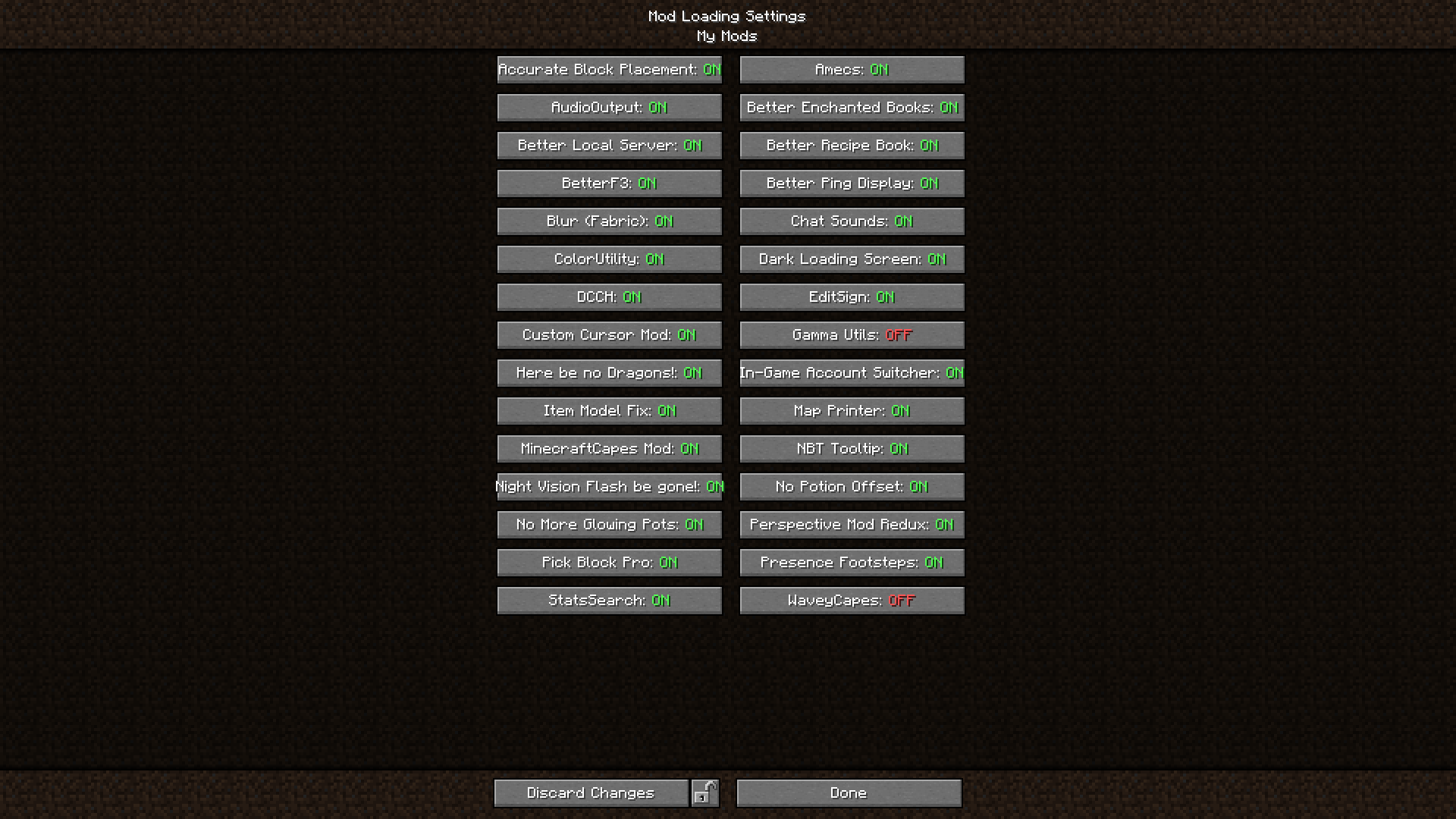 Manage your mods Place your mods into 'mods/My Mods' to conveniently switch their loading directly from the game.
 -
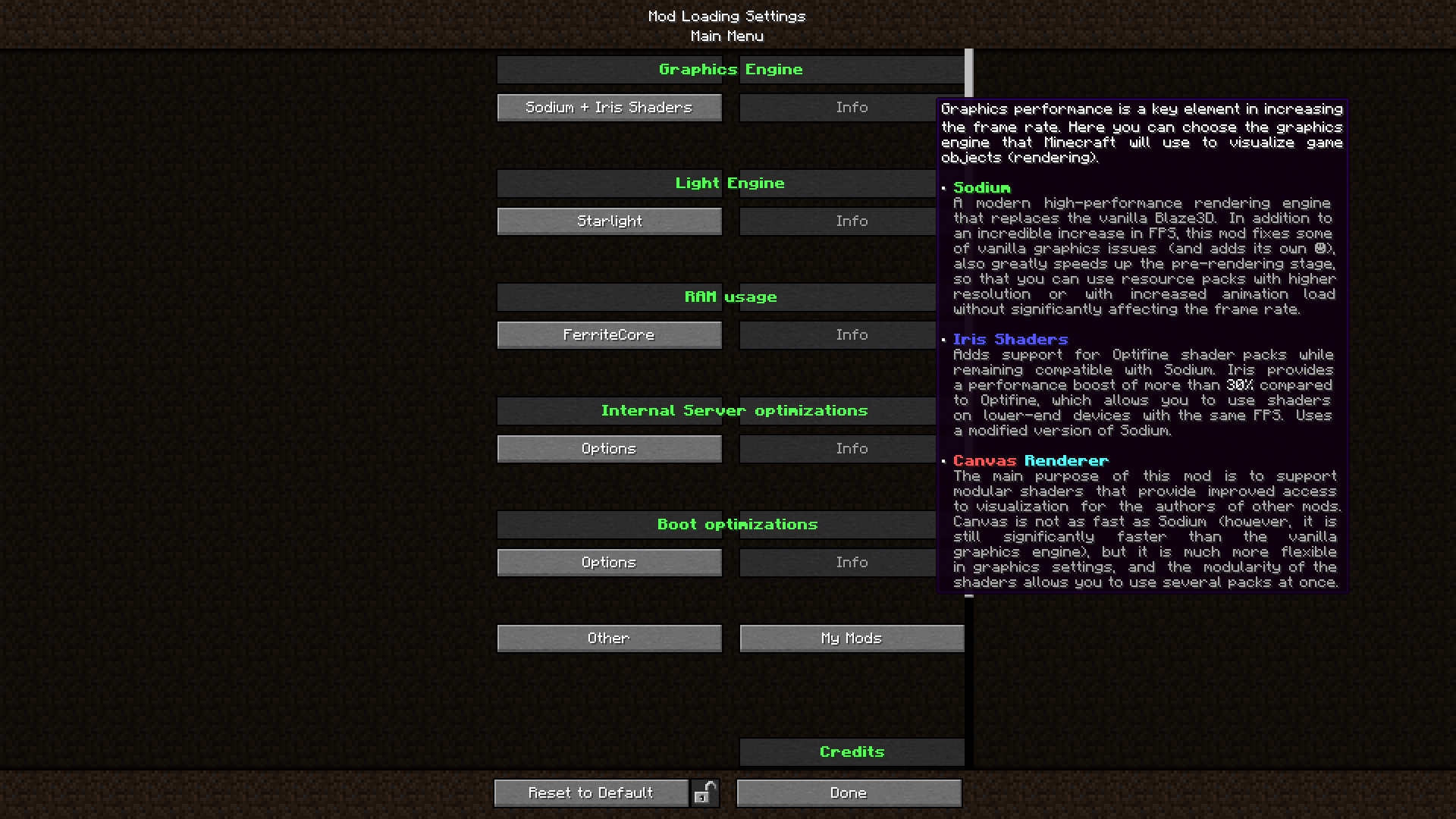 Tooltips with explanations All mods are commented and explained. If you are in doubt about the purpose of any part of the modpack, they will help you figure it out.
 -
 Mod loading manager Here you can tweak optimisations for your Minecraft and adapt them to the hardware
Versions
Files
Relations
Project Relations
More like this
Similar Modpacks
Suggestions use data such as tags, dependencies, dependents, descriptions, titles, and more to rank how much they overlap with this modpack.
On ModDex
Community snapshot
By the numbers
Statistics

Want to reach Minecraft players?
We're looking for a server hosting partner to feature here and other parts of the site. Interested? Send us a message!
Get in touchGet it on
Available Platforms
On ModDex
Community snapshot
By the numbers
Statistics
Resources