
Community listing page, reviews here may not be monitored by the author.
Froster's QOL

No reviews yet
Various Client-Sided QOL changes and Technical Additions in a single, easy to use bundle.

Community voices
Reviews
No reviews yet. Be the first to review this project!
Get it on
Available Platforms
Compatibility
Supported Environments
Runs entirely on the client. Works on vanilla servers.
About
Project Details
For authors
Embed Badge
If you're the author of this project, you can embed a live badge anywhere that supports HTML or Markdown. It updates automatically whenever ratings change.
Use HTML for any page that supports it, or Markdown for README files and Markdown-based descriptions.
Identifiers
Platform IDs
Resources
External Links
About
Description
Tweakeroo
- Adds Optifine-style zoom with adjustable FOV.
- Adds the ability to offset a block placement by 1 block in any direction from the face.
- Adds the ability to specify a block's rotation reguardless of player position.
- Adds precise angle snapping. Useful for placing ice boats or other straight-line AFK travel.
- Adds a right-click spam button useful for certain farms where an AFK player is needed.
- Adds free-cam useful for just about everything.
MiniHUD
- Adds a light-level overlay on relevant blocks. Red X means mobs can spawn reguardless of skylight. Yellow X means mobs can spawn at night. No X means mobs cannot regularly spawn.
- Adds a structure bounding-box visualizer to allow you to properly place and size farms.
- Adds the ability to render shapes through the config menu. Useful for spawning spheres.
BetterF3
- Improves the F3 menu to be less terrible.
Item Scroller
- Allows vastly better inventory/container management by utilizing the scroll wheel.
Replay Mod
- Allows the user to record gameplay. Most keybinds are deactivated since pause menu operation exists. Feel free to override this if you use this mod often.
Vanilla Tweaks Resource Pack
- Adds a variety of toggle-able resource packs to enhance UI, visibility, accessibility, etc.
- Vanilla Tweaks Official Website
- Credits: Vanilla Tweaks: https://vanillatweaks.net/
Other
- Xaero's Minimap/Worldmap
- EMF/ETF
- 3D Skins
- AppleSkin
- Better Mount Hud
- Boat Item View
- Capes
- Chat Heads
- Do a Barrel Roll (disabled by default)
- Shulker and Durability Tooltips
- Held Item Tooltips
- Status Effect Bars
- Iris Shaders
- Jade
- Dynamic Lights
- Mod Menu
- No Chat Reports
- Many Additional Animations (including Not Enough Animations)
- ReplayMod
- Many performance/fix mods
Keybinds
Many keybinds are unbound to reduce complexity. To open a mod's config, first pause, then go to mods, then click the mod's icon.
Description              : Bind           : Mod
----------------------------------------------------------
Zoom                     : C              : Tweakeroo
Adjust Zoom Amount       : C+SCRL         : Tweakeroo
Offset Block Placement   : LALT           : Tweakeroo
Specific Block Rotation  : R              : Tweakeroo
Angle Snap               : V              : Tweakeroo
Fast Right Click         : B              : Tweakeroo
Free Cam                 : N              : Tweakeroo
Light/Structure Render   : H              : MiniHUD
Structure Render         : G              : MiniHUD
View Container Contents  : LSHFT          : MiniHUD
MiniHUD Config           : H+C            : MiniHUD
Drag to Transfer         : SHFT+LMB+Drag  : Item Scroller
Transfer Item To/From    : SCRLUP/DN      : Item Scroller
Transfer Stack To/From   : SHFT+SCRLUP/DN : Item Scroller
Minimap Enlarge          : Z              : Xaero's Minimap
Open Worldmap            : M              : Xaero's Worldmap
Litematica Render        : L              : Litematica
Litematica Operation     : CTRL+SCRL      : Litematica
Litematica Menu          : END            : Litematica
Litematica Execute Op.   : `(GRAVEACCENT) : Litematica
Next/Prev. Struct. Layer : PGUP/PGDN      : Litematica
Shader Enable/Disable    : K              : Iris
Pause/Play Replay        : P              : ReplayMod

Tip: From the MiniHUD Config, use the dropdown in the top-right to access other configs.
Screenshots
Gallery
-
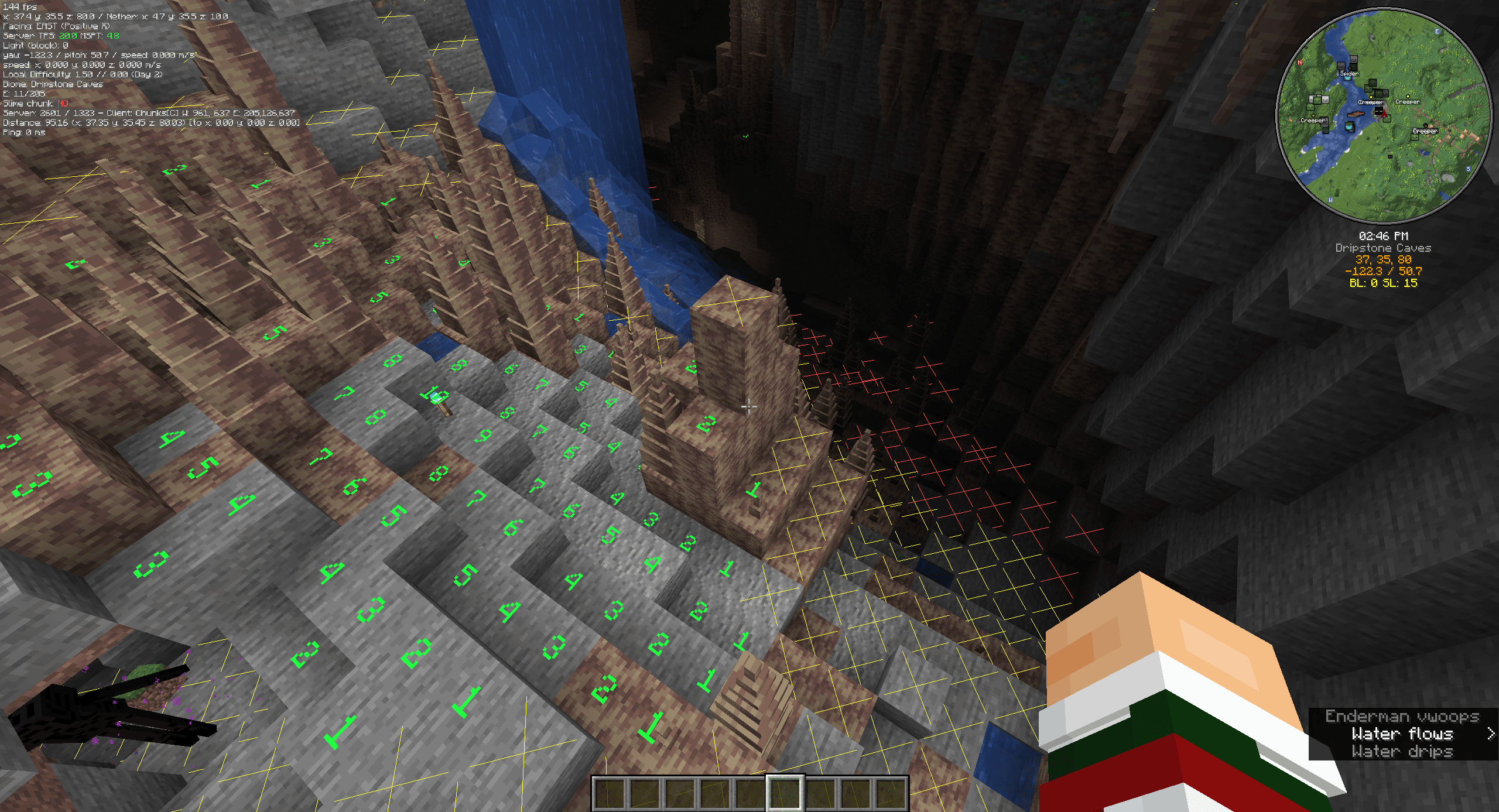 MiniHUD Light Level Viewing Easily see where mobs can and cannot spawn.
 -
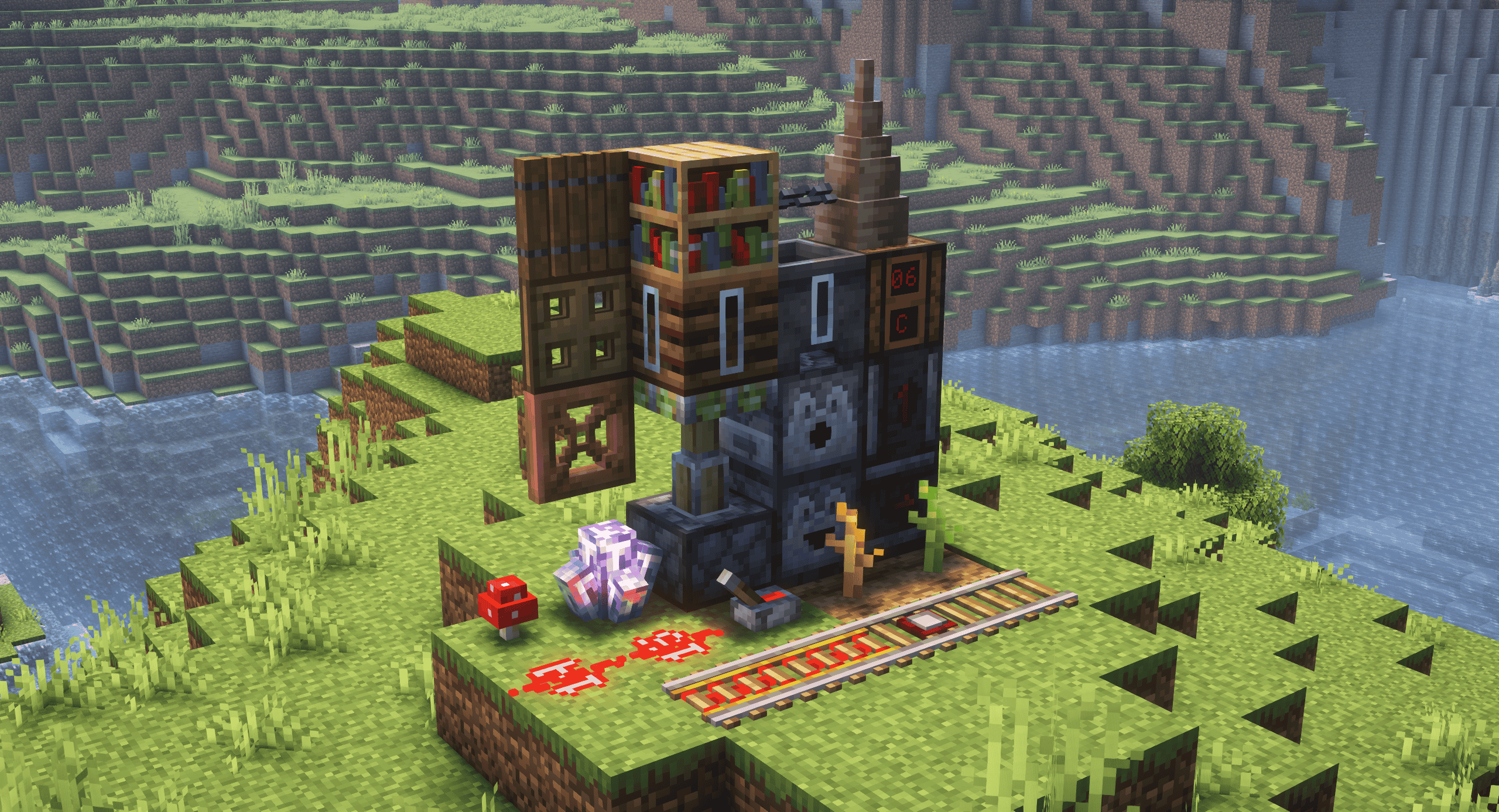 VanillaTweaks Resource Pack Included 6 Custom Vanilla Tweaks Resource packs can be toggled to tailor your experience.
 -
 Banner
 -
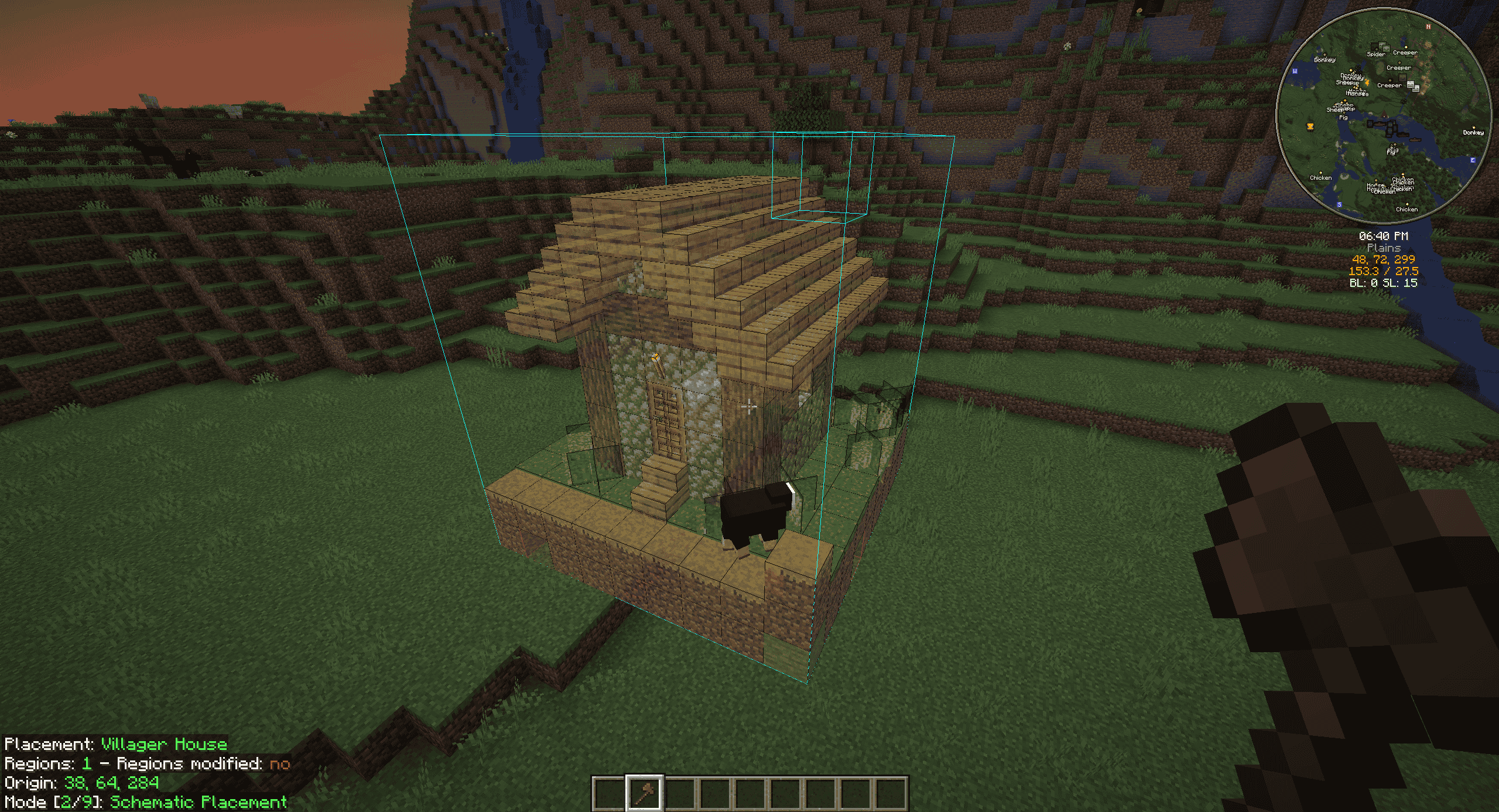 Litematica Schematic Support Create and place Litematica Schematics with a Wooden Axe. Pre-configured enhanced visuals included.
 -
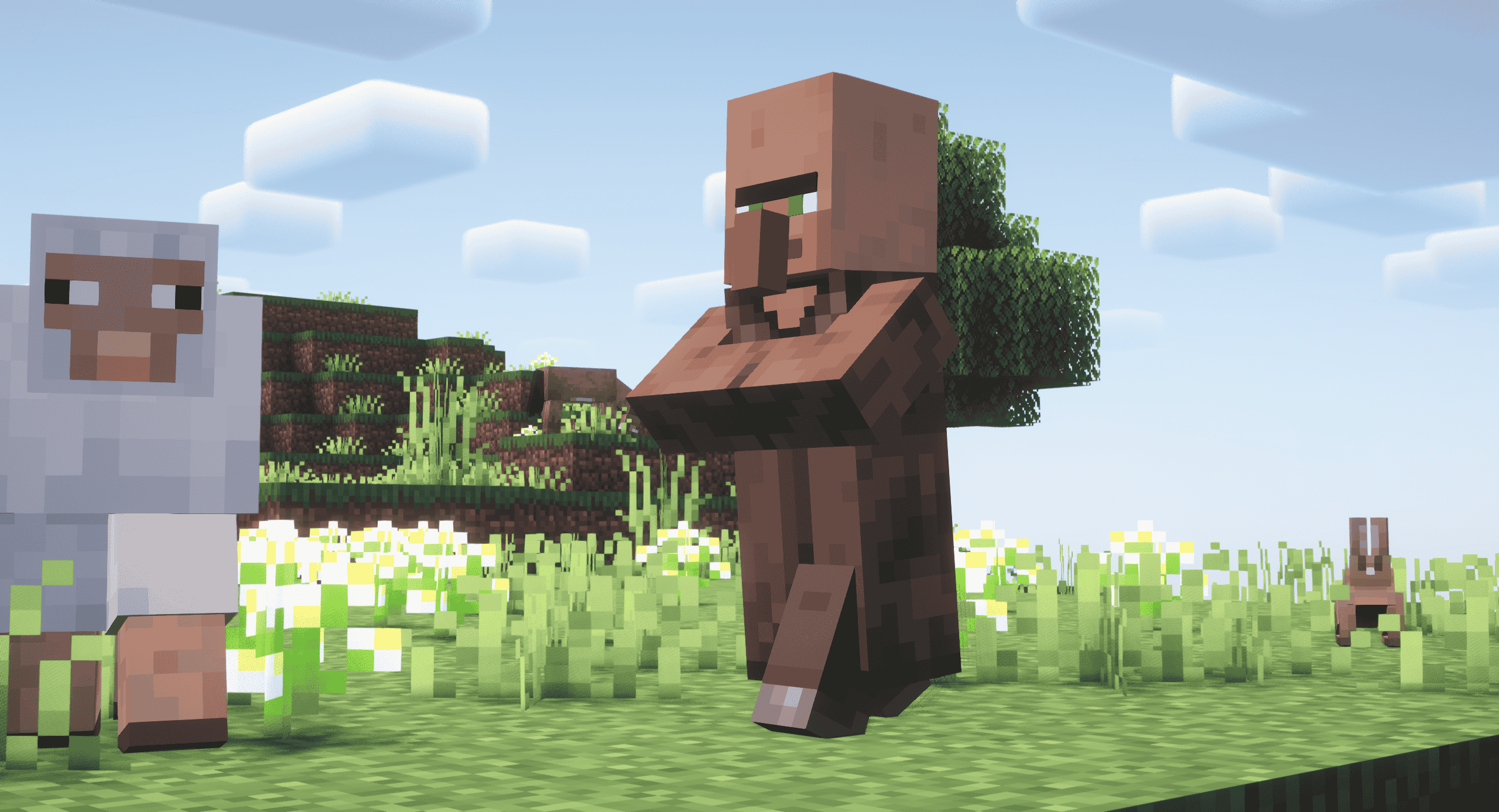 Enhanced Animations Both entity and 3rd person player animations have been vastly enhanced.
 -
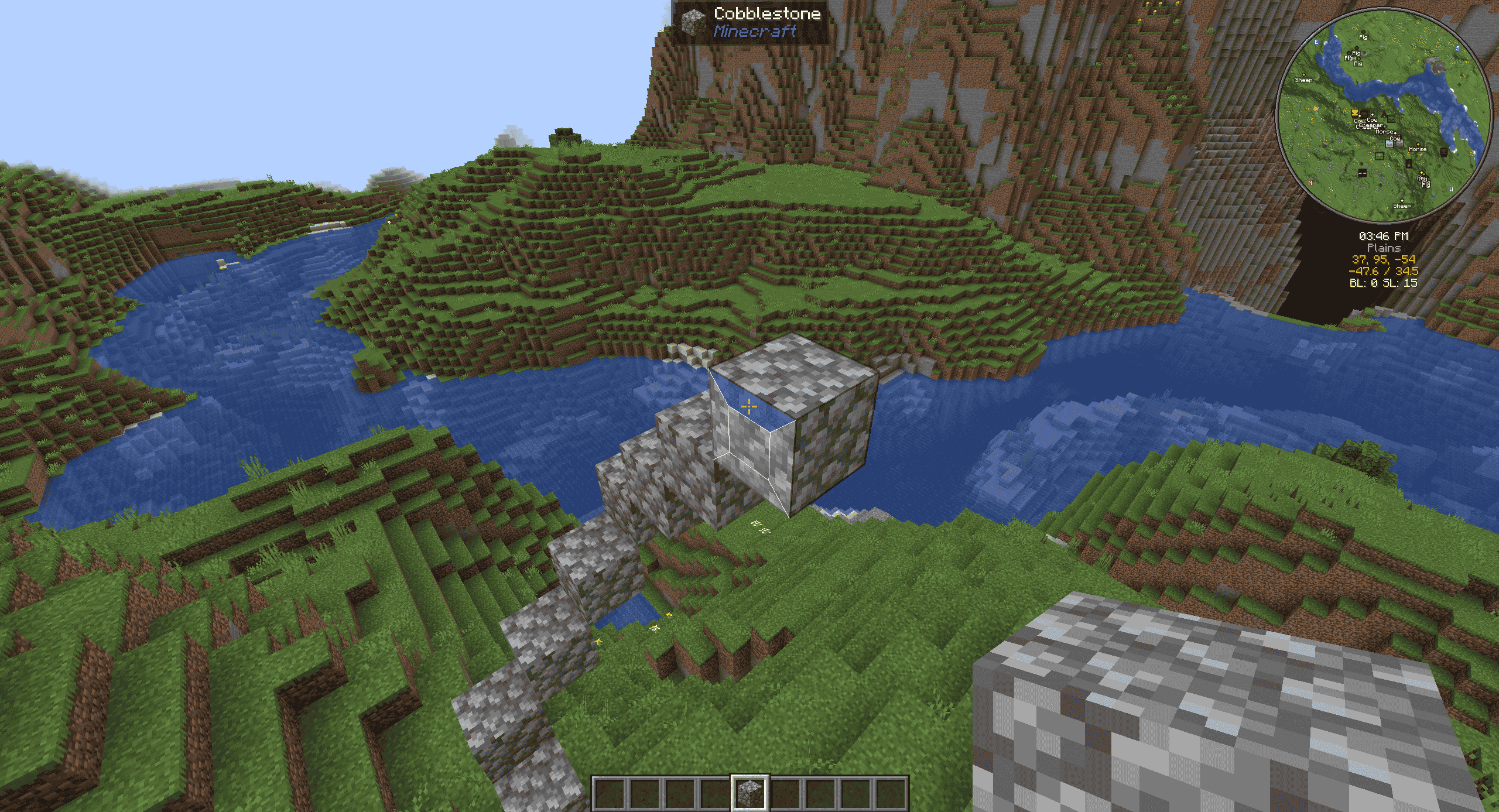 Tweakeroo Block Placement Hold Left ALT to place blocks offset from a face or hold R to change the rotation the block will face.
 -
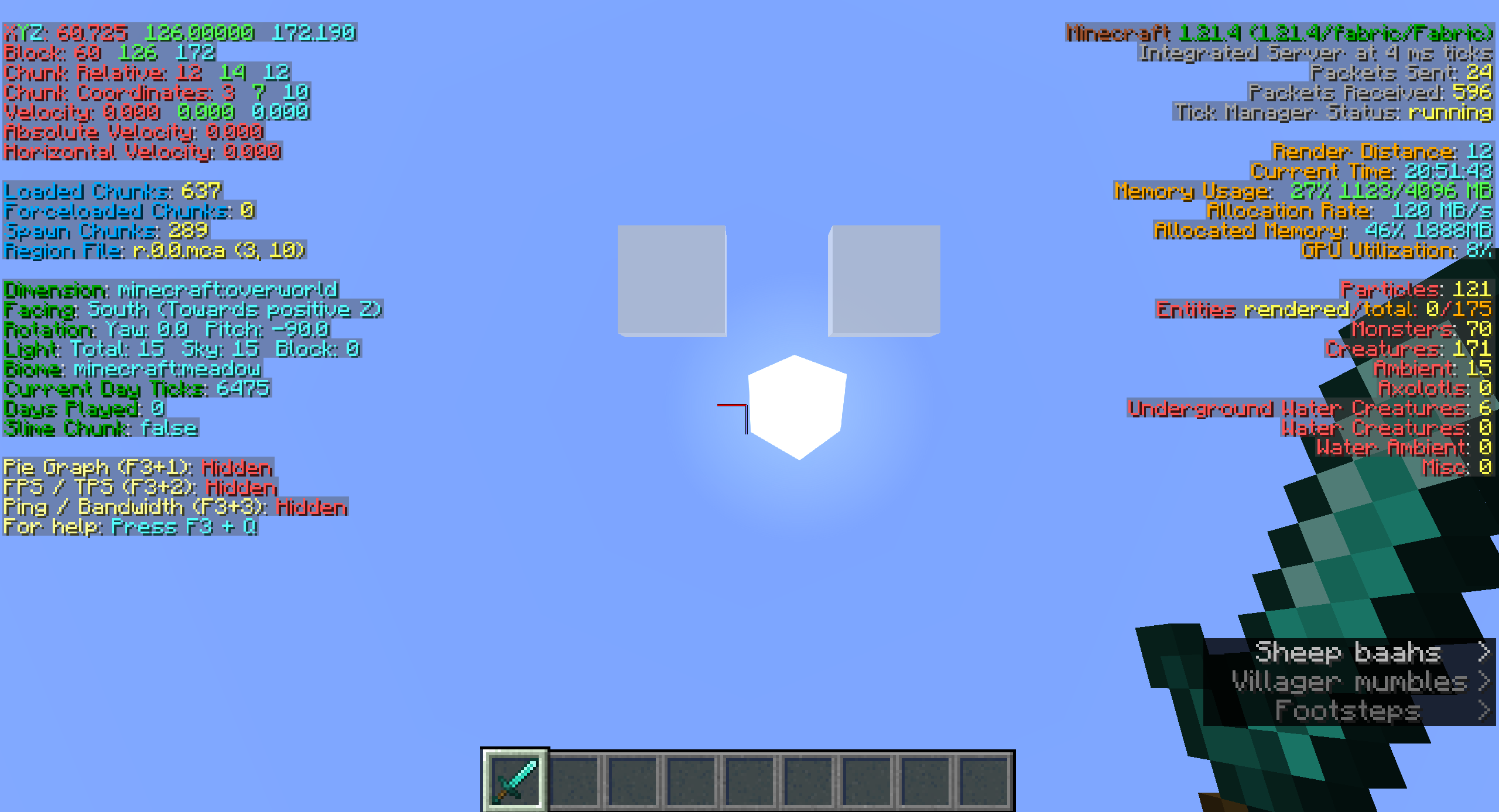 BetterF3 Improved and customizable F3 screen with suggested layout included.
 -
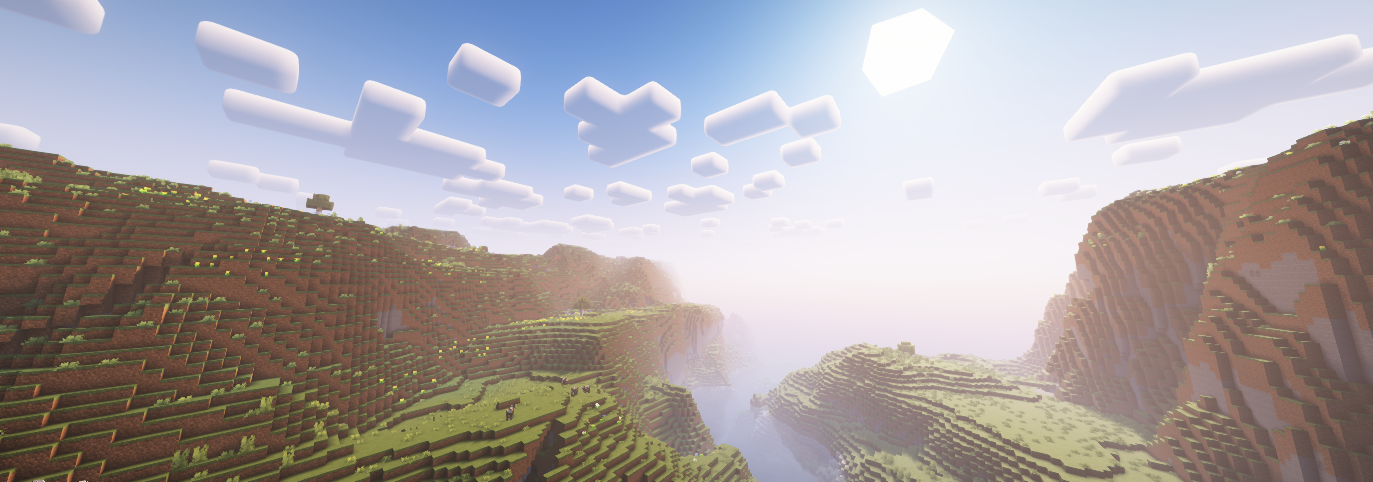 Shaders Included BSL(default+classic), Complementary(Reimagined+Unbound), MakeUp, Miniature, Nostaliga, Photon, Rethinking Voxels, Shrimple, Solas
Versions
Files
Relations
Project Relations
More like this
Similar Modpacks
Suggestions use data such as tags, dependencies, dependents, descriptions, titles, and more to rank how much they overlap with this modpack.
On ModDex
Community snapshot
By the numbers
Statistics

 (opens in a new tab)
Get it on
Available Platforms
On ModDex
Community snapshot
By the numbers
Statistics
Resources