
Community listing page, reviews here may not be monitored by the author.
Ignacia SMP

No reviews yet
Vanilla friendly Fabric Modpack made for designing in creative and building in survival
Community voices
Reviews
No reviews yet. Be the first to review this project!
Get it on
Available Platforms
Compatibility
Supported Environments
Required on the client. Installing it on the server adds functionality.
Required on the server. Installing it on the client adds functionality.
Varies by version.
About
Project Details
For authors
Embed Badge
If you're the author of this project, you can embed a live badge anywhere that supports HTML or Markdown. It updates automatically whenever ratings change.
Use HTML for any page that supports it, or Markdown for README files and Markdown-based descriptions.
Identifiers
Platform IDs
Resources
External Links
About
Description
Some mods will be updated later, they aren't available for 1.21.8 yet.
you can disable Distant Horizons, if it eats up your frames.
some included mods are disabled to increase performance, you can enable them if you wish
Ignacia SMP
A vanilla friendly mod pack made for builders, content creators and redstone engineers playing on vanilla servers or in singleplayer. Especially made for designing builds in creative and then building them in survival on servers, like my community server, the Ignacia SMP (Join my discord for more info).
It features mods that make the game run a lot smoother and allows for the use of OptiFine features such as overlay textures, animated entitys, connected block textures, custom items, shaders and a zoom. It's made for vanilla servers using simple voicechat, so you can communicate with nearby players if the mod is installed and set up on the server side. This also works with audioplayer if that mod is installed on the server. For an immersive feeling Distant Horizons creates LODs that allow you to have a much higher render distance than the server. If your hardware can't handle that mod there is still a world and minimap installed, so you never get lost again.
For all the builders and redstone people out there this modpack features Axiom, Litematica, Item Scroller and Tweakeroo, all of them have features that make building and designing structures, being it farms or fancy builds, a lot easier and comfortable. Build epic stuff with Axiom in singleplayer, scan it with Litematica and gather all the resources from the material list in survival on a server. Build the structure with the Easy Place mode and Tweakeroos Fast Block Placement in no time.
A never ending amount of qualitiy of life enhancing mods is available on modrinth and this pack features my favorite ones, e. g. Better Statistics Screen, Item Scroller and Controlling to keep your menus organised. Capes and Armored Elytra to render Elytras and Chestplates, that have been plated using Vanilla Tweaks "Armored Elytra" datapack and to show your OptiFine cape or others. Works well in Multiplayer!
To make Minecraft look more beautiful some mods tweak the look of the game while having a low performance impact. Better Clouds, Make Bubbles Pop, Not Enough Animations for example give the world a fresh overhaul, combined with the Fresh Animations Resource Pack Minecraft doesn't feel like a 10+ year old game at all.
All mods that add overlays to the GUI have hotkeys to toggle those GUIs, so the deault view isn't changed at all, unless you enable the overlays you like to see. Dynamic Crosshair removes the crosshair when you're not looking at a block or holding a tool. There is enough overstimulation in our lifes already.
Featured Mods:
- Sodium, Lithium, Iris: Great performance and shader support
- Distant Horizons: Huge render distances with shaders
- Continuity, ETF & EMF, FPS Display and Zoomify as OptiFine replacer
- Simple Voice Chat: Talk to other nearby players and listen to custom music discs
- Xaero's World and Mini Map: For a better overview of the world and nearby mobs
- Litematica, Tweakeroo and Axiom: Building has never been easier
- Many little life enhancing tweaks: Autorun, Dynamic Crosshair, Freecam, Shuffle, ...
Settings & Hotkeys:
if you want to use your personal settings, copy the options.txt file from an other instance into this pack
- F4 - toggle perspective
- F - zoom
- F6 - secondary zoom
- Mouse Button 5 - swap item with offhand
- '#' - open command
- I - highlight players in spectator
- End - FPS Reducer GUI
- Pause - reduce FPS manually
- U - toggle Jade overlay
- Keypad 0 - open Jade GUI
- . - Voicechat GUI
- J - Xaeros Worldmap settings
- M - open worldmap
- +/- - minimap zoom
- < - enlarge minimap
- B - new waypoint
- P - toggle minimap
- O - Iris shader pack selection screen
- K - shaders toggle
- Y - Autorun
- X + C - Tweakeroo settings
- X + Alt - flexible block placement
- Alt - block rotation
- Cntl - block offset
- Caps lock - placement adjacent
- F5 - freecam
- G - gamma override, fullbright
- C - Hotbar Randomizer
- X + Alt - flexible block placement
- H + C - MiniHUD config
- H - MiniHUD rendering
- N - Litematica settings
- N + E - easyplace mode
- N + P - manage placements
- N + A - area selection box rendering
- N + R - all rendering
- N + L - material list
- N + C - config
- page up/down - next/previous layer when in single layer mode
- tool item: minecraft:blaze_rod
- R - Axiom toggle replace mode
- X - Axiom toggle Fast Place
- Ctrl + Z - undo
- Right Shift - open Editor Mode
- context menu - right alt
- F7 - Physics Settings
Featured resource packs:
Includes some of my packs, you can pick the ones you like. My packs are also available on Modrinth, if you want to download them.
- Kai's Minecraft Tweaks
- Better glass panes
- Minecraft Dungeons Pack
- Ignacia Pack
Recommended external packs
- Building with fWhip (only available for his Patreons)
- Additional Elytras
- Crops 3D
- My personal choice of Vanilla Tweaks
- Fresh Animations
- Fresh Moves
Shaderpacks worth checking out
Screenshots
Gallery
-
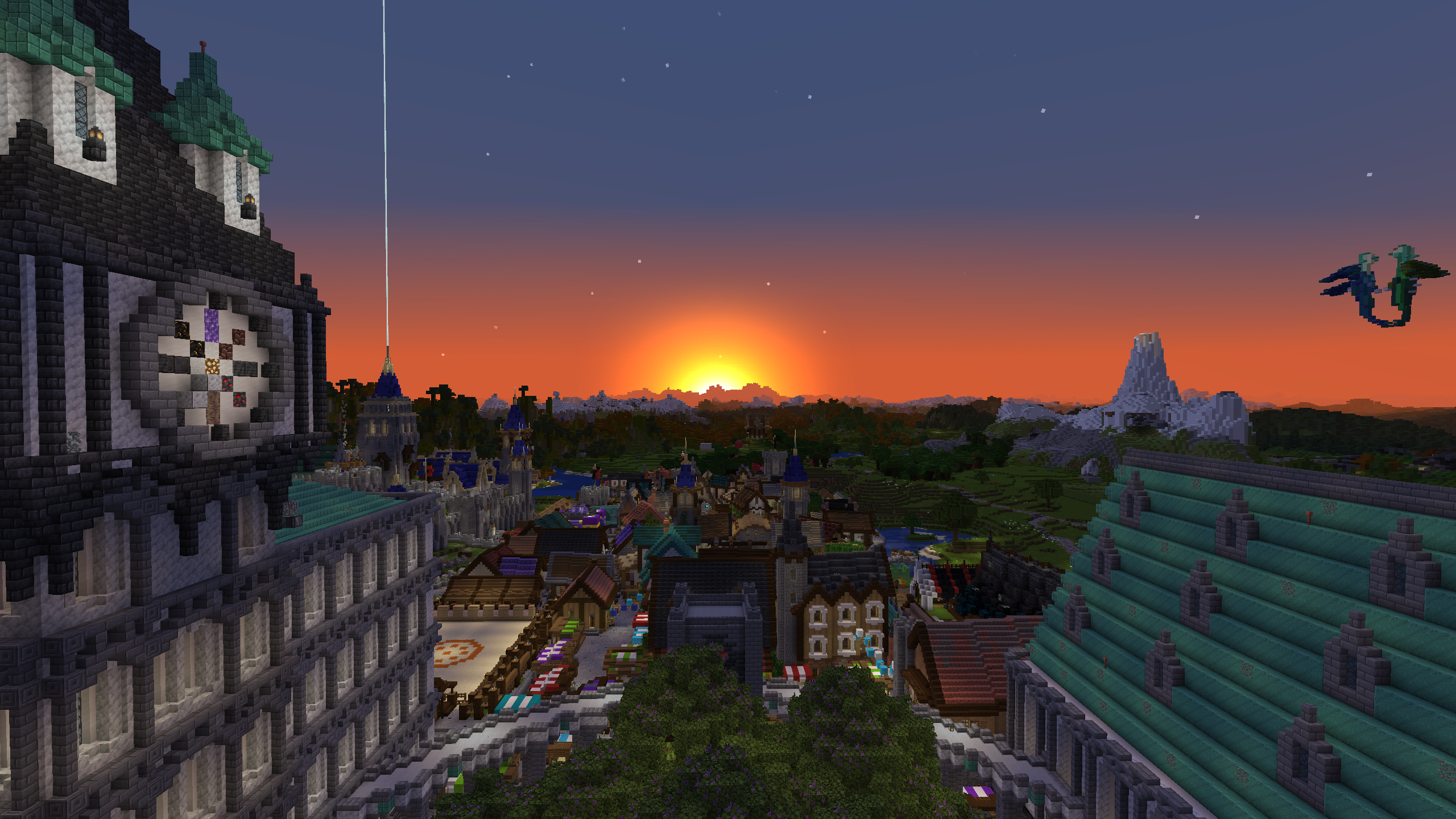 Sunrise over Ilirea A beautiful sunrise with distant horizons and my texture packs
 -
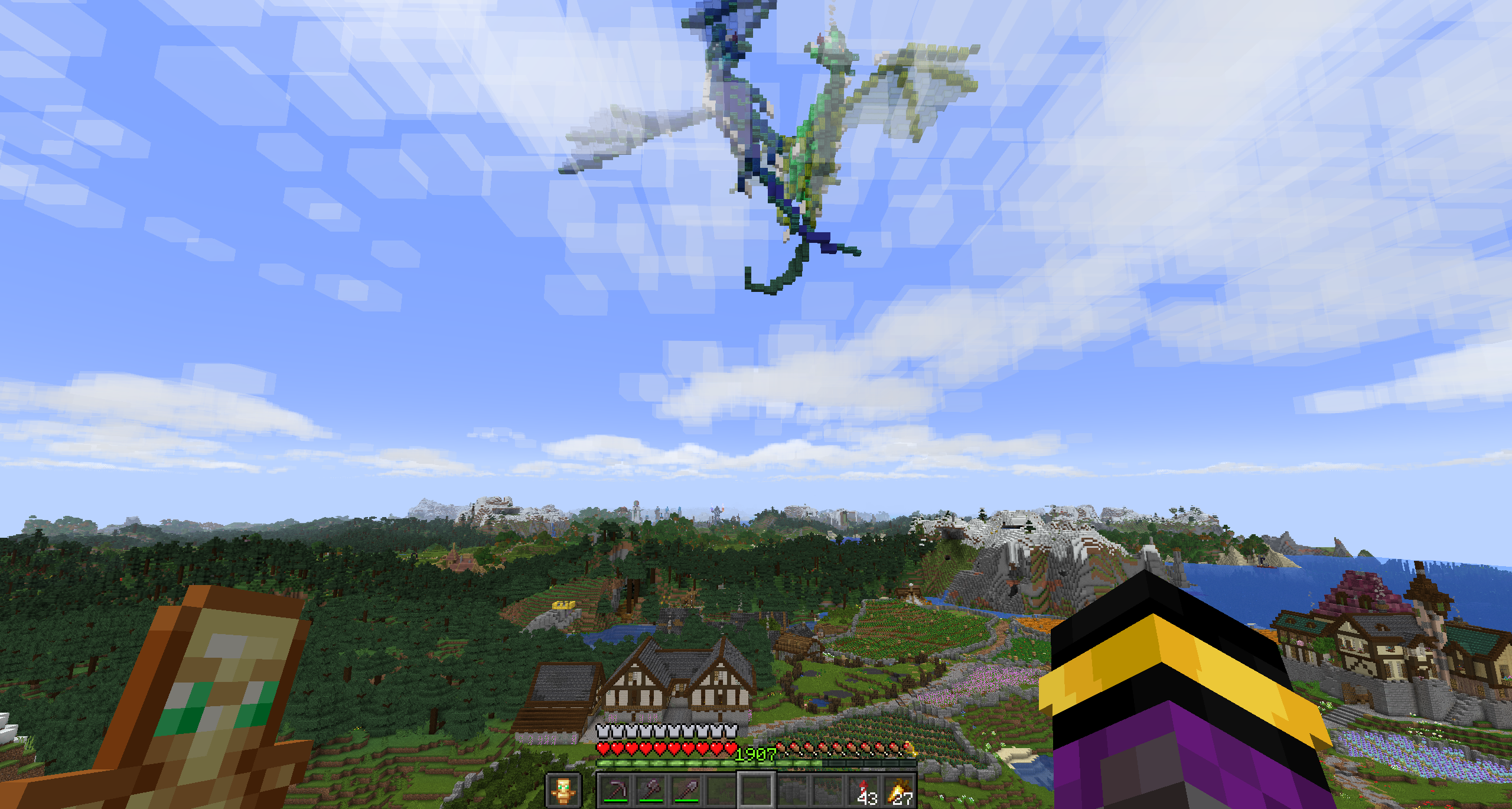 No Overlays... to keep your game GUI clean and relaxing
 -
 ... unless you want to see them all the information you could ever need
 -
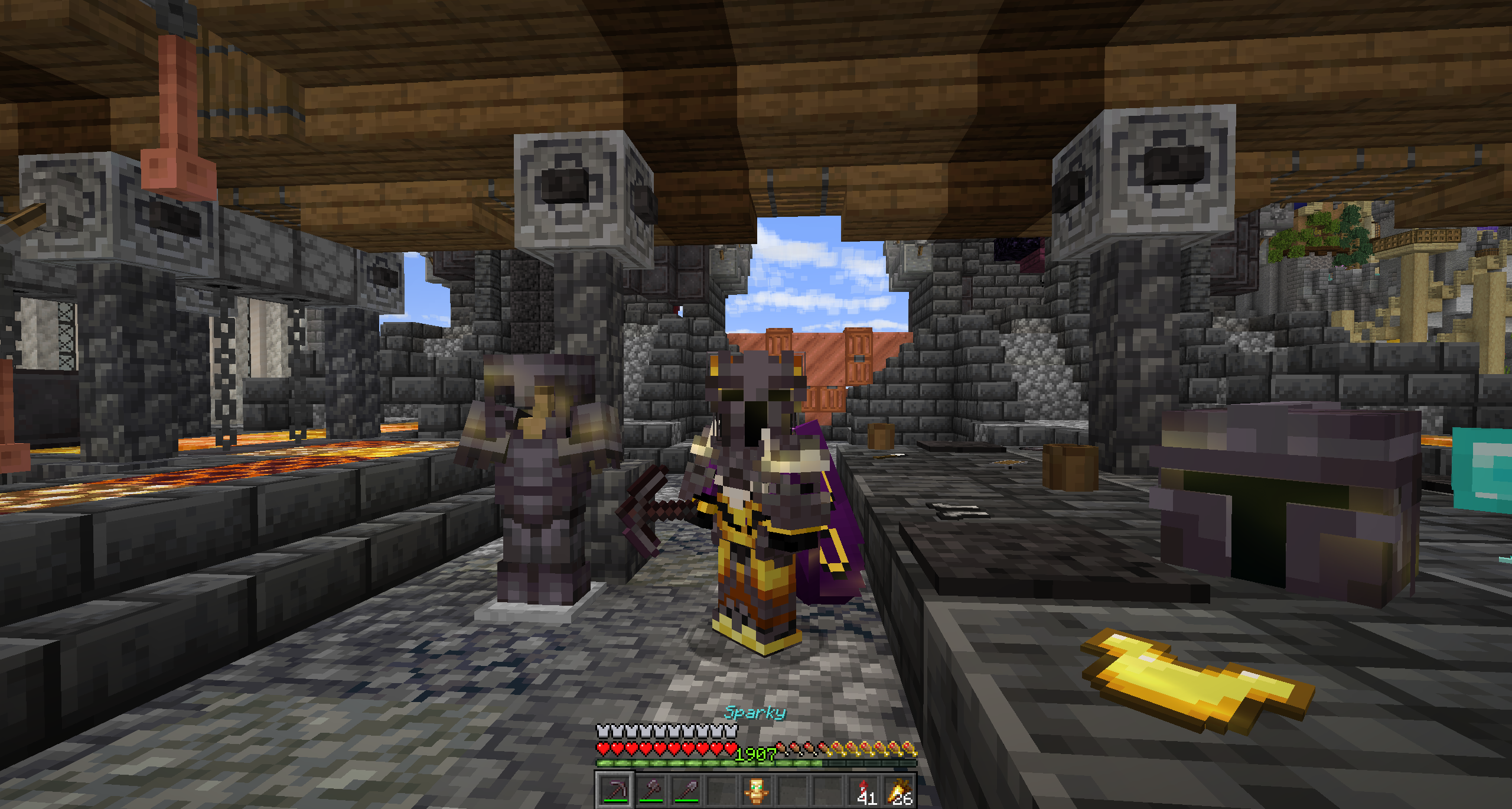 Chestplate & Cape rendering when using Vanilla Tweaks Armored Elytra Datapack. You can see your own and others Capes!
 -
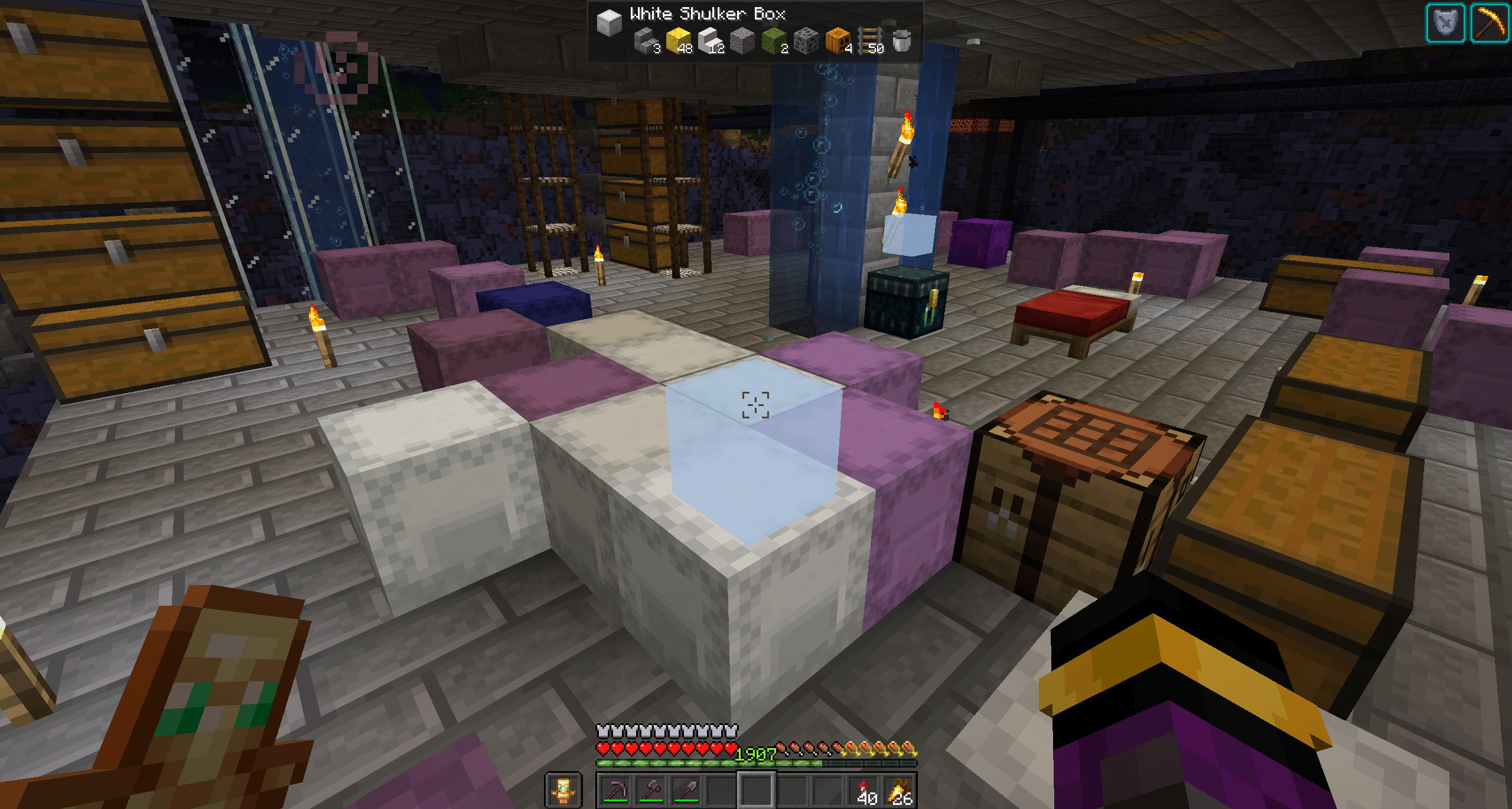 Easily find items in your shulker monsters using Chest Tracker. It stores the item locations client side!
 -
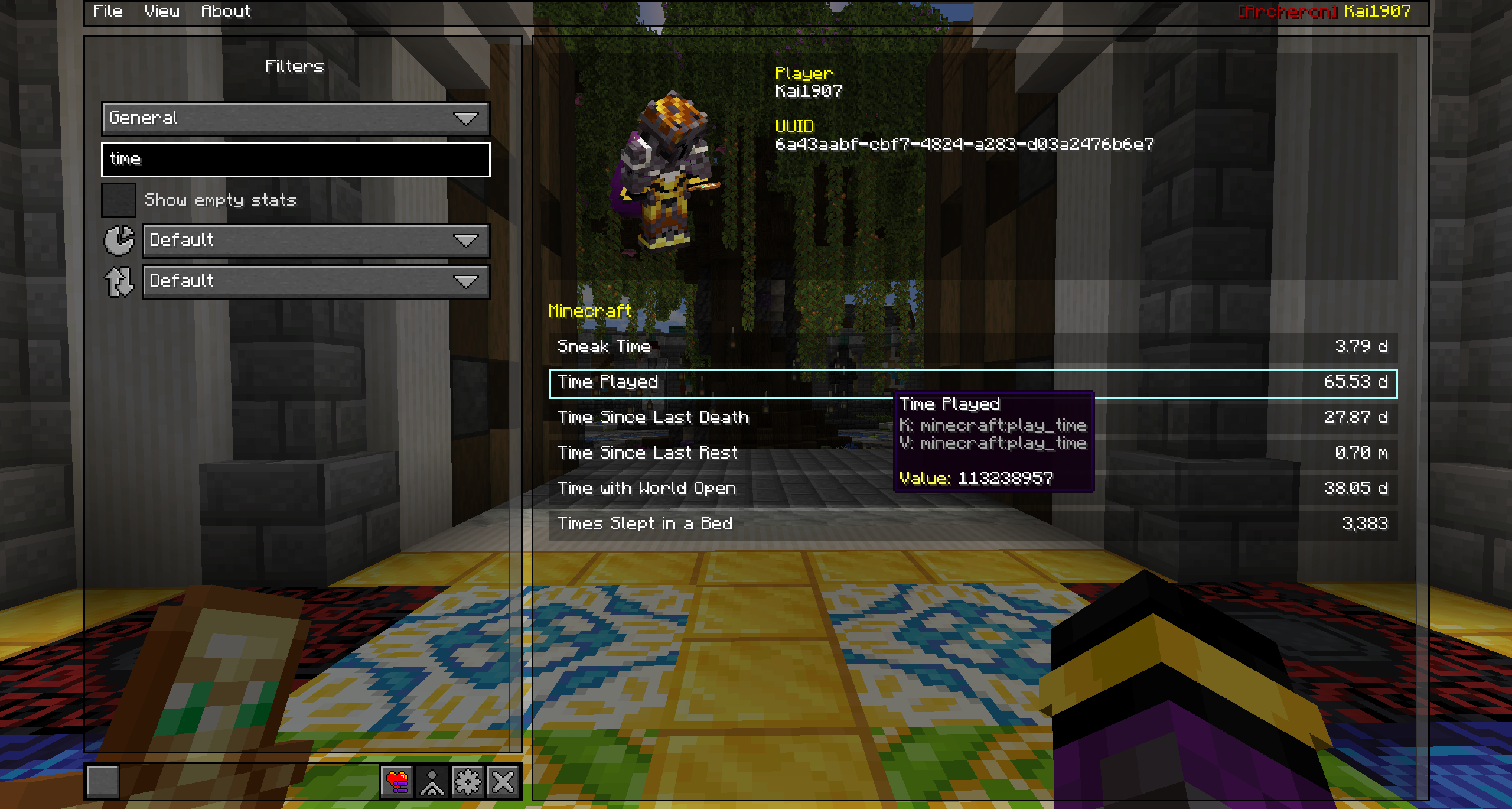 Navigate your menus with search bars no more searching for that one keybind or statistic you just can't find.
 -
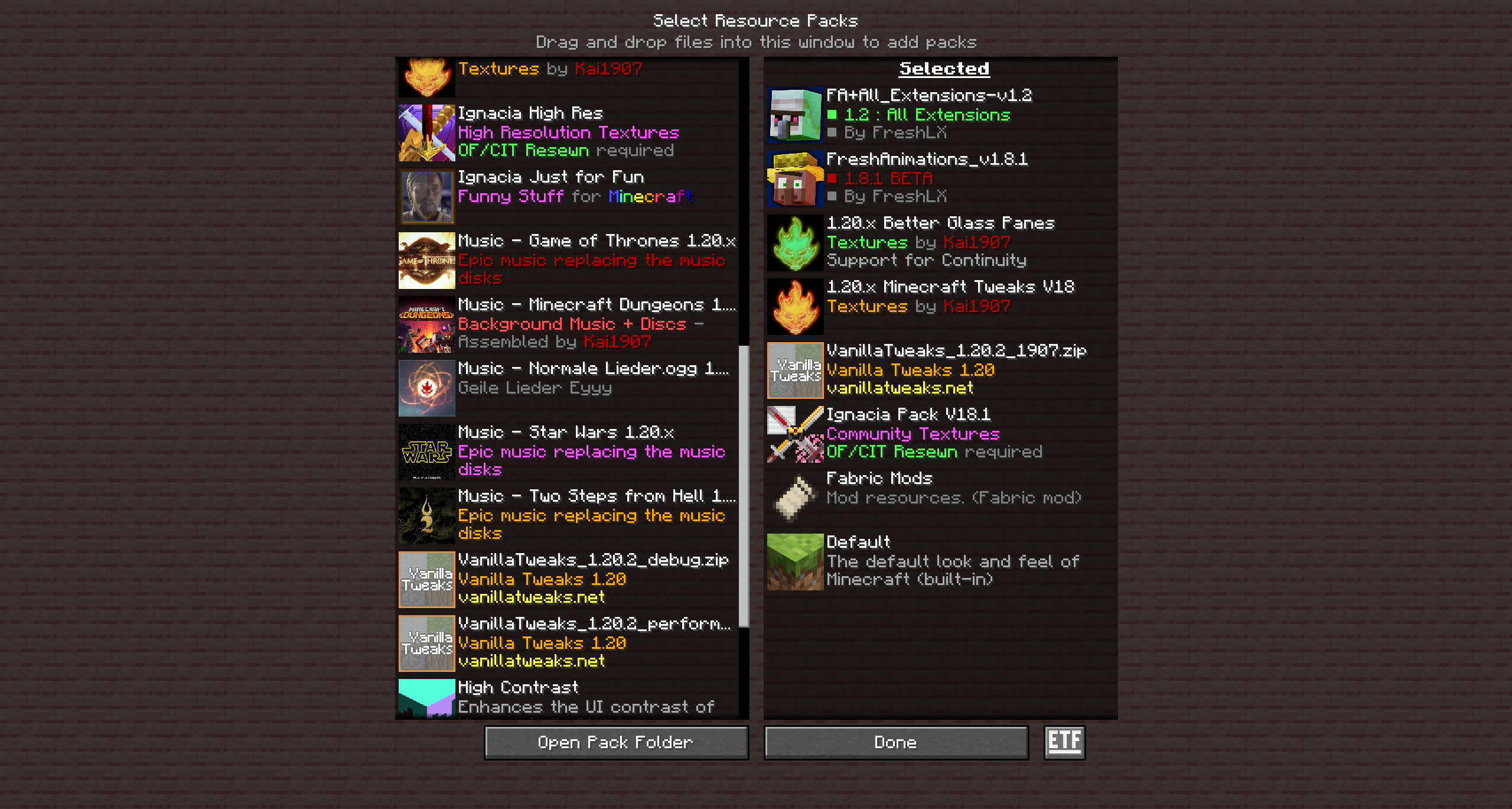 Recommended Resource Pack Load Order make sure Ignacia Pack is at the lowest position
Versions
Files
Relations
Project Relations
More like this
Similar Modpacks
Suggestions use data such as tags, dependencies, dependents, descriptions, titles, and more to rank how much they overlap with this modpack.
On ModDex
Community snapshot
By the numbers
Statistics

Want to reach Minecraft players?
We're looking for a server hosting partner to feature here and other parts of the site. Interested? Send us a message!
Get in touchGet it on
Available Platforms
On ModDex
Community snapshot
By the numbers
Statistics
Resources