
Community listing page, reviews here may not be monitored by the author.
Joseph's Magically Optimized

No reviews yet
Better FPS, No lag, Better Quality & enhanced visuals and very nice essentials!
Community voices
Reviews
No reviews yet. Be the first to review this project!
Get it on
Available Platforms
Compatibility
Supported Environments
Runs entirely on the client. Works on vanilla servers.
About
Project Details
For authors
Embed Badge
If you're the author of this project, you can embed a live badge anywhere that supports HTML or Markdown. It updates automatically whenever ratings change.
Use HTML for any page that supports it, or Markdown for README files and Markdown-based descriptions.
Identifiers
Platform IDs
Resources
External Links
About
Description
A powerfull but lightweight modpack with many optimizations and essentials such as Simple Voice Chat and Sodium so you can finaly enjoy minecraft and have fun with out ANY lag.
Have suggestions or bug reports? Contact me on discord: army_general.
I always respond to my dms.
Mods List and description
- Entity Model Features - Adds support for custom entity models from OptiFine resource packs.
- Entity Texture Features - Adds support for custom entity textures, random textures, and emissive effects.
- Alternate Current - Optimizes redstone performance while preserving vanilla behavior.
- Anvian's Lib - Library required by Anvian's mods.
- AppleSkin - Adds food and saturation information to the HUD.
- Architectury API - A library that helps mods run across different platforms.
- Auto Optimization - Automatically applies performance optimizations.
- BactroMod - Adds various client improvements and utilities.
- BadOptimizations - A collection of small performance improvements.
- Better Block Entities - Optimizes block entity rendering for better performance.
- Better Render Distance - Improves chunk rendering and view distance performance.
- Better F3 - Improves the F3 debug screen with a cleaner layout.
- Boat Item View - Shows your held item while riding boats.
- Bura - Adds performance improvements and client features.
- Chat Animation - Adds smooth animations to chat messages.
- Cloth Config API - Configuration library used by many mods.
- C2ME - Improves chunk generation and loading performance.
- Continuity - Adds connected textures and better resource pack support.
- Controlling - Adds a better keybind search system.
- CreativeCore - Library required by CreativeMD mods.
- Cubes Without Borders - Allows fullscreen windowed Minecraft without borders.
- Cull Leaves - Improves performance by removing hidden leaf faces.
- Cherished Worlds - Add a star next to your favourite server or world so you can keep it at the top of your list.
- Debugify - Fixes many Minecraft bugs without changing gameplay.
- Don't Clear Chat History+ - Keeps chat history after leaving servers.
- Dynamic FPS - Reduces resource usage when Minecraft is inactive.
- Entity Culling - Improves FPS by hiding unseen entities.
- Essential Mod - Adds social features, cosmetics, and multiplayer tools.
- Fabric Language Kotlin - Kotlin support library for Fabric mods.
- Fabrishot - Allows extremely high-resolution screenshots.
- Fast IP Ping - Makes server pinging faster.
- Fast Item Frames - Improves item frame rendering performance.
- Fast Noise - Improves noise generation performance.
- Fast Server Pings - Improves server list ping speed.
- Falling Leaves - Small particle effect that is caused by leaves.
- FastChest - Optimizes chest rendering.
- FastQuit - Makes quitting worlds and servers faster.
- FerriteCore - Reduces memory usage.
- Forge Config API Port - Allows Forge-style configs on Fabric.
- Fzzy Config - Configuration library for mods.
- ImmediatelyFast - Improves rendering performance.
- Krypton - Improves network performance.
- Ksyxis - Improves world loading speed.
- LambDynamicLights - Adds dynamic lighting from held items and entities.
- Language Reload - Makes language loading faster.
- Lithium - Improves game logic performance.
- MidnightLib - Library required by some mods.
- Mod Menu - Adds a menu to view installed mods.
- Modern Fix -mVUS - Improves performance, memory usage, and loading times.
- More Chat History - Increases stored chat history.
- More Culling - Adds extra rendering optimizations.
- NoRefreshscroll - Does not reset scroll inside of multiplayer when you refresh
- No Chat Reports - Removes Minecraft chat reporting features.
- No Resource Pack Warnings - Removes resource pack warning screens.
- OptiCores - Adds OptiFine-style compatibility features.
- Particle Core - Optimizes particle rendering.
- Particle Culling - Improves FPS by hiding unseen particles.
- Reese's Sodium Options - Adds more settings to Sodium's menu.
- Remove Reloading Screen - Removes the loading screen when reloading resources.
- Resourcify - Allows managing resource packs in-game.
- Rhenium - Adds performance improvements.
- ScalableLux - Optimizes lighting calculations.
- Searchables - Adds searchable config menus.
- Server Core - Adds performance optimizations that also benefit singleplayer.
- Shulker Box Tooltip - Shows shulker contents when hovering.
- Simple Voice Chat - Adds proximity voice chat.
- Spark - A simple performance profiler.
- Smooth Boot - Improves Minecraft startup performance.
- Smooth Skies - Improves sky rendering.
- Sodium - A major rendering performance upgrade.
- Sodium Extra - Adds extra Sodium video settings.
- Sodium Extra Information - Adds extra performance information.
- Sodium Shadowy Path Blocks - Fixes shadow rendering for path blocks.
- Status Effect Bars - Adds visual effect duration bars.
- Status Effect Timer - Shows remaining effect duration.
- Text Placeholder API - Adds placeholder support for mods.
- Very Many Players (Fabric) - Optimizes networking and entity handling for improved performance.
- YetAnotherConfigLib - Modern configuration library.
- Zoomify - Adds a smooth zoom feature.
FAQ
Q: What versions of minecraft does this support?
A: It supports currently 1.21.11 Fabric
Q: I found a bug but how can I report it?
A: Report all bugs to me on discord army_general.
Q: How can I install the modpack?
A: Install the modpack in the Modrinth App and tap the + icon on the left. Tap install modpack then Browse modpacks and in the search bar type Joseph's Magically Optimized and tap install.
Q: How can I update the modpack?
A: Inside the Modrinth App tap the modpack on the left bar and then you will see a green update button if there is an avalible update. Tap it and sellect the version at the top to update it.
Screenshots
Gallery
-
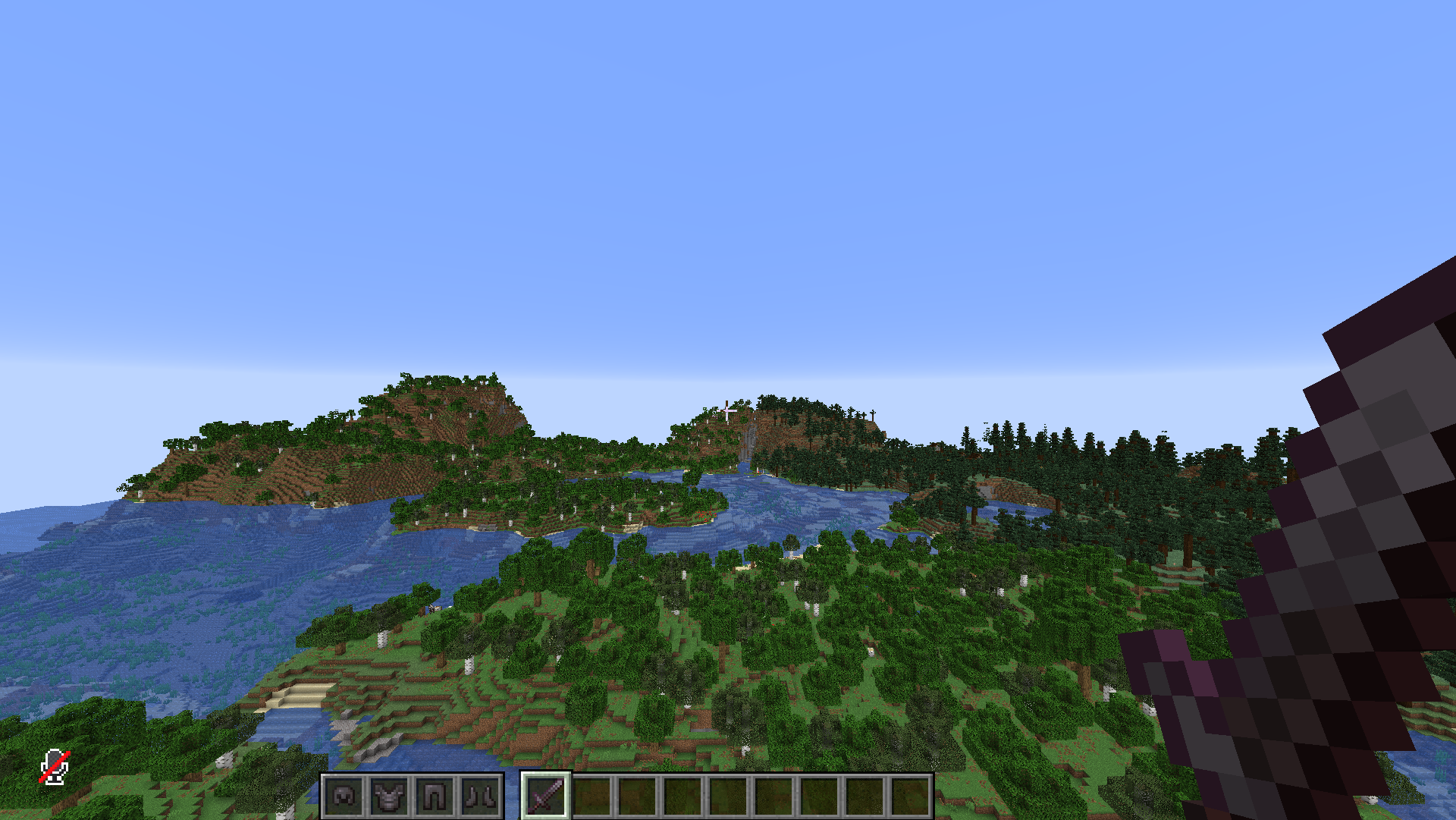 Armor Hud Next to hotbar you will find a armor hud with a easy way to view your armor you got on and durability
 -
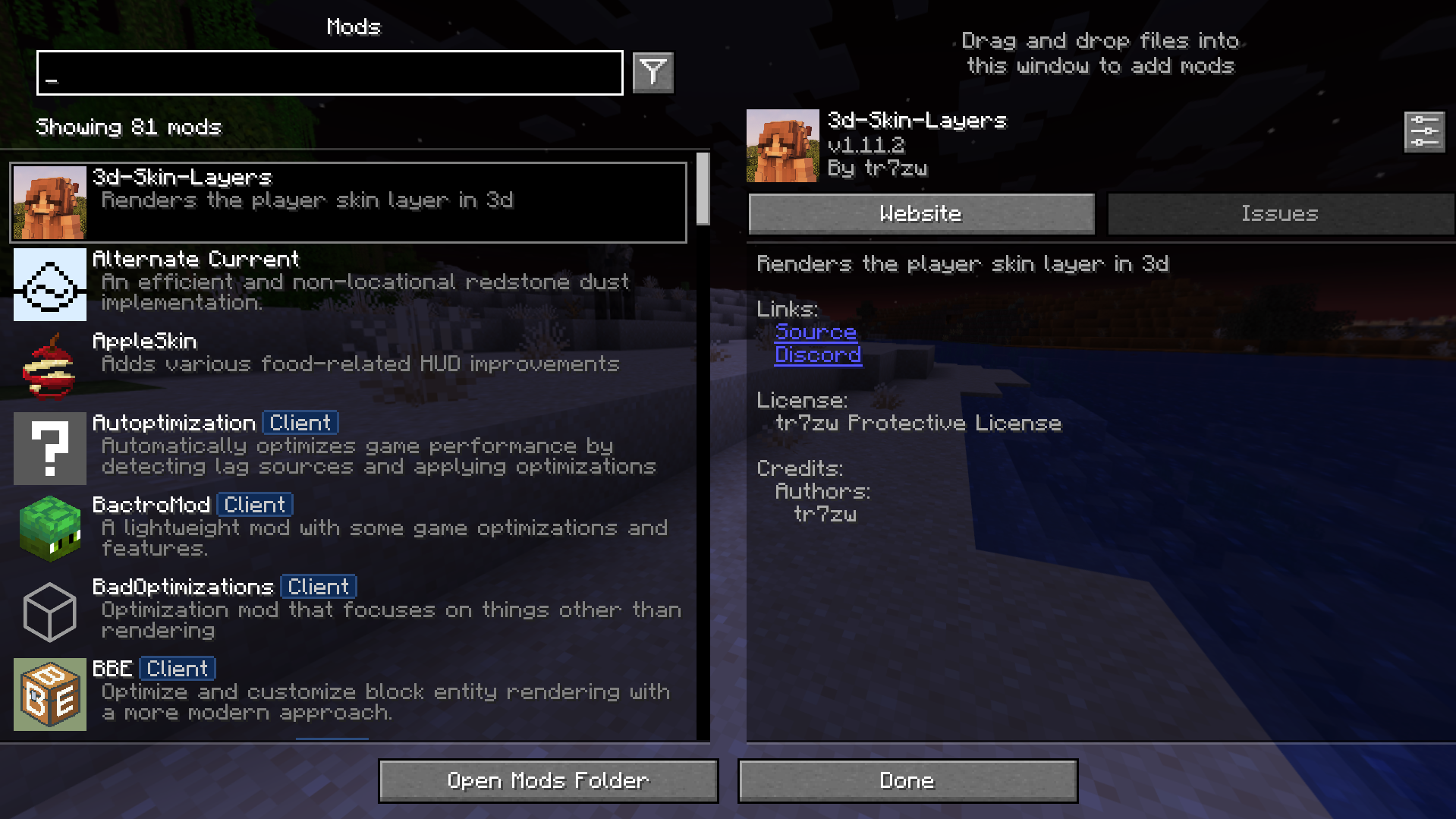 Mod Menu Mod menu for those to see the mods we got and to config them.
 -
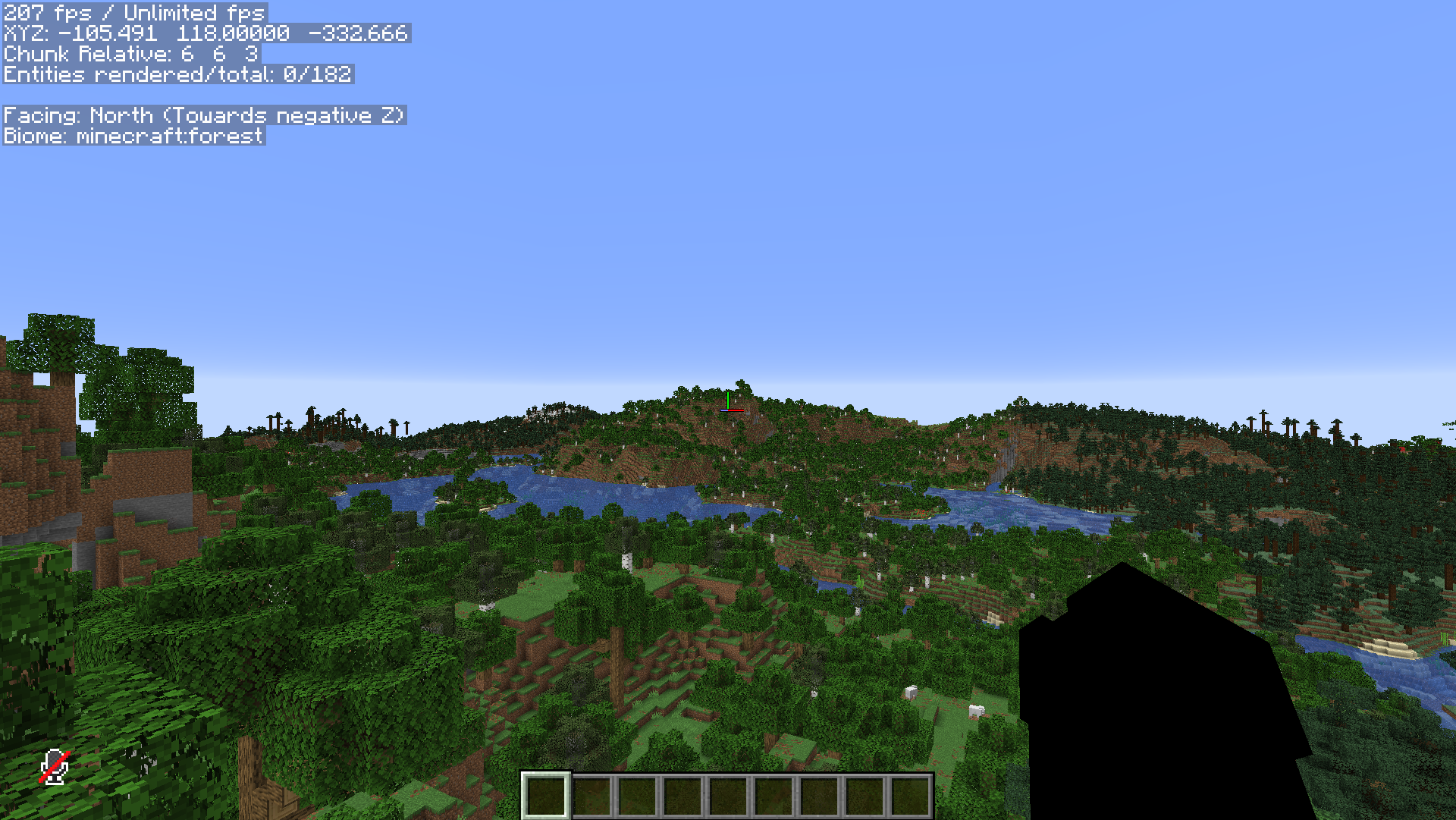 FPS TEST with 56 render disctance RX 6600 32GB DDR4 i7 7800k Many background applications and 2 monitors.
 -
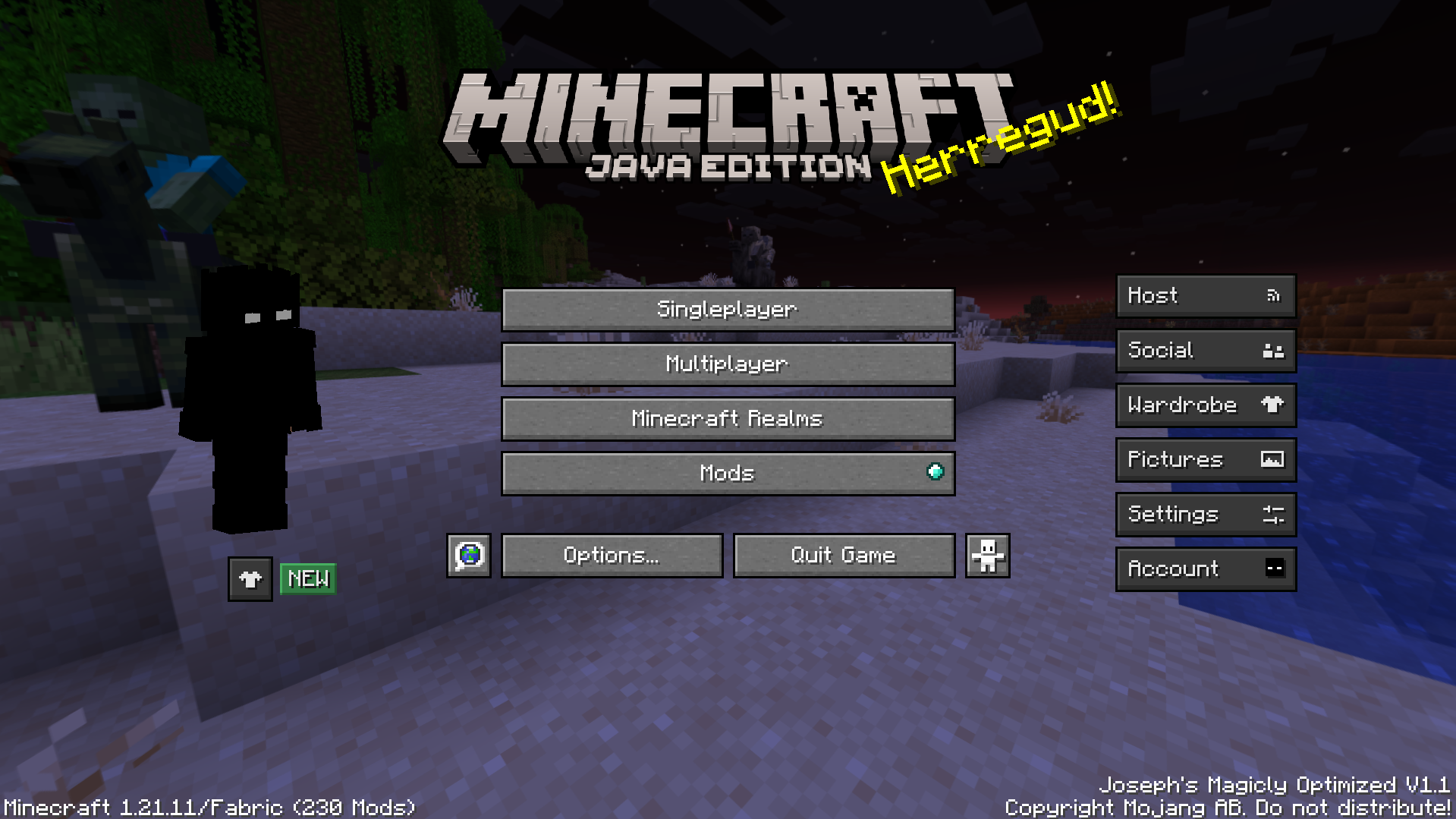 Main Menu Modmenu Version bottom right, Essentials mod buttons and mod menu button.
Versions
Files
Relations
Project Relations
More like this
Similar Modpacks
Suggestions use data such as tags, dependencies, dependents, descriptions, titles, and more to rank how much they overlap with this modpack.
On ModDex
Community snapshot
By the numbers
Statistics

Want to reach Minecraft players?
We're looking for a server hosting partner to feature here and other parts of the site. Interested? Send us a message!
Get in touchGet it on
Available Platforms
On ModDex
Community snapshot
By the numbers
Statistics
Resources