
Community listing page, reviews here may not be monitored by the author.
Little Bit Optimized

No reviews yet
Best optimization modpack out right now!

Community voices
Reviews
No reviews yet. Be the first to review this project!
Get it on
Available Platforms
Compatibility
Supported Environments
Runs entirely on the client. Works on vanilla servers.
About
Project Details
For authors
Embed Badge
If you're the author of this project, you can embed a live badge anywhere that supports HTML or Markdown. It updates automatically whenever ratings change.
Use HTML for any page that supports it, or Markdown for README files and Markdown-based descriptions.
Identifiers
Platform IDs
Resources
External Links
About
Description
Little Bit Optimized Modpack
Little Bit Optimized is a Minecraft modpack focused on improving performance while keeping gameplay smooth and visually pleasing. It’s designed for players who want a noticeable FPS boost without drastically changing the Minecraft experience.
Performance Testing: We tested Little Bit Optimized against other popular optimization modpacks using the same seed, version, settings, and hardware to ensure fair comparison:
Chunk settings: 12
Resolution: 1440p
FOV: 90
Allocated RAM: 12 GB
Test PC: Ryzen 5 5600, RX 6700 XT, 32 GB DDR4 CL16 3200MHz, B550 motherboard, NVMe SSD (3000 MB/s)
FPS measurement: “FPS - Display” mod
Note: Even with the same seed, Fabulously Optimized’s world looked different due to factors outside our control.
Comparison Results:
Vulkan Optimized: (https://cdn.modrinth.com/data/cached_images/bb13b309df4f433070dfcccfb193ca0d3dc63154.jpeg)
Fabulously Optimized: (https://cdn.modrinth.com/data/cached_images/9115e84bef2bf994c8ce7779ac5adee954d20931.jpeg)
Little Bit Optimized: (https://cdn.modrinth.com/data/cached_images/50bafec008e1e226a82bbdb032a9ee28a605d0c5.jpeg)
Why Choose Little Bit Optimized?
Smooth Performance: Enjoy more stable FPS in both singleplayer and multiplayer.
Low Hardware Impact: Optimized to run well even on mid-range PCs without sacrificing too much visual quality.
Customizable Settings: Easy-to-adjust mods let you tweak performance and visuals according to your preferences.
Important Notes:
Nvidium is not included. If you have an NVIDIA GPU, you can download it separately to further enhance performance.
FPS to Trash mod: By default, this mod limits your FPS to 60. To get full benefit, open the “Mods” section in the main menu, select “FPS to Trash,” and adjust your target FPS to match your monitor’s refresh rate.
Little Bit Optimized is perfect for players who want a balanced mix of performance and visual quality, making your Minecraft worlds smoother and more enjoyable without heavy modifications.
Screenshots
Gallery
-
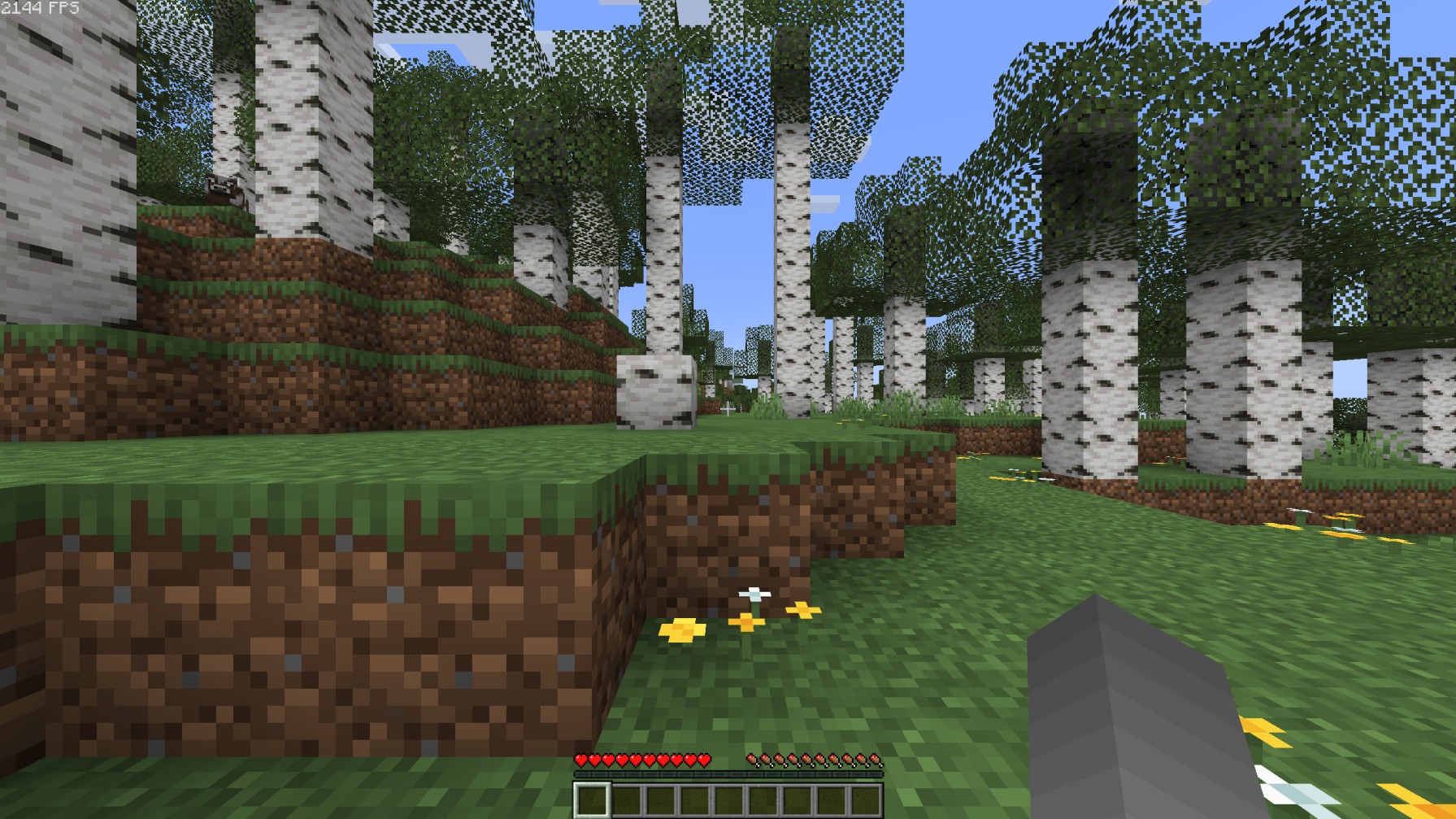 HOLY FPS dawg
Versions
Files
Relations
Project Relations
More like this
Similar Modpacks
Suggestions use data such as tags, dependencies, dependents, descriptions, titles, and more to rank how much they overlap with this modpack.
On ModDex
Community snapshot
By the numbers
Statistics

 (opens in a new tab)
Get it on
Available Platforms
On ModDex
Community snapshot
By the numbers
Statistics
Resources