Community listing page, reviews may not be monitored by the author.
Mash's Vr Modpack

No reviews yet
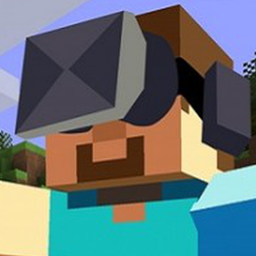
This modpack aims to use lag free VR friendly mods.

Community voices
Reviews
No reviews yet. Be the first to review this project!
Get it on
Available Platforms
About
Project Details
For authors
Embed Badge
If you're the author of this project, you can embed a live badge anywhere that supports HTML or Markdown. It updates automatically whenever ratings change.
Use HTML for any page that supports it, or Markdown for README files and Markdown-based descriptions.
Identifiers
Platform IDs
Resources
External Links
About
Description
IMPORTANT! Please Read before you play!
VR is optional with this mod pack, however, if you do intend to play this modpack with your Vive or Oculus Rift you must first install Vivecraft, link and further instructions below, and launch with the vanilla launcher. If you don't want to play it with VR, just launch the mod pack with Twitch.
This mod pack aims to use VR friendly VR compatible and lag free mods, so you don't get motion sickness and headaches from the lag, or the headache of trying to figure out for yourself what mods work and what do not. This modpack comes with my custom control profile that makes the vr controls free locomotion and similar to that of the xbox controls, if this is too intense for you, you can change to teleport or slow down character movement in the settings.
This mod features Harvest Festival, Industrial Craft, Thermal Expansion, RFtools, Dungeons, AppliedEnergestics2 and more. It is possible to play on a server with your friends, even if they are not using vr, or running it with VR. I plan on adding instructions on how to run a server later, or you can visit www.vivecraft.org to find out how to do it now.
Installation is easy.
1. Install the mod pack with Twitch as you normally would with any mod pack, but do not launch it with Twitch.
2. Go to "https://github.com/jrbudda/Vivecraft_110/releases" And download Vivecraft 1.10.2 installer.
3. Run the installer.
4. Check 'Install Vivecraft with Forge' Latest 1.10.2 supporting version is fine.
5. Check 'Custom Profile Name' and enter a custom name, if you like.
6. Check 'Mod pack Directory' and click the browse button (button with three dots), and browse to the directory where twitch installed the mod pack.
This can be found at "C:\Users\"Your username"\Documents\Curse\Minecraft\Instances\Mash's Vr Mod pack" by default.
7. Install Vivecraft, and use the vanilla Minecraft launcher to play the now custom profile.
8. Make sure you first give the mod pack as much ram as your able, at least 5-6 gigs is recommended, the mod is tested with 8 gigs allocated to minecraft.
Your friends do not need to have this installed or be in VR to play with you, Vivecraft can be Client side only. However, the server will need to have teleportation allowed, or you can change to free locomotion controls, which my modpack uses by default. Ill post instructions in future revisions on how to run a server with this mod pack, or you can visit vivecraft.org to learn how now.
Have fun!
Please feel free to comment and let me know what mods you recommend, I'd love to see what the community thinks, and consider adding mods lots of people request.
What headsets does vivecraft work with?
Vivecraft works fine with the HTC Vive, and Oculus rift, I have no way of testing other headsets, but it should work with any headset that supports openVR.
What does Mash consider to be "lag free"?
The aim is to be able to maintain a 60fps as much as possible, dipping under 45 fps is not tolerated. So far with the first release, it maintains 60fps never dipping. The only issue is sometimes the re-projection de-syncs for about a minute, but only for a minute or so. I cant guarantee lag free if you build ALOT of stuff in one area, or you do something crazy like explode 100 boxes of tnt at the same time. I recommend avoiding that.
This modpack is tested on an VR entry level machine.
Minimum specs
Nivida GTX970 or equivalent
16 gigs Ram (allocate at least 5 to the mod pack, recommended you do 8 if your able)
i7 4k processor or better/equivalent
Screenshots
Gallery
Versions
Files
Relations
Project Relations
More like this
Similar Modpacks
Suggestions use data such as tags, dependencies, dependents, descriptions, titles, and more to rank how much they overlap with this modpack.
On ModDex
Community snapshot
By the numbers
Statistics

Get it on
Available Platforms
On ModDex
Community snapshot
By the numbers
Statistics
Resources