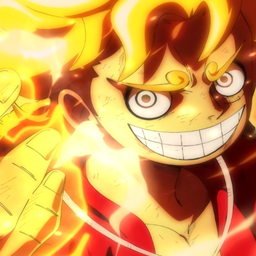
Community listing page, reviews may not be monitored by the author.
mine mine no mi for friends

No reviews yet
the mine mine no mi for friends

Community voices
Reviews
No reviews yet. Be the first to review this project!
Get it on
Available Platforms
About
Project Details
For authors
Embed Badge
If you're the author of this project, you can embed a live badge anywhere that supports HTML or Markdown. It updates automatically whenever ratings change.
Use HTML for any page that supports it, or Markdown for README files and Markdown-based descriptions.
Identifiers
Platform IDs
Resources
External Links
About
Description


Official Website | Discord Server

1. Download and Install the required Forge version: Here
2. Download the mod: Here
3. Go to your ".minecraft" folder
4. Put the downloaded .jar in "mods" folder (if you don't have a "mods" folder , make one)
5. Start your Minecraft and choose at "Profiles" Forge then click on Play
6.Enjoy
FAQ
You can find the full list on our website.
- What is this mod ?
This is a Minecraft mod, inspired by the One Piece manga written and illustrated by Eiichiro Oda.
- Will we ever update to the newest release ?
- When will the X update be ported to 1.7.10 / 1.12.2 ?
Never, we do not support those two versions.
If you want the actual Why read below:
- The differences in code from 1.7 to either 1.12 or 1.14 is just as big as from 1.12 to 1.14, meaning more than 70% of the mod needs to be rewritten and the mod is huge....it took me 6 months to port it now and its not even done yet...imagine spending another 6 months for 1.12, which goes nicely with the 2nd point
- Forge themselves have stopped supporting 1.12 and moved to an LTS (long time support) system for 1.15, meaning 1.15 gets a lot of updates from 1.16 as well as its standalone updates, this is great because it also means I can port to future versions without having to rewrite the whole mod AGAIN.....until mojang decides to change the whole thing again probably
- Because 1.14+ is newer it offers me a lot more freedom with how to implement certain systems, now...to be fair this change was made in 1.13 but nobody uses that, but a lot of the things I'm using now are not in 1.12, which means besides having to rewrite them I also need to find alternative ways of doing them.
- Actually the reason why we've decided to move in the first place, was the ocean update, again kind of a 1.13 deal but nobody uses that. I mean...the whole ocean update is perfect for one piece with sunken ships and wrecked ships and hidden treasures found using treasure maps
- A common reason for wanting a 1.12 is for servers and a lack of plugins for 1.14.4, for which all I have to say is think outside the box for once please, not everything needs to be spigot or nothing. We have a few 1.14 servers including the official one. It's not our job to support dead versions just because spigot does not want to update or because you don't wanna use x plugin/mod instead of y plugin/mod.
- Where can I find the config file ?
Windows: %appdata%/.minecraft/config
Linux: ~/.minecraft/config
macOS: ~/Library/Application Support/minecraft/config
- How to use/equip abilities ?
Press R (by default) to open the stats UI, press the 'Abilities' button, select any slot you wish to add an ability in (a blue outline will appear), select any ability from the above panel, after that quit the UI and press ALT for the combat UI to show up
- How do I find Devil Fruits ?
Devil fruits are found inside structures like ships or bases, there is a small chance to get one of three types of boxes (wooden, iron, gold). To open them, you need to craft a key and right-click the box. The chance of a DF is not always 100% and higher tier boxes have more powerful fruits.
- Is X fruit planned ? / Will X fruit gonna be added soon ?
Our goal is to eventually add all fruits (cannon fruits being more of a priority). Sometimes they take a long time to get added because of complicated abilities, multiple models, animations and such. But the answer is YES.
- Why do I have constant debuffs applied ?
Chances are you've eaten a devil fruit and also carry some kairoseki items in your inventory (usually bullets), other possibilities might be: you're in water or you're near a vein of kairoseki ore or near kairoseki blocks in general
If you're not a devil fruit a user however the cause might be haki overuse, the solution in that case is to just wait until the effect goes off.
- How do I get doriki ?
By defeating mobs. Every hostile mob, even from other mods gives you doriki. (Or by using the /doriki command).
- Why can't some items/weapons be crafted ?
Screenshots
Gallery
Versions
Files
Relations
Project Relations
More like this
Similar Modpacks
Suggestions use data such as tags, dependencies, dependents, descriptions, titles, and more to rank how much they overlap with this modpack.
On ModDex
Community snapshot
By the numbers
Statistics

Get it on
Available Platforms
On ModDex
Community snapshot
By the numbers
Statistics
Resources