
OptiClient
No reviews yet
⚡High FPS, lots of supported optifine features, free custom capes, controller support, and much more!⚡ 1.21.8 beta!
Does not follow a specific thematic focus apart from vanilla Minecraft.
Features content that solely expands on Vanilla mechanics and gameplay.
Includes quality of life improvements and small tweaks to enhance and customize gameplay.
Adds features to make the game more accessible and comfortable to play.
Enhances game performance and optimizes resource usage.
Fabric is a mod loader for versions 1.14+ of Minecraft, particularly popular for client side and optimization mods.
Community voices
Reviews
Click once to include, again to exclude, again to clear
No reviews yet. Be the first to review this project!
Get it on
Available Platforms
 Modrinth
Compatibility
Supported Environments
About
Project Details
For authors
Embed Badge
If you're the author of this project, you can embed a live badge anywhere that supports HTML or Markdown. It updates automatically whenever ratings change.
Use HTML for any page that supports it, or Markdown for README files and Markdown-based descriptions.
Identifiers
Platform IDs
Resources
External Links
About
Description
This project has been archived because I don't have time to maintain it.
.
.





🔥OptiClient: The ultimate minecraft optimization!🔥
⚡The OptiClient is a modpack designed to replace OptiFine: higher FPS, lots of supported OptiFine features, and extras like minimap, world map, and free capes.
Why OptiClient and why is it better than OptiFine?
-
⚡Huge FPS increase compared to Vanilla game and OptiFine.
-
✔️Almost all OptiFine features are supported.
-
🔝OptiClient includes over 90 optimization mods, whereas Fabulously Optimized contains only 40 to 50.
-
➕There are also some extra features compared to OptiFine, such as minimap, world map, chat heads, controller support, and many more! All of them can be disabled or enabled depending on what you need.
-
🚀Free, custom capes!
🔍If you are looking for mods to complement OptiClient, check out this collection.
⚙️You can change the settings of the mods or disable the mods by clicking on the mods button and searching for the mod you want with the search bar, then clicking on change settings.
❔Who is it for?
It's ideal for players with older or lower-end hardware, but also great for anyone who wants higher FPS or better graphics settings. Honestly, it's a great fit for everyone—because who doesn't love more FPS?
⚡FPS test
FPS with vanilla Minecraft:

FPS with OptiFine:

FPS with OptiClient: ***

| Vanilla | OptiFine | OptiClient |
|---|---|---|
| 1-40 FPS | 49-72 FPS | 90-240 FPS |
Hardware: CPU: Intel Core I5 8400 2.80Ghz, RAM: 4gb DDR4 (48gb system ram), GPU: NVIDIA GeForce GT 710
*The smallest number indicates the lowest and the largest number indicates the highest FPS
**FPS test is done on my very low-end computer. FPS may vary depending on hardware and graphics settings.
⚙️ List of mods
Mods:
- Appleskin
- Architectury API
- BadOptimizations
- Better Mount HUD
- Boat Item View
- CalcMod
- Chat Heads
- Cloth Config API
- Continuity
- Crash Assistant
- Cull Leaves
- Debugify
- Distant Horizons
- Dynamic FPS
- e4mc
- [EMF] Entity Model Features
- [ETF] Entity Texture Features
- Entity Culling
- Entity View Distance
- Fabric API
- Fabric Language Kotlin
- Fast IP Ping
- FerriteCore
- FPS - Display
- GpuTape
- Held Item Info
- ImmediatelyFast
- Iris Shaders
- LambDynamicLights
- Language Reload
- lazy-language-loader
- LibJF
- Lithium
- MidnightLib
- MixinTrace
- Model Gap Fix
- ModernFix
- Mod Menu
- More Chat History
- More Culling
- No Chat Reports
- Not Enough Animations
- OptiGUI
- Puzzle
- Reese's Sodium Options
- ReplayMod
- Server Resourcepack Checker
- Roughly Enough Items (REI)
- Shulker Box Tooltip
- Sodium Extra
- Sodium Extra Information
- Sodium
- Super Fast Math
- ViaFabricPlus
- Wavey Capes
- Xaero's Minimap
- Xaero's World Map
- YetAnotherConfigLib (YACL)
- Zoomify
- Very Many Players (Fabric)
- Noisium
- Chunky
- Better Beds
- Skip Transitions
- RenderScale
- Particle Core
- Controlify
- Enhanced Block Entities
- Noxesium
- Smooth Scrolling
- Sodium Options Mod Compat
- Palladium
- ToadLib
- Fzzy Config
- TxniLib
- Sodium Options API
- Cool Elytra Roll
- Variants-CIT
- Text Placeholder API
- Anvian's Lib
- Forge Config API port
- Bedrodium Refabricated
- Reflex AntiLag
- ScalableLux
- ThreadTweak
- Main Menu Credits
- Capes
- FastQuit
- Paginated Advancements & Custom Frames
- MoreMcmeta
- BetterGrassify
- Polytone
Texture packs:
My other projects
If you like the modpack, please support it by leaving feedback on the project's github page or on the Discord server. If you send a picture, it may be included in the gallery!
Anyone can join the development, just let us know on Github or on the Discord server! Whether it's testing the modpack or updating to a newer or an older version!
Currently, only version 1.1.0 is available on the github page.
FAQ
Q: Zoom is not working, what should I do?
A: You may need to enable zoom manually: go to mods, type "Zoomify" in the search box, click on it on the left, then click on "Configure" on the right. Then switch to the "Misc" tab, click on "Default Apply Preset", then click on "Done".
Q: Something is broken, or something needs to be added!
Q: How do I enable controller support?
A: Go to mods, then type "controlify" in the search box. Click on it, then click on the "Configure" button. This is where you can pair your controller.
Q: The modpack will only make my FPS even lower.
A: You may have Distant Horizons enabled. This is a mod that allows for a larger field of view, but may cause problems on lower-end hardware. To disable this mod: Go to Options, then click the button next to FOV in the top left corner. Disable the "Enable rendering" option, then click Done.
Q: How can I change the settings of other mods?
A: Go to the Mods button, then search for the mod you want.
Q: I have more questions or would like to chat.
A: Come on over to my discord server!
***(v 1.1.0, There may have been an FPS increase since then compared to the latest version.)
****The Minecraft logo is a trademark of Mojang AB.
Screenshots
Gallery
-
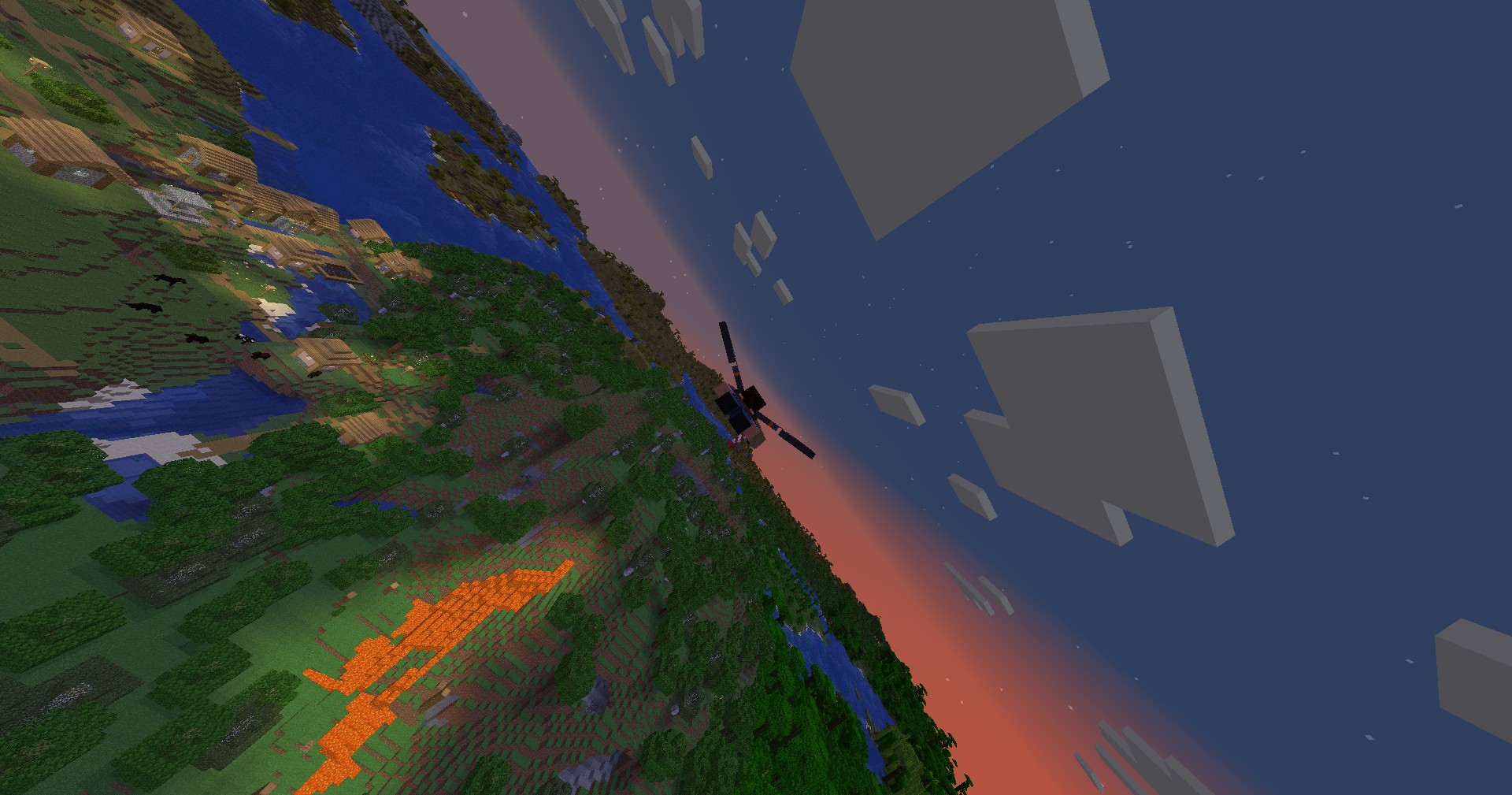 Flight with elytra
 -
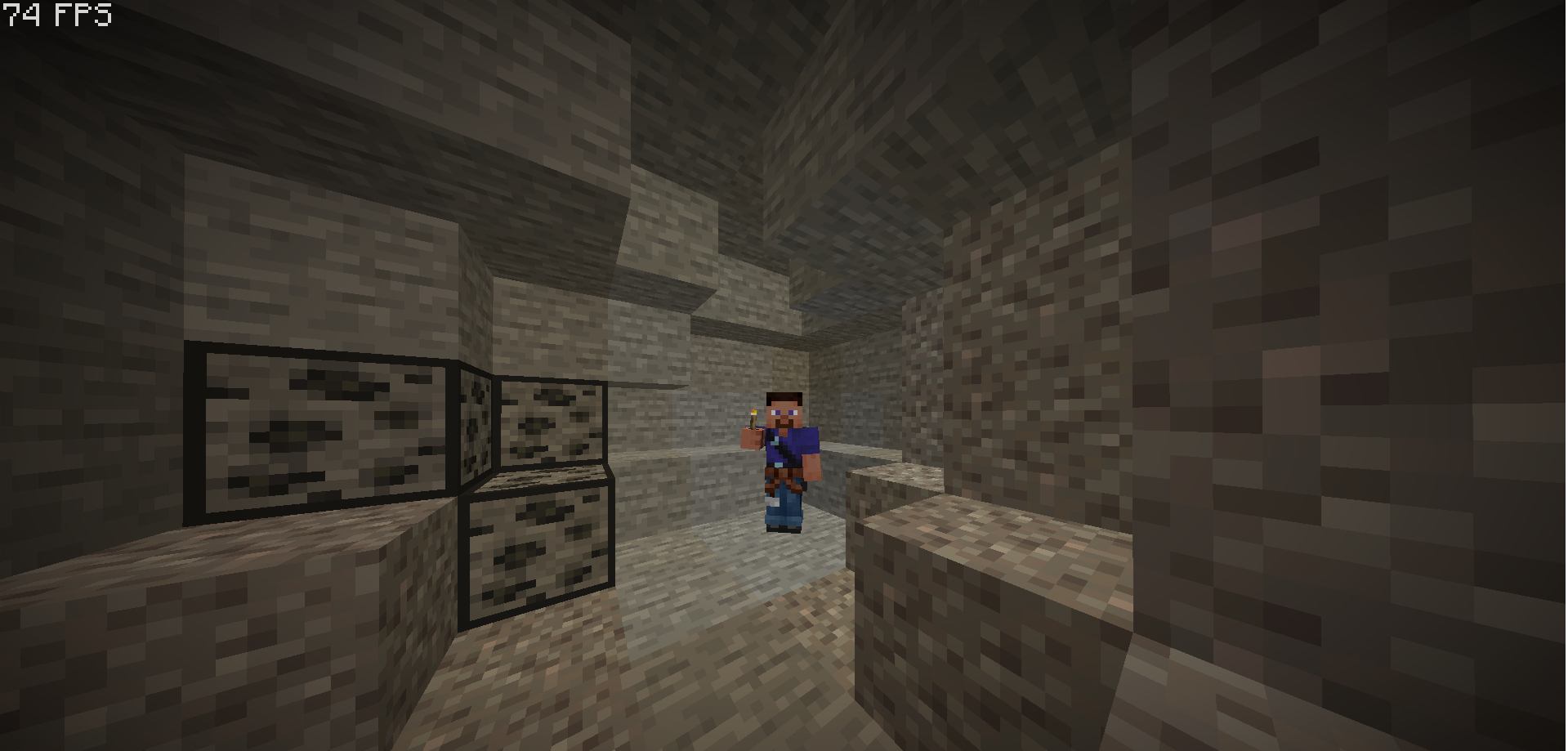 Dynamic lighting
 -
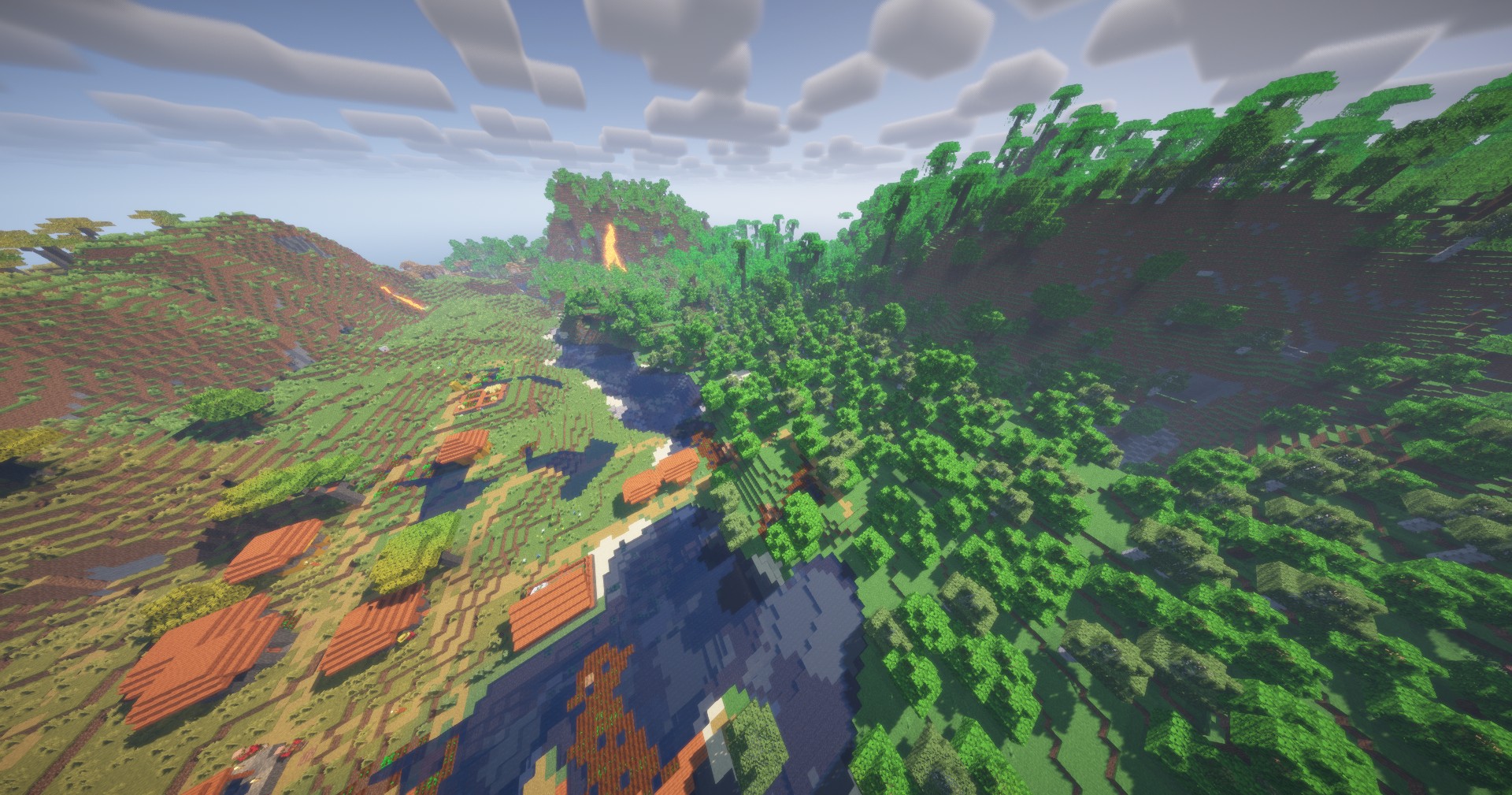 With shader pack
 -
 MInecraft - OptiClient logo
 -
 Logo The OptiCilent's logo.
Versions
Files
Relations
Project Relations
More like this
Similar Modpacks
Suggestions use data such as tags, dependencies, dependents, descriptions, titles, and more to rank how much they overlap with this modpack.
On ModDex
Community snapshot
By the numbers
Statistics

Want to reach Minecraft players?
We're looking for a server hosting partner to feature here and other parts of the site. Interested? Send us a message!
Get in touchGet it on
Available Platforms
On ModDex
Community snapshot
By the numbers
Statistics
Resources