
Community listing page, reviews here may not be monitored by the author.
LiteCraft

No reviews yet
An optimised, vanilla Minecraft.
Does not follow a specific thematic focus apart from vanilla Minecraft.
Features content that solely expands on Vanilla mechanics and gameplay.
Ideal for small groups of players or cooperative gameplay.
Includes quality of life improvements and small tweaks to enhance and customize gameplay.
Enhances game performance and optimizes resource usage.
Fabric is a mod loader for versions 1.14+ of Minecraft, particularly popular for client side and optimization mods.
Community voices
Reviews
Filters
Click once to include, again to exclude, again to clear
No reviews yet. Be the first to review this project!
Get it on
Available Platforms
Compatibility
Supported Environments
Works on the client or the server alone, but does more when on both.
About
Project Details
For authors
Embed Badge
If you're the author of this project, you can embed a live badge anywhere that supports HTML or Markdown. It updates automatically whenever ratings change.
Use HTML for any page that supports it, or Markdown for README files and Markdown-based descriptions.
Identifiers
Platform IDs
Resources
External Links
About
Description
⚡ LiteCraft
A mod-pack which aims to optimise Minecraft by adding multiple mods which alter the games mechanics - the Essential mod is also added by default so you can instantly start playing with your friends, without any custom set-up, and with working voice chat.
🖥️ Installation Guide
Note: These are just recommended steps - of course, there are other methods of installing this.
1. Install the Modrinth App
Get the Modrinth App and ensure it's installed.
2. Login to your Microsoft Account
Ensure that you are logged in, add your Microsoft Account from the top-left menu on the application.
3. Install LiteCraft
Click the search icon on the sidebar, make sure the Modpacks tab is selected, and search for "LiteCraft"; once you find it, press Install.
4. Launch LiteCraft
Click on the books icon on the sidebar, and you can see if the mod-pack is available; once it is, you may launch it and start playing.
⌨️ In-Game Key Binds
See All Key Binds
Movement
- Space Jump
- Left Control Sneak
- Left Shift Sprint
- W Walk Forwards
- S Walk Backwards
- A Strafe Left
- D Strafe Right
Gameplay
- Mouse Button 1 Attack/Destroy
- Mouse Button 2 Use Item/Place Block
- Mouse Button 3 Pick Block
Inventory
- G Drop Selected Item
- 1-9 Switch Hotbar Slot
- E Toggle Inventory
- F Swap Item With Offhand
Multiplayer
- Tab List Players
- T Open Chat
- / Open Command
Miscellaneous
- L Advancements
- F2 Take Screenshot
- V Toggle First/Third Person
Voice Chat
- H Voice Chat GUI
- J Mute Microphone
Iris
- N Toggle Shaders
Essential
- C Zoom
- P Open Friends GUI
- Q Open Emote Wheel
- I Screenshot Manager
⛏️ Want something more realistic?
Try RealCraft, a realistic mod-pack primarily focused on graphical and quality-of-life additions.
Screenshots
Gallery
-
 Banner
 -
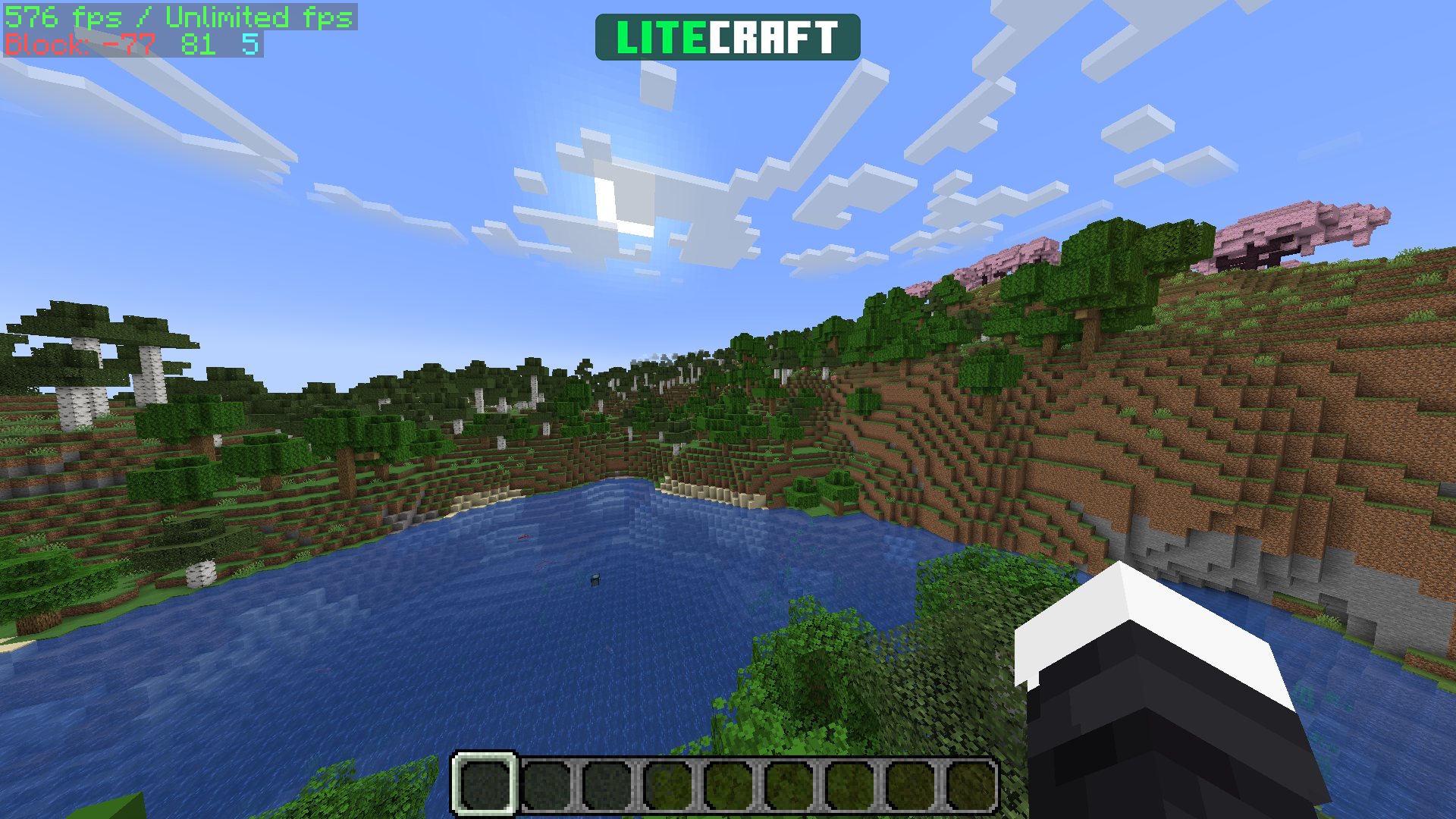 LiteCraft
Versions
Files
Relations
Project Relations
More like this
Similar Modpacks
Suggestions use data such as tags, dependencies, dependents, descriptions, titles, and more to rank how much they overlap with this modpack.
On ModDex
Community snapshot
By the numbers
Statistics

Want to reach Minecraft players?
We're looking for a server hosting partner to feature here and other parts of the site. Interested? Send us a message!
Get in touchGet it on
Available Platforms
On ModDex
Community snapshot
By the numbers
Statistics
Resources