
Community listing page, reviews may not be monitored by the author.
NanoFabric

No reviews yet
A Fabric Optimization modpack for every PC [1.21.5 and up]

Community voices
Reviews
No reviews yet. Be the first to review this project!
Get it on
Available Platforms
Compatibility
Supported Environments
Runs entirely on the client. Works on vanilla servers.
About
Project Details
For authors
Embed Badge
If you're the author of this project, you can embed a live badge anywhere that supports HTML or Markdown. It updates automatically whenever ratings change.
Use HTML for any page that supports it, or Markdown for README files and Markdown-based descriptions.
Identifiers
Platform IDs
Resources
External Links
About
Description
NanoFabric is a optimization only modpack for users who need performance to go.
We include Iris for 1.21.5 to 26.1.2

What's The Benefit Of This Modpack?
ϟ Absolute Performance Only, meaning we try and give the best performance without unnecessary mods.
🪽 Lightweight, self explanatory.
∞ User Support, if you have a crash/problem with NanoFabric we can help you. We also support other modpack issue.
Who does the testing for NanoFabric?
Forlorn does the main testing and what mods enter and leaves the list.
Grassplate, does testing on FPS, stutters, stability, and chunk load speed.
Forlorns Pc's Specs Are
- GeForce RTX 3050 6GB VRAM "Type of GPU: Dedicated GPU",
- Intel Core i5-8500,
- 16 GB of DDR4 RAM, 4 GB is used for Minecraft,
- Type of Pc: Tower PC
Grassplate Pc's Specs Are
- AMD RX 7900 XT "Type of GPU: Dedicated GPU",
- AMD Ryzen 7 7800X3D,
- 32GB of DDR5 RAM, 6 GB is used for Minecraft,
- Type of Pc: Tower PC
Recommended Settings For Users
If a setting has a () around it, it means its recommened for extra performance but is optional.
Low End:
8-12 Render Distance
5-7 Simulation Distance Cloud = Fast
See-Through Leaves = Off
Particles = Minimal
Medium End:
15-22 Render Distance
10-15 Simulation Distance
Cloud = Fancy
(See-Through Leaves) = Off or ON
(Particles) = Minimal or All
High End:
25-30 Render Distance
15 Simulation Distance
Cloud = Fancy
(See-Through Leaves) = Off or ON
Particles = All
WARNING FOR VULKAN API/MOD
Vulkan may be incompatible with some mods and systems, if the the system was released in 2016 or before. If you want great performance but more compatiblilty, use our Sodium version instead of our Vulkan version for 1.21.5 to 26.1.2! Sodium now support Vulkan starting 26.2!
Answers For The Concerns That May Occur
Simple Questions
-
Will this improve FPS massively?
Yes, NanoFabric is focused on massively improving performance, from doing stability increase to FPS increase. For Low to High end PC's users to enjoy. And even for people who can't use Nvidium, the performance will be 2 to 5 times more! -
Will it update to the newest version?
Yes. I'll try and make NanoFabric update to the newest version of Minecraft for you to play. -
Will it have Iris?
Depends on Minecraft version, from 1.21.5 to 26.1.2 you will have Iris to use Shaders but because they won't work with Vulkan API for 26.2+, we will no longer add them to the modpack list. -
Is it like those other Optimization modpacks?
Pretty much... yeah, what am I going to argue? We all do the same purpose by fixing Minecrafts bad performance. We all use the default mods, the only difference we could say is that we focus to be close AS MUCH to vanilla Minecraft while giving best performance.
Safety Questions
-
Is this safe to use?
Yes, all of these mods was tested and reviewed to see if its safe or not, if they weren't safe, then they would be removed and will never be added to NanoFabric even if they claimed that they stopped, they already broke our trust. -
Will it work with other mods?
Depends what version you use. Vulkan verions in my Modpack could cause crashes or glitches, as it changes the API from OpenGL to an API not support by Minecraft, while with Sodium was made to give great performance and better compability because it keeps the API Minecraft uses which is OpenGL, by not including Vulkan. -
Will this break Multiplayer servers?
No, neither Vulkan nor Sodium will break your multiplayer servers.
Vanilla Minecraft Concern Questions
-
Will it kill the vanilla feeling?
No, NanoFabric was made to make the vanilla Minecraft intact and will NOT remove the vanilla feel but instead, just performance to make it feel smoother. -
Will this change gameplay or add new features?
No, like before this is just a performance modpack that will NOT ADD any new mechanics nor items in Minecraft, this was only made for you to enjoy the performance and game on vanilla Minecraft.
Other Possible Questions
-
Do I need to configure anything?
No, it was made to be ready out of the box, but you can change it in your needs for performance. -
Can I add/remove mods in the Modpack?
Absolutely, you may add/remove any mods you want in NanoFabric, from what you want and need for your Minecraft worlds but if you remove/swap some performance mod it may decrease your FPS or stability.
Warning:
This is those stereotypical modpacks that gives "FPS Boost", this is my fault at that time as I didn't realize it was already a plague at that time. If you are not interested, please look other cool and better projects.
Other Projects I Work On


Screenshots
Gallery
-
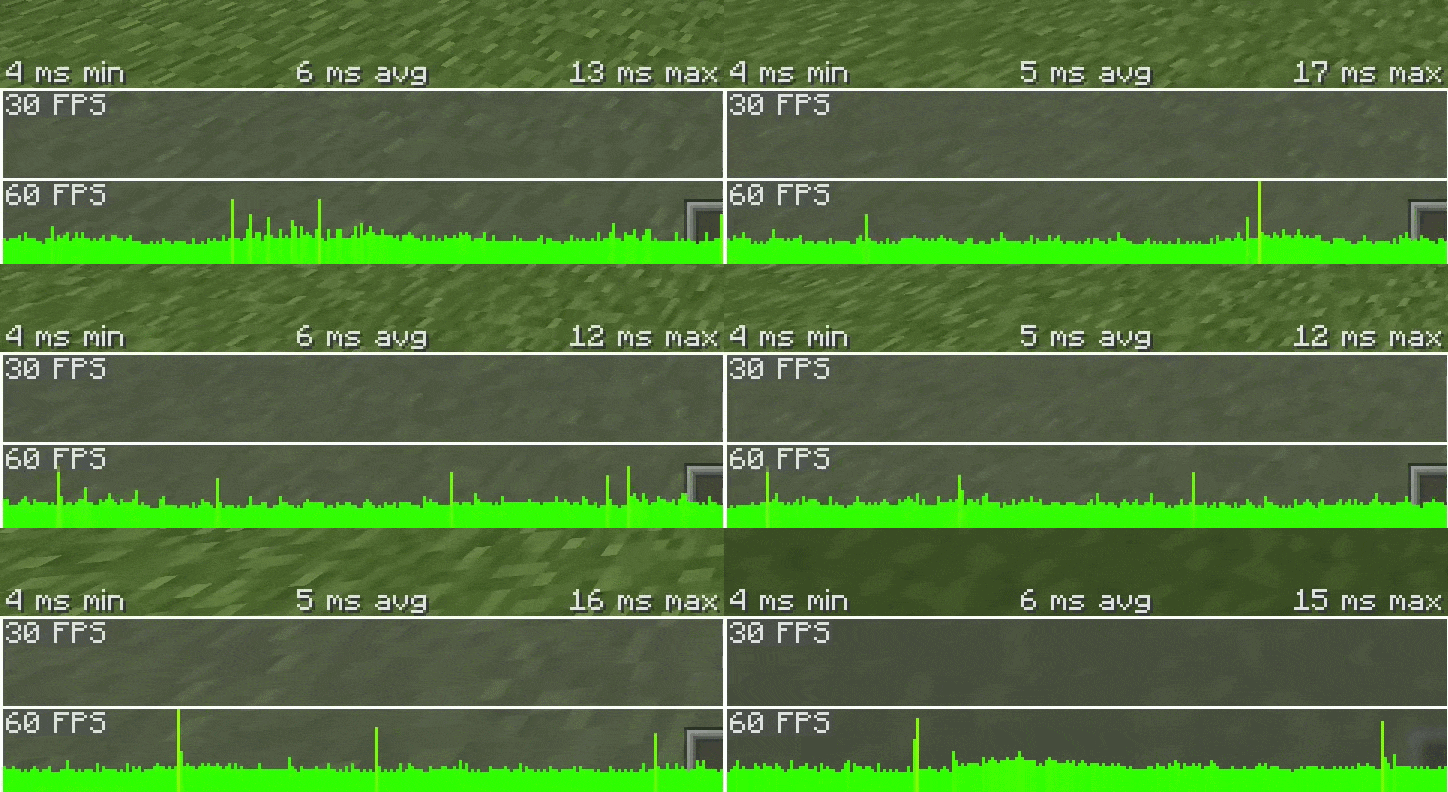 Background NanoFabric The actual testing on NanoFabric
 -
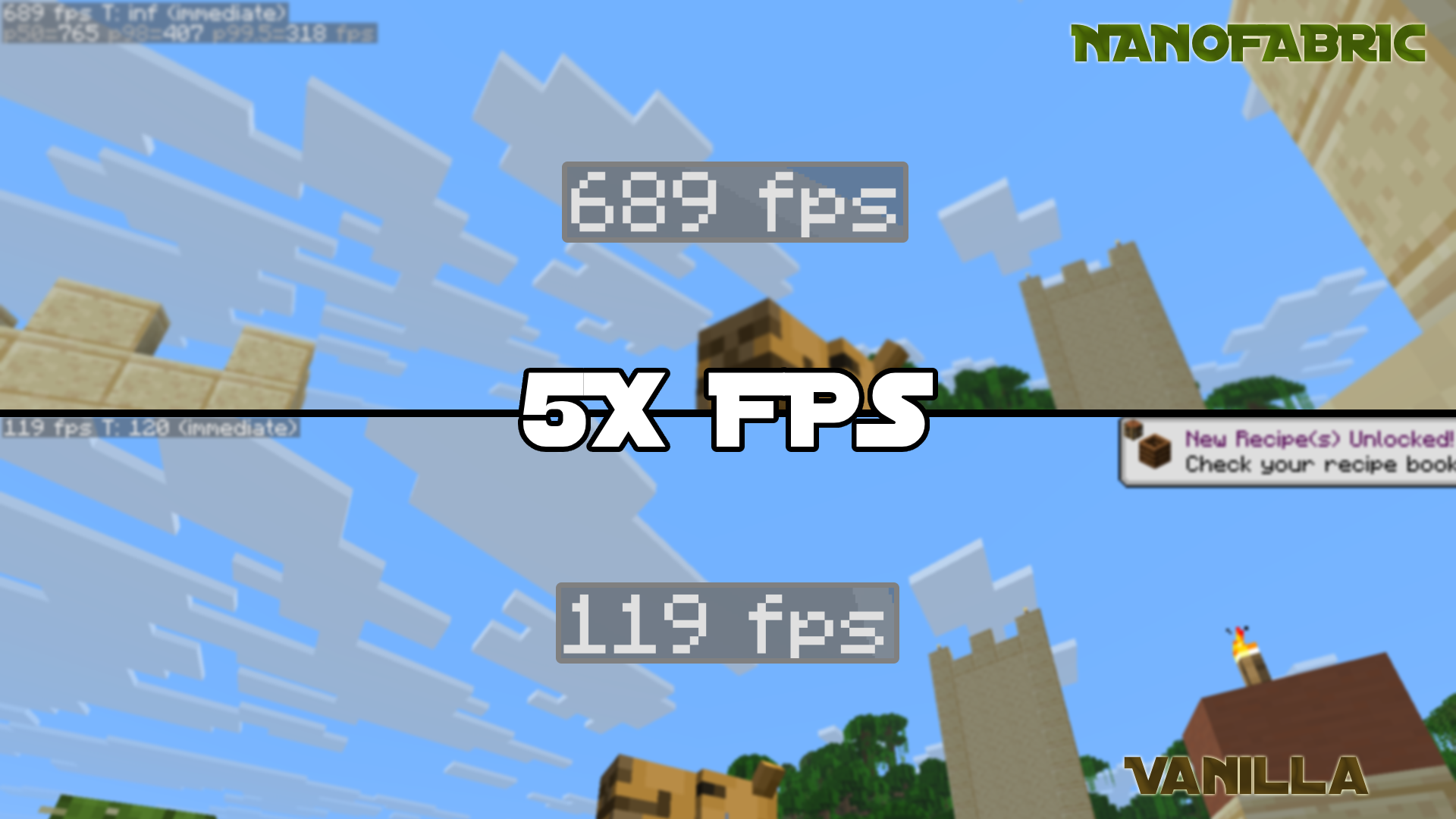 Vanilla VS NanoFabric Double to Quintuple the performance easily, even at 32 chunks, 15 simulation distance and max graphics. You can get the best performance! Nvidium isn't enabled for this test.
 -
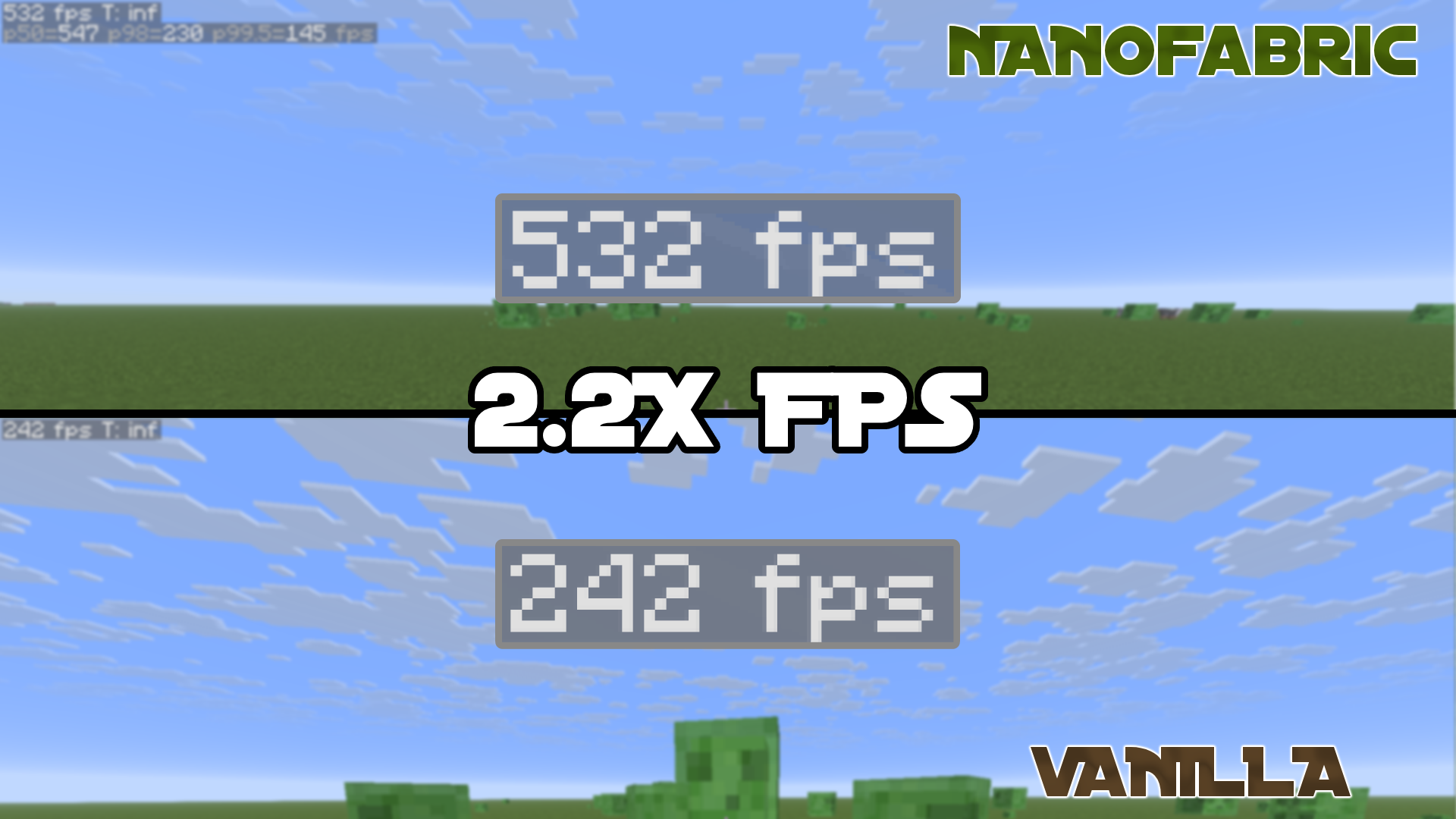 Vanilla VS NanoFabric SuperFlat Get double the performance with NanoFabric, with 32 render distance, 15 simulation distance and max graphics easiy. Nvidium isn't enabled for this test.
Versions
Files
Relations
Project Relations
More like this
Similar Modpacks
Suggestions use data such as tags, dependencies, dependents, descriptions, titles, and more to rank how much they overlap with this modpack.
On ModDex
Community snapshot
By the numbers
Statistics


Get it on
Available Platforms
On ModDex
Community snapshot
By the numbers
Statistics
Resources