Community listing page, reviews may not be monitored by the author.
Needed Essentials

No reviews yet
The mods I always install: minimap, recipe viewer, zoom, inventory sorting, tooltips and performance. Client side only, works on any server.

Community voices
Reviews
No reviews yet. Be the first to review this project!
Get it on
Available Platforms
About
Project Details
For authors
Embed Badge
If you're the author of this project, you can embed a live badge anywhere that supports HTML or Markdown. It updates automatically whenever ratings change.
Use HTML for any page that supports it, or Markdown for README files and Markdown-based descriptions.
Identifiers
Platform IDs
Resources
External Links
About
Description
Needed Essentials
The mods I install every time I play Minecraft, in one click. Vanilla gameplay, just smoother and easier to live with.
What it is
Needed Essentials is a client side only Fabric modpack for Minecraft 26.3. It adds performance mods and the everyday helpers most players end up installing anyway: a minimap, a recipe viewer, zoom, inventory sorting and useful tooltips. It does not add blocks, items or mobs, and it does not change how the game plays.
Because everything runs on your side, you can join any server, including plain vanilla and plugin servers, and play singleplayer worlds as normal.
Find your way
- Xaero's Minimap: a minimap in the corner with waypoints and death points. Settings on Y, new waypoint on B, waypoint list on J, bigger minimap on N.
- Xaero's World Map: a full-screen map of everywhere you have been. Press M.
- Jade: shows what you are looking at, with its health, crop growth and the tool you need.
- Light Overlay: shows where mobs can spawn. Press F9.
Items and inventory
- JEI: a searchable list of every item. Hover over one and press R for its recipe or U for its uses.
- Inventory Profiles Next: sort buttons on your inventory and chests, and your hotbar refills tools and blocks when they run out.
- Mouse Tweaks: drag and scroll to move items quickly.
- Shulker Box Tooltip: see what is inside a shulker box without placing it.
- AppleSkin: hunger, saturation and how much each food restores.
- Durability Tooltip and Enchantment Descriptions: durability numbers and what each enchantment does.
- Pick Up Notifier: a small list of what you just picked up.
Everyday tools
- Just Zoom: hold Z to zoom, scroll to zoom further.
- Controlling: search the key binds and spot clashes.
- Mod Menu: every mod in the pack with its settings button.
- Resource Gamma Util: full bright on H.
- More Chat History, Chat Heads: longer chat, with player heads next to messages.
- Ping Wheel: mark a spot with the side mouse button (friends see it when the server has Ping Wheel too).
- Better Mount HUD: your hunger and XP bar while riding.
- World Play Time Reborn: play time and size of each world in the world list.
- Advancement Screenshot and Screenshot Compression: a screenshot of every advancement, in smaller files.
- Fullscreen Tweaks: borderless fullscreen in the video settings.
Looks
- A title screen of its own (FancyMenu): a blue toolkit background and the pack logo, drawn for Needed Essentials, with the buttons in one tidy column.
- Iris with four shaders included: Complementary Reimagined, Complementary Unbound, Bliss and Solas. They start switched off so the pack runs well on every PC. Press K to turn them on and I to pick one.
- LambDynamicLights: torches and glowing items light up the area while you hold them.
- Skin Layers 3D, Not Enough Animations: 3D skin layers and better player animations.
- Dark Loading Screen: a dark loading screen instead of the bright red one.
- Texture packs included: Low On Fire (on), Faithful 64x, Aimz crosshair and Slightly Improved Font (off, switch them on under Resource Packs).
Performance
Sodium, Sodium Extra, Lithium, FerriteCore, Entity Culling, ImmediatelyFast, MoreCulling, BadOptimizations and Fast IP Ping keep the game smooth. Dynamic FPS lowers the frame rate while the game is in the background, and spark helps you find lag.
Requirements / how to install
- Install it with the CurseForge app: it picks Minecraft 26.3, Fabric and Java 25 for you.
- About 4 GB of memory is plenty.
- Your own settings and keys are kept when you update the pack. The pack's defaults are only used on a new install.
FAQ
Can I use it on servers? Yes. Every mod is client side, so it works on vanilla, Paper and Spigot servers. Some servers ban minimap radars, so the player and mob radar starts switched off. You can turn it on in the minimap settings (Y) where it is allowed.
Why does JEI show fewer recipes on some servers? Since Minecraft 1.21.2 servers no longer send every recipe to players. In singleplayer, and on servers that have JEI, every recipe shows. The item list and search always work.
Where is Litematica? It has no version for Minecraft 26.3 yet. It will come back when it does.
Feedback and bugs
Found a bug, a crash or something that looks wrong? Leave a comment on this page with the version you play and what happened. A crash log or screenshot helps a lot. Ideas and feedback are welcome too.
Permissions
- The configs and default settings in this pack are mine. You can use the pack in videos, streams and reviews.
- Every mod, texture pack and shader in it belongs to its own author and is downloaded from their CurseForge page.
- Please don't re-upload the pack, or make money from it without asking first.
Advert
This is an ad. JustJosh99 makes this modpack and also runs Swift Web Design.

You install the essentials first. Your business needs one too: a good website. Swift Web Design builds websites that are fast, clear and easy to use on any screen. Visit Swift Web Design
Screenshots
Gallery
-
 2025-11-08_00.41.15.png 2025-11-08_00.41.15.png
-
 2025-11-08_00.41.28.png 2025-11-08_00.41.28.png
-
 2025-11-08_00.42.39.png 2025-11-08_00.42.39.png
-
 2025-11-08_00.43.42.png 2025-11-08_00.43.42.png
-
 2025-11-08_00.44.21.png 2025-11-08_00.44.21.png
-
 2025-11-08_00.46.15.png 2025-11-08_00.46.15.png
-
 2025-11-08_00.46.54.png 2025-11-08_00.46.54.png
-
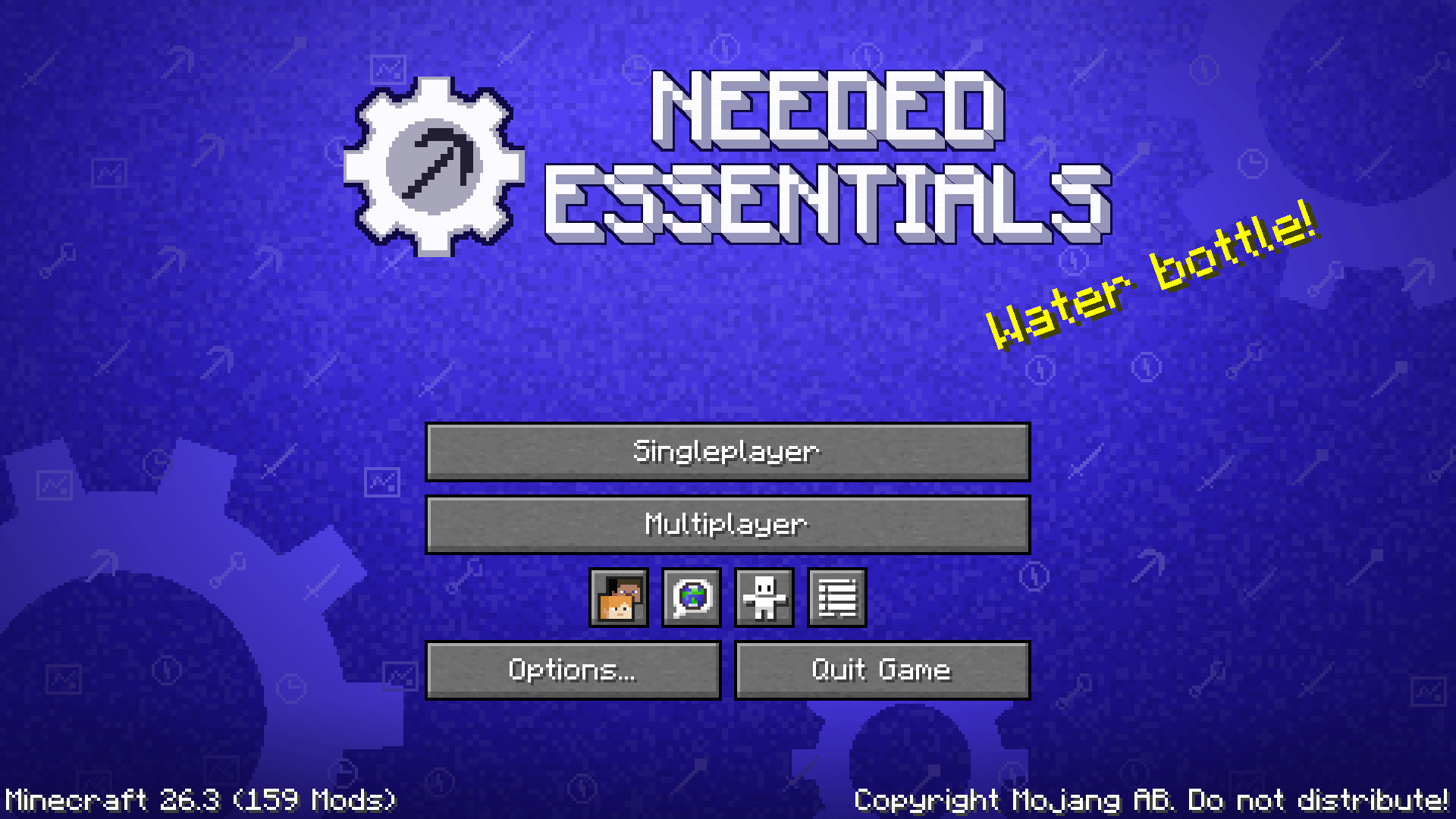 Title screen The pack's own title screen, drawn for Needed Essentials.
Versions
Files
Relations
Project Relations
More like this
Similar Modpacks
Suggestions use data such as tags, dependencies, dependents, descriptions, titles, and more to rank how much they overlap with this modpack.
On ModDex
Community snapshot
By the numbers
Statistics

Get it on
Available Platforms
On ModDex
Community snapshot
By the numbers
Statistics
Resources