Community listing page, reviews may not be monitored by the author.
One Peak

No reviews yet
A modpack based on expanding the One Piece adventure experience!

Community voices
Reviews
No reviews yet. Be the first to review this project!
Get it on
Available Platforms
About
Project Details
For authors
Embed Badge
If you're the author of this project, you can embed a live badge anywhere that supports HTML or Markdown. It updates automatically whenever ratings change.
Use HTML for any page that supports it, or Markdown for README files and Markdown-based descriptions.
Identifiers
Platform IDs
Resources
External Links
About
Description
One Peak is primarily an Adventure and Exploration Modpack made for multiplayer using not only "Adventure and Exploration" content but much more to improve your experience!
Additions

- New Structures! From pirate ships for you to plunder to sky islands to bring life to your world!
- New Mobs! New mobs both friendly and hostile bring new mechanics and utility to the game!
- New Bosses! A few new mini-bosses and bosses for you to try defeating!
- New Terrain! A completely new world full of islands and ocean!
- Many Tweaks!
- And Many More...
Extra
- Performance
If you are experiencing performance issues (low fps/crashing...) please read the following recommendations. Remember that this modpack has been revived, so bugs may occur that can cause crashes, lag, etc.
1. RAM Allocation
- Allocating Ram on the Curse Forge Launcher
It is recommended that you allocate AT LEAST 6GB of ram. If you are confused on how to do this watch the video below.
2. The In-Game Settings you should look at First
- (Settings) FOV
Just a small note that FOV does in fact affect fps the larger the FOV the worse the fps. So if you don't mind a smaller FOV lowering it can be a good way to get some free performance.
Start by opening Video Settings...
- (General) Render Distance/ Simulation Distance
Lowering both of these settings will result in improved performance in virtually all situations.
- (Quality) Graphics
Lowering this setting will result in improved performance in virtually all situations.
- (Quality) Entity Shadows
Entity Shadows refer to the circular shadows cast below mobs and items, turning this off will have a very small effect.
-Note
It is HIGHLY Recommended to use the given resource packs for a better experience!
Screenshots
Gallery
-
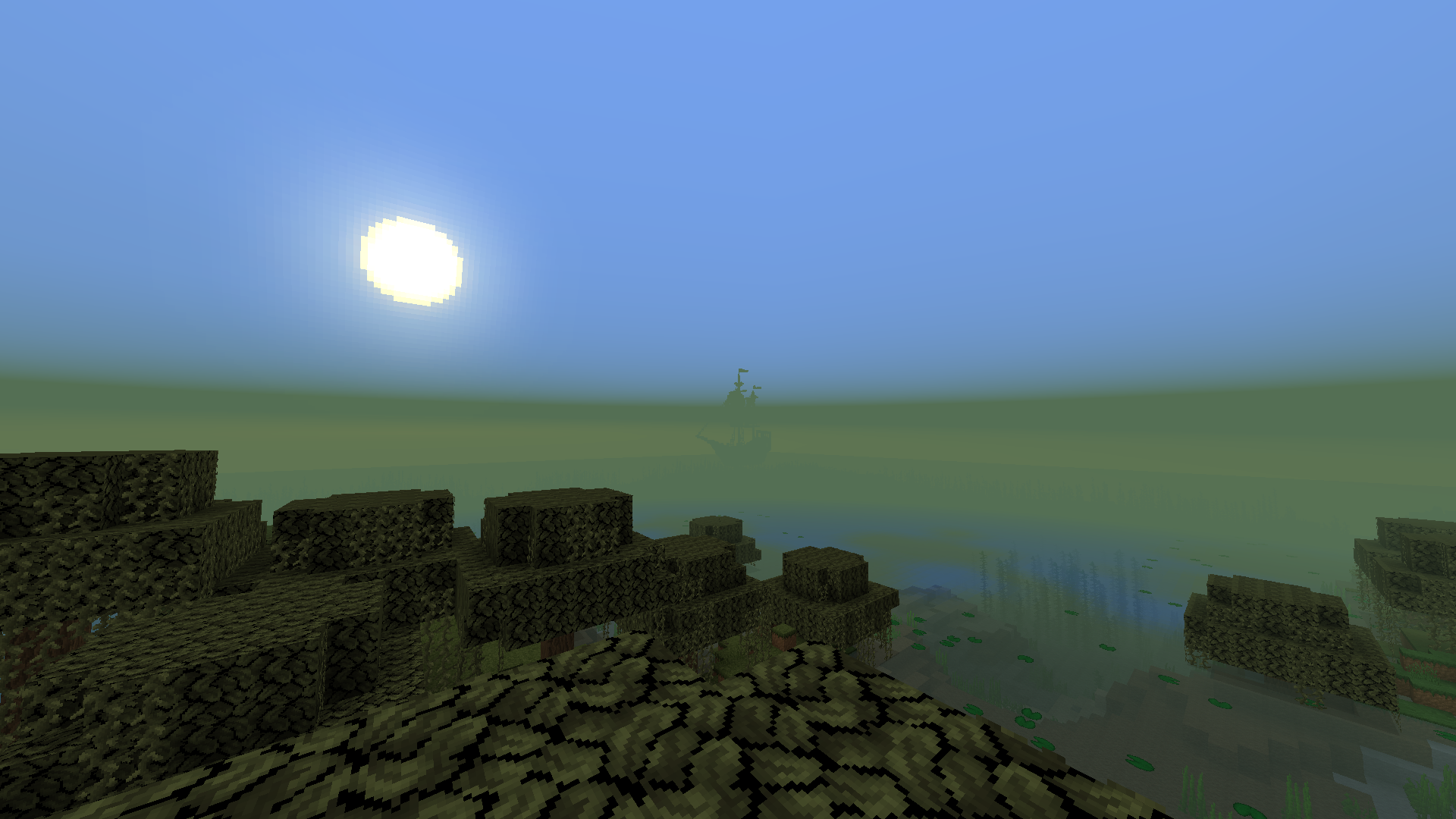 Ship in the Distance A small pirate ship in the distance hidden by fog
Versions
Files
Relations
Project Relations
More like this
Similar Modpacks
Suggestions use data such as tags, dependencies, dependents, descriptions, titles, and more to rank how much they overlap with this modpack.
On ModDex
Community snapshot
By the numbers
Statistics

Get it on
Available Platforms
On ModDex
Community snapshot
By the numbers
Statistics
Resources