
Community listing page, reviews here may not be monitored by the author.
OptiMized

A modpack that adds the OptiFine features for maximum speed.

Community voices
Reviews
No reviews yet. Be the first to review this project!
Get it on
Available Platforms
Compatibility
Supported Environments
Runs entirely on the client. Works on vanilla servers.
Works on the client or the server alone, but does more when on both.
Varies by version.
About
Project Details
For authors
Embed Badge
If you're the author of this project, you can embed a live badge anywhere that supports HTML or Markdown. It updates automatically whenever ratings change.
Use HTML for any page that supports it, or Markdown for README files and Markdown-based descriptions.
Identifiers
Platform IDs
Resources
External Links
About
Description


Moving to only Vulkan from version 7.0.0 | Won't work with OpenGL (Prefer Vulkan preset) Please, consider not using ADBlocker for viewing my modpack, this is a small project that needs attention for building and updating.
OptiMized Modpack – Faster than Optifine, Supercharged ⚡
A modpack that brings you the best vanilla experience | but at six times the speed!
For what use OptiMized
Use OptiMized if you want a total vanilla experience but you want high FPS even on potato machines. OptiMized is compatible with every type of mod and machine from a potato CPU with integrated graphics to the most powerful PC on earth. Use this modpack if you want to increase your FPS or simply not lagging. The modpack brings to Minecraft all the high, hidden power of NVIDIA GPUs and multi-core CPUs.
Why use OptiMized and not Fabolously OptiMized or other modpacks?
Other modpacks include unnecessary mods that devrease your game FPS increasing lag. With OptiMized you got only some mods, tested, without crashes etc.
📦 Features
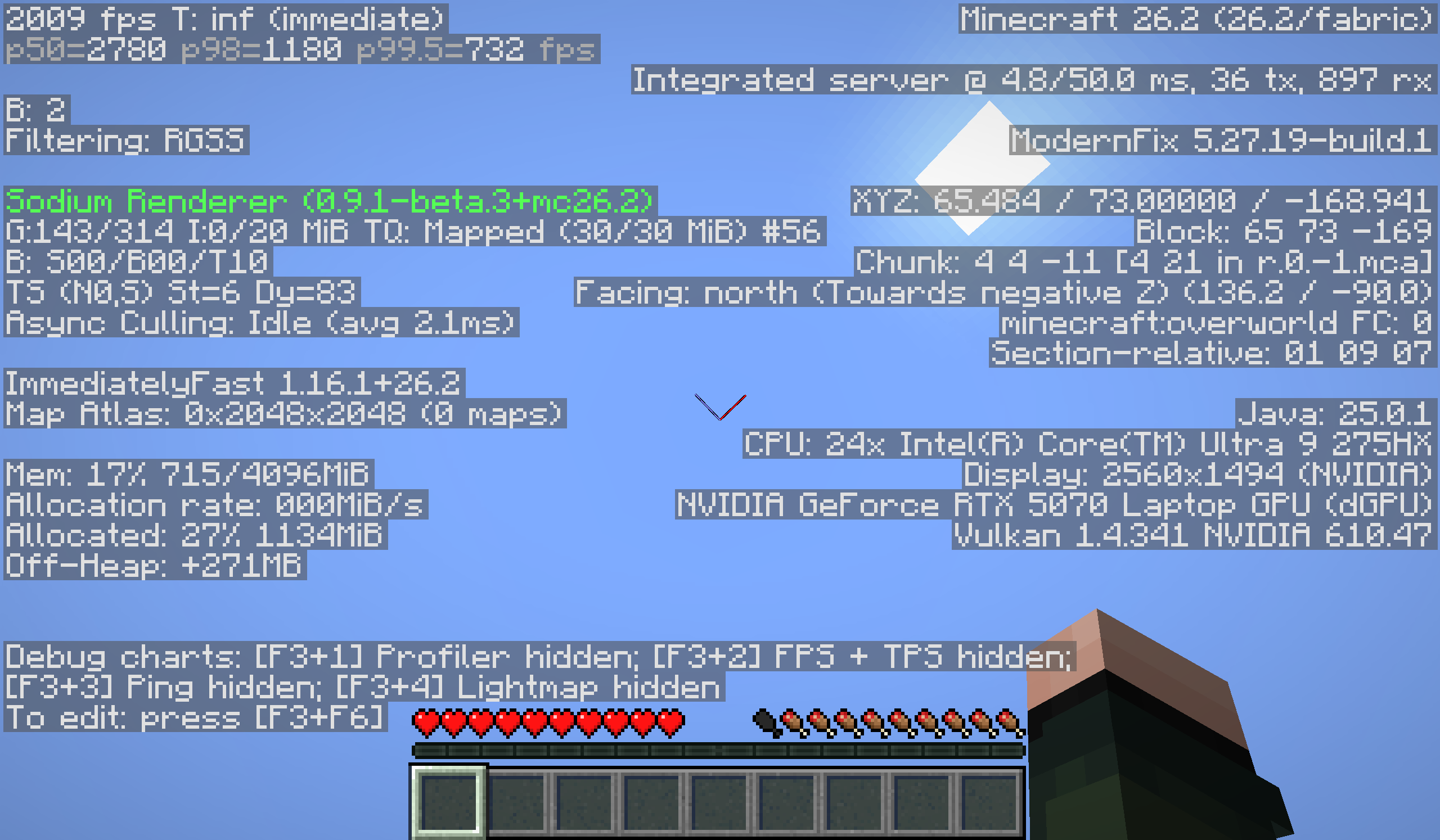
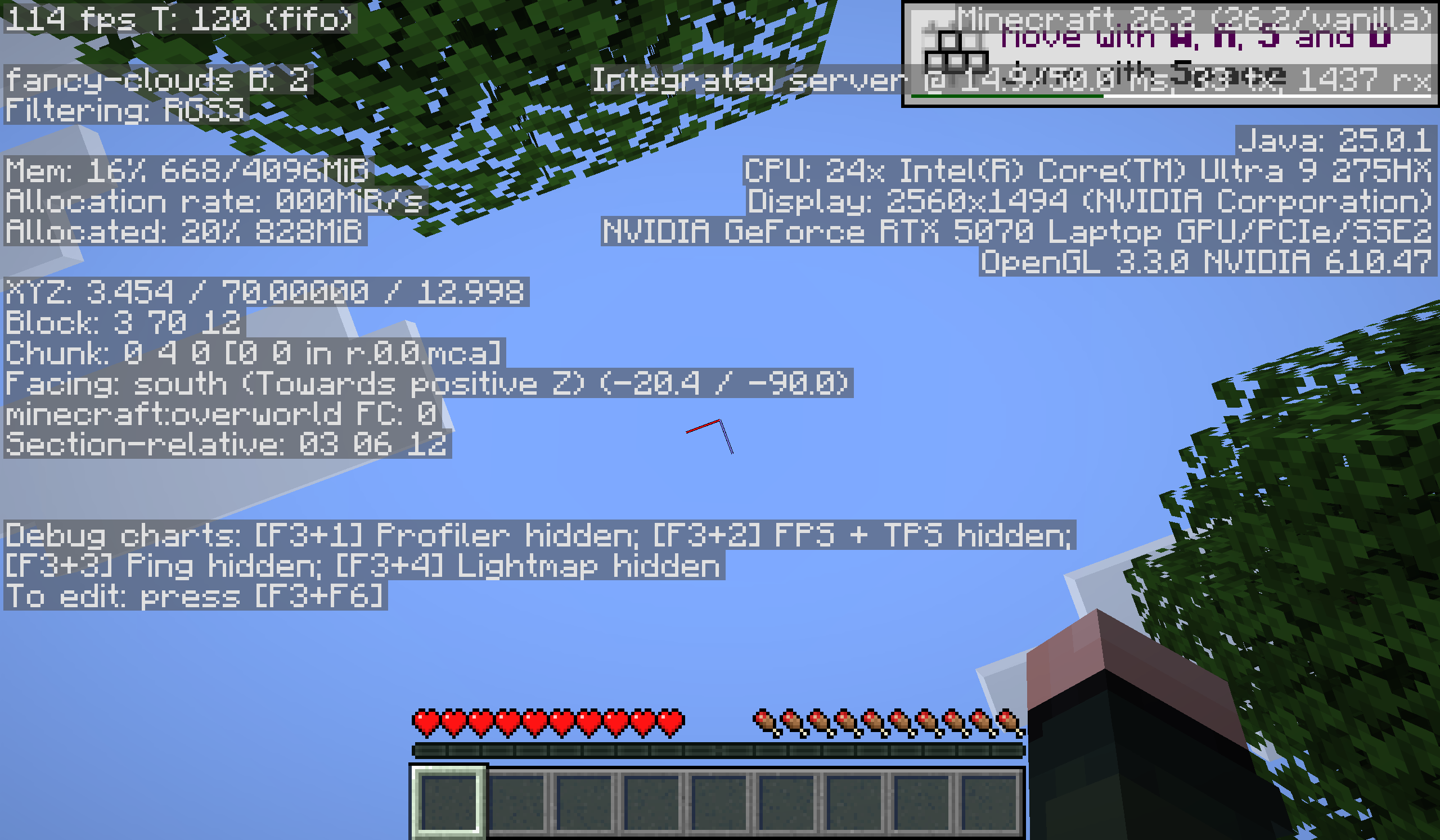
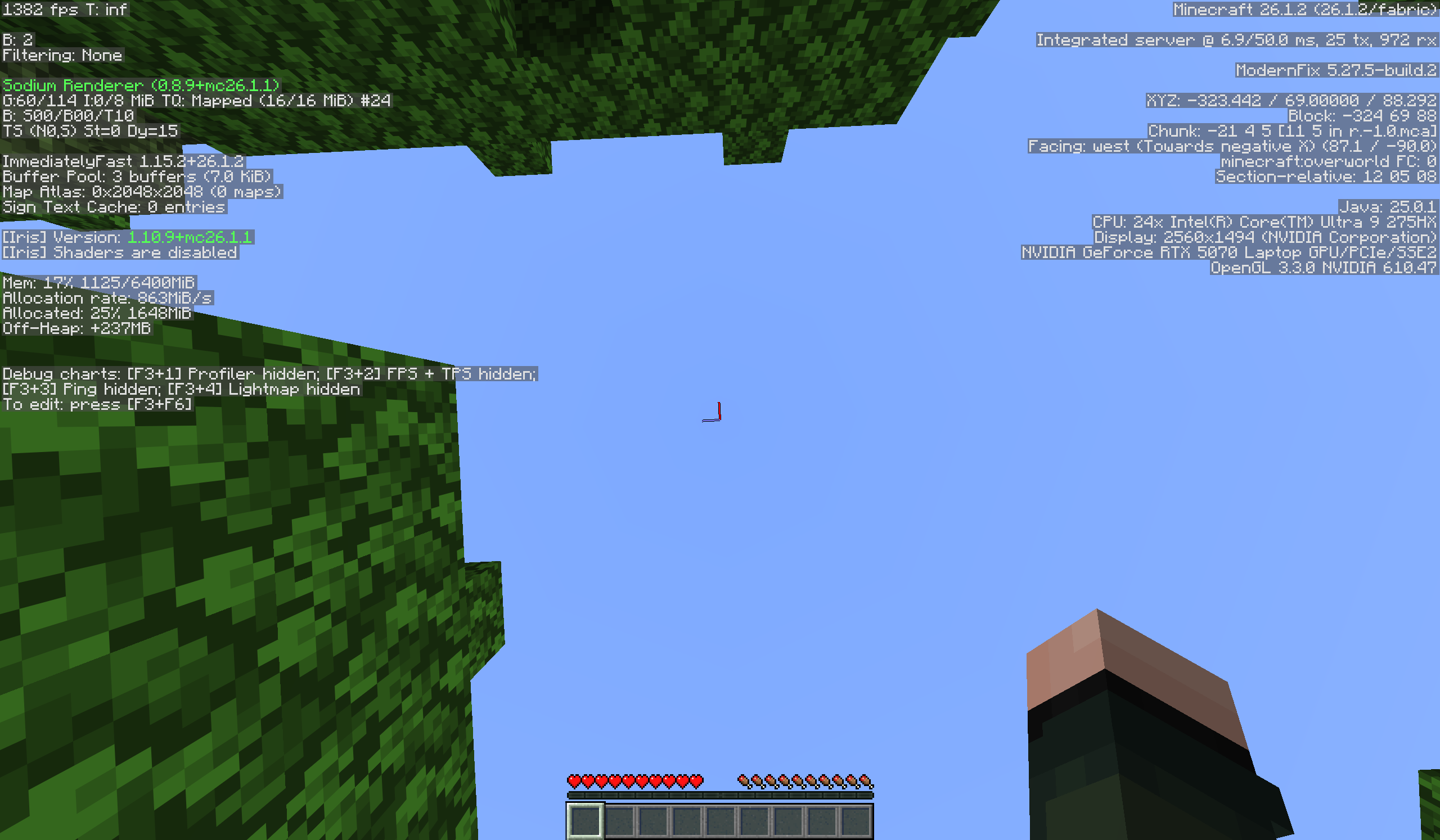
🔝 High FPS boost View the gallery for more. [Detailed benchmark soon!!]
Testing mods I'm testing some mods, such us:
- Ixeris
- Gnetum
- Particle core. Help me test this mods giving me a feedback on [email protected].
⤵️ Installation Default (help me more with this installation!)
- Download the modpack's .mrpack.
- Open your favorite MC launcher
- Find the button for importing from .mrpack files (New Istance -> Import from file
- Upload the .mrpack file
- Play Minecraft and enjoy the modpack!!!
Modrinth App (help me more with installation, but is better to try the first method)
- Open the Modrinth App
- Create an instance -> from modpack -> search OptiMized
- Install the modpack
- Play Minecraft and enjoy the modpack!!!
Other launchers (no monetization)
- Open your favorite MC launcher
- Create an istance
- Select "Modrinth"
- Search OptiMized
- Install the modpack with confirm
- Play Minecraft and enjoy the modpack!!!
🖼️ Branding The OptiMized logo is property of EpicoGamer_. ©2025-2026 EpicoGamer_. All rights reserved.
🔃 Comparing
OptiMized 26.2 (Vulkan)
Vanilla 26.2 (OpenGL)
Simply Optimized Reloaded 26.1.2
Want the look and feel of OptiFine without the performance hit? OptiMized is your go-to solution. Better than Simply Optimized and Adrenaline. Perfect for players who want shaders, zoom, and dynamic lighting — all running smoother than ever. Enjoy the speed. Enjoy the style. Get OptiMized!
Did you like this modpack? Then I invite you to recommend it to your friends, relatives and acquaintances.
📦 Complete Mod List (v7.0.2) — Click to expand
- AsyncParticles
- BadOptimizations
- Chunky (Fabric)
- ImmediatelyFast
- Ksyxis
- ScalableLux
- Async
- async-pack-scan
- OBE
- C2ME (Concurrent Chunk Management Engine)
- Cloth Config API
- Dynamic FPS
- EntityCulling
- Fabric API
- FerriteCore
- Iris Shaders
- LibJF
- Lithium
- Mod Menu
- More Culling
- Nvidium
- Placeholder API
- ServerCore
- Sodium
- VMP (Very Many Players)
- ZConfig
- Z Fast Noise
If you are searching for a modpack with OptiFine features, try modrinth.com/modpack/optifine-for-fabric. Give me your experience with DeskOS with a simple form: https://forms.cloud.microsoft/Pages/ResponsePage.aspx?id=DQSIkWdsW0yxEjajBLZtrQAAAAAAAAAAAANAAXncBqhUQkRBSkpUU0pQMUlUVTdLV0FRNFFHVUoyMy4u Visit our site: https://epicigamer.gitlab.io/optimized-site/.
Screenshots
Gallery
-
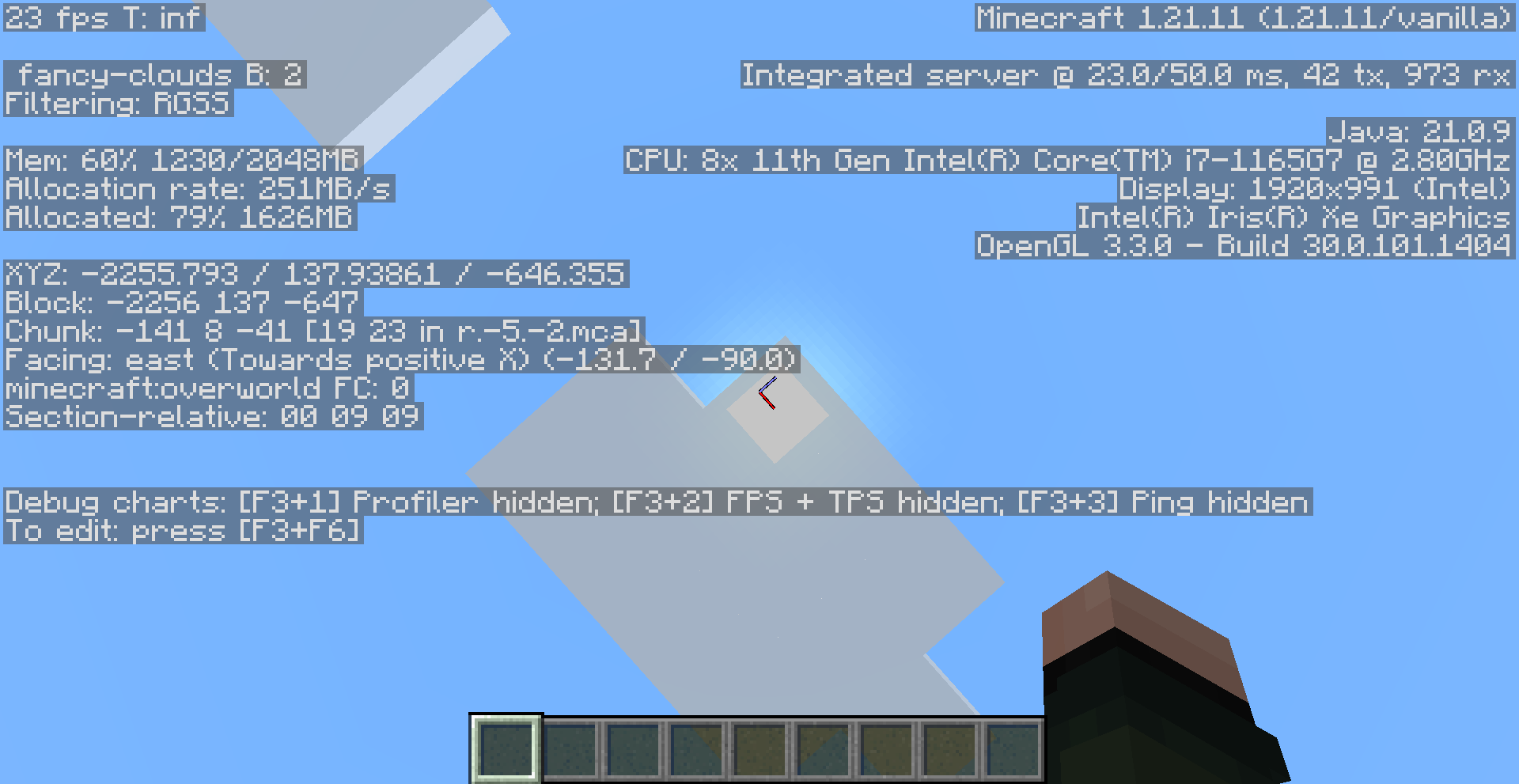 Without OptiMized
 -
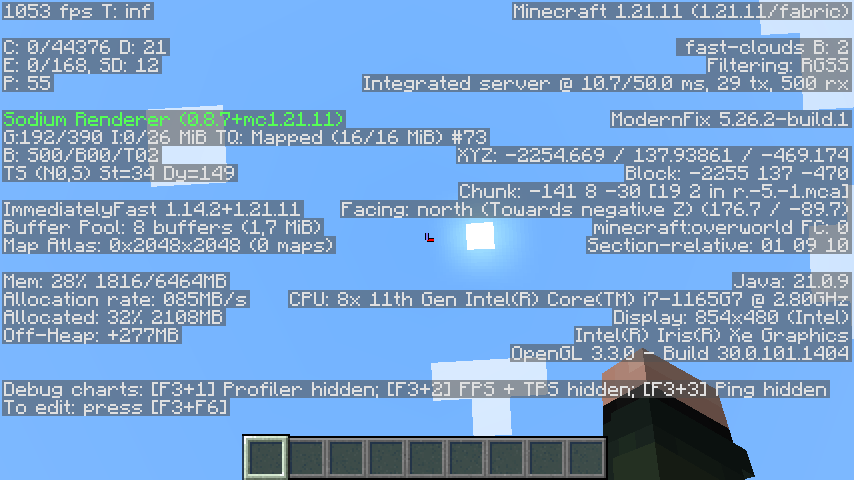 With OptiMized
Versions
Files
Relations
Project Relations
More like this
Similar Modpacks
Suggestions use data such as tags, dependencies, dependents, descriptions, titles, and more to rank how much they overlap with this modpack.
On ModDex
Community snapshot
By the numbers
Statistics

 (opens in a new tab)
Get it on
Available Platforms
On ModDex
Community snapshot
By the numbers
Statistics
Resources