
Community listing page, reviews here may not be monitored by the author.
PackOfMods

No reviews yet
This pack was made to play survival with a few friends without too many mods.
Community voices
Reviews
No reviews yet. Be the first to review this project!
Get it on
Available Platforms
Compatibility
Supported Environments
Must be installed on both the client and the server.
About
Project Details
For authors
Embed Badge
If you're the author of this project, you can embed a live badge anywhere that supports HTML or Markdown. It updates automatically whenever ratings change.
Use HTML for any page that supports it, or Markdown for README files and Markdown-based descriptions.
Identifiers
Platform IDs
Resources
External Links
About
Description
Note It is recommended you asign 4GB of RAM or more to your Minecraft instance when running the pack.
A nice relaxed survival modpack with tweaks and fixes to vanilla. The main mods are Create, Farmer's Delight, Terralith, Tectonic, Better Nether, Better End, Yung's World Gen mods and Dungeons and Taverns. There is a Server Version of the pack which only has the server mods if you want to host a server.
This pack was made to play survival with a few friends without too many mods.
I have decided to use this page to document some useful information for the pack
Create
Using EMI you can see a lot of what create and it's addons do. Clicking on blocks or items will tell you how to make them and right clicking tells you what they can be used to make. You can also hold W on some items to see an animation on how to use it. Some tools also allow you to hold shift when hovering over them to see a description.
The Create: Getting Started wiki page is also useful if you are completly new to the mod and the wiki page as a whole is very good although it does not included all the addon mods in the pack.
Farmers Delight
For progression in Farmer's Delight a good method is to follow the advancements. The default key to view them is L. This is a nice expansion on farming and food in minecraft and also comes with some nice addons for the new biomes added by Better Nether, Better end and some of the YUNG's worldgen mods.
There is also a good Getting Started Page for this mod.
World Gen
There are quite a few world gen mods. Yung's Mods and Dungeons and Taverns add or improve various structures in the game. Better Nether and Better End improved the nether and end respectively and Terralith and Tectonic make large updates to the overworld to make it far grander in scale.
Other Bits
-
Carry on Allows you to pick up any block, even blocks you can't normally break, if both of your hand are empty and you right click. This can be useful for things like moving spawners.
-
Accessories - Adds inventory slots for new items such as backpacks, charms and quivers.
-
Lighty allows you to see where mobs will spawn. If you press F7 and select a display mode. Red means monsters can always spawn, Green means never and amber at night.
-
Diggus Maximus allows you to mine connected blocks of the same type if you hold down a key when breaking them. By default the key is `.
-
Zoomify allows you to zoom by holdin C.
-
Distant Horizons increases your render distance and is quite efficent but will be quite intensive. If you are having trouble running the pack disable this mod or reduce the settings.
-
Complemetary Shaders is included in the pack. If you aren't struggling using Distant Horizons these can be enabled in the video settings for some nice visuals.
-
There are a bunch of building mods in this pack such as chipped, rechisled, handcrafted, Beautify and Twigs. These are great for adding more variety to builds.
-
Better Statistics Screen replaces the vanilla statistics screen and even allows you to pin some statistics to your HUD.
-
Immersive Aircraft gives you the ability to make various flying machines.
-
Animal Feeding Troughs, Dark Utilities and Supplementaries add simple blocks and items with new functionality. For example the feeding trough allows animals to breed automatically.
-
Sophisticated Storage and Sophisticated Backpacks expand on the storage systems in the game allowing you to upgrade them with various interesting upgrades and have much easier to access portable storage.
-
Simple Voice Chat adds proximity chat to the game and Simple Voice Radio adds radios so you can communicate over a distance.
-
There are also a few resources packs included in the pack. Most of these can be used at the same time. I use Minecraft Eating Animation, Visual Armor Trims, Skeleton Physics, Simple Grass Flowers, Recolourful Containers, Qrafty's Capitalized Font, Fresh Animations, Fancy Crops, Enchant Icons, EBE, AL's Creeper Pack, Simple Create Radios and Classic Icons (For Voice Chat). These can be mixed and matched however you like though.
Screenshots
Gallery
-
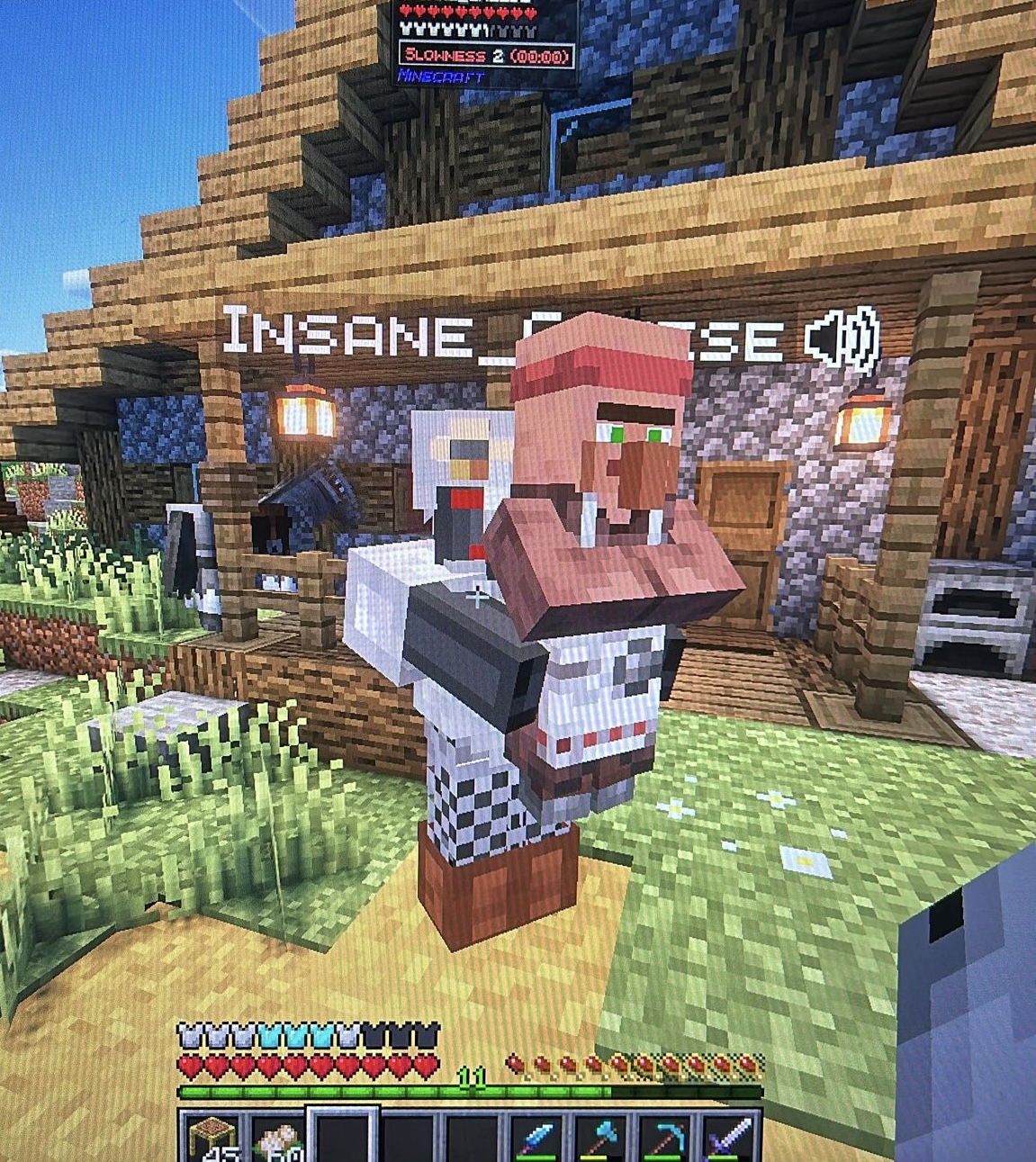 Have you seen this man? Having fun with the Carry On mod.
Versions
Files
Relations
Project Relations
More like this
Similar Modpacks
Suggestions use data such as tags, dependencies, dependents, descriptions, titles, and more to rank how much they overlap with this modpack.
On ModDex
Community snapshot
By the numbers
Statistics

Want to reach Minecraft players?
We're looking for a server hosting partner to feature here and other parts of the site. Interested? Send us a message!
Get in touchGet it on
Available Platforms
On ModDex
Community snapshot
By the numbers
Statistics
Resources