
Community listing page, reviews here may not be monitored by the author.
Pixel's Optimizations

No reviews yet
All the performance mods i could find to sqeeze all possible fps out of your pc

Community voices
Reviews
No reviews yet. Be the first to review this project!
Get it on
Available Platforms
Compatibility
Supported Environments
Runs entirely on the client. Works on vanilla servers.
About
Project Details
For authors
Embed Badge
If you're the author of this project, you can embed a live badge anywhere that supports HTML or Markdown. It updates automatically whenever ratings change.
Use HTML for any page that supports it, or Markdown for README files and Markdown-based descriptions.
Identifiers
Platform IDs
Resources
External Links
About
Description
What does this modpack do?
This is a modpack designed to squeeze as much FPS out of YOUR PC. This mod pack has all the optimizations you can think of including Vulkan mod, Entity culling and Concurrent Chunk Management Engine and MANY others.
YOUR PC's GPU OR INTERGRATED GRAPHICS NEED TO SUPPORT VULKAN 1.2 OR NEWER FOR THIS MODPACK TO WORK
How do i check if my GPU or Intergrated Graphics Support Vulkan?
- Step 1 - Open task manager on windows
- Step 2 - Click on the performance tab
- Step 3 - Click on your GPU (If you have two check your main gpu most of the time its GPU 0)
- Step 4 - Go to https://vulkan.gpuinfo.org/ and input your gpu's name into the box above device
- Step 5 - If the version that shows up is 1.2 or above then your gpu is compatible but if it says a version under 1.2 (ex. 1.1) then your gpu is not compatible. (If it says 1.2 and the mod pack doesnt work try updating your GPU drivers and try again)
How to i install this?
- Step 1 - Download the modpack
- Step 2 - Download the modrinth app if you havent already
- Step 3 - Open click the modpack file
- Step 4 - Then ur done
If you are crashing randomly : Remove GPUBooster (or GPU Tape in 1.21.10 and under) since it might be conflicting with Vulkan Mod's rendering
- Step 1 - Go to your Modrinth instance that you have this modpack on
- Step 2 - search for GPUBooster (or GPU tape on 1.21.10 and under)
- Step 3 - Click the trash bin icon next to GPUBooster (or GPU tape on 1.21.10 and under)
- Step 4 - A menu should pop up saying you should create a back up (this is optional)
- Step 5 - After, press the red "delete 1 project" button and you are done!
FAQ
Can i add/remove mods?
- Yes, but the the added mods must be compatible with Vulkan Mod (Mods like Iris Shaders and Essentials that require OpenGL will NOT work) (Check the full mod list in the Vulkan Mod discord - https://discord.gg/FVXg7AYR2Q)
Updates
The upkeeping of this modpack depends on the mod creators that create the mods in this modpack. If the mods are not updated by the mod creators i cannot update this modpack or i will create a newer version without the outdated mod
FABRIC API ALREADY INSTALLED (1.21.10 list) (CHECK THE MODS LIST OF THE VERSION YOU DOWNLOADED IN THE MODRINTH APP)
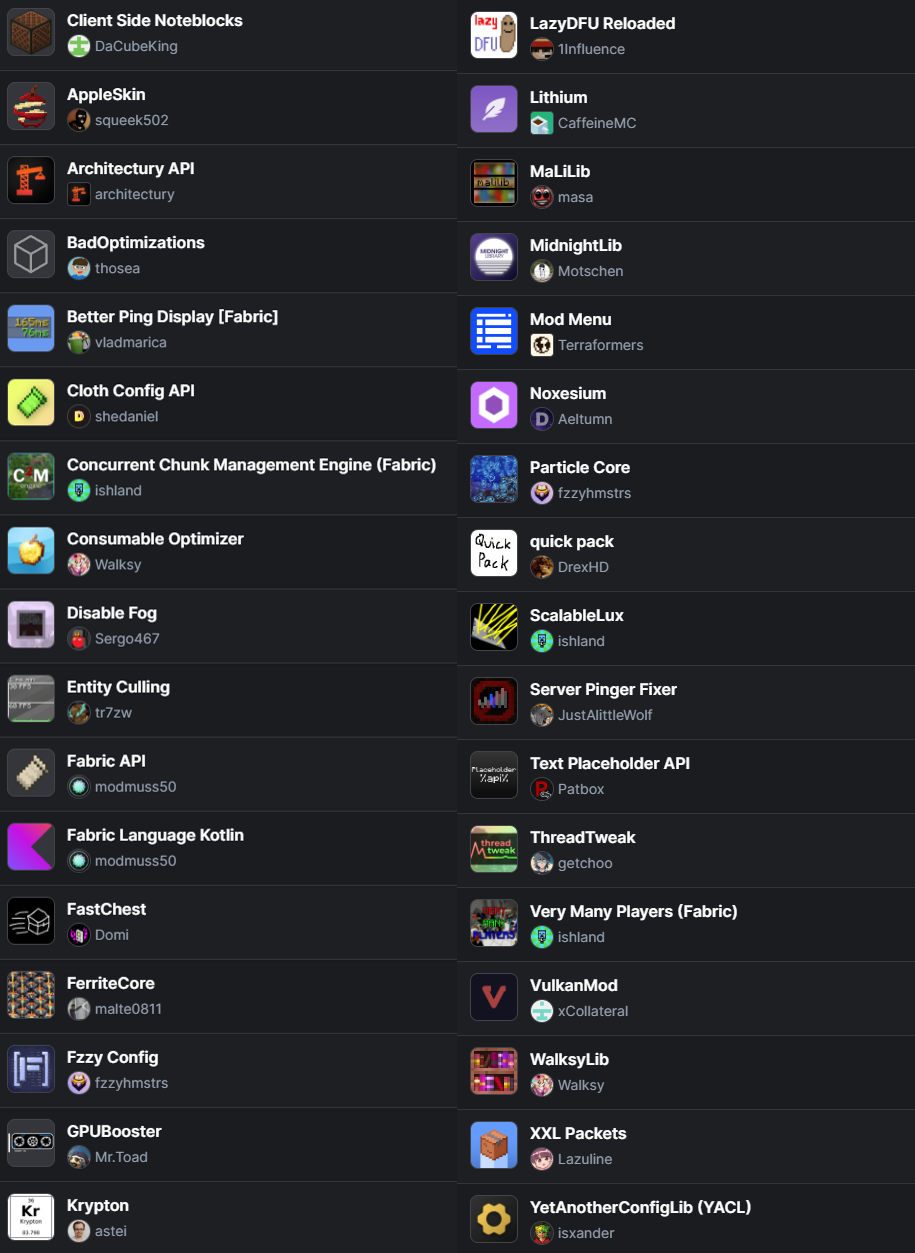
Screenshots
Gallery
-
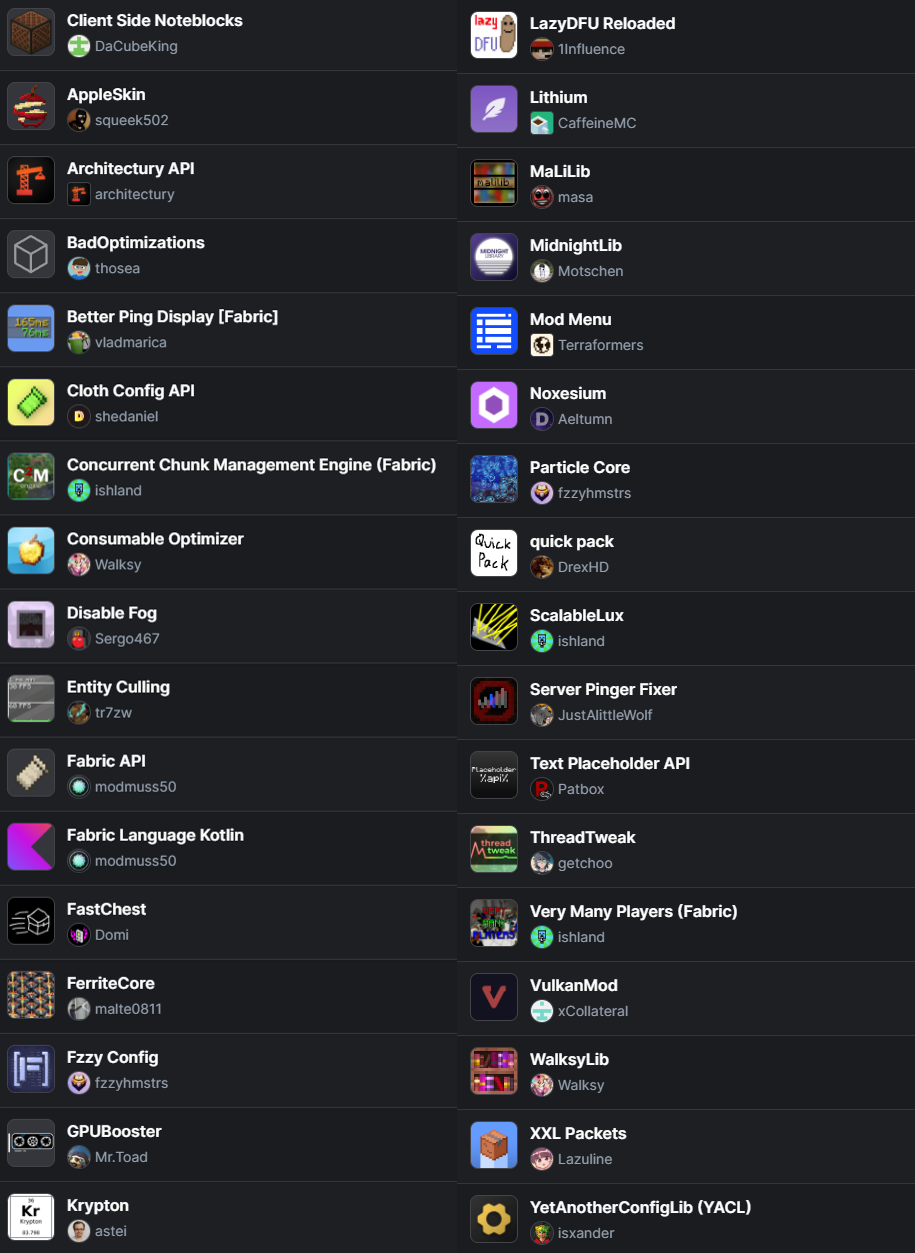 All mods included
Versions
Files
Relations
Project Relations
More like this
Similar Modpacks
Suggestions use data such as tags, dependencies, dependents, descriptions, titles, and more to rank how much they overlap with this modpack.
On ModDex
Community snapshot
By the numbers
Statistics

 (opens in a new tab)
Get it on
Available Platforms
On ModDex
Community snapshot
By the numbers
Statistics
Resources