
Community listing page, reviews here may not be monitored by the author.

Community voices
Reviews
No reviews yet. Be the first to review this project!
Get it on
Available Platforms
About
Project Details
For authors
Embed Badge
If you're the author of this project, you can embed a live badge anywhere that supports HTML or Markdown. It updates automatically whenever ratings change.
Use HTML for any page that supports it, or Markdown for README files and Markdown-based descriptions.
Identifiers
Platform IDs
Resources
External Links
About
Description
Welcome to Purely Better!
About:
This modpack's goal is to add quality of life features to Minecraft, while still preserving the vanilla feel. Built with the latest performance mods to ensure playability for all devices. Minecraft, but Purely Better!
Expected to receive both major and minor updates for the planned future!
Main Content:
The highlights of the pack are:
- Create Fly Mod (Yes it's over-used, but it fits the pack)
- CompactStorage mod and Tom's Simple Storage mod(storage is a must)
- Farmers Delight mod
- Backported Falldrop 26.3
- Overhauled Worldgen (Tectonic, Incendium, Nullscape, etc.)
- Quality-of-Life additions to most vanilla features
- Visual Overhaul with resource packs and mods
- Immersive experience
- Pre-configured options, controls, resource packs and data packs. (Video settings configured for a medium-performance machine, settings can always be changed later)
- Lots of love put into it!
Vulkan API:
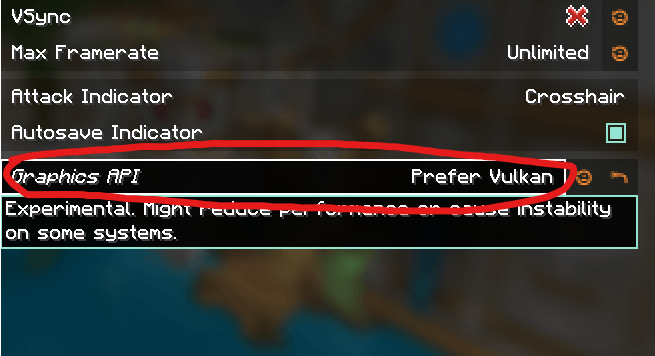
Minecraft is switching from OpenGL to Vulkan API. Sodium (0.9.1) recently added Vulkan support, using both its own renderer along with Vulkan backend. This allows for blazing fast performance, better than any OpenGL setup. However, before using, make sure your device supports Vulkan, as it is for modern hardware. This pack loads defaultly with OpenGL, and has to manually be changed (for broad compatibility)
Also beware, currently there is no shader support for Vulkan, and Iris shaders will be disabled when switching. This is because all of the shaders currently operate on the old system. This pack will get updated in the future when Vulkan shader support becomes stable and publically avalible. To make sure everything goes smoothly, it is recommended to fully delete iris shaders before relaunching the game with Vulkan.
To use, go to Options > Video Settings > Sodium General > Graphics API and switch to Prefer Vulkan. After doing so, restart your game and enjoy!
Disclaimers:
- Why is my game crashing after exiting?
The game crashes for no reason. (Due to Create Fly, don't know how to fix yet). However, the crash doesn't corrupt anything since everything is already saved, and shutting down by the time it crashes, so it is just a slight annoyance.
- Why does my game crash when switching from/to Vulkan/OpenGL?
Sometimes it has to do with this version of the Create Mod. The simplest way to fix it if you don't want to edit the config files manually, is to just delete them and let them regen next time you launch.
- My game is laggy and unplayable when using the default configs, and Vulkan doesn't work well.
As stated, the configs is an estimate of an average pc/laptop, and isn't perfect. The best way, if available, is to allocate more RAM to the instance. Easily change that in the CurseForge launcher (Try 6-8 gigs max, Minecraft doesn't need more) If allocating more RAM isn't viable, try lowering some settings like render and simulation distance to see if it helps. Additionally, unassigning some visual resource packs like Fresh's Animations, etc. might also improve performance.
If you have any other issues, please report them on that tab, not under comments, thank you!
Enjoy!
Screenshots
Gallery
-
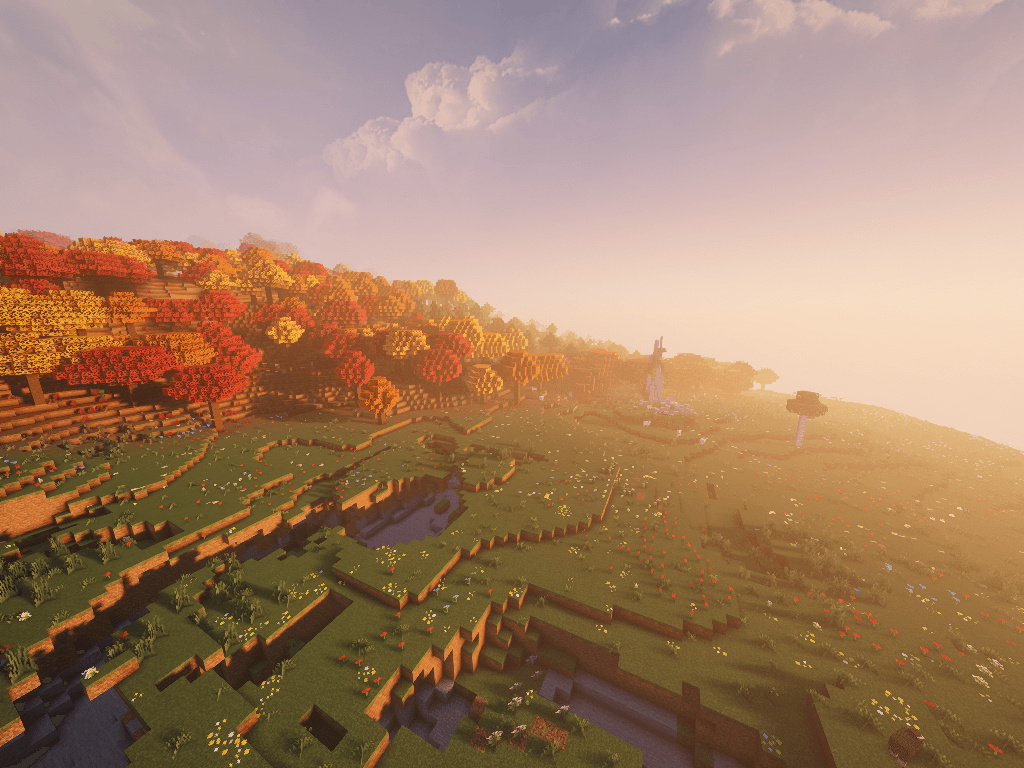 New 'Dappled Forest' biome Shader: Complementary Unbound
 -
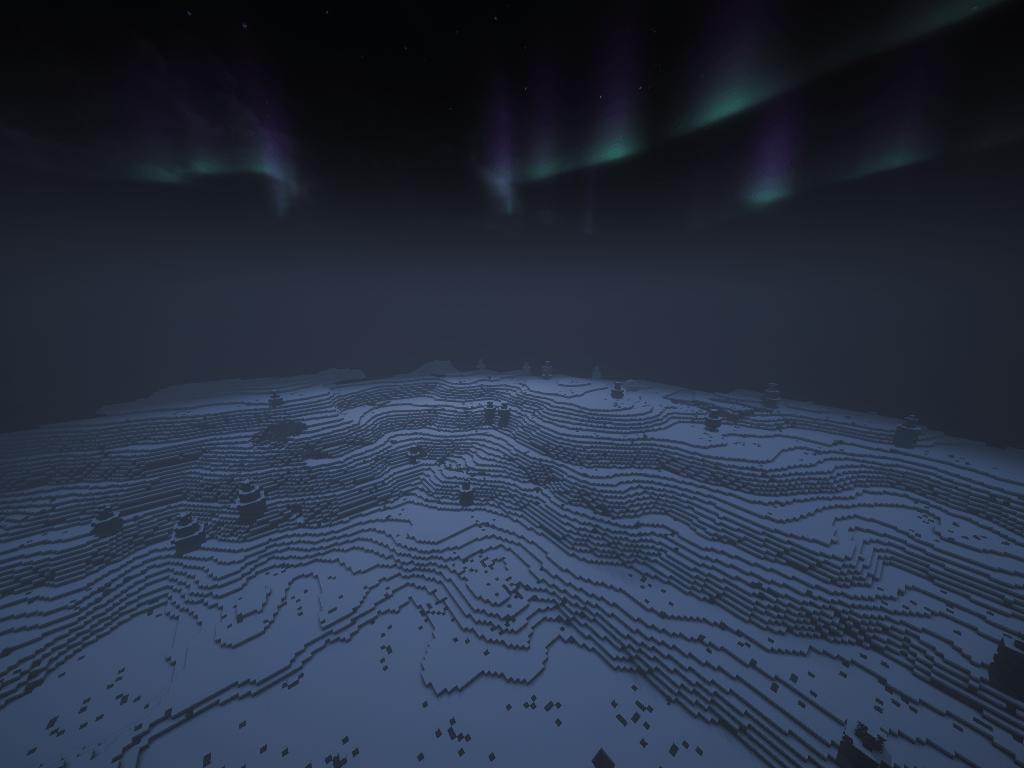 Nighttime in a snowy biome Shader: Complementary Unbound
Versions
Files
Relations
Project Relations
More like this
Similar Modpacks
Suggestions use data such as tags, dependencies, dependents, descriptions, titles, and more to rank how much they overlap with this modpack.
On ModDex
Community snapshot
By the numbers
Statistics
Want to reach Minecraft players?
We're looking for a server hosting partner to feature here and other parts of the site. Interested? Send us a message!
Get in touchGet it on
Available Platforms
On ModDex
Community snapshot
By the numbers
Statistics
Resources