
Community listing page, reviews here may not be monitored by the author.
Flowstate

No reviews yet
A plug-n-play, quality o' life modpack dedicated to keeping the vanilla gameplay with better visuals, performance, and convenience.

Community voices
Reviews
No reviews yet. Be the first to review this project!
Get it on
Available Platforms
Compatibility
Supported Environments
Must be installed on both the client and the server.
About
Project Details
For authors
Embed Badge
If you're the author of this project, you can embed a live badge anywhere that supports HTML or Markdown. It updates automatically whenever ratings change.
Use HTML for any page that supports it, or Markdown for README files and Markdown-based descriptions.
Identifiers
Platform IDs
Resources
External Links
About
Description
This mod used to be known as Quality O' Life
Summary:
A plug-n-play modpack dedicated to keeping the vanilla gameplay with better visuals and performance. This includes better GUI, Shaders, Map, and Server & Singleplayer experience. This modpack is great for someone wishing for a better vanilla minecraft experience. This means you won't even have to change any settings or keybinds before playing; I set them for you!
Features:
Anything in brackets is a keybind, although I set them you can still change them. Everyone is different!
- FPS Increase
- Super Duper Vanilla Shaders (yes that is the name) + Extra Options
- Better GUI Scale and Design
- Freecam [F4] (Please only utilize in servers / worlds that allow this)
- Zoom Key for seeing far away [R]
- Tooltips for showing Shulker Box contents
- Auto-hides Shield to clear screen space
- Removes Delay Between Music Tracks
- World Map w/ Waypoints [C] (No Teleport)
- Click through signs and Item frames for easy container access
- Play Next Song [M]
- Controller Support
Installation:
This Modpack is avalible in several versions of Minecraft, Remember to consider both game and mod version! Check Changelog for more details
Use the Modrith App to easily install this pack!
Moving your singleplayer worlds to a new modpack version:
This mod is meant for general purpose use, meaning sometimes you have to move your singleplayer worlds to a new game version. This process is quite simple, on the modrinth app go to the modpack in your library and select "Folder" underneath the Modpack Icon. This will open the file manager for your operating system. Go to "saves" and you will find a folder for all of your singleplayer worlds in that modpack. Locate the updated modpack's saves folder with these instructions and move the world folders from the old modpack to the new!
Customization:
This Modpack has customizable options, you can learn how to change them here.
Using an optional shader pack:
We include optional shader packs to allow others to use the shader pack they perfer. To use an optional shader pack go to options > video settings > shader packs and then select the shader pack you want to use, then click apply.
Enabling/Disabling resource packs:
We include optional resource packs to allow others to use the resource pack they perfer. Enabling/Disabling resource packs is done in the menu options > resource packs. There you can switch resource packs between being used and disabled (right and left respectively). On the right or enabled side the packs found at the top have the highest priority, meaning put the packs you want to apply at the top.
Support:
Issues always happen, and if you have one I am always willing to help. Please join our discord server and create a forum in "modding-help" so I can help. In the meantime check the list of known issues below:
Known Issues:
There are currently no known issues!
Buy me a Tea!
If you really love this modpack or just want to support me, feel free to buy me a tea! It is always apreciated.
Screenshots
Gallery
-
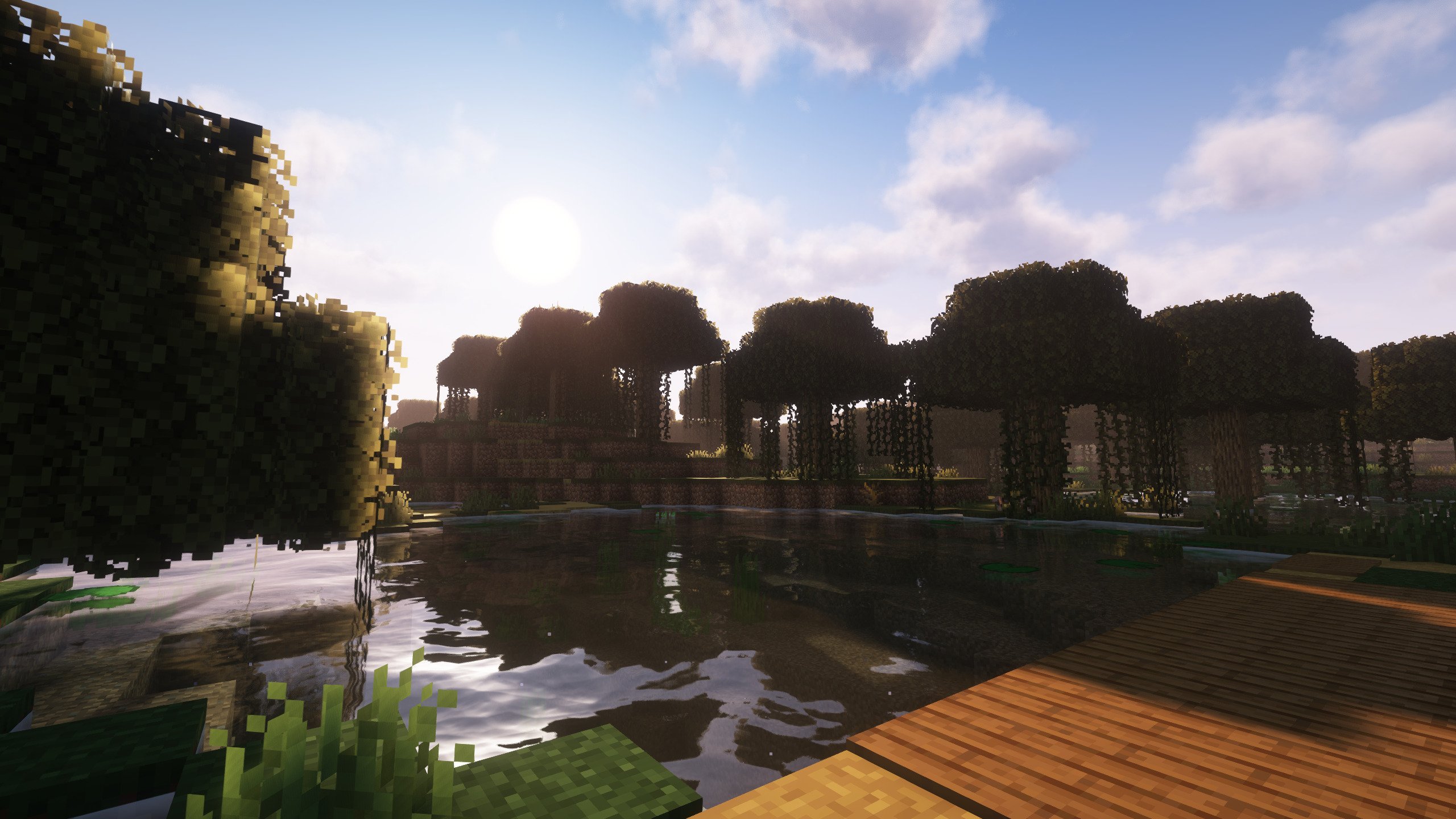 Amazing Visuals
 -
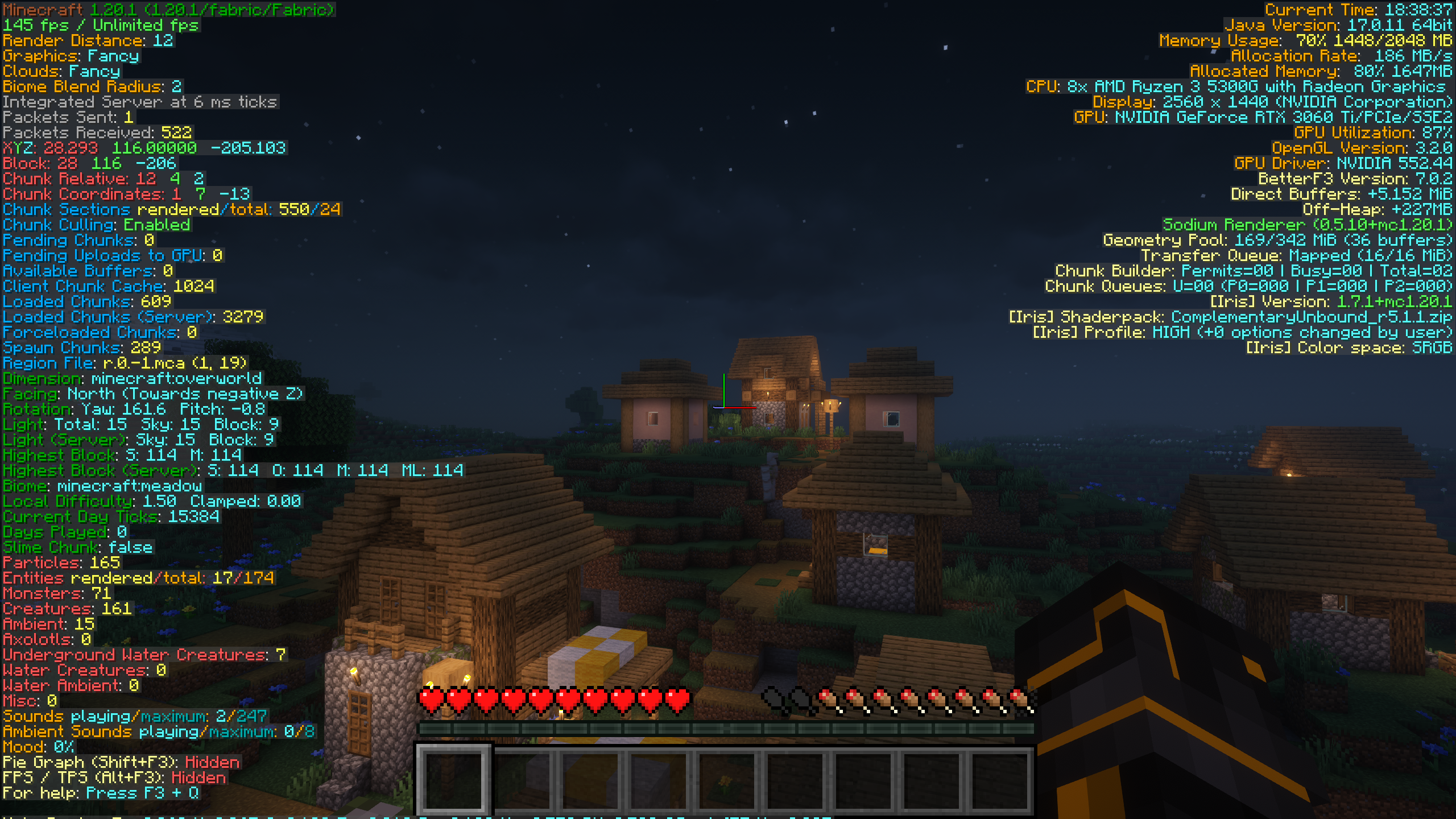 Better F3 Menu
 -
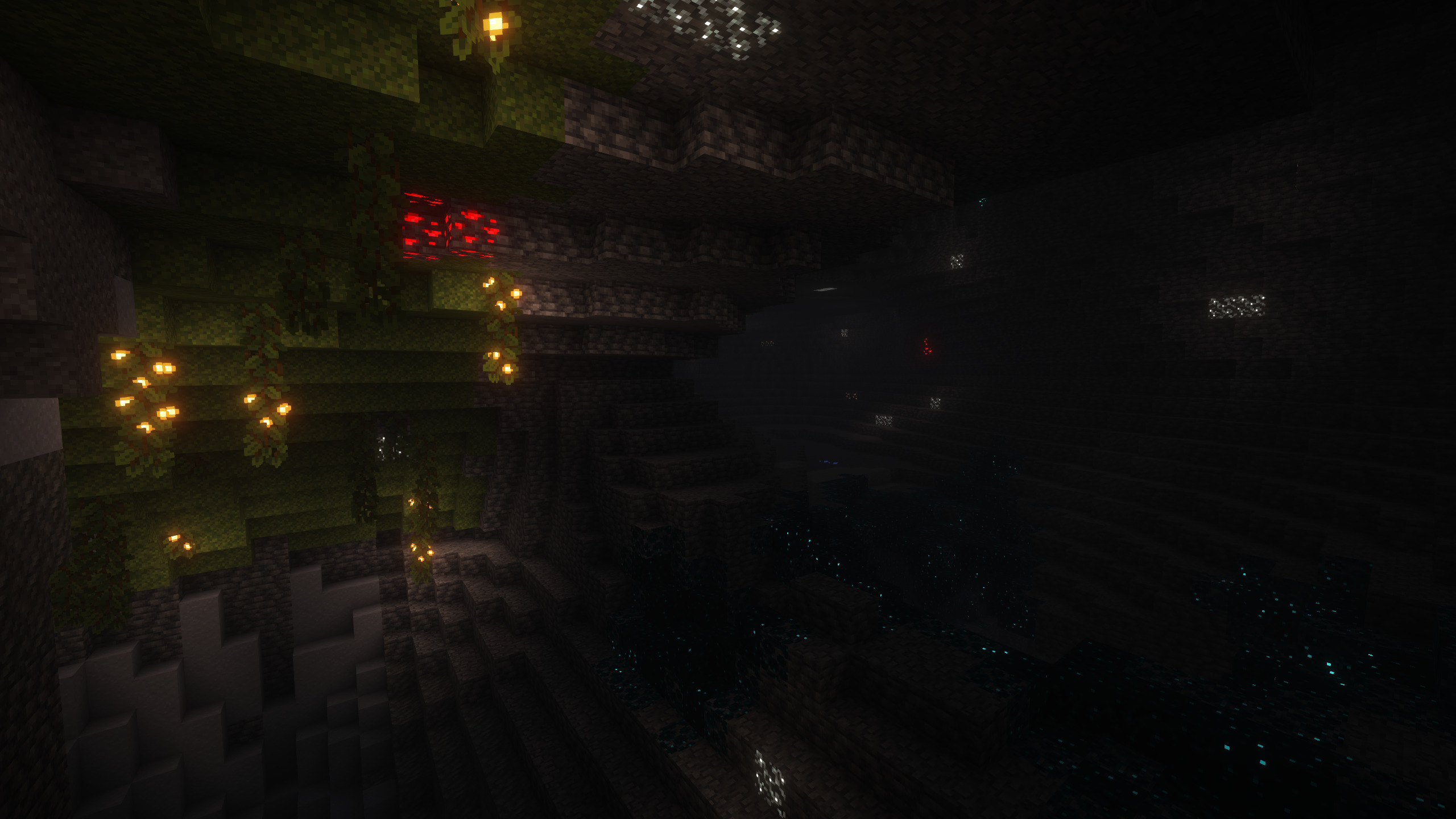 Glowing Ores and Great Caves
 -
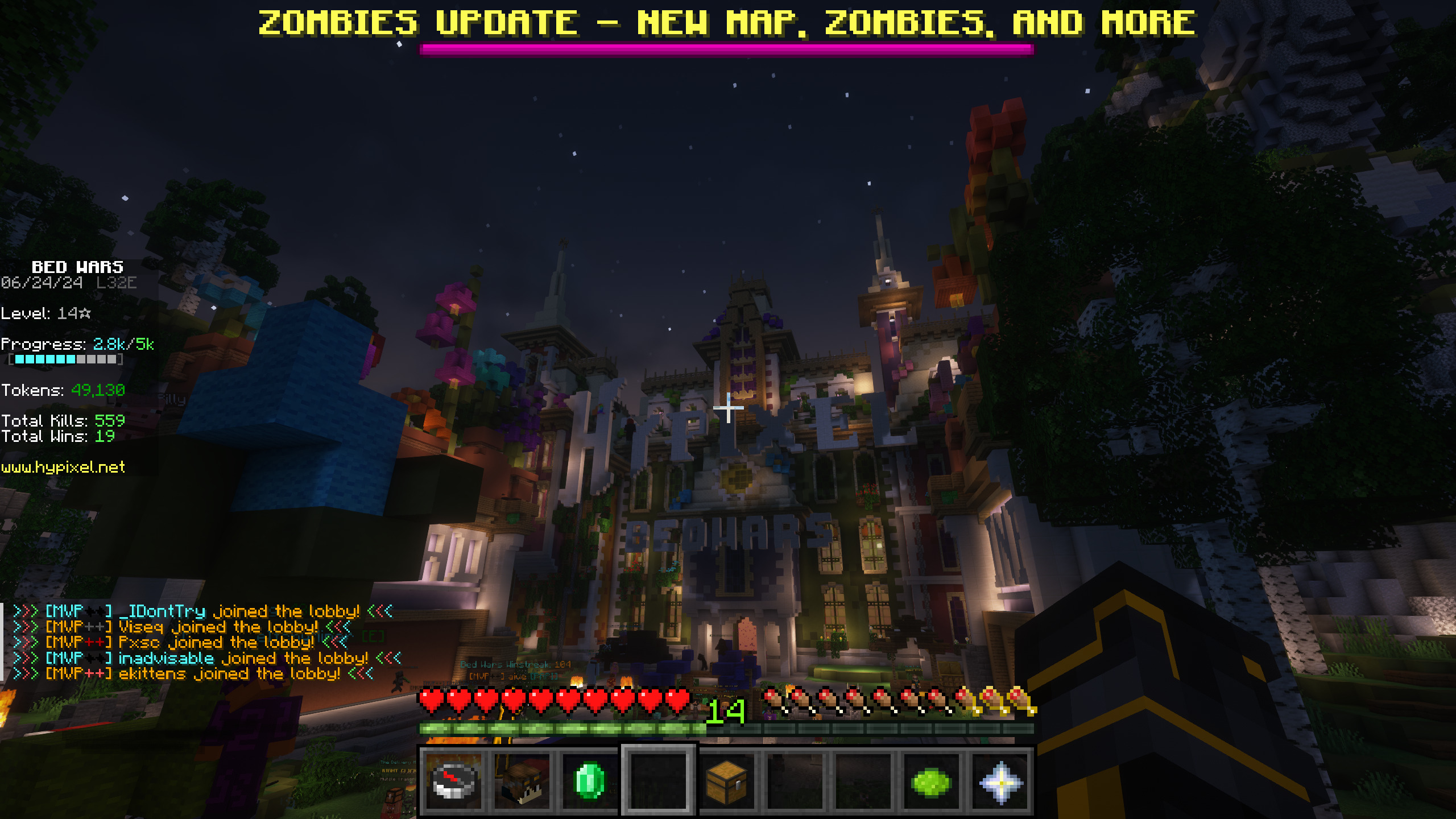 Great Server Experience
Versions
Files
Relations
Project Relations
More like this
Similar Modpacks
Suggestions use data such as tags, dependencies, dependents, descriptions, titles, and more to rank how much they overlap with this modpack.
On ModDex
Community snapshot
By the numbers
Statistics

 (opens in a new tab)
Get it on
Available Platforms
On ModDex
Community snapshot
By the numbers
Statistics
Resources