
Quick Vanilla+
No reviews yet
A modpack which increases the performance of minecraft by a lot using the best optimization mods available and also provides a lot of quality-of-life features.
Does not follow a specific thematic focus apart from vanilla Minecraft.
Features content that solely expands on Vanilla mechanics and gameplay.
Includes quality of life improvements and small tweaks to enhance and customize gameplay.
Enhances game performance and optimizes resource usage.
Fabric is a mod loader for versions 1.14+ of Minecraft, particularly popular for client side and optimization mods.
Community voices
Reviews
Click once to include, again to exclude, again to clear
No reviews yet. Be the first to review this project!
Get it on
Available Platforms
 Modrinth
Compatibility
Supported Environments
About
Project Details
For authors
Embed Badge
If you're the author of this project, you can embed a live badge anywhere that supports HTML or Markdown. It updates automatically whenever ratings change.
Use HTML for any page that supports it, or Markdown for README files and Markdown-based descriptions.
Identifiers
Platform IDs
About
Description
| FPS Comparison: | GPU Usage Comparison: |
|---|---|
| FPS in vanilla: 50 to 70 | GPU usage in Vanilla: 50% to 90% |
| FPS in Quick Vanilla+: 100 to 150 | GPU usage in Quick Vanilla+: 70% to 100% |
| Percentage Increase: 110% to 130% | Observation: More GPU usage will result in more performance as the GPU is used more. |
Try my other optimisation modpack for more performance if you are not satisfied: Uniquely Optimised
MC Settings: Fullscreen, Version 1.20.4, Render-Distance: 8 Chunks, Ram Allocated: 4GB, System Ram: 8GB, CPU: Intel Core i5-1035G1, GPU: Intel UHD Graphics.
Quick Vanilla+ is the ultimate Minecraft modpack for players seeking top-notch performance enhancements and quality of life improvements. With a focus on making minecraft smoothly playable, this pack integrates the finest optimization and quality-of-life mods available, ensuring smooth gameplay even on lower-end systems. Harnessing the power of Fabric Modloader, Quick Vanilla+ delivers an unparalleled experience, surpassing even Optifine in its suite of enhancements. Not only does it focus on optimizations, it also focuses on reducing the stress on your computer so that you can multitask with ease. Experience quick world loading times and say goodbye to lag and hello to seamless gameplay with this meticulously crafted modpack. Explore your world with ease, build to your heart's content, and enjoy every moment with Quick Vanilla+.
Enjoy the optimizations in multiplayer too as the modpack is also compatible with multiplayer servers.(Not to install on servers, but to play with this modpack on servers.)
Report your issues here: Raise Issues
The 1.21.3 versions of the modpack may crash when loading up a world. As per my testing, it is being caused by the Worldedit mod. So, if your game also crashes, try removing the Worldedit mod from your installation(either through the modrinth app or by removing the jar file from your mods folder). This still has a low chance of happening. I am looking into the issue and will solve it as soon as possible.
It is always recommended that you use the latest version of the modpack for a particular mc version. For example, there could be three or four modpack versions for the same mc version(ex: 1.21.1). Just download and use the latest version of the modpack that supports the mc version that you use
How to install:
There are two methods to install this modpack to your game:
Method-1: From the modrinth app:
step-1: Download the modrinth app installer from the modrinth website.
step-2: Run the modrinth installer and install the modrinth app by following the instructions from the installer.
step-3: Open the modrinth app and search for 'Quick Vanilla+' by clicking on the search button on the left sidebar.
step-4: click on 'Quick Vanilla+'.
step-5: click on the 'versions' tab on the top.
step-6: click the install button next to the preferred version you want to install.
step-7: Log into your minecraft account by clicking on the steve icon and signing in. Then, launch the modpack installation by clicking on the home icon and clicking the play button that appears on hovering over the modpack. Then, its obvious, Enjoy!
(OR)
step-7: Click the home icon on the left sidebar and click the modpack installation to open it.
step-8: Click on the three dots on the right.
step-9: Click 'Open Folder'
step-9: Copy the 'mods' folder into your minecraft fabric installation.
step-10: Run the fabric installation from your minecraft launcher and Enjoy!.
Method-2: From the modrinth website:
step-1: Go to the 'Quick Vanilla+' page of the modrinth website.
step-2: Click on the versions tab at the top.
step-3: Download the preferred version of 'Quick Vanilla+'. It should be in the .mrpack format.
step-4: Go to the 'Modrinth Pack to Zip Converter' website(Modrinth pack to Zip converter)
step-5: scroll down and upload the .mrpack file to the website.
step-6: Then, click on the download button.
step-7: A zip file should download to your computer.
step-8: Extract the file by right clicking on it and clicking 'extract'.
step-9: Copy the contents of the extracted folder to your minecraft fabric installation.
step-10: Launch your minecraft launcher and run the fabric installation. Then, Enjoy!
How to install Fabric (Video by SaminUP)
If you don't care about the quality-of-life features and just want pure performance, then try out my other modpack: Uniquely Optimised which just contains the optimisation mods and very little quality of life mods.
Notes:
- Theres a rare chance that your game might crash when the continuity resource packs are enabled. If this happens, please disable the resource packs. I am trying to fix this as soon as possible.(This issue is found in the 1.21 versions and not the 1.20.4 versions).
- Some mods like worldedit do not function in servers, the server also needs to have the worldedit plugin installed. But you will still be able to join and play in servers, just without the advantage of worledit.
- It might take some time to load into the game as there are a lot of mods that are needed to be loaded.
Some of the significant quality-of-life features provided:
- Optifine shader support.
- Almost all of the settings in the optifine video settings page.
- Optifine animated textures support.
- Optifine custom entity textures support.
- Minimap and worldmap.
- Connected textures.
- Optifine custom inventory GUI resourcepacks support.
- Some aesthetic features both for the player model and the inventory UI
- Very beginner friendly.
- And much much more!
Tips:
- Enable V-Sync if you experience screen tearing. Screen tearing is pretty noticeable on low refresh rate displays
FAQs:
- How to install the modpack: Check the instructions above.
- Does it support servers: Yes! you can play on servers with this modpack.
- Will it be updated consistently: Yes, if demand exists.
Testbench: The whole tests and photos have been taken in a laptop with these specs: CPU: Intel Core i5 1035G1 3.6Ghz. GPU: Intel UHD Graphics G1(4GB Shared Vram). Ram: 8gb@2666Mhz(Single channel). 4gb allocated to minecraft Storage: 256gb NVME SSD. Windows 11 23H2. Display: 1920x1080 @ 60Hz You can get the rest of the details from the images in the the gallery section. As you can see, all these tests are done in a low end machine.
About me: I am just a guy who wanna join the minecraft modders community and make some money as well :). I started to play minecraft in 2021, I did not get good FPS at first, so, I learnt about minecraft mods. Then I meticulously researched and picked the mods that gave me the best results. I have been using these mods for the past few years and wanted to let you guys know about these mods as well, so that you guys could get a better experience as well. I hope you guys support me and the creators of the mods which are included in this modpack.
Screenshots
Gallery
-
 Quick Vanilla+ Quick Vanilla+ old logo
 -
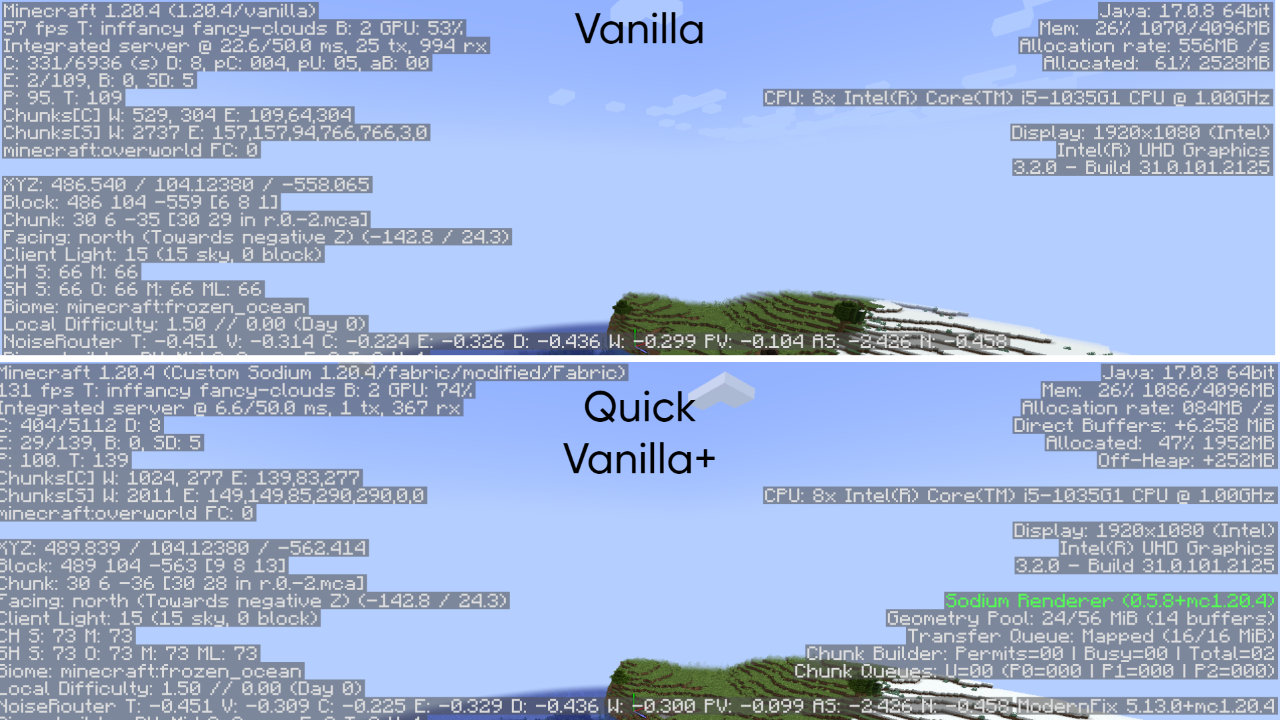 Comparison between Vanilla and Quick Vanilla+ Comparison between Vanilla and Quick Vanilla+
 -
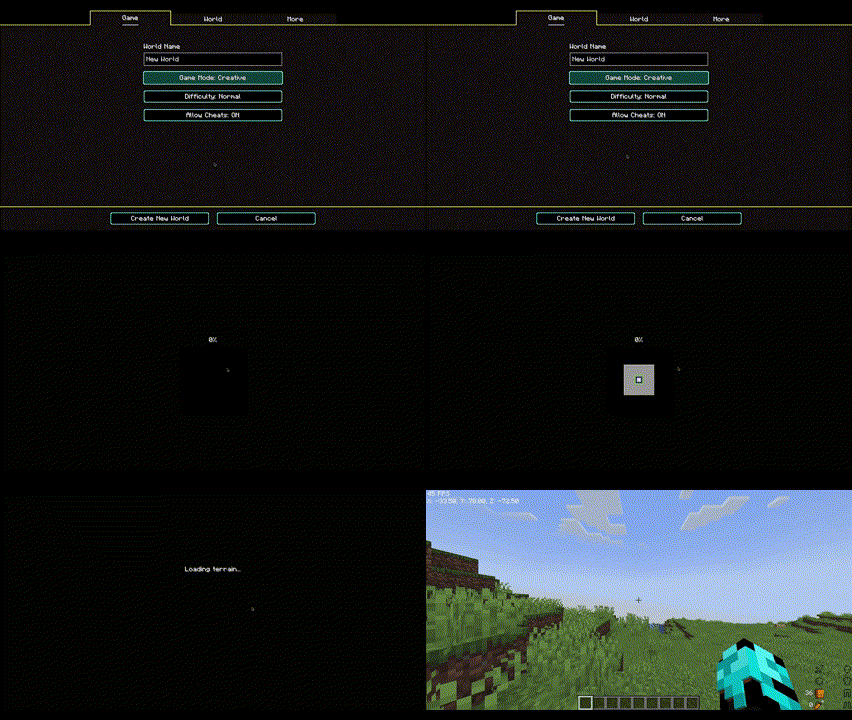 World loading time in Quick Vanilla+ modpack Actual world loading time(not sped up) in Quick Vanilla+ modpack.
 -
 Quick Vanilla+ Quick Vanilla+ New Logo
Versions
Files
Relations
Project Relations
More like this
Similar Modpacks
Suggestions use data such as tags, dependencies, dependents, descriptions, titles, and more to rank how much they overlap with this modpack.
On ModDex
Community snapshot
By the numbers
Statistics

Want to reach Minecraft players?
We're looking for a server hosting partner to feature here and other parts of the site. Interested? Send us a message!
Get in touchGet it on
Available Platforms
On ModDex
Community snapshot
By the numbers