Community listing page, reviews may not be monitored by the author.
RobotSquid's Wanderings

No reviews yet
This modpack enhances the vanilla experience with custom world generation, improved structures, and new visuals.

Community voices
Reviews
No reviews yet. Be the first to review this project!
Get it on
Available Platforms
About
Project Details
For authors
Embed Badge
If you're the author of this project, you can embed a live badge anywhere that supports HTML or Markdown. It updates automatically whenever ratings change.
Use HTML for any page that supports it, or Markdown for README files and Markdown-based descriptions.
Identifiers
Platform IDs
Resources
External Links
About
Description
About Wanderings
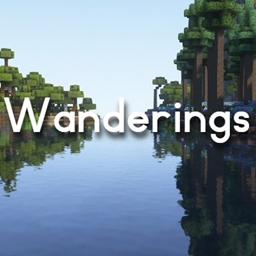
Wanderings is a modpack I created for use on my server with my friends. It contains around 30+ mods that add to the existing experience of playing Minecraft without adding too many new items or blocks. The terrain, structures, and appearance of the world have been completely overhauled with custom dungeons, animations, and mechanics. I took special care to find mods that specifically improve existing elements of the game, focusing on enhancing the early, middle, and late game without adding a huge amount of content post Dragon fight. This was done in order to preserve the spirit of the original game. When combined with Complementary Shaders, the results are breathtaking.
To see some gameplay snippets and cinematic shots, check out this video: https://www.youtube.com/watch?v=IejzBX_rHGo&t=193s
Installation Instructions
- Download Optifine 1.19.2 and move the .jar file to the mods folder in "C:\Users\username\curseforge\minecraft\Instances\RobotSquid's Wanderings\mods" Optifine is required to use Fresh Animations and Complementary Shaders and is not included due to licensing issues.
- When creating a world, click "datapacks" and open the datapacks folder. Navigate to "C:\Users\username\curseforge\minecraft\Instances\RobotSquid's Wanderings\datapacks". Move the two data packs (anti endermen grief and better end cities) to the original datapacks folder you opened. If you go back to Minecraft, they should now appear in the list. Select the two datapacks and move them to the right column to apply them to the world.
- Mods for server performance are included. If running a server, look into Chunk-Pregenerator for Forge and its associated commands in order to get the best performance from the pack.
Screenshots
Gallery
Versions
Files
Relations
Project Relations
More like this
Similar Modpacks
Suggestions use data such as tags, dependencies, dependents, descriptions, titles, and more to rank how much they overlap with this modpack.
On ModDex
Community snapshot
By the numbers
Statistics

Get it on
Available Platforms
On ModDex
Community snapshot
By the numbers
Statistics
Resources