Community listing page, reviews here may not be monitored by the author.
Saffron Create

No reviews yet
A Vanilla+ Modpack based around Create adding features for everyone. Suited for new players too.
Community voices
Reviews
No reviews yet. Be the first to review this project!
Get it on
Available Platforms
About
Project Details
For authors
Embed Badge
If you're the author of this project, you can embed a live badge anywhere that supports HTML or Markdown. It updates automatically whenever ratings change.
Use HTML for any page that supports it, or Markdown for README files and Markdown-based descriptions.
Identifiers
Platform IDs
About
Description
About
Saffron Create is a verison of Saffron with Create and a few Create-related mods on top. There are also many added recipes and more.
If you don't know what Create is, you can watch the official trailer
✔️ 80+ new biomes across all three dimensions
✔️ 100+ new mobs
✔️ Close to Vanilla
✔️ In-game documentation
✔️ Many new building blocks
✔️ Suited for players, who haven't played a modpack before, too
❌ Being bored after having seen basically everything in Vanilla
❌ Quest line you have to follow
❌ Being overwhelmed with new information
Saffron Create exclusive (not in regular Saffron):
✔️ Automating many items
✔️ Completely new train system
If you don't like these last features, but the rest sounds great to you, try Saffron
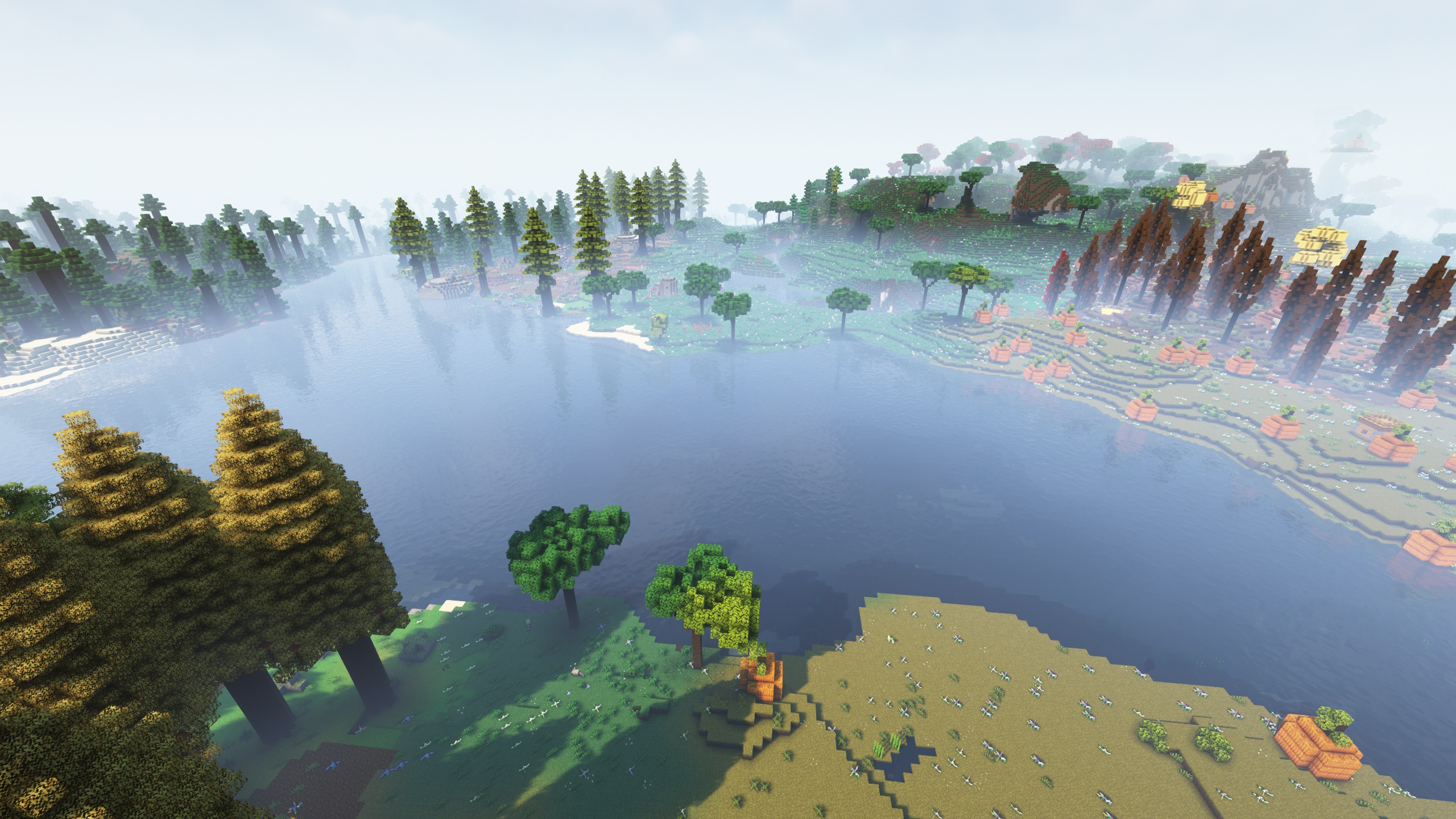
More images here
Found a bug or have an idea how to improve the pack? Tell me on the GitHub page
How to download?
- If you don't have java 17 on your PC, you need to install it first. You can do that here
- Download the CurseForge installer here
- Run the installer file and follow the installation helper
- After opening the CurseForge app, click "Minecraft"
- Click "Browse Modpacks"
- Type "Saffron" or "LaidBackSloth" in the search bar and press Enter
- Click the orange "Install" button from the Saffron modpack
- Navigate back to "My Modpacks" and wait until the installation process is done
- To start the modpack, hover over it and then press the appearing orange "Play" button. The regular Minecraft Launcher should now open, and you can press "Play" in there to start Saffron
How to allocate RAM and how much?
- In the CurseForge app, click the settings-gear in the bottom-left corner
- Click on "Minecraft" and scroll down until you find "Allocated Memory"
- Drag the slider to the amount of RAM you want to allocate
Allocate at least 4-6 GB of RAM, 8-12 GB is recommended
How to play with Shaders?
- Download this file or a newer version of Oculus
- Open the CurseForge App, where you would normally start the modpack
- Right-click on the Saffron profile
- Left-click on "Open Folder"
- A folder should pop up. In there, navigate to the subdirectory "mods"
- Now drag the downloaded file from Oculus in there
- Download this file or a newer version of Iris & Oculus Flywheel Compat and drag it into the mods-folder too
- Download this mod and drag it into the mods-folder too
- Download the shaderpack of your choice. If you don't know what shader to use, pick one here. I used Complementary Shaders v4 for the screenshots
- Go back to the modpack-folder (the folder in which the mods-folder is located in). Create a folder called "shaderpacks" if there isn't already one. Drag your shaderpack (as a ZIP-file) in there
- To use the shaderpack, load up the game and go to "Options…". From there, go to "Video Settings…" and then "Shader Packs…"
- The name of your shaderpack should appear on the screen. Click on it and then press "Apply"
- If the text above your shaderpack is "Shaders: Disabled", click on it, so that it is "Shaders: Enabled"
- Now you can click done and leave the settings. Your shaderpack should be applied
How to play with friends?
- If you want to host a server on your own device, download the server-file and follow the steps in the SERVER_README.txt
- If you want are willing to spend some money, check out Kinetic Hosting. They provide powerful servers for a fair price while being easy to use, and they have a nice support. Click on the image below for more information, and if you are interested, use code LAIDBACKSLOTH at checkout for a 15% discount.
- Note: The Modpack installers of hosting providers probably won't work properly for this pack, so you should download it on your own device and then upload it to the server.

Screenshots
Gallery
-
Saffron Create Title
-
 Saffron Create Logo
Versions
Files
Relations
Project Relations
More like this
Similar Modpacks
Suggestions use data such as tags, dependencies, dependents, descriptions, titles, and more to rank how much they overlap with this modpack.
On ModDex
Community snapshot
By the numbers
Statistics
Want to reach Minecraft players?
We're looking for a server hosting partner to feature here and other parts of the site. Interested? Send us a message!
Get in touchGet it on
Available Platforms
On ModDex
Community snapshot
By the numbers