Community listing page, reviews may not be monitored by the author.
Smart FPS

No reviews yet
A collection of Client-Side FPS-Enhancing mods, with additional mods to substitute for OptiFine features that are not present with Sodium, and to provide several QOL enhancements that do not take away from the core of the game. SHADER SUPPORT.

Community voices
Reviews
No reviews yet. Be the first to review this project!
Get it on
Available Platforms
About
Project Details
For authors
Embed Badge
If you're the author of this project, you can embed a live badge anywhere that supports HTML or Markdown. It updates automatically whenever ratings change.
Use HTML for any page that supports it, or Markdown for README files and Markdown-based descriptions.
Identifiers
Platform IDs
Resources
External Links
About
Description
What is this modpack?
I've collected a few of my personal favorite mods for Fabric that can increase your FPS (depending on your system) over OptiFine for both vanilla, and shader gameplay. A few of them aim to replace OptiFine features that you otherwise would not have, due to this project being based off of Sodium. A few more mods simply add a more enjoyable QOL experience to the game, without drastically taking away from the vanilla experience. (ALL MODS ARE CLIENT SIDE AND WORK ON SERVERS)
What shaders can I use?
For supported shaders, check out this github page created and managed by the Iris mod developers: https://github.com/IrisShaders/Iris/blob/trunk/docs/supportedshaders.md
What kind of performance can I expect?
Performance largely depends on your individual system. Most systems see a substantial performance jump from Vanilla - OptiFine - Smart FPS. I am personally on an M1 Mac Mini, and at times I have a 200% performance increase over OptiFine, and 400% performance increase over vanilla minecraft. Best is for you to just try it and see.
How much ram should I allocate?
This modpack is very light, so ram allocation should not be an issue. If you are planning to play without shaders, 2gb of ram is enough, if you want to play with shaders I would go for 3-4gb to be safe. The rule of thumb is that Minecraft should be using a stable 50-70% of your allocated ram, so allocate accordingly.
What if I prefer to use OptiFine?
if you want to use OptiFine for whatever reason, you'll have to alter a few things. Simply add it to your mods together with OptiFabric. Then, remove the following mods: Cloth Config, Collective, Continuity, Indium, Iris, LambdaBetterGrass, LambDynamicLights, Lithium, Logical Zoom, Reese's Sodium Options, Sodium, Sodium Extra. All of those mods are incompatible or useless with OptiFine.

Screenshots
Gallery
-
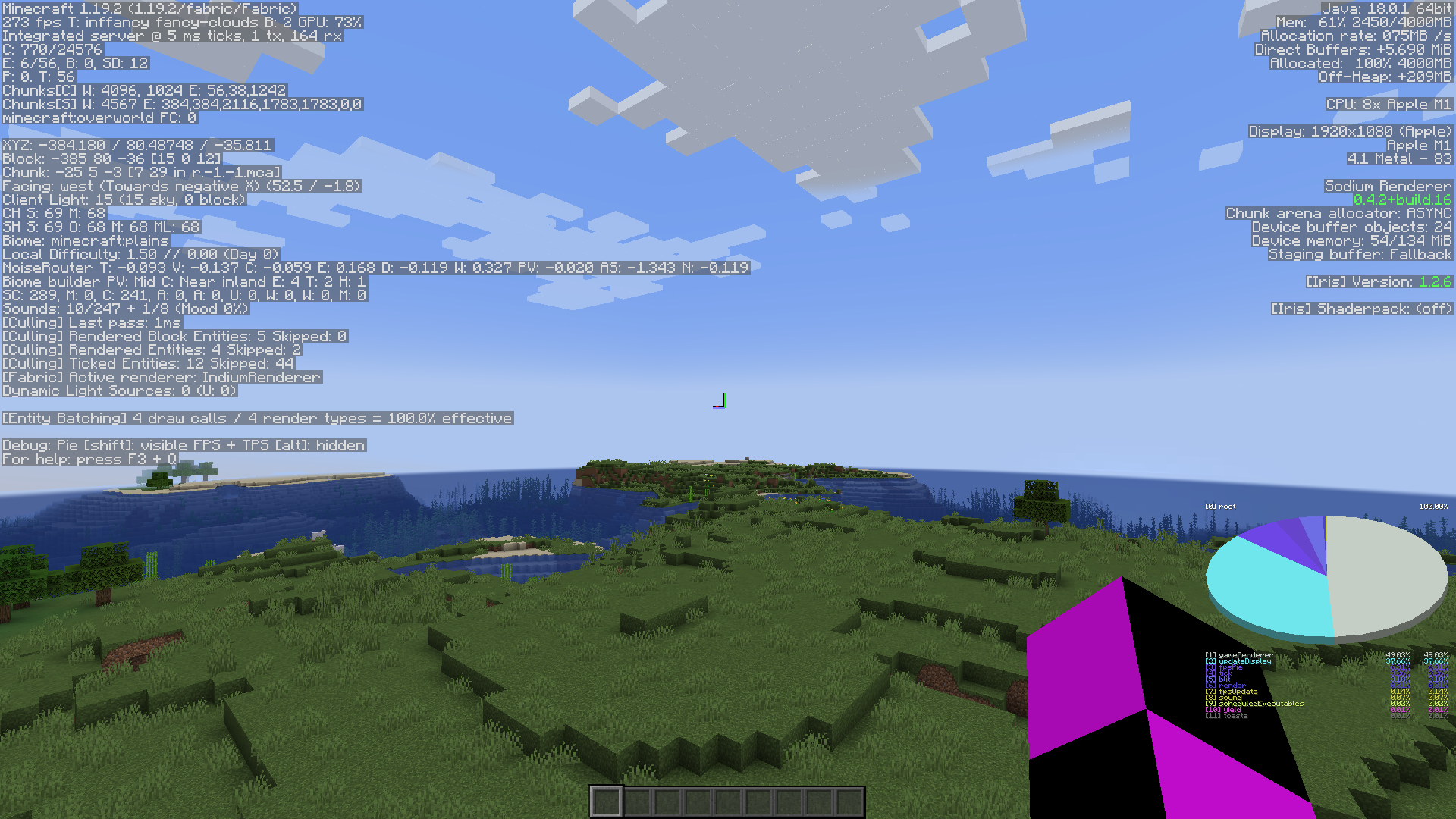 Smart FPS Performance 1080p, 16 chunks, 1.19.2
 -
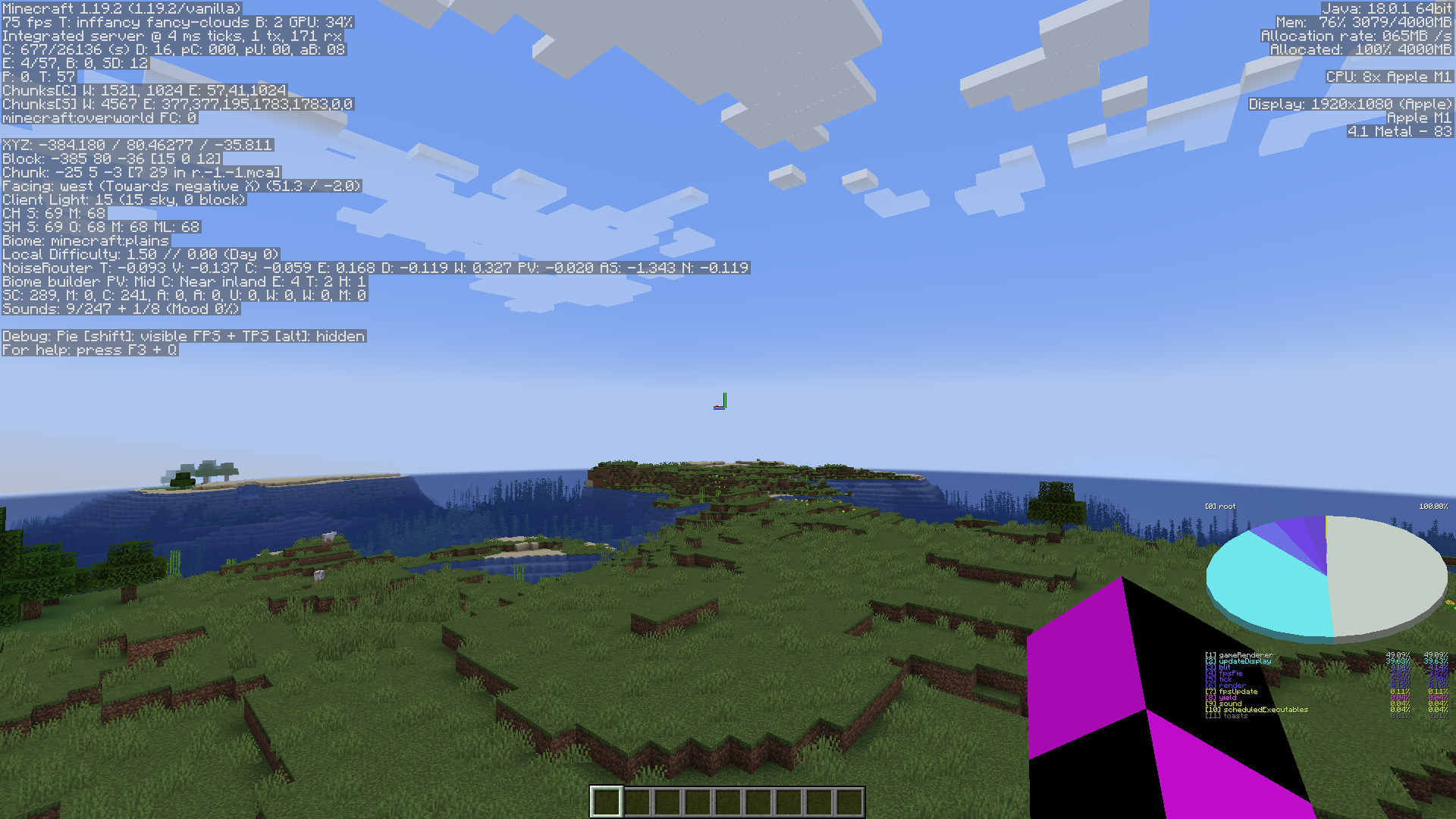 Vanilla Performance 1080p, 16 chunks, 1.19.2
Versions
Files
Relations
Project Relations
More like this
Similar Modpacks
Suggestions use data such as tags, dependencies, dependents, descriptions, titles, and more to rank how much they overlap with this modpack.
On ModDex
Community snapshot
By the numbers
Statistics

Get it on
Available Platforms
On ModDex
Community snapshot
By the numbers
Statistics
Resources