SMods
No reviews yet
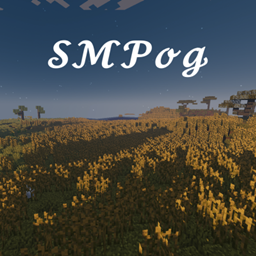
Mods for the new season of SMPog!
Forge is a popular mod loader for versions 1.1+ of Minecraft.
Community voices
Reviews
Click once to include, again to exclude, again to clear
No reviews yet. Be the first to review this project!
Get it on
Available Platforms
 CurseForge
About
Project Details
For authors
Embed Badge
If you're the author of this project, you can embed a live badge anywhere that supports HTML or Markdown. It updates automatically whenever ratings change.
Use HTML for any page that supports it, or Markdown for README files and Markdown-based descriptions.
Identifiers
Platform IDs
Resources
External Links
About
Description
THE NEW MODPACK FOR ALL SMPOG MEMBERS!
For SMPog V3, we decided to take it in a new direction, so new co-owner, Astromations#4582 has compiled a modpack that we'll be using on the next SMP!
How to Install Version 1.0.3 without Overwolf:
- Step 1: Run the 1.16.5 Forge Installer (version 36.2.0) and choose where you want the installation
- Step 2: Once forge is installed, open your Minecraft Launcher
- Step 3: Go to Installations
- Step 4: Click on "NEW +" and for your version choose Forge 1.16.5-36.2.0 and choose your directory. (I recommend making a new separate folder called "SMods" and setting that to the directory in the launcher).
- Step 5: Download this file: https://www.curseforge.com/minecraft/modpacks/smods/files/3402036
- Step 6: Finally, put the SMods Modpack in the mods folder of your new installation (the "SMods" folder), run and adjust settings as neccessary.
Peformance tip: Make sure you run with 4GB of ram and get OptiFine here: https://optifine.net/adloadx?f=OptiFine_1.16.5_HD_U_G8.jar
How to Install Version 1.0.2 without Overwolf:
- Step 1: Run the 1.16.3 Forge Installer (version 34.1.42) and choose where you want the installation
- Step 2: Once forge is installed, open your Minecraft Launcher
- Step 3: Go to Installations
- Step 4: Click on "NEW +" and for your version choose Forge 1.16.3-34.1.42 and choose your directory. (I recommend making a new separate folder called "SMods" and setting that to the directory in the launcher).
- Step 5: Download this file: https://www.curseforge.com/minecraft/modpacks/smods/download/3114692
- Step 6: Finally, put the SMods Modpack in the mods folder of your new installation (the "SMods" folder), run and adjust settings as neccessary.
Peformance tip: add this to replace the argument in Jvm Arguments:
-Xmx4G -XX:+UnlockExperimentalVMOptions -XX:+UseG1GC -XX:G1NewSizePercent=20 -XX:G1ReservePercent=20 -XX:MaxGCPauseMillis=50 -XX:G1HeapRegionSize=32M
(Click "RESET" If it doesn't work for you)
Necessary for Performance:
OptiFine: 1.16.5 / 1.16.3
Recommended Mods:
Sound Filters (included in version 1.0.3)
Chocapic13' High Performance shaders (Toaster edition)
How to Install Server Version 1.0.2:
- Step 1: Run the 1.16.3 Forge Installer (version 34.1.42), select "Install Server" and choose an empty directory.
- Step 2: Copy the "mods" and "config" folders from the "SMods-1.0.2-server.zip" into the same directory you chose for the installer.
- Step 3: Rename "forge-1.16.3-34.1.42.jar" to "server.jar" and run it.
- Step 4: Either upload to your server hoster (I'd have to recommend hostilic.com) or port forward and enjoy playing with friends!
(Only use servers with 4GB ram or more, otherwise the TPS dips)
Screenshots:


Screenshots
Gallery
Versions
Files
Relations
Project Relations
More like this
Similar Modpacks
Suggestions use data such as tags, dependencies, dependents, descriptions, titles, and more to rank how much they overlap with this modpack.
On ModDex
Community snapshot
By the numbers
Statistics
Want to reach Minecraft players?
We're looking for a server hosting partner to feature here and other parts of the site. Interested? Send us a message!
Get in touchGet it on
Available Platforms
On ModDex
Community snapshot
By the numbers
Statistics
Resources