
SmoothCraft
No reviews yet
A fast and simple modpack to boost your fps and enhance your gameplay.
Enhances game performance and optimizes resource usage.
Fabric is a mod loader for versions 1.14+ of Minecraft, particularly popular for client side and optimization mods.
Community voices
Reviews
Click once to include, again to exclude, again to clear
No reviews yet. Be the first to review this project!
Get it on
Available Platforms
 Modrinth
Compatibility
Supported Environments
About
Project Details
For authors
Embed Badge
If you're the author of this project, you can embed a live badge anywhere that supports HTML or Markdown. It updates automatically whenever ratings change.
Use HTML for any page that supports it, or Markdown for README files and Markdown-based descriptions.
Identifiers
Platform IDs
Resources
External Links
About
Description
SmoothCraft
The SmoothCraft mod pack is meticulously designed to deliver an optimized Minecraft experience, focusing on enhancing performance and ensuring smooth gameplay. Through extensive research and testing, SmoothCraft consistently outperforms many other optimization solutions, making it a top choice for players seeking a seamless experience.
SmoothCraft prioritizes maintainability and simplicity, which means it does not include unnecessary quality-of-life or visual enhancements by default. Players are encouraged to add any additional mods they desire to customize their experience.
This design allows for rapid updates, ensuring the mod pack can incorporate the latest performance enhancements and quickly adapt to new Minecraft versions, often within hours of their release. I am dedicated to keeping SmoothCraft at the forefront of optimization.
Included Mods (29)
- AppleSkin - Visualizes hunger and saturation levels for better food management.
- BadOptimizations - Reduces unnecessary calculations to enhance performance.
- BetterF3 - Customizes the F3 debug screen for improved readability.
- C2ME - Optimizes chunk rendering and loading for better performance.
- Cloth Config - Provides configuration settings for other mods.
- Clumps - Merges XP orbs into clumps, reducing lag.
- Continuity - Adds support for connected textures, enhancing visuals.
- Distant Horizons - Enables LOD rendering for distant terrain.
- Enhanced Block Entities - Optimizes block entity rendering for performance.
- Entity Culling - Culls entities outside the player’s view to boost FPS.
- Entity Texture Features - Supports additional textures for mobs and entities.
- FerriteCore - Reduces RAM usage for block states, optimizing memory.
- ImmediatelyFast - Enhances performance by optimizing immediate mode rendering.
- Indium - Improves rendering support for Sodium and Iris mods.
- Iris - Adds stunning shader support to enhance visuals.
- Lithium - Enhances server-side physics and game logic for better performance.
- ModernFix - Optimizes chunk loading and game internals.
- ModMenu - Adds a mod options menu for better mod management.
- More Culling - Extends culling optimizations for efficient rendering.
- NoChatReports - Disables chat reporting for enhanced privacy.
- OkZoomer - Provides customizable zoom functionality.
- Reese's Sodium Options - Customizes Sodium mod settings.
- Sodium - Significantly improves rendering performance.
- Sodium Extra - Adds extra performance improvements to Sodium.
- Sodium Culling - Optimizes chunk and entity culling further.
- Sound Physics Remastered - Enhances sound propagation for realism.
- ThreadTweak - Optimizes multi-threading for better performance.
- VMP - Boosts chunk rendering performance in multiplayer.
- Yet Another Config Lib - Lightweight configuration library for various mods.
Installation Guide for SmoothCraft
There are two easy ways to install the SmoothCraft mod pack:
Method 1: Using Modrinth
-
Download the Modrinth App
- Visit the Modrinth website and download the Modrinth app.
-
Open the SmoothCraft MRPack
- Launch the Modrinth app and open the SmoothCraft.mrpack file.
-
Run the Instance
- After the pack is loaded, run the instance directly through the Modrinth app. You're good to go! Enjoy your optimized Minecraft experience!
Method 2: Using ZIP Conversion
-
Convert MRPack to ZIP
- Go to Jamie's MRPack to ZIP converter and upload your SmoothCraft.mrpack file.
-
Download the Converted ZIP
- After the conversion is complete, download the ZIP file.
-
Install the Mods
- Extract the contents of the downloaded ZIP file.
- Drag and drop the mods, configs, and other necessary files into your Minecraft folder (typically located at
C:\Users\<YourUsername>\AppData\Roaming\.minecrafton Windows).
-
Launch Minecraft
- Start Minecraft and enjoy your optimized gameplay with the SmoothCraft mod pack!
Screenshots
Gallery
-
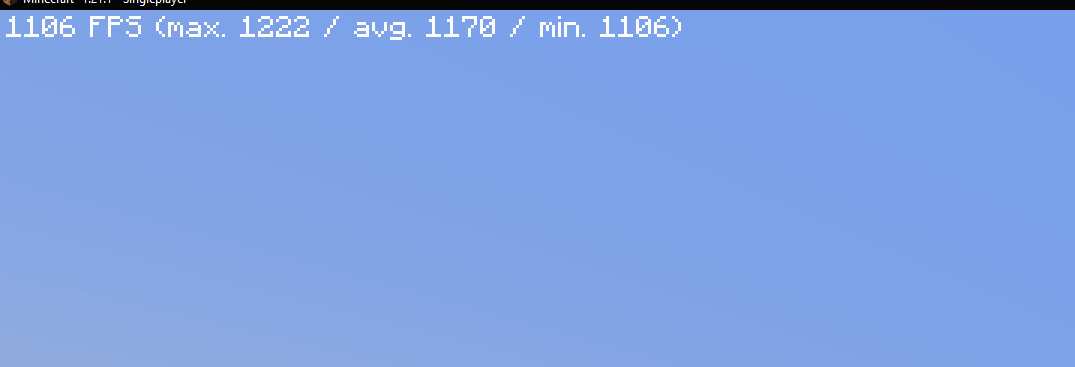 FPS On flat world
Versions
Files
Relations
Project Relations
More like this
Similar Modpacks
Suggestions use data such as tags, dependencies, dependents, descriptions, titles, and more to rank how much they overlap with this modpack.
On ModDex
Community snapshot
By the numbers
Statistics

Want to reach Minecraft players?
We're looking for a server hosting partner to feature here and other parts of the site. Interested? Send us a message!
Get in touchGet it on
Available Platforms
On ModDex
Community snapshot
By the numbers
Statistics
Resources